1
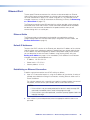
Operating using Telnet
This guide does not detail all of the operations and functionality of Telnet. However, some
basic level of understanding is necessary for operating the HDXP switcher via Telnet.
Connecting to the HDXP (Open command)
You connect to the HDXP Plus switcher using the Open command. After your computer
is connected to the switcher, you can enter the SIS commands the same as you would if
you were using the RS-232 or RS-422 link.
1. At the Telnet prompt, enter open IP address.
•
If the switcher is not password-protected, no further prompts are displayed
until you disconnect from the HDXP switcher.
•
If the switcher is password-protected, Telnet displays the password prompt.
2. If necessary, enter the password at the password prompt.
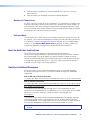
Connection to the switcher via the Ethernet can be password protected. There are
two levels of password protection: administrator and user.
•
A person logged on as an administrator has full access to all HDXP switching
capabilities and editing functions.
•
Users can select test patterns, mute or unmute the output, select a blue screen,
and view all settings with the exception of passwords. By default, the switcher is
delivered with both passwords set to “carriage return.”
When you are logged in, the switcher returns either Login Administrator or Login
User. No further prompts are displayed until you disconnect from the HDXP switcher.
Escape character and <Esc> key
Many SIS commands include the keyboard <Esc> key. Consequently, some confusion
may exist between the Escape character and the <Esc> key.
When Telnet is first started, the utility advises that the Escape character is “Ctrl+].”
This means that the Telnet Escape character is a key combination: the <Ctrl> key and
the <]> key pressed simultaneously. Pressing these keys displays the Telnet prompt while
leaving the connection to the HDXP switcher intact.
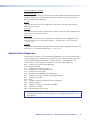
Local echo
Once your computer is connected to the HDXP switcher, by default Telnet does not
display your keystrokes on the screen. SIS commands are entered blindly, and only the
SIS responses are displayed on the screen. To command Telnet to show all keystrokes,
enter set local_echo at the Telnet prompt before you open the connection to the
switcher.
With local echo turned on, keystrokes and the switcher responses are displayed on the
same line.
Example: 1*1!In1 Out1 All,
where 1*1! is the SIS command and In1 Out1 All is the response.
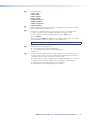
Note that all keystrokes are displayed, even those that should be masked, such as the
password entry. For example, when entering a password with local echo turned on, you
see a display such as a*d*m*i*n*, where admin is the keyed-in password and ***** is
the masked response.
Local echo can be turned off by entering unset local_echo at the Telnet prompt. If your
computer is connected to the HDXP switcher, and you need to access the Telnet prompt
to turn local echo off, enter the Escape sequence (<Ctrl + ]>).
HDXP Plus Series Switchers • Reference Information
116