1
FAMS and FAMSBASE for Protein Structure
UNIT 5.2
The computer program FAMS (Full Automatic Modeling System; Ogata et al., 2000;
Iwadate et al. 2001) performs homology modeling of protein structures by means of
an algorithm consisting of database searches and simulated annealing. FAMS produces a model in which the torsion angles of the backbone and sidechains are highly
accurate.
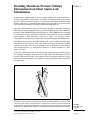
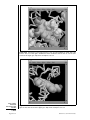
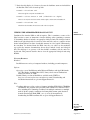
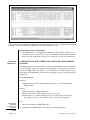
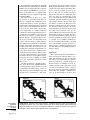
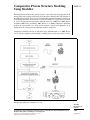
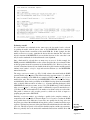
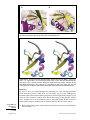
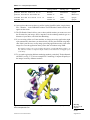
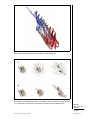
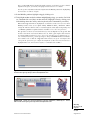
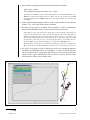
An overview of the processes for obtaining a protein model via FAMS is shown in
Figure 5.2.1. This unit describes a procedure for searching FAMSBASE (Yamaguchi
et al., 2003), the database of structural models calculated by FAMS (see Basic
Protocol).
CHECKING FAMSBASE FOR A PROTEIN MODEL
When a 3-D structural model is required for a particular protein, one should first check
whether or not the protein is already modeled. FAMSBASE is a relational database of
comparative protein structure models for the entire genomes of 41 species, as presented in the GTOP (Genomes TO Protein structures and functions) database at
http://spock.genes.nig.ac.jp/~gtop-old/gtop.html. The models in that database were
all calculated using FAMS. FAMSBASE provides versatile search and query functions, including searching by name of ORF (open reading frame), ORF annotation,
Protein Data Bank (PDB) ID, and sequence similarity. FAMSBASE is available online
at http://famsbase.bio.nagoya-u.ac.jp/famsbase/. The present percentage of ORFs
with 3-D protein models in FAMSBASE is 42%; therefore, requested protein models
are currently available in approximately half of all cases.
BASIC
PROTOCOL
Necessary Resources
Hardware
Any computer with an Internet connection
Software
Web browser (Internet Explorer v. 5.0 or later or Netscape v. 4.7 or later for
Windows; Internet Explorer v. 4.5 or later for Macintosh)
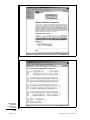
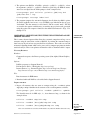
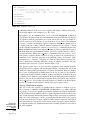
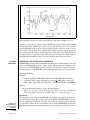
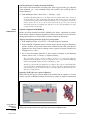
1. Log in to FAMSBASE as follows.
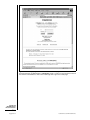
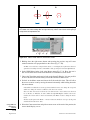
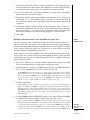
a. Go to the URL of FAMSBASE, http://famsbase.bio.nagoya-u.ac.jp/famsbase/.
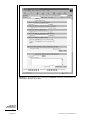
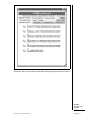
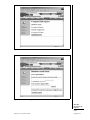
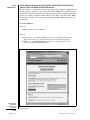
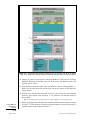
Figure 5.2.2 shows the login page of FAMSBASE.
b. Enter a login name and password. If accessing the database for the first time, obtain
a login name and a password by clicking the link labeled “For the first user.”
Alternatively, click on the “Public Login” hyperlink.
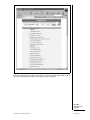
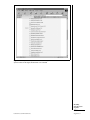
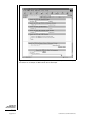
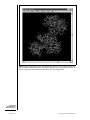
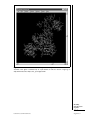
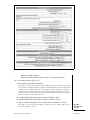
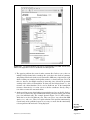
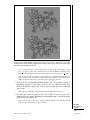
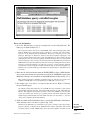
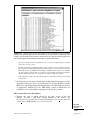
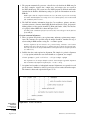
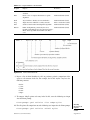
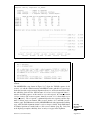
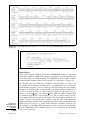
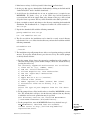
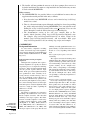
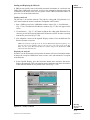
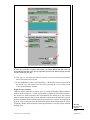
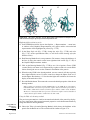
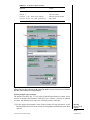
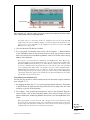
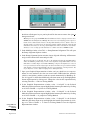
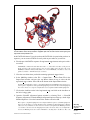
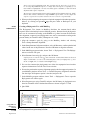
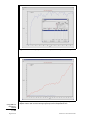
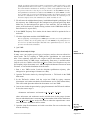
After logging in, one arrives at the FAMSBASE search page. Figure 5.2.3 shows the upper
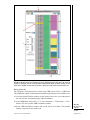
part of the search page; Figure 5.2.4 shows the lower part. “Public Login” only provides
sufficient access to determine whether or not a model exists in FAMSBASE. Individuals
who select “Public Login” cannot view structures.
2. Specify search criteria.
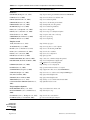
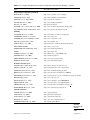
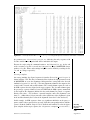
a. Species. The upper part of the search page (Fig. 5.2.3; Section 1) lists 41 species
whose genome ORFs have been determined. The check boxes on the left-hand
side of the query form allow the user to specify which species should be included
Contributed by Hideaki Umeyama and Mitsuo Iwadate
Current Protocols in Bioinformatics (2003) 5.2.1-5.2.16
Copyright © 2003 by John Wiley & Sons, Inc.
Modeling
Structure from
Sequence
5.2.1
Supplement 4