1
9. Appendix
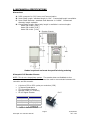
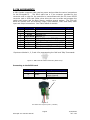
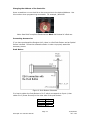
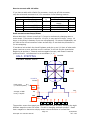
Connecting to the old non-RoHS RS232 card
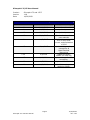
SP17C pin#
4
3
6
1
SP17C color
Black/white
Brown
Green
Red
Table 4
RS232 card pin#
A (RS485A)
B (RS485B)
- (GND)
+ (PWR)
Figure 2
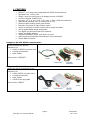
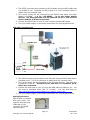
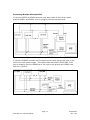
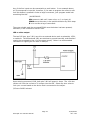
The RS232 card requires power (7-40VDC). Power is then sent to the motor via the Red 4-Pin connector.
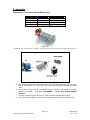
Figure 5: Connection using RS232
5. The RS232 converter card connects to the Silverpak using the DB-15 cable
that is provided to you. The red 4-Pin connector is placed onto the converter
card.
6. Your power supply will be connected to the RS232 card where the green
header is located. + is for +12-40VDC, - is for the Power Supply
Ground.
7. Connect the RS232 card to your PC with a male to female DB-9 cable.
8. Turn your power supply on and follow instructions for using HyperTerminal.
Page 21
Silverpak 17C-CE User Manual
10/29/2009
Rev 1.09