1
Designing Labels
Chapter 3-13
Note: Field Names can contain letters and numbers, but no
spaces are allowed.
Adding a
Picture
6
Click OK and then click on the label in the position where
you want to place the 2D barcode.
1
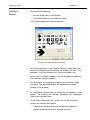
Do one of the following:
•
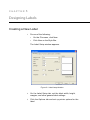
On the Draw menu, click Picture.
•
Click Add Picture on the Drawtools Bar.
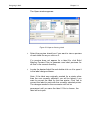
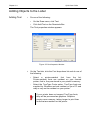
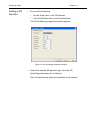
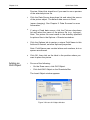
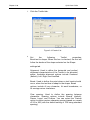
The Picture properties window appears.
Figure 3-7 Picture Properties Window
2
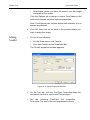
On the Pictures tab, set the following picture properties as
appropriate for this field:
Rotation: Controls the orientation of the picture object. The
options are Normal, Sideways Up, Sideways Down, and
Upside Down.
Ratio: Determines if and how the image can be resized.
• Fixed Ratio means both the height and width will
remain proportional as the size changes.
•
Stretchable means there is independent control of the
height and the width.
•
Non-Resizable means the picture cannot be resized.