1
About this Manual
This manual is designed to provide you with the basic
information you need to design and print labels. More indepth
information on these topics and other more advanced topics
can be found in the online Help.
Typographical Conventions
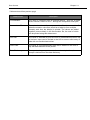
This manual uses the following conventions to distinguish
between different types of information:
e
•
Terms taken from the interface itself, such as menu names,
commands, options and button names appear in bold.
•
Keys appear in uppercase, as in the following example:
"Press the SHIFT key."
•
Numbered lists indicate a procedure to follow.
•
The sequence for selecting a command from a menu will be
described, but a button is also available for many functions.
•
Angle brackets < > indicate system setup information that
must be entered by keyboard. Enter only the information,
not the brackets.