1
iPECS-LIK
Feature Description & Operation Manual
Issue 5.6
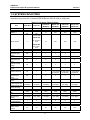
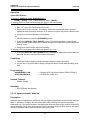
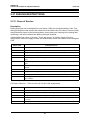
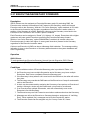
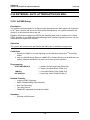
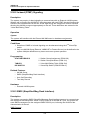
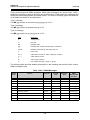
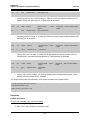
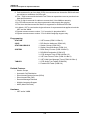
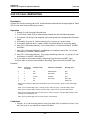
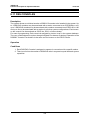
3. Assignments for the DSS/DLS button maps are detailed in the iPECS Admin &
Programming Manual. Note that the individual button assignments can be changed
as with the iPECS Phone Flex buttons.
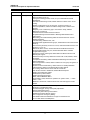
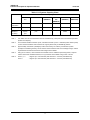
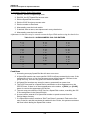
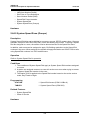
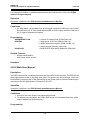
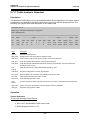
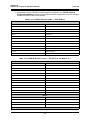
Table 6.11-1 DSS/DLS button maps — iPECS-Micro
MAP 1
Flex 1
Atd Override
Flex 2
All Call Page
Flex 3
Call Park 01
Flex 4-
Station Group 1
Flex 5
Camp-On
Flex 6
Int All Call Page
Flex 7
Call Park 02
Flex 8
Station Group 2
Flex 9
Release
Flex 10
Ext All Call Page
Flex 11
Call Park 03
Flex 12
Station Group 3
Flex 13 ~ 38
Station 100 – 125
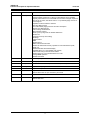
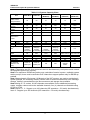
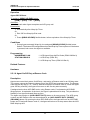
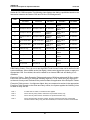
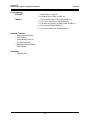
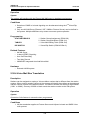
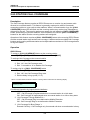
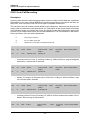
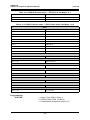
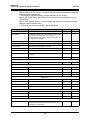
Table 6.11-2 DSS/DLS button maps — iPECS-50 & 100 Maps 1 to 3
MAP 1
Flex 1
Atd Override
Flex 2
All Call Page
Flex 3
Call Park 01
Flex 4-
Station Group 1
Flex 5
Camp-On
Flex 6
Int All Call Page
Flex 7
Call Park 02
Flex 8
Station Group 2
Flex 9
Release
Flex 10
Ext All Call Page
Flex 11
Call Park 03
Flex 12
Station Group 3
Flex 13 ~ 48
Station 100 – 135
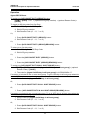
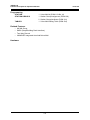
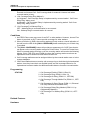
MAP 2
iPECS-100
Flex 1 ~ 34
Station 136~169
iPECS-50
Flex 1 ~ 14
Station 136~149
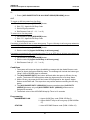
MAP 3
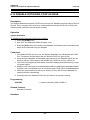
377