1
KVMoIP Technology
e
Black Box Explains
KVMoIP access technology.
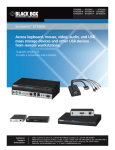
KVMoIP access technology extends keyboard, video, and mouse
KVMoIP products that feature virtual media technology take that
(KVM) signals from any computer or server over TCP/IP via a LAN, WAN,
convenience further. They enable a remote user to effortlessly move files
or Internet connection. Through this KVM over IP (KVMoIP) connection,
from a mass storage device — a USB flash drive or CD-ROM drive, for
remote users can access and control a number of servers simultaneously
instance — from your location to the computer on which you’re working.
from wherever they are, inside or outside the organization , and anywhere
Cost savings are realized through reduced downtime and less travel. Plus,
in the world. This technology works in diverse hardware environments
in some cases, there‘s no to need replace existing KVM switches with
and is ideal for managing multilocation data centers and branch offices.
proprietary ones to get a KVMoIP server-control solution.
These capabilities translate into real savings for companies having
to deal with the proliferation of servers in many offices, particularly for
The Black Box difference.
Black Box® ServSwitch™ KVMoIP solutions go further than many other
corporations and government agencies required to deliver 24/7 uptime
KVMoIP products on the market. They not only enable you to access
and real-time access to mission-critical servers 365 days a year.
remote servers, but they do this at the BIOS level—important when you
KVMoIP products combine the advantages of remote access software
go need to troubleshoot from off-site and don’t want to a dispatch
with the benefits of KVM switching technology. Like most KVM switches,
a technician. Install or recover software applications and install OS patches
KVMoIP products don’t require any software to be loaded on the host
from your location anywhere in the world. Plus, this BIOS-level control is
computers. They interface directly with the keyboard, monitor, and mouse
possible regardless of the server’s brand or model and even works if the
connectors of the host computer or KVM switch. Circuitry within the
operating system is down.
KVMoIP device digitizes the incoming video signal and processes it into
digital data that is communicated to a viewer program running on a
For more information on Black Box KVMoIP solutions, visit
blackbox.nl/videos. Find out more by watching a KVMoIP demo.
remote client computer over a LAN/WAN or the public Internet.
By addressing network issues from a remote location, you can simply
manage issues from your desk, or even save yourself the hassle of traveling
to a site in the middle of the night. Use a browser-based connection, even
a cell phone or PDA, to reboot or administer a roomful of servers
remotely — a real convenience.
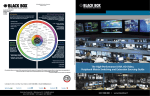
The importance of vendor-neutral global centralized KVM management.
Customer
Data Center
Global Centralized
KVM Management
KVMGate
Legacy Analog Devices
Installation of the ServReach global centralized KVM server management system enables
you to keep devices that are working for you.
21