1
Chapter 4: Commands
7
4 Commands
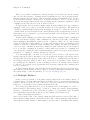
imail provides a rich set of commands for manipulating messages. Like Rmail, most of
these commands are bound to letter keys.
The most important command is M-x imail, which is used to start imail. With no
arguments, M-x imail reads the primary folder, selects the first unseen message in the
folder, then selects the folder’s buffer. If the primary folder is an imap folder, M-x imail
will connect to the server and check for new mail. If M-x imail is given a prefix argument,
it will prompt for the url of a folder rather than reading the primary folder.
The imail message buffer is put in IMAIL mode, a special mode in which most letter
commands are defined to have special meanings. Where possible, the letters chosen for these
commands are the same as those for the corresponding Rmail commands. The command
keys specified in this chapter are for IMAIL mode, unless otherwise specified.
4.1 Navigation
The most basic thing to do with a message is to read it. The way to do this in imail is
to select the message. The usual practice is to move sequentially through the folder, since
this is the order of receipt of messages. When you enter imail, you are positioned at the
first message that you have not yet seen (that is, the first one that has the ‘unseen’ flag; see
Section 4.5 [Flags], page 17). Move forward to see the other new messages; move backward
to reexamine old messages.
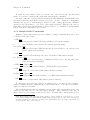
n
Move to the next nondeleted message, skipping any intervening deleted messages (imail-next-undeleted-message).
p
Move to the previous nondeleted message (imail-previous-undeletedmessage).
M-n
Move to the next message, including deleted messages (imail-next-message).
M-p
Move to the previous message, including deleted messages (imail-previousmessage).
j
Move to the first message. With argument n, move to message number n
(imail-select-message).
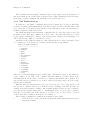
>
Move to the last message (imail-last-message).
<
Move to the first message (imail-first-message).
M-u
Move to the first unseen message (imail-first-unseen-message).
M-s string hRETi
Move to the next message containing a match for string (imail-search).
M-- M-s string hRETi
Move to the previous message containing a match for string.
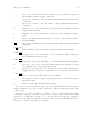
C-c C-n
Move to the next message with the same subject (imail-next-same-subject).
C-c C-p
Move to the previous message with the same subject (imail-previous-samesubject).