1
CineSuite Reference Manual
CineSuite Manager
KDI
The KDI menu offers two sub-menus, one is “Edit Content”, and the other “Send Alert”. The edit
content portion is used primarily as an editor and directory creator. This program section features an
editor window in which to create screens for the eCNA-200. There is also a test function that has a
virtual eCNA-200 front panel. This virtual front panel has simulated data entry keys, and a simulated
screen so that the programmer can see exactly what will appear on the CNA screen, and how the
input keys will function. This feature is useful for creating help menus, status message screens, and
just about any other text messaging/ interactive functions that the programmer can think up. The
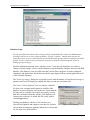
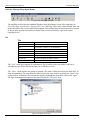
Send alert window provides a means for sending a specific house, multiple houses, or global eCNA200's a text message to be displayed on screen.
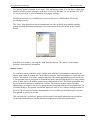
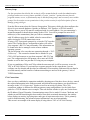
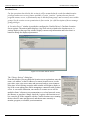
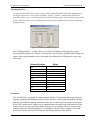
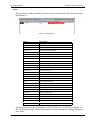
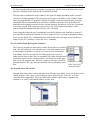
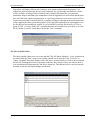
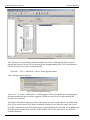
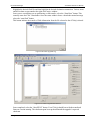
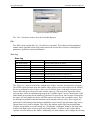
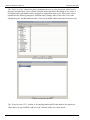
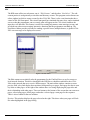
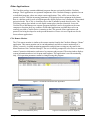
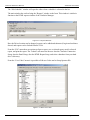
Figure 3-45 KDI Editor
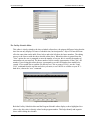
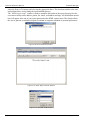
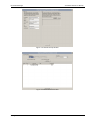
The Edit content screen initially asks the programmer for the CineNet Driver to use for remote or
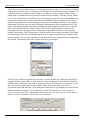
local network function. This driver should have the KDI Server checkbox enabled for the eCNA200s on the network that are to receive KDI messages. The main editor window contains a screen
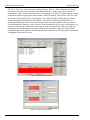
preview field, a key link display that correlates front panel keys to pages. Each page also has its own
key links to other pages. At the right of the window there is a listing displaying the page titles and
their relationships with other pages. There are buttons at the bottom of the screen that can create new
pages, edit existing pages, delete pages, and make a selected page a start page for the sequence.
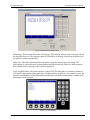
There is also a button for the test emulator.
Preview: This window displays the page selected at the right. This shows what your pages will look
like when highlighted in the page listing.
54
Strong International