1
Chapter 5: Maintenance and troubleshooting
Log files
Diagnostics report
When contacting Cobham SATCOM for support, please include a diagnostic report.
The diagnostic report contains information relevant for the service personnel during
troubleshooting.
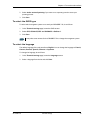
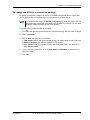
To generate the diagnostic report, access the web interface and select Control panel >
Support > Diagnostics report. Then click Generate report.
Call log and data log
The log holds detailed information on each call or data session to and from the EXPLORER 710,
including date and time, phone numbers, duration, amount of data transferred etc.
Date and time is UTC time, received from the satellite.
For information on how to view the log in the web interface, see To use the logs on page 52.
Event log
The Event log shows events that occurred in the past and are no longer active. It includes
events of informational character describing normal phases of operation for the terminal, and
also alerts that have appeared in the Alerts list.
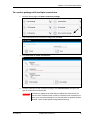
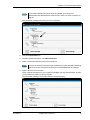
To view the event log in the web interface, select Event log from the Support page.
98-140012-E
Log files
113