1
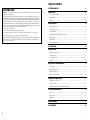
TABLE OF CONTENTS
FCC COMPLIANCE
CAUTION:
Changes or modifications not expressly approved by Digital Security Controls Ltd. could void your
authority to use this equipment.
This equipment has been tested and found to comply with the limits for a Class B digital device, pursuant to Part 15
of the FCC Rules. These limits are designed to provide reasonable protection against harmful interference in a residential
installation. This equipment generates, uses and can radiate radio frequency energy and, if not installed and used in
accordance with the instructions, may cause harmful interference to radio communications. However, there is no
guarantee that interference will not occur in a particular installation. If this equipment does cause harmful interference
to radio or television reception, which can be determined by turning the equipment off and on, the user is encouraged
to try to correct the interference by one or more of the following measures:
• Re-orient the receiving antenna.
• Increase the separation between the equipment and receiver.
• Connect the equipment into an outlet on a circuit different from that to which the receiver is connected.
• Consult the dealer or an experienced radio/television technician for help.
The user may find the following booklet prepared by the FCC useful: “How to Identify and Resolve Radio/Television
Interference Problems”. This booklet is available from the U.S. Government Printing Office, Washington D.C.
20402, Stock # 004-000-00345-4
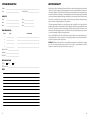
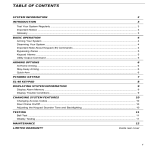
SYSTEM INFORMATION
2
INTRODUCTION
3
Test Your System Regularly ................................................................................................................................ 3
Important Notice ................................................................................................................................................... 3
Glossary ................................................................................................................................................................. 3
BASIC OPERATION
4
Arming Your System ............................................................................................................................................. 4
Disarming Your System ....................................................................................................................................... 4
Silencing an Alarm ............................................................................................................................................... 4
∗
Important Note About Keypad [ ] Commands ............................................................................................... 4
Bypassing Zones .................................................................................................................................................. 5
Keypad Alarms ..................................................................................................................................................... 5
Utility Output Command ...................................................................................................................................... 5
PC500RK KEYPAD
6
ARMING OPTIONS
7
About Home-Away Zones ................................................................................................................................... 7
At-Home Arming ................................................................................................................................................... 7
Home-Away Arming ............................................................................................................................................. 7
Quick-Arm .............................................................................................................................................................. 7
DISPLAYING SYSTEM INFORMATION
8
System Light .......................................................................................................................................................... 8
Display Bypassed Zones .................................................................................................................................... 8
Display Alarm Memory ........................................................................................................................................ 8
Display Trouble Conditions ................................................................................................................................ 8
CHANGING SYSTEM FEATURES
9
Changing Access Codes ................................................................................................................................... 9
Door Chime On/Off ............................................................................................................................................... 9
Adjusting the Keypad Sounder Tone and Backlighting ................................................................................. 9
TESTING AND MAINTENANCE
10
Bell Test ...............................................................................................................................................................10
Weekly Testing ...................................................................................................................................................10
Maintenance .......................................................................................................................................................10
12
LIMITED WARRANTY
11
FCC COMPLIANCE
12
1