1
3
Using the Hand Terminal
Activating
The Hand Terminal has no On/Off switch. The Hand Terminal is always ready to function by
pressing any key. When resetting (SHIFT+DEL) or installing batteries, The Hand Terminal will
beep twice. The Hand Terminal will resume its standby state 30 seconds after the last function.
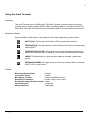
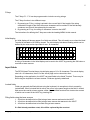
Symbols of display
Special symbols will be shown on the right side of the display depending on the function:
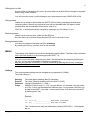
SHIFTLOCK. This function will be ON or OFF by pressing the shift key,.
TRANSACTION. This sign shows up, when the Hand Terminal is communicating
with the HOST.
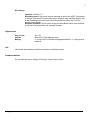
TRANSACTION FAILURE. This sign shows up, when transaction between the
Hand Terminal and the HOST has failed. This will also be indicated by five beeps.
LASER. This sign shows up, when the laser reader is activated. (yellow laser
button)
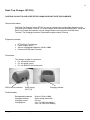
EXTERNAL READER. This sign shows up, when the external reader is activated.
(SHIFTLOCK + laser button )
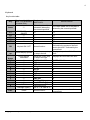
Sounds
Resetting Hand terminal
Transaction failure
Bad battery condition
Reception of message
Successful reading of laser scanner
Opening keylock
Wrong password
Copyright © 2002 by Nordic ID. All rights reserved.
2 beeps.
5 beeps
3 beeps with different levels
At least 1 beep, can be more.
1 beep
1 long beep
3 fast beeps