1
Switched-On Schoolhouse® 2014
Install and Setup Basics
Welcome to Switched-On Schoolhouse® Home Edition 2014!
How to Use This Guide
The reference guide was designed to help you quickly and easily find what you need as you help students
succeed in Switched-On Schoolhouse®. As you move from topic to topic, you see graphics and buttons
accompanied by quick explanations and handy tips. You can also walk through step-by-step instructions
that show you how to accomplish different tasks.
There are six sections to the entire user guide:
1. SOS INSTALL AND SETUP BASICS – Walks you through installation of SOS and helps you do the
basic setup of the application, so your students can get started with their schoolwork.
2. SOS TEACHER ADMINISTRATION FUNCTIONS – Explains all of the features and functions
accessible and customizable using the links in the Administration widget.
3. SOS TEACHER LESSON BOOK – Helps you understand and use the features of the Assignment
page and Lesson Plan.
4. SOS TEACHER REPORTS AND APPLICATIONS GUIDE – Explains the reporting options and
each of the functions available in the Application widget.
5. SOS STUDENT - Learn about your student’s assignments and how you can help them when they
need assistance.
6. SOS RESOURCE CENTER AND MESSAGING SYSTEM GUIDE – Teaches you about the
features in the Resource Center and how to use the internal SOS Messaging system.
Additional Help
SOS provides additional assistance in a number of formats for you, including:
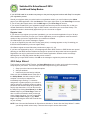
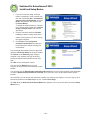
• Free training webinar - access it from the Setup Wizard, the Help widget on your SOS Teacher
Home Page, or www.aophomeschooling.com/switched-on-schoolhouse/webinars.php.
•
Online tutorials walk you through many of the functions to maximize SOS performance. A list of the
available tutorials can be found on page 33 in this guide. You can access on our website,
http://www.sostutorials.com/. You can also open them on your computer (They were installed with
SOS 2014.) by double-clicking the icon on your desktop to open the tutorials; or you can access
them by following these steps:
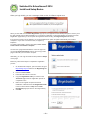
1. Click Start on the task bar of your computer.
2. Next, click All Programs.
3. Select AOP.
4. Select Switched-On Schoolhouse 2014.
5. Select Tutorials.
•
AOP also has an overview of how to use the application. You can watch the SOS Overview by
clicking SOS Overview in the Help Center widget on your Home Page.
•
There is also a list of helpful resources on page 31 of this guide.
If you need additional help, you can contact Alpha Omega Publications:
•
Visit www.aophomeschooling.com/support/ to view our extensive database of solutions to
problems you might encounter with SOS or other AOP products. The database is updated
regularly as new issues and solutions are identified. You can also locate software patches and
revisions as well at this site.
•
Call Technical Support toll-free at 1-866-444-4498.
•
Call Customer Service toll-free at 1-800-622-3070.
~3~