1
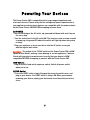
Powering Your Devices
The Power Center 200 is compatible with a large range of appliances and
electronic devices. Please verify that the voltage and power requirements of
your appliances and electronic devices are compatible with the power outputs
on the Power Center 200 BEFORE attempting to power them.
AC POWER
· Before switching on the AC outlet, zip open and fold down both vent flaps on
the carry-bag.
· Turn the switch next to the AC outlet ON. The inverter requires a few seconds
to power up; the green LED above the switch will light up when the system
is ready.
· Plug your appliance or electronic device into the AC outlet; use as you
would a regular wall outlet.
Caution! : The output of the 120VAC outlet on the Power Center 200 is MSW
(Modified Sine Wave), and may cause damage to certain appliances / devices.
Check with your device manufacturer to verify that your device is MSW
compatible BEFORE attempting to power it with the Power Center 200.
USB Outlets
· Plug in device(s) and switch on power switch. Switch off power switch
when not in use.
12VDC Outlet
· To use the 12VDC outlet, simply flip open the protective outlet cover, and
plug in your device– the 12VDC outlet is always ON. When you are done
powering your device, unplug your device and close the outlet protective
cover.
7