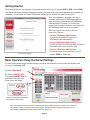
1
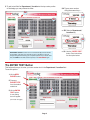
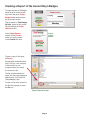
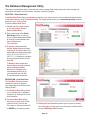
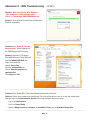
3. To add a text field for Department / Location to the top center portion
of the badge you may choose to either:
3A
3A. Type a room number
using the screen keys …
3A
3B
or 3B. Select a Department /
Location key.
3C
3B
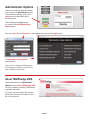
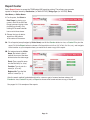
ADDITIONAL OPTION: Custom text can be added to any of the text fields
on the badge. Just place your computer’s cursor in the field you want to
change and type the text using your computer keyboard. If you need to start
over, hit CLEAR on the VMS screen keyboard, or hit NEW BADGE again.
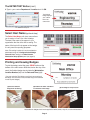
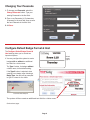
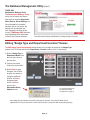
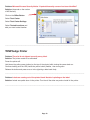
The ENTER TEXT Button
or 3C. U
se the “ENTER TEXT”
button. See instructions
for this option below.
This button allows you to enter your own custom text in the Department / Location field.
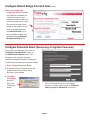
To use this option:
1. Hit the NEW
BADGE button.
2. C
hoose a
BADGE TYPE
from the default
selections.
3. H
it the ENTER
TEXT button.
A new dialog
box will appear.
1
2
3
(continued next page)
Page 3