1
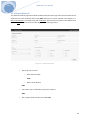
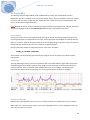
V4.x Mailborder User Manual Bandwidth Interface The bandwidth monitor is located on both the Dashboard and the Active Monitor page. By default the Master server monitors its own eth0 device. Enter the device on the Master server you wish to monitor. High CPU Use Notice By default each Mailborder server within the Mailborder cluster reports its status to the Master server. If you wish to be notified of high CPU usage, enter a numeric value that represents the percentage of utilization. Once this threshold is exceeded, an email notice will be sent to the address listed under Notice Email. To disable this feature, set the value to 0. Options: numeric 15. Mailborder Users and Privilege Levels The Mailborder master server utilizes a combination of user account types with privilege levels to control administrative functions. There are five default user types shipped with Mailborder. In the commercial editions of Mailborder additional user types may be added to further customize the configuration. Default User Types: Super Administrator The Super Administrator is the highest-‐level administrator in Mailborder. This user is allowed to perform any action in any area. The only action the account cannot perform is deleting itself. However, one Super Administrator account can delete another Super Administrator account. The default privilege level for this account is 901. Administrator An Administrator is similar to the Super Administration, but can perform less critical administrative actions. For example, in the default Mailborder permissions sets an Administrator can restart services on servers within the Mailborder cluster but cannot perform system restarts (reboot). The default privilege level for this account is 701. Junior Administrator This is a further reduced administrator account that would be used to perform less critical administrative functions. For example, an Administrator can create Black List Policies, but a Junior Administrator cannot. However, a Junior Administrator can add items to the policy, such as an email address. The default privilege level for this account is 501. Release Manager The Release Manager is a simplified administrative account that has no rights other than setting their own user preferences and releasing quarantined email. The account is designed to allow Release Managers to release quarantined email. The default privilege level for this account is 301. 21