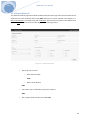
1
Mailborder Advanced Email Protection User Manual Version 4.0.6 Build 2 Copyright© 2004-‐2014 Mailborder Systems www.mailborder.com 17 February 2014 1 V4.x Mailborder User Manual Table of Contents 1. Overview ................................................................................................................................................... 4 2. Architecture .............................................................................................................................................. 4 3. Operating Systems ................................................................................................................................... 4 4. Software .................................................................................................................................................... 4 5. Scope of Operation .................................................................................................................................. 4 6. Architecture Delineation ........................................................................................................................ 5 6.1 Master Server ....................................................................................................................................................... 5 6.2 Child Server ........................................................................................................................................................... 5 7. Mailborder Clusters ................................................................................................................................. 6 8. Installation Prerequisites ....................................................................................................................... 7 8.1 Architecture Platform ........................................................................................................................................ 7 8.2 Minimum and Recommended Hardware – Master Server .................................................................. 7 8.3 Minimum and Recommended Hardware – Child Server ...................................................................... 7 8.4 Disk Partitions ...................................................................................................................................................... 8 8.5 CPU Cores .............................................................................................................................................................. 8 8.6 Third Party Tools ................................................................................................................................................. 8 8.7 Additional Software ........................................................................................................................................... 8 8.8 SELinux and AppArmor ..................................................................................................................................... 8 8.9 IPTables .................................................................................................................................................................. 8 8.10 Network Firewall .............................................................................................................................................. 9 8.11 Local Firewall ................................................................................................................................................... 10 9. Mailborder Master Installation ........................................................................................................... 10 9.1 Installation Environment ................................................................................................................................ 10 9.2 Download Installation Script ..................................................................................................................... 11 9.3 Installation Details ............................................................................................................................................ 11 9.4 ClamAV ................................................................................................................................................................. 12 10. Mailborder GUI .................................................................................................................................... 13 10.1 User Login ......................................................................................................................................................... 13 11. Active Monitor ..................................................................................................................................... 14 12. Mailborder Accounts and Permissions ............................................................................................ 14 12.1 User Accounts .................................................................................................................................................. 14 13. Mail Queues ......................................................................................................................................... 14 14. Mailborder System .............................................................................................................................. 16 14.1 Master Settings ............................................................................................................................................... 16 15. Mailborder Users and Privilege Levels ............................................................................................. 21 16. Mailborder Templates ........................................................................................................................ 22 16.1 Server Templates ............................................................................................................................................ 22 16.2 Domain Templates ......................................................................................................................................... 24 16.3 Object Templates ........................................................................................................................................... 27 16.4 Mailborder Privilege Levels ......................................................................................................................... 28 2 V4.x Mailborder User Manual 16.5 Users ................................................................................................................................................................... 28 17. Mailborder Policies and Templates .................................................................................................. 29 17.1 Server vs. Object vs. Domain Templates ................................................................................................ 29 17.2 Template Processing Order ........................................................................................................................ 29 17.3 Server Templates ............................................................................................................................................ 30 17.4 MailScanner Server Templates .................................................................................................................. 31 17.5 Postfix Server Templates ............................................................................................................................. 31 17.6 Server Relay Templates ................................................................................................................................ 31 17.7 Safe Sender Server Templates ................................................................................................................... 32 17.8 Domain Templates ......................................................................................................................................... 32 17.9 Process Policy Templates ............................................................................................................................. 34 18. Mailborder Servers .............................................................................................................................. 35 18.1 Adding Severs .................................................................................................................................................. 35 18.2 Deleting Servers .............................................................................................................................................. 36 18.3 Editing Servers ................................................................................................................................................. 36 18.4 Viewing Servers ............................................................................................................................................... 36 19. Mailborder Config File ........................................................................................................................ 37 19.1 Structure ............................................................................................................................................................ 37 19.2 Ownership and Permissions ....................................................................................................................... 39 20. Disaster Recovery ............................................................................................................................ 39 21. Mailborder Software Updates ..................................................................................................... 41 21.1 Online Updates ............................................................................................................................................... 41 21.2 Manual Updates ............................................................................................................................................. 42 22. Advanced Search .............................................................................................................................. 43 23. Postfix MTA ........................................................................................................................................ 44 23.1 Postgrey ........................................................................................................................................................... 44 23.2 Recipient Verification ................................................................................................................................. 45 23.3 Custom Parameters ..................................................................................................................................... 46 23.4 TLS – Transport Layer Security ............................................................................................................. 46 24. Remote API ........................................................................................................................................ 47 24.1 Use and Parameters .................................................................................................................................... 47 24.2 Examples .......................................................................................................................................................... 50 3 V4.x Mailborder User Manual 1. Overview Mailborder is an email security solution designed for use as an edge or border email gateway. The solution is a collection of software and methodologies for building and administering multiple email gateways based on popular Linux distributions and selected open source software. This combination not only enables organizations to efficiently manage multiple border email gateways, but also aids in decision making processes regarding email through Mailborder’s integrated statistics and graphing capabilities. 2. Architecture Mailborder is designed to run on either physical or virtual Linux servers as a self-‐sufficient and independent platform. The system provides its own email processing, virus scanning, spam detection, phishing detection, quarantine, and name resolution services. Mailborder servers are controlled through a web-‐based interface that allows for robust control of both the email processing components and the core server. 3. Operating Systems As of the current version, Mailborder supports the following operating system deployments: • • • • • CentOS v6.x Debian 6 Debian 7 Red Hat v6.x ** Ubuntu 12.04 LTS 4. Software The core software packages used in a Mailborder server are: • • • • • • • Mailborder Control Software Postfix SpamAssassin MailScanner Clam Antivirus Apache MySQL **Independent licensing is required for the use of Red Hat Linux and is not included in Mailborder licensing. 5. Scope of Operation Mailborder servers are email servers, but function as gateways and are not designed to house user mailboxes. Mailborder servers process inbound and outbound email from or to sources outside of the organization’s enclave. Inbound emails are processed and delivered to internal email servers. 4 V4.x Mailborder User Manual Outbound emails are processed and delivered to external or internal email servers. Email that is quarantined can optionally be stored on the Mailborder server pending release if desired. 6. Architecture Delineation Mailborder functions in a single Master or a Master-‐Child design, which provides an email gateway solution capable of supporting operations in a range from small business to large enterprise enclaves. Mailborder cluster deployments used in large enterprise enclaves are not required to exist in the same physical or logical network infrastructure. This design allows the deployment of a single cluster across numerous data centers and locations. 6.1 Master Server The Mailborder Master server is the central server in both standalone and clustered designs. It houses the database used for recording data and server configurations. The Master server can be used as a standalone gateway solution or as the controlling unit within a Mailborder cluster. A Master server utilizes the following major open source software components: • Apache web server • Postfix • MySQL database • Spamassassin • MailScanner • ClamAV 6.2 Child Server The Mailborder Child server is a slave server in a clustered configuration. The Child server pulls its configuration settings, tasks, and policies from the Master server and therefore requires no direct configuration. Cron jobs on the Child server run at set intervals to determine any directed changes or commands by the Master server. Once these items have been executed, the Child server notifies the Master server of the completed tasks. The Child server does not require the Master server to be online to continue to function. Once configured, the Child server will continue normal email processing and defer logging until the Master server is once again available. A Child server utilizes the following major open source software components: • • MailScanner Postfix • • Spamassassin ClamAV N OTICE: A Master server is a required component in a Mailborder gateway deployment. A Master server can function independently, but a Child server cannot function without a Master server. 5 V4.x Mailborder User Manual 7. Mailborder Clusters A Mailborder cluster is a group of email gateways functioning independently, but at the same time as a single email gateway. A cluster contains a minimum of one Master server and one Child server. There is no limit on the number of Child servers in a Mailborder cluster, but the cluster cannot contain more than one Master server. Figure 1 -‐ Example Mailborder Cluster 6 V4.x Mailborder User Manual 8. Installation Prerequisites 8.1 Architecture Platform Mailborder must be installed on a fresh installation of one of the supported operating systems. Graphical interfaces such as Gnome or KDE are not required or recommended. The architecture can be either physical or virtual. Mailborder has been extensively tested on VMware vSphere Hypervisor (ESXi v5 and v5.1) and is the recommended platform for virtualization. However, any virtualization platform should be sufficient. N OTICE: Third party tools such as Webmin are not required, recommended, or supported. Use of such tools can easily alter system permissions and cause a Mailborder gateway to malfunction. Support will not be provided for Mailborder gateways with this type of software installed. 8.2 Minimum and Recommended Hardware – Master Server The following is the bare minimum system resources recommended and supported: -‐ 1024MB RAM -‐ Late model multi-‐core Intel or AMD processor -‐ 20GB hard disk The following or greater system resources are recommended and encouraged: -‐ 8GB RAM -‐ Late model multi-‐core server Intel or AMD processor -‐ 80GB+ hard disk 8.3 Minimum and Recommended Hardware – Child Server The following is the bare minimum system resources recommended and supported: -‐ 512MB RAM -‐ Late model multi-‐core Intel or AMD processor -‐ 10GB hard disk The following or greater system resources are recommended and encouraged: -‐ 2GB RAM -‐ Late model multi-‐core server Intel or AMD processor -‐ 80GB+ hard disk N OTICE: The amount of resources allocated to a Mailborder gateway is directly related to the amount of email the system will be processing as well as email policy set by the administrator. Heavy 7 V4.x Mailborder User Manual use of the Charts and Graphs feature also has a direct impact on a Master server’s performance as SQL queries on large databases can be resource intensive. 8.4 Disk Partitions Any partition schema supported within the Mailborder supported operating systems is compatible with Mailborder email gateways. Smaller systems can easily run on a single partition. However, larger systems may want to consider a separate partition for /var/spool as this is where quarantined email is stored. 8.5 CPU Cores Using a single processor with a single core is highly discouraged. Multiple processors provide more performance than adding additional RAM. When possible, assign at least two CPU cores to the host server. 8.6 Third Party Tools Using third party tools is highly discouraged and not supported. An example of third party tools is Webmin. While Webmin in itself is an excellent product, it is a different product and not designed to work specifically with Mailborder. Third party tools that make changes to the host server will more than likely break the configuration settings set by Mailborder. For example, Mailborder uses a very specific policy naming system in firewall rules. If a third party tool changes the files used to set the firewall on the server, Mailborder could cease to function. 8.7 Additional Software Installing additional software on Mailborder servers is highly discouraged and not supported. Mailborder is a security solution, which in itself dictates that only the minimal amount of software be installed on the host server. The exception to this is installing a different or additional virus scanners supported by MailScanner. Additional or alternate virus scanner installation is therefore an acceptable exception. 8.8 SELinux and AppArmor SELinux is notoriously infamous for causing permission problems on server. However, totally disabling SELinux is not recommended. The Mailborder install script sets systems using SELinux to Permissive mode during setup. This allows administrators to build custom SELinux policies for their Mailborder solution and then set SELinux to Enforcing at a later date. A guide for creating custom SELinux policies can be found on the Mailborder website. AppArmor has proven to be less troublesome than SELinux, but still requires a special exception for Clam Antivirus. The appropriate policies are added to Debian and Ubuntu systems during the Mailborder installation process. 8.9 IPTables IPTables is used and required by Mailborder gateways. Uninstalling or disabling this service is not recommended or supported. Mailborder servers automatically update and restart IPTables when required. Therefore, disabling the service is of no use as it is restarted by Mailborder processes. Again, removing IPTables will cause Mailborder servers to malfunction. 8 V4.x Mailborder User Manual 8.10 Network Firewall A Mailborder server requires several ports to be allowed outbound and inbound on firewalls controlling access to and from the network the server resides within. The following is required: Port Protocol Network Direction 22 TCP Internal Network Inbound 25 TCP 0.0.0.0 Inbound/Outbound 53 UDP Local Server Outbound 80 TCP Internal Network Inbound 123 UDP 0.0.0.0 Outbound 443 TCP Internal Network Inbound 3306 TCP Child Servers Inbound N OTICE: You may optionally add additional ports if required. Simply edit the appropriate IPTables rules definition for your distribution and add them directly above the rule for port 25 TCP (SMTP). The following is a brief description of the above ports and protocols: Port / Protocol Description 22 / TCP SSH (Secure Shell) -‐ Limit access from internal network only. 25 / TCP SMTP (Email) -‐ World inbound and outbound access. 53 / UDP DNS (Domain lookups) -‐ Limit access from server outbound to Internet. 80 HTTP (Web) -‐ Limit to internal network. 123 NTP (Time) -‐ Limit access from server outbound to Internet. 443 HTTPS (Secure Web) -‐ Limit to internal network. 3306 SQL (MySQL) -‐ Limit to Mailborder Master and Child servers within network. 9 V4.x Mailborder User Manual 8.11 Local Firewall All Mailborder servers have their own firewalls implementing the above rule sets. However, access to ports 22, 25, 80 and 443 is allowed inbound and outbound from all sources. Port 3306 is limited to communication between Mailborder Master and Child servers. It is recommended that a firewall external to the Mailborder servers further limit ports 22, 80 and 443 inbound. SSH N OTE: A recommended security practice is to relocate the SSH service to an alternate port for Mailborder servers connected directly to the Internet and not protected by an external firewall. The saved firewall rules can safely be modified after the Mailborder installation to support this practice. M YSQL N OTE: Traffic passing between Master and Child servers on port 3306 should not be allowed to traverse enclave boundaries (go across the Internet) unencrypted. 9. Mailborder Master Installation Mailborder must be installed on a supported operating system and version. Only the server variants of these operating systems should be utilized. Graphical user interfaces such as Gnome and KDE should not be installed. Additional third party software should not be installed. 9.1 Installation Environment Mailborder must be installed as the root user. On systems such as Ubuntu where the root user is disabled by default, you will be required to switch to a persistent root environment using sudo. To switch to root: Debian, Red Hat and variants: # su -‐ # <enter password> Ubuntu: # sudo -‐i # <enter password> 10 V4.x Mailborder User Manual 9.2 Download Installation Script Once in the root environment, change to a safe directory (e.g /root) to download the install script. For the exact install script, see the Mailborder website for direction specific to your operating system: http://www.mailborder.com > Main Menu > Docs > Install Ensure that you read the information displayed when starting the installation. Typically you will need to know the fully qualified domain name (FQDN) and IPv4 (and/or IPv6) address of the server and the MySQL root password you plan to use. 9.3 Installation Details The install script downloads the required components for the Mailborder server from a repository and logs the details of installation to /mailborder/install/mbs_install.log. During the installation process a number of software packages are installed. This requires that the server have access to the Internet to download the required packages. For a list of all installed packages, review the Mailborder install script for your distribution or for a complete list, which includes installed dependencies, review the /mailborder/install/mb_install.log file. On Red Hat based systems the EPEL repository is installed and enabled. For more information regarding this repository, see: http://fedoraproject.org/wiki/EPEL Also on Red Hat based systems SELinux is set to Permissive mode. This mode allows logging and future custom policy creation so that it can be set back to Enforcing mode if desired. For guidance, see the Mailborder guide to SELinux: https://www.mailborder.com/install/resources/selinux-‐guide On Debian based systems an AppArmor exception is added to allow clamd to function correctly. For details on AppArmor: https://wiki.ubuntu.com/AppArmor Other changes made to the system include adding a Linux group named mtagroup and several permission modifications to allow members of this group to read or write to files related to the email gateway. Member added to this group are: • • • • Apache (or www-‐data) Postfix Clamav Clam Note that two different users are added for ClamAV. Depending on the version of ClamAV that is installed, the user may be different. You can safely ignore any errors stating that “user does not exist” as only one of these users will exist. 11 V4.x Mailborder User Manual 9.4 ClamAV If your version of ClamAV is upgraded at a later date, ensure that the new ClamAV user gets added to the mtagroup as the user may change with the new software package. To add the new ClamAV user to the mtagroup: usermod -‐a -‐G mtagroup clamav usermod -‐a -‐G mtagroup clam You will also need to update the ClamAV user in the respective server’s MailScanner configuration. Left Menu > Mailborder Servers > MailScanner > Edit Settings > Incoming Work User To validate which user your ClamAV is running under: cat /etc/clamav/clamd.conf | grep User Note that numerous problems can result from the ClamAV user, groups, or permissions not being configured correctly. You can validate your configuration is correctly configured by running the command MailScanner -‐-‐lint from the linux command prompt and observing the output. If any lstat() errors are encountered, the ClamAV configuration is incorrect. /usr/sbin/MailScanner -‐-‐lint 12 V4.x Mailborder User Manual 10. Mailborder GUI The Mailborder GUI (Graphical User Interface) is a web-‐based interface written in PHP. In order for the interface and Mailborder scripts to function, the appropriate version of SourceGuardian must be installed. This is typically done by the Mailborder installation script, but may need to be changed or updated if the PHP version on the server is upgraded. For more information regarding the SourceGuardian loaders: http://www.sourceguardian.com/loaders.html 10.1 User Login Access to the Mailborder Master server is via a web login page. The URL for this page will be: http://192.168.1.25 where 192.168.1.25 is the IP address of your Mailborder Master server. SSL can be enabled from inside the GUI, which is covered later in this document. Figure 2 -‐ Mailborder Master Login The default username and password are as follows: Username: Password: admin secret 13 V4.x Mailborder User Manual 11. Active Monitor The Mailborder Active Monitor is used to display the current status and logs of the Mailborder cluster in near real time. To access the Active Monitor: Left Menu > Active Monitor The graphs, statistics, and mail log are updated every ten seconds. The mail log displays the last ten email records by default. This value can be changed in the Master Settings. By default the active bandwidth monitor reads eth0. This can also be changed in the Master Settings. To access the Master Settings: Left Menu > System > Master Settings To change the number of rows, scroll down to Active Mail Rows and enter your desired setting. To change the network device being monitored, enter your desired setting into Bandwidth Interface. Note that you will need to log out of the Mailborder GUI and log back in for the bandwidth interface to update. 12. Mailborder Accounts and Permissions Mailborder Master servers utilize username and password credentials to manage the server and any clusters. Note that accounts created within the Mailborder web GUI do not provide Linux system level access to the Master or any Child servers. 12.1 User Accounts Mailborder user accounts are created and managed via the web GUI. To navigate to Mailborder Users: Left Menu > System > Mailborder Users 13. Mail Queues The Mailborder Mail Queues used to display the last reported email queue of each server within the Mailborder cluster. To access the Mail Queues: Left Menu > Mail Queues The queue report for each server by default runs every four hours. There are two icons on each server’s queue tab that are used for refreshing the view of the page and for assigning a task to the respective server to flush its mail queue. A summary of each server’s mail queue can also be viewed under the Server Status section of the Mailborder Servers tab. This report generation does not enumerate the mail queue and thus has 14 V4.x Mailborder User Manual almost no overhead. This report is generated with each server report, which by default runs every hour. To access this report: Left Menu > Mailborder Servers > (server) > Server Status > View The frequency of reporting can be changed by editing the Mailborder cron jobs file and adjusting the times. File to be modified: /etc/cron.d/mailborder Line to modify the fully enumerated reporting of the email queue on Red Hat and Debian systems: 0 */4 * * * root /usr/bin/php /mailborder/cron/mailq.php > /dev/null 2>&1 Line to modify the fully enumerated reporting of the email queue on Ubuntu (sudo) systems: 0 */4 * * * root sudo /usr/bin/php /mailborder/cron/mailq.php > /dev/null 2>&1 For guidance on cron jobs: https://en.wikipedia.org/wiki/Cron N OTE: Having undeliverable email within the mail queue is normal behavior. Often Non-‐deliverable receipts (NDRs) will be generated by the Postfix system for recipients that do not exist. The emails will automatically be removed from the queue after a 5-‐day expiration period, which is the Postfix default. 15 V4.x Mailborder User Manual 14. Mailborder System The Mailborder System settings control the settings relative to the Mailborder cluster. Please note that these settings do not control settings specific to the operating system itself. To access the configuration options for the Mailborder System: Left Menu > System The majority of the settings here impact Mailborder Master servers. However, some of the settings also impact Mailborder Child servers. 14.1 Master Settings To access the Master Settings: Left Menu > System > Master Settings The first block of information is for your Mailborder Master license. When the license is within 30, 15, and 3 days of expiration a notice will be sent to the email address listed on the same page labeled Notice Email. This notice will also be sent for Child servers using the same notice frequency. N OTE: The Mailborder cluster will still continue to process email with an expired Mailborder license. However, none of the Mailborder features will function. API Key The API Key is used to identify the Mailborder user and validate update entitlements. A check is also performed to ensure that the Mailborder User matches the Licensed User. Therefore, updates will not function if the license does not match the API Key associated with the account under which the license was issued. Your API Key can be obtained from the Mailborder website under Left Menu > API Key. You must be logged into the Mailborder website to see the menu option and to view your API Key. 16 V4.x Mailborder User Manual Release Cycle The Release Cycle controls the stability level of Mailborder software updates to the Mailborder cluster. The recommend setting for this is 3 or 4. Below is an explanation of each setting. Setting Cycle Description 1 Alpha Bleeding edge release used for testing by Mailborder developers. It is highly recommended that this NOT be used. 2 Beta Planned release that has had some testing by developers. Most bugs have been worked out but a few may remain. 3 Current Release that has had considerable testing and code review. 4 Stable Release that has had both considerable testing and public exposure. May not contain the latest Mailborder features. Options: numeric Enable Automatic Updates If enabled the Mailborder Master server will check for updates each day when the daily cron job is executed. If an update is available, it will be applied to all members of the Mailborder cluster. To enable this feature set to 1 (one). To disable this feature set to 0 (zero). Options: numeric Disaster Recovery This feature enables a daily backup of the Master server settings. The backup includes the database structure for logs, but does not include the log entries. A compressed copy is kept in the /mailborder/dr directory. Options: 1 = enabled, 0 = disabled Safety Lock The safety lock disables certain blocks in the interface to prevent accidental changes. The safety lock can be quickly turned on and off by clicking the safety lock icon at the top of the Mailborder GUI. It is recommended that you leave this set to 1, which is enabled. Valid values: 1 = on, 0 = off. Options: numeric Language The language setting controls the base language for the interface. This primarily controls the language display for the login page (index.php) and the associated password recovery features on 17 V4.x Mailborder User Manual the login page. Each user has the option of setting his or her interface language in under Preferences, which is located: Top Menu > My Account > Preferences A list of available languages is listed in bold to the right of the input box. If a value is entered that is not a supported language, the interface will default to US English (en). Options: language codes Require SSL Secure Sockets Layer (SSL) can be enabled to force the Mailborder GUI to use HTTPS. You must first confirm that the Apache web server has been configured to use SSL. Depending on the distribution you are using for the operating system, this may or may not already be enabled. Options: 1 = force SSL, 0 = force non-‐SSL. Allow Resets This option controls the functionality of password recovery on the login page (index.php). If disabled, the option for the user to recover their password will not be shown and will not be functional. This will require a Super Administrator to reset the password for the user. It is recommended that a second Super Administrator account be created for recovery purposes if this option is disabled. Options: 1 = enabled, 0 = disabled Enable Postcat Postcat is a Postfix feature that allows email queue files to be viewed. If enabled, a hyperlink named View will be displayed in the Quarantine Log for each message. If the message is not available on the Master server, the option to have the corresponding Child server retaining the email will be available to have the Child server send a copy of the email to the Master server. After the Child server has completed its task the email will be viewable. Note that different countries have different laws regarding the use of this feature and it is therefore disabled by default. Options: 1 = enabled, 0 = disabled Postcat Log Retention Email queue files not stored on the Master server must have corresponding Child servers provide a copy of any email you wish to view from the Quarantine Log. These external email messages are stored in the Mailborder database after transmission from Child servers. This setting controls the number of days these database entries will be retained before being deleted. Options: numeric 18 V4.x Mailborder User Manual Notice Email This email address is used to notify the Mailborder administrator of critical events and licensing. It is highly recommended that this be set to an email address that is regularly monitored. Maillog Retention This is how long email records will be maintained in the Mailborder database. This has no impact on quarantined email files. A cron job runs daily that removes email records from the maillog database based on this setting. Note: The cp_maillog database table consists of 70 partitions that are in 1 month intervals. Therefore, when accessing data not all partitions will be accessed. However, there are some Mailborder functions, such as statistical analysis, that will access the entire table and all partitions. Mailborder RSS The Mailborder RSS features pulls the latest RSS feed regarding patches and updates from the Mailborder website. (www.mailborder.com). This action is performed once per session during login and the results are cached. It is recommended that this feature be left to an enabled state. Options: 1 = enabled, 0 = disabled Note: The Mailborder Master server must have access via port 80 and 443 to www.mailborder.com for this feature to function. CPU Log Retention Each Mailborder server reports its status every hour. Part of that report is CPU utilization. This is used in the reporting and graphing features of Mailborder. The default is for the daily maintenance script to purge values older than 7 days. Enter the number of days you wish for these logs to be retained. Options: numeric Memory Log Retention Each Mailborder server reports its status every hour. Part of the report is Memory (RAM) utilization. This is used in the reporting and graphing features of Mailborder. The default is for the daily maintenance script to purge values older than 7 days. Options: numeric Task Log The Task Log displays all assigned tasks and the status of each task. The default is for the daily maintenance script to purge values older than 30 days. Enter the number of days you wish for these logs to be retained. Options: numeric 19 V4.x Mailborder User Manual Server Status Log The Server Status Log allows the administrator to the latest report data for each Mailborder server. Servers report information every hour. The default is to remove reports older than 7 days. Options: numeric Change Log The Change Log allows administrator to view changes made to all Mailborder servers. The Change Log also includes a diff function to highlight the changes. The default is for the daily maintenance script to purge values older than 30 days. Enter the number of days you wish for these logs to be retained. Options: numeric Message Release Log The Message Release Log maintains a record and status of each email released from the Mailborder cluster’s quarantine. The default is for the daily maintenance script to purge values older than 30 days. Enter the number of days you wish for these logs to be retained. Options: numeric Event Log The Event log maintains a record of every administrative action taken within the Mailborder GUI. It also maintains system reported events from all servers within the Mailborder cluster. The default is for the daily maintenance script to purge values older than 30 days. Enter the number of days you wish for these logs to be retained. Options: numeric Quarantined Files The Quarantine Log maintains a record of all quarantined email. This value controls both the Quarantine Log retention on the Mailborder Master server (database) and the email retention (files) on servers within the Mailborder cluster. The default is for the daily maintenance script to purge values older than 30 days. Enter the number of days you wish for these logs to be retained. Options: numeric Active Mail Rows This settings control the number of rows displayed on the Active Monitor page. The Active Monitor automatically refreshes the maillog table periodically. To access the Active Monitor: Left Menu > Active Monitor 20 V4.x Mailborder User Manual Bandwidth Interface The bandwidth monitor is located on both the Dashboard and the Active Monitor page. By default the Master server monitors its own eth0 device. Enter the device on the Master server you wish to monitor. High CPU Use Notice By default each Mailborder server within the Mailborder cluster reports its status to the Master server. If you wish to be notified of high CPU usage, enter a numeric value that represents the percentage of utilization. Once this threshold is exceeded, an email notice will be sent to the address listed under Notice Email. To disable this feature, set the value to 0. Options: numeric 15. Mailborder Users and Privilege Levels The Mailborder master server utilizes a combination of user account types with privilege levels to control administrative functions. There are five default user types shipped with Mailborder. In the commercial editions of Mailborder additional user types may be added to further customize the configuration. Default User Types: Super Administrator The Super Administrator is the highest-‐level administrator in Mailborder. This user is allowed to perform any action in any area. The only action the account cannot perform is deleting itself. However, one Super Administrator account can delete another Super Administrator account. The default privilege level for this account is 901. Administrator An Administrator is similar to the Super Administration, but can perform less critical administrative actions. For example, in the default Mailborder permissions sets an Administrator can restart services on servers within the Mailborder cluster but cannot perform system restarts (reboot). The default privilege level for this account is 701. Junior Administrator This is a further reduced administrator account that would be used to perform less critical administrative functions. For example, an Administrator can create Black List Policies, but a Junior Administrator cannot. However, a Junior Administrator can add items to the policy, such as an email address. The default privilege level for this account is 501. Release Manager The Release Manager is a simplified administrative account that has no rights other than setting their own user preferences and releasing quarantined email. The account is designed to allow Release Managers to release quarantined email. The default privilege level for this account is 301. 21 V4.x Mailborder User Manual Reviewer A Reviewer has no right other than setting their own user preferences and profile to include their own password. This account is designed as a means to view each element of the Mailborder Master server. The default privilege level for this account is 101. The number of user types is restricted to the default set listed above in the Community edition of Mailborder. Mailborder commercial editions allow for an unlimited number of user types. 16. Mailborder Templates Mailborder utilizes templates that allow you to apply a standard collection of settings to either a domain or server based on the type of template. There are eleven different template types, and nine of them are shared and assignable. 16.1 Server Templates MailScanner Template A server has a MailScanner template assigned upon creation. While this template can be edited, it cannot be assigned to another server, as MailScanner templates are server specific. The MailScanner template is created from a base template that can be edited in the commercial versions of Mailborder. To access and edit the base template: Left Menu > Assets > MailScanner Base Changes made to the base MailScanner template do not have an impact on existing servers. However, new servers created in the future will be assigned a MailScanner template from the base and will incorporate any modifications. To access the MailScanner template for an existing server, navigate to: Left Menu > Mailborder Servers > (server name) > MailScanner > Edit Settings From here you can edit the MailScanner template for each server by clicking Edit Settings under the MailScanner column. Note that manually editing the default MailScanner.conf within the /etc/MailScanner directory will not change any settings as the Mailborder MailScanner configuration settings will override this file. Only make changes to MailScanner from within the Mailborder GUI. Postfix Template A server has a Postfix template assigned upon creation. This template can be edited for each server, but it cannot be reassigned or duplicated to other servers. The settings within the Postfix template should work for most implementations. However, the configuration can be expanded upon as the editor leaves room for customization. 22 V4.x Mailborder User Manual To customize the base Postfix template used when creating new servers, navigate to: Left Menu > Assets > Postfix Base To access the Postfix template for an existing server, navigate to: Left Menu > Mailborder Servers > (server name) > MTA > Edit Postfix Relay Template The Relay Templates can be created, customized, and assigned to multiple servers. Relay Templates are used to define what network devices can relay email through the Mailborder cluster. Devices are defined in the template by IPv4 or IPv6 addresses. Relay Templates are used in building configuration parameters for Postfix and MailScanner. Devices that are allowed to relay email through Mailborder servers the option to have their email scanned by MailScanner rule sets and to have virus checking can be enabled as an option within each Relay Template. The logic for this template is as follows: FROM DEFINED TO ALL => allow To access Relay Templates, navigate to: Left Menu > Server Templates > Relay Templates To change a server’s relay template, navigate to: Left Menu > Mailborder Servers > (server name) > Base Settings > Edit Settings Safe Sender Template The Safe Sender Templates (SST) can be created, customized, and assigned to multiple servers. SST’s are used to allow specific users (email addresses) to bypass all MailScanner checks with the option of virus checking. The intent of this is allow certain users that require the ability to email items that are larger than allowed parameters for standard users or to email attachment types that are normally not allowed. However, the SST does bypass ALL MailScanner checks. The logic for this type of template is as follows: FROM DEFINED TO ALL => allow To access Safe Sender Templates, navigate to: Left Menu > Server Templates > Safe Senders 23 V4.x Mailborder User Manual To change a server’s Safe Sender template, navigate to: Left Menu > Mailborder Servers > (server name) > Base Settings > Edit Settings N OTE: Exercise caution when using Safe Sender templates and use them only as a last resort. A better option is to use Object Templates, which allow for customized settings for users and devices. The use of the Safe Sender feature can introduce weak points in your security architecture. 16.2 Domain Templates Process Policy Template Process Policy Templates (PPTs) are MailScanner templates for domains. PPTs can be created customized, and assigned to multiple domains. To access PPTs: Left Menu > Domain Templates > Process Policy Templates To assign a template to a domain: Left Menu > Domains > (domain name) Click the domain name to edit the settings. Scroll down and you will see the option to select a policy for that domain. N OTE: A default set of sane values are set on each template by default. You may of course alter these values but take great care in doing so. Ensure that you read the description of each setting carefully before altering the values. File Policy Templates File Policy Templates (FPTs) are used to define MailScanner behavior for attachments based on file extensions. FPTs can be created, customized, and assigned to multiple domains. To access the FPTs: Left Menu > Domain Templates > File Policy Templates FPT rules are built with data from File Extensions kept in the Mailborder database. To access the database of file extensions: Left Menu > Assets > File Extensions In the commercial version of Mailborder you may add additional file extensions. To assign a template to a domain: 24 V4.x Mailborder User Manual Left Menu > Domains > (domain name) Click the domain name to edit the settings. Scroll down and you will see the option to select a policy for that domain. MIME Policy Templates MIME Policy Templates (MPTs) are used to define MailScanner behavior for attachments based on file types. MPTs can be created, customized, and assigned to multiple domains. To access the MPTs: Left Menu > Domain Templates > MIME Policy Templates MPT rules are built with data from the MIME types kept in the Mailborder database. To access the database of MIME types: Left Menu > Assets > MIME Types In the commercial version of Mailborder you may add additional MIME types. To assign a template to a domain: Left Menu > Domains > (domain name) Click the domain name to edit the settings. Scroll down and you will see the option to select a policy for that domain. RBL Templates RBL Templates (RBLTs) are used to define MailScanner actions on each email based on the destination domain. An RBL (Realtime Blackhole List) is a service that provides lists of IP addresses or domain names that known sources of spam or other bad behavior. If an RBL is defined in an RBL policy for a domain, MailScanner will use that RBL when performing its checks. Mailborder RBLTs can be empty, which means that no RBL is used. However, an RBLT must exist and each domain must be assigned an RBLT. RBLTs can be created, customized, and assigned to multiple domains. To access RBLTs: Left Menu > Domain Templates > RBL Templates RBLT rules are built with data from the RBLs kept in the Mailborder database. To access the database of RBLs: Left Menu > Assets > RBLs To assign a template to a domain: 25 V4.x Mailborder User Manual Left Menu > Domains > (domain name) Click the domain name to edit the settings. Scroll down and you will see the option to select a policy for that domain. Rule logic: FROM ANY TO DOMAIN => validate against defined RBLs Blacklist Templates Blacklist Templates (BLTs) can be created, customized, and assigned to multiple domains. BLTs are used to immediately mark any message from the source device or user as spam. Blacklist entries can be IPv4, IPv6, hostnames, a single email address, or domains. To access BLTs: Left Menu > Domain Templates > Blacklist Templates BLT rules are built with data from the Xmail database. To access the Xmail database: Left Menu > Assets > Xmail Data To assign a template to a domain: Left Menu > Domains > (domain name) Click the domain name to edit the settings. Scroll down and you will see the option to select a policy for that domain. Rule logic: FROM DEFINED TO DOMAIN => mark as spam Whitelist Templates Whitelist Templates (WLTs) can be created, customized, and assigned to multiple domains. WLTs are used ensure that any message from the source device or user is not marked as spam. Whitelist entries can be IPv4, IPv6, hostnames, a single email address, or domains. Note that Whitelist rules override Blacklist rules. Also, Whitelists only ensure that an email is not marked as spam. Whitelisted email can still fail other MailScanner checks such as size restrictions or bad content. To access WLTs: Left Menu > Domain Templates > Whitelist Templates WLT rules are built with data from the Xmail database. To access the Xmail database: Left Menu > Assets > Xmail Data To assign a template to a domain: Left Menu > Domains > (domain name) 26 V4.x Mailborder User Manual Click the domain name to edit the settings. Scroll down and you will see the option to select a policy for that domain. Rule logic: FROM DEFINED TO DOMAIN => never mark as spam Passthru Templates Passthru Templates (PTs) can be created, customized, and assigned to multiple domains. PTs are used to skip all MailScanner checks for the defined entity. Passthru entries can be IPv4, IPv6, hostnames, a single email address, or domains. Enabling virus checking for Passthru policies is optional. To access PTs: Left Menu > Domain Templates > Passthru Templates PT rules are built with data from the Xmail database. To access the Xmail database: Left Menu > Assets > Xmail Data To assign a template to a domain: Left Menu > Domains > (domain name) Click the domain name to edit the settings. Scroll down and you will see the option to select a policy for that domain. Rule logic: FROM DEFINED TO DOMAIN => do not scan with MailScanner 16.3 Object Templates Object templates are very similar to Domain Process Policy Templates. The difference is that OTs apply to either users or devices. OTs are processed before Domain Templates and therefore any settings defined within OTs that are matched to an email override settings within Domain Templates. An example of an OT use would be for a user that you wish to define an alternate rule set. In most environments there will be users that require exceptions to organizational policy. As an example: Domain: User: Division: Item: example.com Bob Marketing Department Email size limits Bob works in the Marketing department of your organization. By default you have an organizational limit of 5MB for email messages defined in your example.com Domain Process Policy. Bob regularly 27 V4.x Mailborder User Manual needs to send 10MB files. You do not wish to increase the entire organization’s limits to 10MB to meet Bob’s needs. The solution would be to create an Object Template for Bob, or everyone in the Marketing department, with special rules. Simply add a new object template, add Bob’s email as a target match, and alter the rules in the policy to meet Bob’s needs. Object templates can also have custom File Policy Templates and MIME Policy Templates assigned. This allows for exceptions to domain level policies for users or devices. Figure 3 – File and MIME Policy Selection 16.4 Mailborder Privilege Levels Each administrative action is assigned a privilege level required to perform that action. A user’s type must have a privilege level equal to or higher than the action’s privilege level in order to perform that action. Each privilege level is defined in the Mailborder user interface and can be accessed: Left Menu > System > Privilege Levels 16.5 Users The number of Mailborder users is restricted to two in the Community edition of Mailborder. Mailborder commercial editions allow for an increased number of users. By default users have the ability to change their contact information, which includes their name and email address. Users also have the right to change their own passwords and set interface preferences. This ability can be restricted by raising the privilege level for the action under Privilege Levels. User may reset their own passwords via email from the login page as this option is enabled in Master Settings. When resetting their password, the user is sent a reset key via email. The user can then enter this key in conjunction with a new password on the password recovery page. If password resets are disabled a Super Administrator must reset the user’s password. 28 V4.x Mailborder User Manual 17. Mailborder Policies and Templates New in Mailborder v4.0 are policies and policy templates. Templates allow you to create a standard rule set for various functional areas and then apply that rule set to multiple servers and domains. Mailborder utilizes eleven different policy templates and they are assigned to fourteen functional areas throughout the configuration interface. 17.1 Server vs. Object vs. Domain Templates Understanding the difference between the three types of templates is critical from a security control standpoint. Applying policy to the wrong type of template can open security vulnerabilities within the Mailborder cluster. Server Templates: Changes made within a server template apply to ALL email processed on the server regardless of the destination. Object Templates: Changes made within an object template apply to SPECIFIC objects that are defined within the policy. Objects can be email addresses, host names, etc. Domain Templates: Changes made within a domain template apply to SPECIFIC domains processed to the domain or domains that the template is assigned to. 17.2 Template Processing Order Mailborder templates are used to build MailScanner and Postfix rule sets. The build process occurs in a specific order, which results in rule processing in a specific order. The processing order for templates: Server Templates => Object Templates => Domain Templates N OTE: When a rule is matched within the Object Template, rule processing will cease for that item and the Domain Template rules will not apply. For example: From: FromOrTo: [email protected] domain.com yes no The above rule set is comprised of an Object and Domain template. The address [email protected] comes from the Object template and domain.com comes from the Domain template. A match that hits [email protected] first will receive a ruling of yes but other users within the domain will receive a ruling of no. 29 V4.x Mailborder User Manual 17.3 Server Templates There are four different server templates used on Master and Child servers. Two of these templates, Postfix and MailScanner, are server specific and cannot be reassigned to other servers. However, they are built from base templates that are editable. Postfix Base When a new server is created, a template is generated from a skeleton Postfix template in the database. This template is permanently assigned to that server. It can be edited, but it cannot be applied to other servers. To access the base Postfix template: Left Menu > Assets > Postfix Base New items may be added to the Postfix base template in future Mailborder upgrades. When this occurs, the Postfix default value will be used. Each existing server’s Postfix template will be updated upon viewing its assigned Postfix settings in Mailborder Servers. Clicking Save while viewing a server’s policy will create a task for the server to rebuild its configurations, which will include the new Postfix settings. MailScanner Base The MailScanner template is actually split into three functional templates: domain, server, and object. When a new Mailborder server is added to the cluster, a template is created from a base template that is server specific. The MailScanner base template can be edited, but any changes to the base template will have no impact on existing servers. However, these changes will be applied to future servers added to the cluster. To access the base MailScanner template: Left Menu > Assets > MailScanner Base While viewing or editing the MailScanner base template you will notice settings formatted similar to this: %rules-‐dir%/pid50.rules Statements such as this in place of values are used to define rule sets for domain Process Policy Templates. These rule definitions should not be changed under any circumstances, as it will cripple the Mailborder rule generation process. When editing the MailScanner Base template you will see a field called Groups. This field is used to determine the display order within the Mailborder GUI. 30 V4.x Mailborder User Manual 17.4 MailScanner Server Templates MailScanner templates are server specific and cannot be duplicated to other servers. Each server can have its MailScanner configuration edited from here: Left Menu > Mailborder Servers > MailScanner > Edit Settings The Mailborder MailScanner templates are used in conjunction with the default MailScanner.conf in the /etc/MailScanner directory. All of the defined settings in the Mailborder derived template override the default MailScanner template. This is covered in more detail in the Configuration Build section of this manual. N OTE: Editing the default /etc/MailScanner/MailScanner.conf will have no impact as the majority of the settings are replaced by the dynamically generated /etc/MailScanner/conf.d/mailborder.conf 17.5 Postfix Server Templates Postfix templates are server specific and cannot be duplicated to other servers. Each server can have its Postfix configuration edited from here: Left Menu > Mailborder Servers > MTA > Edit Postfix Great care and a thorough understanding of Postfix are required when changing any values within the Postfix template. On each template page is a button labeled Manual that will bring up the Postfix manual in a new browser window, should you require a reference. N OTE: Do not attempt to manually edit /etc/postfix/main.cf as this file is dynamically generated during configuration rebuilds. 17.6 Server Relay Templates Relay Templates (RT) are server templates and are used to allow devices to relay email through Mailborder cluster members. This policy is referenced when building both MailScanner and Postfix configurations. The devices in the RT are used when building the Postfix mynetworks configuration file, which is a list of devices that are allowed to relay through Postfix. Therefore, only IPv4, IPv6, and network addresses can be used in the policy, as these are the only types of devices that are allowed in the Postfix mynetworks configuration. When defining a network, use the CIDR notation. Examples: IPv4 IPv6 Network 192.168.1.10 3ffe:1900:4545:3:200:f8ff:fe21:67cf 10.10.5.0/24 31 V4.x Mailborder User Manual Devices added to a RT have the option of MailScanner rules such as spam check to be enabled. Also, if vScan is enabled, each email will be virus scanned and attachments will be checked against MailScanner rules. N OTE: CIDR formatted rules will be ignored when generating MailScanner rules as the format is not supported. However, the corresponding Postfix rules will be created. To change the assignment of a Mailborder server’s Relay Templates: Left Menu > Mailborder Servers > Base Settings > Edit Settings 17.7 Safe Sender Server Templates Safe Sender Templates (SST) are server templates and are used to allow people, in the form of email addresses, to send email to anywhere without being processed by most MailScanner checks. SST policies have the option to have virus scanning enabled, which will process each email with virus checks and file checks. Therefore, it is possible to have a trusted user’s email quarantined if this check is enabled on the policy. In order to provide flexibility, the SST is one of two templates, the other being Relay Templates, that allow policy layering. Layering works by applying a Safe Sender (1) and a Safe Sender (2) policy to each server. This enables you to have one policy with virus scanning and one without. The Safe Sender (1) policy is always processed first. Therefore, in most deployments, this would be the policy with virus scanning disabled. The Safe Sender (2) would then have virus scanning enabled. This allows you to add some highly trusted users to the first policy and the rest to the second policy. The SST policy works in conjunction with the Relay Template and the Passthru Template, which is covered later under Policy Layering. N OTE: The SST processes rules based on the From: portion, or sender, of the email headers. This rule has no impact on the To: portion, or recipient, of the email. To change the assignment of a Mailborder server’s Safe Sender Templates: Left Menu > Mailborder Servers > Base Settings > Edit Settings 17.8 Domain Templates Domain Templates (DT) can be created and assigned to multiple domains. There are six types of DTs and all of them are MailScanner related. By default, Mailborder templates will be named Default … Template. This does not mean that these items are the default for all domains. A template must be assigned to a domain for it to have any effect on that domain. However, if a domain is to be found 32 V4.x Mailborder User Manual without one of the required templates during a configuration build, the validation process will assign that domain the template marked as the default. For example, in the below graphic you can see there are two templates. One has the word Default in its name, but is not actually the default template for Process Policy Templates. The Skyline Template marked with the green check is actually the default template. Figure 4 – Default Policy Selection Domain Templates are an extension of Server Templates. This allows for the customization of multiple policy sets that can be applied to a single or multiple domains. For a graphical representation, see the next section, Process Policy Templates. 33 V4.x Mailborder User Manual 17.9 Process Policy Templates Process Policy Templates (PPT) are templates that control the core MailScanner settings and checks at the domain object level. These settings are an extension of each server’s MailScanner Server Template. This works by assigning the filename of a rule set in the MailScanner Server Template, and when editing a PPT, you are editing the rules for that rule set. Server Template ! gateway.foobar.com MailScanner Template " %etc-‐dir$/rules/pid1.rules " %etc-‐dir%/rules/pid24.rules Domain Template ! example.com Processing Policy Template Maximum Message Size 5242880 Zip Attachments no Domain Template ! barfoo.com Processing Policy Template Maximum Message Size 2621440 Zip Attachments yes Figure 5 – Process Policy Logic 34 V4.x Mailborder User Manual 18. Mailborder Servers The Mailborder Servers tab contains the servers within the Mailborder cluster. The Master server is added during the installation process and cannot be deleted. Additional servers can be added to the cluster from this tab. To access Mailborder Servers: Left Menu > Mailborder Servers 18.1 Adding Severs To add a sever click the Add Server button and enter the requested values. The host name is required and should be a FQDN. The IPv4 and IPv6 parameters are optional, but at least one must be entered. The remaining values are: Class This is the type of Mailborder server. There are three options for Mailborder servers, which are Master, Child, and Portal. Operating System This is the operating system of the server being added. It is important to select the correct value as different configuration parameters are defined for each server when rebuilding configuration based on this value. Relay Policy (1) This policy controls what devices external to the Mailborder cluster can relay email through the cluster. This is primarily used when building the server’s Postfix configuration. When configurations are built, this policy is processed before Relay Policy (2). Relay Policy (2) This policy is of the same type as Relay Policy (1), which is for Postfix relaying. This policy is processed after Relay Policy (1). For more information on layered policies, see the Mailborder Policies section of the documentation. Safe Sender (1) The Safe Sender Policy (1) is used to allow included devices or people to send email through the gateway bypassing many of the MailScanner features. This policy is processed before Safe Sender Policy (2). Safe Sender Policies are covered in detail in the Mailborder Policies section of the documentation. Safe Sender (2) This is the same type of policy as Safe Sender Policy (1) and is processed after Safe Sender Policy (1). 35 V4.x Mailborder User Manual 18.2 Deleting Servers To delete a server from the Mailborder cluster, click the Delete Server button and select the desired server or servers to be deleted from the left menu. Use the arrow buttons to move the server to the trashcan. Check the Confirm checkbox and click delete. The server and all associated content will be deleted. Note that the Safety Lock must be disabled. Deleting a server will remove all Postfix and MailScanner policies specific to that server and cannot be recovered. The Master server will also create a task for itself to remove any firewall rules specific to the server or servers being removed. 18.3 Editing Servers Several options are available to be edited for each server. Note that while new servers are built using base templates, once applied these settings are specific to each server. Base Settings These are the basic settings entered when creating the server. All values except the server Class and GUID can be edited. Note that when any changes are saved the Master server will create a task for the edited server to rebuild its configuration files if the Rebuild Configs option is checked. MailScanner The settings for MailScanner are server specific and for the selected server only. For example, Max Children is a MailScanner setting that control the number of MailScanner children running at any one time on that server. Domain specific MailScanner settings are not defined here but rather under Domain Templates using Process Policy Templates. Note that when any changes are saved the Master server will create a task for the edited server to rebuild its configuration files if the Rebuild Configs option is checked. MTA These are the Postfix settings for the select server. Again, these settings are server specific and impact only the server being edited. Note that when any changes are saved the Master server will create a task for the edited server to rebuild its configuration files if the Rebuild Configs option is checked. 18.4 Viewing Servers The following items can be viewed and are used for setting up new Child servers and ascertaining the health of servers within the Mailborder Cluster. DB User This is a Child and Portal specific value, but Master servers also contain the same information for future versions of Mailborder. The DB User section contains the credentials Child servers need to connect to the Mailborder 36 V4.x Mailborder User Manual Master server’s database. This is used for email logging, reporting, and task management. These values can be regenerated. The new values will need to be entered into the Child server’s /mailborder/config file. Server Status The Server Status contains reporting information for each server. By default each Mailborder server reports to the Master server. Different values are reported at different intervals and are time stamped. Available Updates are operating system patches and is reported daily. All other values are reported hourly. The report interval can be changed in the cron: /etc/cron.d/mailborder 19. Mailborder Config File The Mailborder configuration is centralized into a single file on all Mailborder servers. This configuration file is used by the Mailborder Master server for the web application and all Mailborder servers for email logging, task management, and reporting. This configuration file is read and used by Apache, MailWatch via MailScanner, and the system cron. The Mailborder configuration file is located: /mailborder/config 19.1 Structure The /mailborder/config file is a plain text file that contains sensitive information for each Mailborder server’s configuration. This file is read in a specific line order by each application and strict compliance to the structure of the file must be maintained. A typical Mailborder configuration file looks like this: 030C183E-A146-418A-A779-E2EED6A9D9AB host.domain.com 192.168.5.5 mailborder 84BB330B 106d8584-f835-4a8c-a82e-4e7130942003 3 root@localhost 1 Each line of the file contains critical information to each Mailborder server’s operation and must only be changed when absolutely required. For example, the database user and password would be a common item to change if the values are regenerated on the Master server. However, the values must be placed on the correct line. 37 V4.x Mailborder User Manual Line 1 Line 2 Line 3 Line 4 Line 5 Line 6 Line 7 GUID – Global Unique Identifier. GUIDs are assigned to each server by the Master server and are never changed. GUIDs allow for positive association of configuration settings and mail log information. For example, if you can change a Mailborder Child server’s hostname and IP address, you will still be able to release quarantined email from that host because the Mailborder mail log contains more than just the processing server’s hostname and IP address. It also contains the GUID of the processing server, which allows the Mailborder Master server to locate the appropriate server. DBHOST -‐ This is the primary Master server that should be used by the Mailborder Child server when reporting or managing tasks. This is also used by the Master server to connect to itself. In a traditional sense, it is the DBHOST. DBHOST2 -‐ This is the secondary Master server used by Mailborder servers. If the server is unable to connect to the primary address in Line 2, the server will automatically try the Master server listed on Line 3. This feature is for future versions of Mailborder that will support multiple Master servers. DBASE -‐ This is the defined database for each host to use. When a cluster member connects to the Master server, it will use this database for reporting and task management. By default the database is mailborder. DBUSER -‐ This is the database user the Mailborder server will use to identify itself. By default Master and Child servers use randomly generated values assigned by the Master server. This value must be changed on Child server if the DB User values are regenerated on the Master server. DBPASS -‐ This is the database user’s database password. Child servers use randomly generated values assigned by the Master server. This value must be changed on Child server if the DB User values are regenerated on the Master server. OS -‐ This is the Mailborder server’s operating system identification code. The current codes are: 1 2 3 4 5 Line 8 Debian 6 CentOS 6.x Red Hat 6.x Ubuntu 12.04 LTS Debian 7 DBFAIL -‐ This is the database failure notification email. If a server is unable to connect to the Master server’s database, which includes the Master server itself, an email will be sent to this address notifying administrators of the outage. Once the database connection is restored, a second email will be sent notifying the administrator of resumed service. This address should be one that is monitored regularly. The default is root@locahost. 38 V4.x Mailborder User Manual Line 9 CLASS -‐ This is the Mailborder server’s Class. There are currently two valid server Classes in use and two more reserved for future use: Class 1 Class 2 Class 3 Class 4 Class 5 Master Child Fallback Relay Portal 19.2 Ownership and Permissions The /mailborder/config file must be secured from unauthorized access. The file is accessed by several different daemons, so these daemons are added to a supplementary group called mtagroup during the Mailborder installation process and the configuration file is given a group read bit. Owner: root Group: mtagroup Rights: 0640 The tasks cron job that runs every 5 minutes by default will check the permissions on this file each time it runs. If the permissions are incorrect, the tasks cron will set the file back to the appropriate owner, group, and rights assignment. 20. Disaster Recovery Mailborder Master severs have the capability to recover all configuration settings in the event of a total loss. This is accomplished by a daily backup of portions of the Master server’s database and configuration files. To enable Disaster Recovery: Left Menu > System > Master Settings Scroll down to Disaster Recovery and set to a value of 1. To access Disaster Recovery files: Left Menu > System > Disaster Recovery With the appropriate privilege levels on your Mailborder user account you will be able to download the database and config recovery files. 39 V4.x Mailborder User Manual To restore a Master server: Build a new Mailborder Master server using the Install Guide on the Mailborder website. The new server does not have to be the same operating system as the original server. For example, you can replace a CentOS based Master server with an Ubuntu based Master server using the same Disaster Recovery files. After the installation is complete and you have accessed the Master server’s initial setup screen via the web GUI, click the Enable Disaster Recovery hyperlink at the top right of the screen. You will then be able to upload your saved recovery files and restore your Master server. N OTE: Mailborder’s Disaster Recovery feature is of no use if the database and configuration backups are not occasionally downloaded from the Master server and saved to a location outside of the Master server. However, it is possible to manually recover the restore files from the Master server’s /mailborder/dr directory. N OTE: Disaster Recovery does not apply to Child servers as their configurations are rebuilt based on settings held on the Master server. However, all previous Child server configurations will be restored on the Master server during a disaster recovery. N OTE: Mail and Quarantine logs are not restored during the disaster recovery process. Also, the quarantined email queue files that were on the Master server will not be restored. Any quarantined email queue files on Child servers within the cluster will not be impacted. However, these messages will not be able to be released from the Child servers as the Mail log database on the Master server will not contain the records needed to create the tasks. N OTE: Child servers can be restored by simply building a new Child server using the Mailborder Install Guide for Child servers. All configurations for each cluster member are stored on the Master server and each Child will automatically reconfigure itself when given a rebuild task. To force a Child to rebuild its configurations, open its settings under Mailborder Servers and click Save. A task will be created for that Child to rebuild its configuration files the next time it checks in to the Master server. 40 V4.x Mailborder User Manual 21. Mailborder Software Updates 21.1 Online Updates Mailborder Master servers starting at v4.0.3 have the capability to automatically update the Mailborder software on both the Master and Child servers. It is highly recommended that the Mailborder software be kept up to either the Current or Stable release cycle. See section 14.1 of this document under Release Cycles for further details regarding release levels. To update your Mailborder Master server or Mailborder cluster, navigate to the following on the Master server: Left Menu > Software Updates > Mailborder When accessing the page the Master server will automatically check with the Mailborder update server to see if there are any new releases based on your Release Cycle settings. If there is an update available, simply use the update feature on the same page to create a task. All servers within the cluster will be updated after the Master server completes its upgrade. N OTE: Each server within the cluster should cascade through upgrades if more than one is available. Check the Task Log to monitor the progress of each server. You may also run the upgrade task again to force the cluster to check for updates again. N OTE: The following versions must be manually upgraded as the online update feature was either not present or had a bug preventing accurate updates. Ensure that you review section 20.2 before performing any manual upgrades. The following upgrades must be performed manually: Source version to Target Version v4.0.0 to v4.0.1 v4.0.1 to v4.0.2 v4.0.2 to v4.0.3 41 V4.x Mailborder User Manual 21.2 Manual Updates Manual upgrades may be performed in lieu of online updates by following the upgrade guides on the Mailborder website. Note that some versions, noted in the table above, must be upgraded manually. To view the available updates on the Mailborder website: www.mailborder.com > Main Menu > Docs > Upgrades The instructions for each release can be viewed using the View hyperlink to the right of each of the versions. The instructions are listed under Additional Information. C RITICAL N OTE: Upgrades must be performed in order. For example, you must upgrade from v4.0.0 to v4.0.1 before upgrading to v4.0.2. Failure to do so could result in a critical failure of the Mailborder server or cluster. N OTE: Mailborder Master and Child servers below v4.0.3 must be upgraded manually. Once at v4.0.3 the Online Update feature can be used. 42 V4.x Mailborder User Manual 22. Advanced Search The Advanced Search page allows both the Mail and Quarantine logs to be searched with various attributes set. These attributes work using AND statements to create matches. For example, if a Start and End Date is specified along with a Whitelist attribute and a recipient email address that contains John, the returned results will only contain email logs where: Figure 6 – Advanced Search • The email was received o After the Start Date AND o Before the End Date AND • The sender was in a Whitelist policy that matched AND • The recipient email contains the word John 43 V4.x Mailborder User Manual 23. Postfix MTA The Message Transfer Agent (MTA) used in Mailborder is Postfix. The Postfix MTA is used in Mailborder due to its modular versus monolithic design, which means by default it conserves system resources and in practice is lightning fast. Postfix also has a solid security record with flexible and easy to understand configuration files. N OTE: Mailborder writes numerous Postfix files dynamically during configuration rebuilds. Therefore, any manual changes made to /etc/postfix/main.cf and other files will be overwritten. 23.1 Postgrey Postgrey is a policy server that implements greylisting for Postfix. Greylisting works by temporarily rejecting email from unrecognized sources. This causes legitimate remote MTAs to attempt delivery again in 5 minutes. Upon an attempt to deliver the email again Postgrey will then mark the source as recognized and maintains the record in a table for 35 days by default. Postgrey maintains tables of recognized sources in the form of triplets: CLIENT_IP / SENDER / RECIPIENT These tables are automatically generated by the Postgrey service and require no administrative intervention. 23.1.1 Logic The logic behind greylisting is that most spambots will not attempt delivery again from the same IP address using the same sender and the same recipient. This technique can drastically reduce the amount of spam, viruses, and other junk a Mailborder server has to handle. The below graph illustrates the effectiveness of greylisting. In this test greylisting was enabled on Tuesday. Figure 7 – Greylisting Results 23.1.2 Pros and Cons Pro: Greatly reduced email traffic and in turn a reduced load on your Mailborder server or cluster. Con: There is an initial 5 minute delay on newly unrecognized sources, but this disappears after the first retry as results are cached. 44 V4.x Mailborder User Manual Con: The possibility that legitimate remote MTAs will not retry the delivery and therefore the email never gets delivered. However, a properly configured MTA will automatically retry the delivery. This is the default behavior per RFC of all MTAs. 23.1.3 Enabling Postgrey By default Postgrey is disabled on Mailborder servers. This feature must be enabled on each individual server within the Mailborder GUI. Left Menu > Mailborder Servers > (server) > Edit Postfix Check the box next to Enable Postgrey and the service will be utilized after a configuration rebuild. 23.2 Recipient Verification Recipient Verification (RV) is a Postfix feature that allows the MTA to reject email addressed to users that do not exist. This is accomplished by crafting a probe message to the intended recipient prior to accepting delivery from a remote MTA. If the destination server will accept the probe message, the probe message is discarded and the original email is accepted by the Mailborder server. 23.2.1 Example A remote mail server is attempting to deliver an email message to [email protected]. The domain xyz.com is a valid domain on your Mailborder server or cluster. The Mailborder server or cluster has the destination 10.10.10.25 specified as the delivery host for all email destined to xyz.com. Before accepting the email from the remote server the Mailborder server contacts 10.10.10.25 to verify that is will accept an email for [email protected]. If 10.10.10.25 indicates that it will accept the email, the Mailborder server then accepts the email from the remote server. The result is then cached on the Mailborder server. 23.2.2 Pros and Cons Pro: The number of spam, viruses, and other junk accepted by the Mailborder server is greatly reduced which reduces the load on both the Mailborder and internal email servers. Con: Any email destined for valid users could be rejected if the internal destination server is offline and is unable to validate acceptance for valid users. Con: There is about a 4 second delay for unverified recipients. However, the result is cached after the first verification and subsequent transactions have no delay. 45 V4.x Mailborder User Manual N OTE: Internal email servers must be configured to reject email for users that do not exist. In the case of Microsoft Exchange, this is not enabled by default. You must enable this feature on the Exchange server by activating the anti-‐spam feature. For a guide on enabling this feature: Text: http://www.mailborder.com/docs/guides/exchange-‐antispam Video: http://youtu.be/J2XfMbu7GfQ 23.2.3 Enabling Recipient Verification By default Recipient Verification is disabled on Mailborder servers. This feature must be enabled on each individual server within the Mailborder GUI. Left Menu > Mailborder Servers > (server) > Edit Postfix Check the box next to Enable Recipient Verification and the service will be utilized after a configuration rebuild. 23.3 Custom Parameters The Mailborder GUI will allow you to add additional parameters to each server’s Postfix configuration in the commercial version of Mailborder. To add a custom parameter, navigate to the server’s Postfix policy: Left Menu > Mailborder Servers > (server) > Edit Postfix At the top and the bottom of the displayed configuration is an icon link to add a new parameter. These parameters allow you to modify configuration items not listed by default in the Mailborder build options. Custom parameters will be listed in the Mailborder GUI for the Postfix configuration. The display order will be based on the build order assigned to the custom parameter. These custom parameters may be deleted by clicking the trashcan icon under the build number for the item. Note that the trashcan icon will only be displayed when the GUI safety lock is disabled. 23.4 TLS – Transport Layer Security TLS is a security feature that allows Postfix to operate in an encrypted mode. This is enabled by default using self-‐signed certificates. You may disable TLS or change certificates by accessing each Mailborder server’s Postfix configuration: Left Menu > Mailborder Servers > (server) > Edit Postfix 46 V4.x Mailborder User Manual If you wish to install a certificate issued by a verified Certificate Authority, simply copy the certificates to the /mailborder/ssl directory on the respective server and update the file names in that server’s Postfix configuration on the Master server. The permissions on each of the files in the /mailborder/ssl directory should be 0640 and the owner:group of each file should be root:mtagroup. Failure to set the correct permissions and ownership could result in a compromise of your private key for these certificates. 24. Remote API The Mailborder Remote API allows you to add, delete, and edit domains on the Master server via a web API script. This capability allows for the scripted control of domains for such scenarios as hosting providers. The API script is not present in the web directory by default and therefore must be copied to /mailborder/www/api.php to be active. # cp /mailborder/scripts/api.php /mailborder/www/api.php N OTE: If the file is not present in your /mailborder/scripts directory you can download it from the Mailborder website: Top Menu > Docs > Remote API Script N OTE: You may rename the file from api.php to anything you like. Example: anotherFile.php N OTE: The API feature is available only in the Hosting, Enterprise, and Ultimate classes of Mailborder licenses. 24.1 Use and Parameters The script can be accessed via POST or GET methods. The examples here will be in GET format. A brief example of an API call: http://server/api.php?action=1&k=secretKey&d=google.com&i=10.0.0.25&p=25&s=1&r=1 N OTE: The order of the variables (action, k, d, p, etc.) in the string do not matter. N OTE: A successful API command will return a value of 1. A failed API command will return a value of 0. The return can be ignored or used in your own scripts to take further actions such as sending an email to an administrator. N OTE: Actions are logged to both the Mailborder event log and the log file /mailborder/logs/api.log 47 V4.x Mailborder User Manual 24.1.1 Parameters -‐ k The “k” parameter is the Master Server API Key, which can be found in the Mailborder GUI. You may set this key to any alphanumeric value, but it is recommended that the value be random and at least 16 characters long. The value has a maximum allowable length of 255 characters. To access the key: Left Menu > Master Settings > Master Server API Key The variable to be used in the string is k. Example: k=secretKey N OTE: The k parameter is required in the API call. 24.1.2 Parameters -‐ action The “action” parameter is used in the string to designate the action to be taken. The following actions are available: Valid options: 0 = delete domain 1 = add domain 2 = edit domain The variable to be used in the string is action. Example: action=1 N OTE: The action parameter is required in the API call. 24.1.3 Parameters -‐ d The “d” parameter identifies the domain that is being added, deleted, or edited. Subdomains are also allowed. The variable to be used in the string is d. Example: d=ibm.com N OTE: The d parameter is required in the API call. 24.1.4 Parameters -‐ r The “r” parameter indicates whether or not a configuration rebuild should be executed after the change. This parameter is optional and if excluded a configuration rebuild will be done by default. Valid options: 0 = no rebuild 1 = rebuild configs The variable to be used in the string is r. Example: r=1 N OTE: The r parameter is NOT required in the API call and defaults to yes, or 1. 48 V4.x Mailborder User Manual 24.1.5 Parameters -‐ s The “s” parameter defines the status of the domain when being added or edited. The status is either enabled or disabled. The parameter is optional and a default value of “enabled” will be assumed if not specified. Valid options: 0 = disabled 1 = enabled The variable to be used in the string is s. Example: s=1 N OTE: The s parameter is NOT required in the API call and defaults to yes, or 1. 24.1.6 Parameters -‐ i The “i” parameter defines the delivery address of email for the domain when being added or edited. The value may be an IPv4 address, IPv6 address, or FQDN hostname. The parameter is required when adding a domain and optional when editing or deleting a domain. Valid options: IPv4 Address IPv6 Address FQDN hostname The variable to be used in the string is i. Example: i=192.168.1.25 N OTE: The i parameter is required in the API call when adding new domains. 24.1.7 Parameters -‐ p The “p” parameter defines the port to be used in the delivery address for the domain when being added or edited. The value may be number between 0 and 65535. The parameter is not required when adding a domain and optional when editing or deleting a domain. Valid options: numeric 0-‐65535 The variable to be used in the string is p. Example: p=25 N OTE: The p parameter is NOT required in the API call when adding new domains. 49 V4.x Mailborder User Manual 24.1.8 Parameters -‐ e The “e” parameter defines the administrative email address for the domain when being added or edited. The parameter is not required when adding a domain and optional when editing or deleting a domain. If not included when adding a domain, a default value of root@localhost is used. Valid options: email address The variable to be used in the string is e. Example: [email protected] N OTE: The e parameter is NOT required in the API call when adding new domains. 24.2 Examples Adding a domain: http://server/api.php?action=1&k=secretKey&d=ibm.com&i=10.0.0.25&p=25&s=1&r=1 Deleting a domain: http://server/api.php?action=0&k=secretKey&d=ibm.com Editing a domain: http://server/api.php?action=2&k=secretKey&d=ibm.com&s=1&r=1 http://server/api.php?action=2&k=secretKey&d=ibm.com&[email protected] 50