1
1
USING URMET DVR DVS CLIENT SOFTWARE
Urmet DVR DVS Client software supplied with the product must be used to connect the DVR via the remote PC to the
Ethernet.
eIMPORTANT NOTE
Any operation performed locally on the DVR (via the front panel of the DVR or remote control) may slow the software
performance down. LIVE video feed may be the most effective.
1.1
1.2
MINIMUM SOFTWARE INSTALLATION REQUIREMENTS
Processor
→
Pentium 4; 3GHz
RAM
→
512 MB
Video board
→
MMX 128 MB; 128 bit
O.S.
→
Win 2000 Pro; Win XP Pro - sp2
SOFTWARE INSTALLATION PROCEDURE
Proceed as follows to install the software:
Insert the CD provided with the product in the PC drive.
Select the UrmetDvrDvs.msi file and start installation by double-clicking on the selected item. The setup
window will appear.
Follow the guided procedure: Urmet DVR DVS Client will be installed in the “Programs” folder of your
PC.
1.3
START
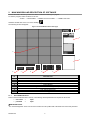
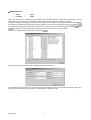
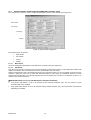
The following login window will appear for authenticating the users enabled to use the software when the program is
started.
The default settings are:
User name
→
super
password
→
super
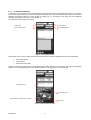
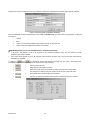
The software will automatically check that the DVRs were stored during previous configurations if the user name and
password are correct.
If no DVRs are detected in the network, the user will be informed immediate by a pop-up message for each non-detected
DVR.
eIMPORTANT NOTE
Set PC monitor resolution to 1024x768 for correct software interface display.
DS1093-010
3