1
2
MAIN WINDOW AND DESCRIPTION OF SOFTWARE
Connect the DVR to the PC by means of a switch or hub before starting the program.
To start the program, select as follows on the PC:
“START” → “PROGRAMS” → “URMET DVR DVS CLIENT ” → “URMET DVR DVS”.
.
Otherwise double-click on the icon on the desktop
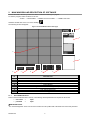
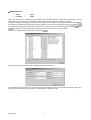
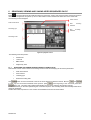
The following window will appear:
Figure 1: Urmet DVRDVS software main page
1
2
9
3
8
7
6
5
4
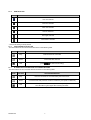
ID
DESCRIPTION
1
2
3
4
5
6
7
8
9
Software connection button
Mini playback interface (searching and playing recordings stored on the DVR)
DVR viewing interface and connected channels
Management/configuration buttons
Control buttons
Viewing mode - 16 channel viewing mode by default
Alarm status LED related to connected DVRs
LIVE channel status LED
Viewing grid
2.1.1
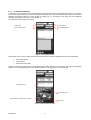
SHUT-DOWN BUTTON
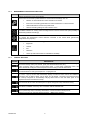
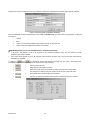
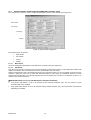
Press to shut the software down correctly. The following default parameters are required to disconnect:
User name
→
super
password
→
super
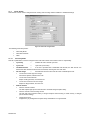
eIMPORTANT NOTE
The “User Management” menu can be used to create new user profiles with customised user name and password.
DS1093-010
4