1
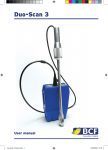
Easi-Scan
Instruction Manual
147998.indd 1
02/02/2010 13:00
147998.indd 2
02/02/2010 13:00
Contents
Page
Introduction
:1
Features & Operator Safety
:2
Operating Instructions
:3
Care & Maintenance
> Easi-Scan
> Battery Pack
> Probe
:7
Accessories
: 10
Technical Specification
: 12
IMPORTANT ANNOUNCEMENT
(See Care & Maintenance for More Details)
WASH DOWN OF UNIT
The main video port on the front panel needs to be sealed for the unit to be waterproof.
This can either be done by attachment of the head mounted goggles display, LCD
wrist display or a blanking plug (black plug shipped in carry box). These need to be
secured and positively mated to avoid damage to the scanner.
147998.indd 3
02/02/2010 13:00
Introduction
BCF Technology Ltd is the market leader in the development
and production or ultrasonic “real time” pregnancy scanners
for most animal species. The company has been developing
and manufacturing these systems for the last 25 years.
Using the latest state of the art technology we have combined cutting edge
digital imaging with low power consumption and miniaturisation to produce
Easi-Scan; a small, light, robust, portable and truly versatile ultrasound scanner.
The Easi-Scan is designed and manufactured in Scotland by:
BCF Technology Ltd
3 Tailend Court
Starlaw Road
Livingston
EH54 8TE
Scotland, UK
Telephone:
Facsimile:
Email:
Website:
+44 1506 460023
+44 1506 460045
[email protected]
www.bcftechnology.com
As specialists in providing ultrasound imaging equipment for veterinary and
animal husbandry applications, we realise the importance of equipment reliability
and speed of response should service assistance be required. Our engineers and
their appointed agents are available to provide rapid service assistance to ensure
optimum performance of BCF systems.
The Easi-Scan has been designed to conform
with the protection requirements of
European Directive 89/336/EEC relating
Electromagnetic Compatibility (EMC) and
the protection requirements of European
Directive 73/23/EEC relating to electrical
safety. The CE mark on the front panel is a
symbol of this declaration of conformance.
Contact us directly for further information
regarding these directives.
:1
147998.indd 4
BCF Technology Ltd – Easi-Scan SERIES 2 Operators Manual
03/02/2010 01:29
System Features
Easi-Scan is optimised for mobile real time ultrasound scanning, giving crisp
imaging in target applications with minimum need for operator adjustments.
•
The fixed high resolution broadband probe supports a wide application range
from close up tendon study to deep penetration pregnancy work.
•
Scanner settings are optimised for selected application.
•
The image may be viewed on a choice of displays.
Display options include head mounted goggles display, remote monitor using
wireless video link and 5” wrist mounted LCD display.
•
Images may be stored along with short audio tag, for later review. Stored
images may be uploaded to computer or printed later with optional accessories.
•
Three hours’ continuous use from interchangeable rechargeable battery.
•
The unit is water-proof in use (see comments later in manual).
•
Easily cleaned; all component parts can be wiped down to clean.
Operator Safety
Easi-Scan is intended only to be powered from an isolated 12V DC source.
Using the 12V lead acid batteries supplied ensures safety from electrical
hazard. If the unit must be powered from a mains adapter, use only the
recommended type and use only in dry conditions.
When charging batteries, only use the charger supplied. This charger is
matched to the battery capacity and will ensure long life and continued safety.
Higher charge rates from unsuitable chargers may lead to hazard from fire
or battery leakage in addition to reducing battery life.
Although the Easi-Scan runs from a low voltage source, dangerous high
voltages are generated inside the unit. For this reason no attempt should be
made to disassemble the scanner.
BCF Technology Ltd – Easi-Scan SERIES 2 Operators Manual
147998.indd 5
:2
02/02/2010 13:00
Operating Instructions
1.1 PRELIMINARY SWITCH ON
Connect the display headset to the front panel connector marked DISPLAY.
Rotate the connector until positive mating is made then tighten the outer ring
to secure. Switch on the remote video monitor (if used), ensuring correct receive
channel selected.
1.2 POWER
Use only 12 volt DC lead acid battery packs.
Ensure the charged battery pack is latched securely to the Easi-Scan.
Switch on the front panel ‘POWER ON’ switch.
The green ‘POWER’ light should be illuminated and the console will now
perform a system initialisation. The current scanner application will be displayed
briefly followed by live scan. In addition a greybar will be visible down the left
side of the display.
If viewing on the Display headset, the headset may need to be switched on separately.
The scanner will beep indicating system initialisation is complete and the system is
ready to function.
1.3 SCANNING
Easi-Scan has several selectable preset scanning application modes.
System GAIN may be varied to suit current study.
1.3.1 Mode selection
The scanner loads the preferred start-up mode when switched on.
Pressing the ‘MODE’ key during live scanning steps through the preset modes
in the following order;
1 Early Pregnancy/Ovary
2 Later Pregnancy
3 Tendon Mode
The preferred start-up mode may be selected by storing an image acquired using
the desired mode. See ‘Storing Images’.
:3
147998.indd 6
BCF Technology Ltd – Easi-Scan SERIES 2 Operators Manual
02/02/2010 13:00
Operating Instructions (cont.)
1.3.2 Mode description
Early pregnancy mode gives a large magnification and uses a higher ultrasound
frequency to give greater resolution. Depth of study is limited to 8cm.
Later pregnancy mode provides a deeper scan (up to 11cm) using a lower frequency
to enable greater penetration.
Tendon mode uses greater magnification, high frequency operation and wide
dynamic range for tendon study. Further improvement to imaging may generally
be gained by viewing on a monitor.
1.3.3 Gain control
Overall GAIN and NEAR GAIN may be set independently.
Initially after switching the scanner on, during live scanning the ‘UP’ and ‘DOWN‘
keys control the overall gain, incrementing or decrementing the gain within the
16 possible levels.
Pressing the ‘GAIN’ key once toggles to near gain adjustment mode. The ‘UP’
key increases near GAIN. Pressing the ‘GAIN’ key again toggles back to OVERALL
GAIN adjustment mode.
Holding the ‘UP’ or ‘DOWN‘ keys pressed, will step through levels rapidly until
minimum or maximum level is reached.
Preferred GAIN settings may be preserved for next use by storing an image with
GAIN set at desired levels. See ‘Storing Images’.
1.4 SCANNER SETUP
Preferences such as image orientation and graticule grid display may be altered
and stored as default at start-up.
Image preferences may be selected in ‘Setup’ mode, accessed by pressing ‘UP’
and ‘DOWN‘ buttons simultaneously in live scanning mode.
When setup mode is entered, no change is seen on screen, and the live scan should
be visible. The buttons, however, adopt different functions as defined on the
following page.
BCF Technology Ltd – Easi-Scan SERIES 2 Operators Manual
147998.indd 7
:4
02/02/2010 13:00
Operating Instructions (cont.)
1.4.1 Image orientation
In setup mode, the ‘UP’ button toggles image orientation.
The image from the probe tip may be displayed to left or right of the screen.
1.4.2 Image Scale marks
In setup mode, the ‘GAIN’ button toggles display of grid and depth scale.
A background 1cm square graticule, 1cm depth markers down the side of the
image or no scale at all may be selected by repeated button presses.
1.4.3 Video link channel (Remote monitor option)
In setup mode, the ‘MODE’ button toggles through four video sender channels.
Remote monitor video link channel frequency may be selected to find an
unoccupied channel. The monitor channel must be adjusted to suit, using the
switch accessed through the hole in the rear of the monitor casing.
Pressing the ‘Freeze’ button exits setup mode.
The preferred setting may be preserved for next use by storing an image with
preferred settings set. See ‘Storing Images’.
1.4.4 Storing images
Up to 60 images may be stored, each with a short audio tag for later identification.
1.4.5 Freeze image
Press the ‘FREEZE’ key during scanning to capture the desired image.
While image is frozen, the front panel keys adopt the secondary functions marked
on the keys in smaller text.
1.4.6 Record audio tag
While the image is frozen, the ‘RECORD’ key records 4 seconds of audio, using the
microphone built into the front panel.
Pressing the ‘PLAY‘ key allows the recording to be replayed. The audio tag may
be rerecorded before storing if desired.
:5
147998.indd 8
BCF Technology Ltd – Easi-Scan SERIES 2 Operators Manual
02/02/2010 13:00
Operating Instructions (cont.)
1.4.7 Store image
While the scan is frozen, pressing the ‘STORE’ key stores the current image along
with the audio tag to flash memory. The non-volatile memory will retain the stored
image indefinitely with the scanner switched off. The image will remain in the
scanner until a further 60 images are stored, at which point it will be overwritten.
When an image is stored, the default scanner settings used at power-up are also
replaced with current settings and preferences.
Settings stored are;
Scan mode
Gain settings
Image orientation
Image scale marks
Video sender channel (Remote monitor option)
Pressing the ‘FREEZE’ key at any stage returns to live scan.
1.4.8 Replaying stored images
To review recorded images, the scan must first be frozen using the ‘FREEZE’ key.
Pressing the ’REVIEW’ key while in frozen state enters image replay mode.
Pressing the ‘DOWN‘ key scrolls backwards through all recorded images, one
at a time, starting with most recently recorded. The ‘UP’ key may be used to
scroll forward again.
Switching the scanner off and back on again resets the replay position to most
current recording.
Pressing the ‘FREEZE’ key at any stage returns to the live scan.
BCF Technology Ltd – Easi-Scan SERIES 2 Operators Manual
147998.indd 9
:6
02/02/2010 13:00
Care & Maintenance
5.1 EASI-SCAN MODULE
The Easi-Scan is designed for reliability in the veterinary and animal husbandry
marketplace. Our engineers and their appointed agents are available to provide
rapid service assistance to ensure optimum performance of BCF systems.
However, there is no substitute for careful usage.
We state that the Easi-Scan Module is WATERPROOF, but you should note
the following IMPORTANT POINTS:
1. The unit is NOT corrosion proof and thus it should not be left wet.
2. The battery unit will fill with water – this is acceptable, but water should
be drained and the unit left to dry on battery exchange or at the end of
scanning session.
3. The main video port on the front panel needs to be sealed for the unit to
be waterproof. This can either be done by attachment of the head mounted
goggles display, LCD wrist display or a blanking plug (available on request).
These need to be secured and positively mated.
4. The goggles are not waterproof and care should be taken to avoid submersion
of this device.
5. The battery charger is not waterproof.
CLEANING
• The plastic outer case and PVC backpack (if used) can be cleaned using a
cloth, soap and warm water. The front panel can be cleaned with a cleaning
agent. If using soap and water on the front panel ensure that excess moisture
is first removed from the cloth so no water enters the connector, speaker grille
or microphone. The unit is most resistant to water when the connector for the
display is firmly tightened in place.
• See Section 5.4 for probe care.
• Your equipment should be returned periodically to a BCF qualified service
engineer. The service agent will use special test equipment to thoroughly
check the instrument and advise of any work that appears to be necessary.
Any other service problems should be referred to our qualified service engineers.
Please call 01506 460023 or email: [email protected].
:7
147998.indd 10
BCF Technology Ltd – Easi-Scan SERIES 2 Operators Manual
02/02/2010 13:00
Care & Maintenance (cont.)
5.2 EASI-SCAN BATTERY
The battery unit is of sealed lead acid type and will give many hundreds of
recharge cycles if supplied charger is used. While battery is in good condition
and is fully charged, it will run the Easi-Scan for approximately three hours.
Electrical connection to the battery is through the latches on either side of the
battery. Battery output is protected with a resetting fuse but care should be
taken to prevent short circuiting between latches.
The battery unit may be cleaned by wiping down with a damp cloth.
Dry the battery unit out at the earliest opportunity if it gets wet.
Warning:
The Battery unit must not be stored damp – severe corrosion will result.
5.3 BATTERY CHARGING
The battery must first be removed from the Easi-Scan before charging.
Attach the battery to the charger by securing both latches.
Once the battery is connected the charger may be plugged in and switched on.
An indication of battery condition may be observed on the charger when the
pushbutton is pressed and the unit will show state of battery condition during
charging – “Low”, “Good” or “Full”.
The battery will require at least eight hours charging from fully discharged,
but may be left connected for longer without damage.
BCF Technology Ltd – Easi-Scan SERIES 2 Operators Manual
147998.indd 11
:8
02/02/2010 13:00
Care & Maintenance (cont.)
5.4 EASI-SCAN PROBE
While every attempt has been made to make the probe as rugged as possible
the crystal array remains vulnerable and should be protected from knocks. Even
a small knock against a hard object can cause damage to the probe elements
situated behind the thin rubber coating on the probe face.
The probe has a protective sheath covering the length of cable subject to greatest
wear and flexing. Any damage to this sheath or the rest of the cable should be
repaired before further use to prevent moisture ingress that will rapidly damage
the probe.
The probe should be checked regularly for such damage.
GELS
Use only gels recommended by BCF Technology Ltd.
Do not store the probe in gel.
CLEANING
The probe may be cleaned by removing all organic/protein residue and disinfecting
using an IPA or 10% bleach wipe. Do not soak the transducer in IPA or bleach.
STORAGE
Clean and dry the probe head prior to storage in dry location.
Do not store the transducer in gels or cleaning/disinfecting solutions. This will lead
to premature deterioration of transducer materials.
Warning:
Never sterilize the transducer with autoclave, ultraviolet, gamma radiation, gas,
steam or heat sterilization techniques. Severe damage will result.
Do not expose the transducer to materials containing the following agents:
Acetone
Methanol
Mineral oil
Iodine
Freon
Industrial cleaners
Materials containing perfumes (lotions, gels, etc.)
Transducers must not be soaked in alcohol, bleach, hydrogen peroxide
:9
147998.indd 12
BCF Technology Ltd – Easi-Scan SERIES 2 Operators Manual
02/02/2010 13:00
Accessories
Mains Supply CRT Monitor
& Carry Bag
Head-up Goggles Display
Wrist-mount LCD Display
Battery CRT Monitor
& Carry Bag
12V Car Charger
Replacement Probe
Video Capture Software
& cables
Video Lead for Video
Graphic Printers
BCF Technology Ltd – Easi-Scan SERIES 2 Operators Manual
147998.indd 13
: 10
03/02/2010 01:29
Accessories
Backpack
Probe Introducer
Spare Battery
MyVu Goggles
Carry Box
: 11
147998.indd 14
BCF Technology Ltd – Easi-Scan SERIES 2 Operators Manual
02/02/2010 13:00
Technical Specification
Digital Ultrasound scanner with display headset, fixed probe & rechargeable battery
Size (battery attached)
28.0cm x 19.5cm x 9.5cm
Weight (battery attached)
3.0kg
Mechanical
Splashproof, rugged plastic casing
User Operation
Wipe down 5 button key panel with weatherproof
microphone and playback speaker
User Functions
Selection of operating modes optimised to
application, automatically setting suitable range,
frequency & post processing e.g. dynamic range,
edge enhancement,
Early pregnancy / ovary
Later pregnancy
Tendon
Gain settings
Overall Gain adjustable
Gain depth balance adjustable (near gain)
Image freeze
Image store: record soundbyte tag for image
identification during image review
Replay/ re-record sound tag option
Image review step through stored images,
replaying soundbyte tag,
Display
Splashproof display headset provides between bright
320 x 240 & 640 x 480 (user option) resolution,
equivalent to viewing 48” screen 2m distant while
allowing good vision of surroundings
Composite video format
256 Greyshades
Storage
60 images with 4 second soundbyte tag each
Oldest image is overwritten when a new image
is stored
Stored on non-volatile internal flash memory
Probe
Broadband straight linear rectal
Active array length 65mm
Frequency range 4.5 to 8.5 MHz
128 element crystal array
Power
12V 3.2Ah Battery pack clips onto scanner giving
three hours continuous use.
Optional operation from mains adapter
BCF Technology Ltd – Easi-Scan SERIES 2 Operators Manual
147998.indd 15
: 12
02/02/2010 13:01
BCF Technology Ltd
3 Tailend Court, Starlaw Road
Livingston EH54 8TE
Scotland, UK
Email: [email protected]
Web: www.bcftechnology.com
Tel: 01506 460023
Fax: 01506 460045
JAN ‘07
147998.indd 16
02/02/2010 13:01