1
Package Contents
Before installing the software on your PC, make sure your package includes
the following items:
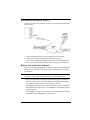
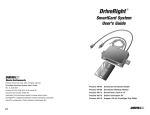
• DriveRight download cable — A black interface cable to connect a
DriveRight device to your PC.
• CarChip download cable — A USB cable for CarChip.
• DB9 connector — A 9-pin connector with modular “telephone” plugs to
connect to a serial port in your PC.
• DriveRight FMS software CD — The CD contains the DriveRight FMS
software as well as special CarChip software to view engine performance.
System Requirements
DriveRight FMS requires the following:
• Computer running Windows 98 SE, ME, NT 4.0, 2000 or XP.
• 32 MB memory (64 MB recommended).
• VGA/SVGA monitor (800 x 600 or higher recommended).
Optional Requirements
• MS Excel required to view reports in Excel.
• MS Excel and MS Outlook required to email reports.
• MS MapPoint required to map GPS data.
Additional DriveRight FMS Documentation
Refer to the following sources for additional information:
• DriveRight FMS Online Help System
• DriveRight FMS User’s Manual, located in the User’s Manual.pdf file in the
FMS program folder and on the CD.
• DriveRight FMS Database Selection Guide
2