1
Digilent, IncTM
C3MemCfg User Manual
5.4
www.digilentinc.com
Digilent Spartan 3 Motherboard (Spartan XC3S200 or XC3S400 FPGA) with:
•
•
Digilent USB 2.0 module on A1 motherboard connector
Digilent C3 memory module on A2 connector
6 Available Project and Compiling Variants
•
•
with 7-segment display showing the lower 16 memory address bus bits (Main.bit)
without display (C3MemCfg.bit)
Choosing Main.sch as the highest level file in the project hierarchy, the project enables the display feature. The
Digilab Digital I/O 4 board should be part of the configuration or the motherboard should have the 4-digit, 7segment display on it. The compiled file is Main.bit.
Choosing C3MemCfg.sch as the highest level file in the project hierarchy disables the display feature, releasing the
associated resources (pins, internal logic). This can be done even if the whole project includes the Main.sch file, and
C3MemCtrl is displayed as a lower level hierarchical file: just highlight C3MemCtrl in the “Sources in Project” and
generate the programming file C3Memcfg.bit.
7 Digilent Library Components Used
•
•
•
C3MemCtrl
EppCtrl
Disp7sCtrl
8 Project Description
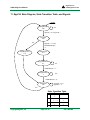
The project implements an EPP interface (EppCtrl), able to communicate with the EPP port emulated by the
Digilent USB 2.0 Module. The EPP interface controls the EPP data registers implemented in the memory module
controller (C3MemCtrl). The memory module controller generates the signal sequence needed to erase, read, or
write the Flash chip. For detailed descriptions of each component, see the Digilent Component Library.
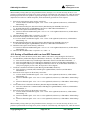
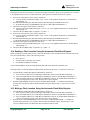
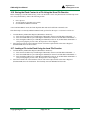
9 Using Digilent MemUtil Software to Configure the Memory Module
Using MemUtil to configure the memory module is very simple and intuitive. You should keep in mind the features
provided by the C3 memory module (1 MB Flash). The software functions are:
•
Properties . The user sets:
o Connection Properties. In the pull-down menu, the desired connection is selected. Multiple
communication modules (Ethernet, USB, Serial) can be connected at the same time to the host PC. A
MemUtil instance uses a single such connection.
o Configure. The selected connection can be configured. For more details see the Adept User Manual.
o Memory configuration. Selects the Digilent memory module type. The C3MemCfg project works with
a single C3 memory module.
o Starting Register Address. MemUtil supports multiple memory modules attached to different
motherboard connectors. For more details, see the C1memCfgX2 project. For the C3MemCfg project,
select 0x00.
•
Load RAM. This tab is inactive, since the C3 memory module does not contain RAM memory.
•
Load Flash. The user specifies:
o the source file
o the File Start Location
o the Flash start address
o the length of transferred data block
o the Verify option
Copyright Digilent, Inc.
Page 2 of 14
Doc: 562-004