1
1-4 Turning the Camera On and Off
Press the power button for about 3 seconds to
turn the camera on. The the Power LED will keep
“Red” about for 3 seconds then change to
“Green”.
You can start to take pictues or set up the camera
when LED becomes “Green”. Press the power
button again to turn the camera off.
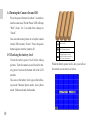
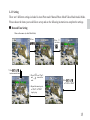
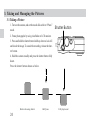
1-5 Checking the battery level
Check the battery power level before taking
pictures. Turn the camera on and check the battery power level on the bottom left of the LCD
monitor.
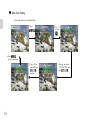
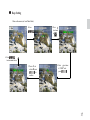
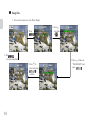
You can see the battery level sign on the following mode: Manual photo mode, Auto photo
mode, Video mode and Audio mode.
10
B attery is full
B attery pow er is lo w
(Please change b atteries)
B attery is extrem e low
(C hange battery as soon as
possible. A nd the cam era w ill
show it the under screen)
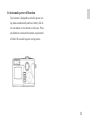
When the battery power level is low, you will see
the camera screen shows as below.