1
entities that the experiment was created with. In most cases, all entities
present in the samples loaded into the experiment will also be the same as
the entities of the technology associated with the samples. In the case of an
Exon Expression experiment however, it contains the Core/Full/Extended
transcript cluster ids depending on which option was chosen to create the
experiment.
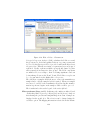
New entity lists are typically created in GeneSpring GX as a result
of analysis steps like “Filter probesets by Flags” for example. One could
also manually create a new entity list by selecting a set of entities in any of
the views and then using the Create Entity List toolbar button. Note that
entities selected in one view will also show selected in all other views as well.
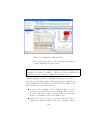
Every open project has utmost one active entity list at any given point in
time. When an experiment of the project is opened, the “All Entities” entity
list of that experiment becomes the active entity list of the project. You can
make a different entity list active, simply by clicking on it in the Navigator.
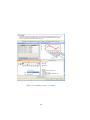
The user experience key to GeneSpring GX is the fact that clicking on an
entity list restricts all open views to just the entities in that list, making for
fast exploration. This experience is further enhanced across experiments of
different technologies/organisms via the notion of Translation.
2.4.8
Active Experiments and Translation
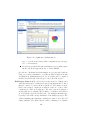
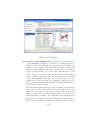
GeneSpring GX could have multiple experiments open at the same time.
Exactly one of these experiments is active at any time. The desktop in
the center shows views for the active experiment. The name of the active
experiment shows bold in the title bar of the experiment in the Navigator;
and the title bar of GeneSpring GX also shows the name of the current
active experiment. You can switch active experiments by either clicking on
the title bar of the experiment in the Navigator, or by clicking on the tab
title of the experiment in the main Desktop. When the active experiment
is changed, the active entity list of the project is also changed to the “All
Entities” entity list of that experiment.
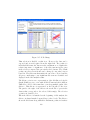
As mentioned before, if you click on another entity list of the active
experiment, all views of that experiment are restricted to show only the
entities in that entity list. In addition if you click on an entity list of an
experiment other than the active one, the views are still constrained to show
only that entity list.
Note that if the two experiments do not correspond to the same technology then entities in the entity list will need to be translated to entities in
the active experiment. GeneSpring GX does this translation seamlessly
51