1
DocBook XSL Stylesheet Release Notes
version='1.0'>
<xsl:import href="http://docbook.sourceforge.net/release/xsl/current/html
<xsl:output method="html" encoding="WINDOWS-1252" indent="no"/>
<xsl:param name="htmlhelp.encoding" select="'WINDOWS-1252'"></xsl:param>
<xsl:param name="chunker.output.encoding" select="'WINDOWS-1252'"></xsl:p
<xsl:param name="saxon.character.representation" select="'native'"></xsl:
</xsl:stylesheet>
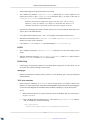
Invoke Saxon with the encoding.windows-1252 Java system property set to com.nwalsh.saxon.Windows1252; for example
java \
-Dencoding.windows-1252=com.nwalsh.saxon.Windows1252 \
com.icl.saxon.StyleSheet \
mydoc.xml mystylesheet.xsl
Or, for a more complete "real world" case showing other options you'll typically want to use:
java \
-Dencoding.windows-1252=com.nwalsh.saxon.Windows1252 \
-Djavax.xml.parsers.DocumentBuilderFactory=org.apache.xerces.jaxp.Documen
-Djavax.xml.parsers.SAXParserFactory=org.apache.xerces.jaxp.SAXParserFact
-Djavax.xml.transform.TransformerFactory=com.icl.saxon.TransformerFactory
com.icl.saxon.StyleSheet \
-x org.apache.xml.resolver.tools.ResolvingXMLReader \
-y org.apache.xml.resolver.tools.ResolvingXMLReader \
-r org.apache.xml.resolver.tools.CatalogResolver \
mydoc.xml mystylesheet.xsl
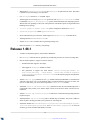
In both cases, the "mystylesheet.xsl" file should be a DocBook customization layer containing
the parameters show in step 2.
•
Saxon extensions: Removed Saxon 8 extensions from release package
Release 1.67.0
•
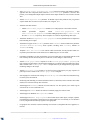
A number of important bug fixes, documented in WhatsNew.
•
Added Saxon8 extensions
•
Enabled dbfo table-width on entrytbl in FO output
•
Added support for role=strong on emphasis in FO output
•
Added new FO parameter hyphenate.verbatim that can be used to turn on "intelligent" wrapping
of verbatim environments.
•
Replaced all <tt></tt> output with <code></code>
•
Changed admon.graphic.width template to a mode so that different admonitions can have different graphical widths.
•
Deprecated the HTML shade.verbatim parameter (use CSS instead)
14
XML to PDF by RenderX XEP XSL-FO Formatter, visit us at http://www.renderx.com/