1
NH-800SP
__
HPNA Switch User Guide Ver.A.6
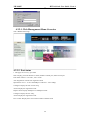
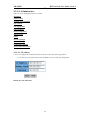
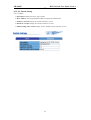
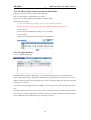
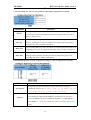
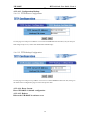
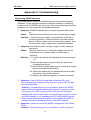
4.2.2-4-4. HPNA Speed Control and port Enable/Disable
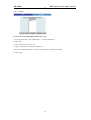
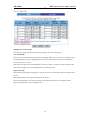
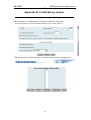
This page can Change every port status and speed mode
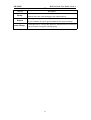
State: You can disable or enable HPNA port control
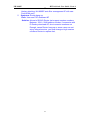
Speed: You can change HPNA Speed mode by 0.7Mbps, 1Mbps
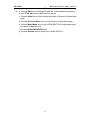
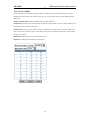
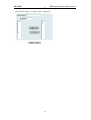
Change Speed procedure:
a. Confirm the HPNA port is linking which you want change speed mode.
b. Make sure HPNA port has been connecting to HPNA Modem and Link up OK.
c. Select the port
d. Select the speed mode(High is 1Mbps, Low is 0.7Mbps)
e. Click “Apply”
f. HPNA port will link up again during the new speed mode.
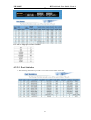
4.2.2-4-6. Filter Database
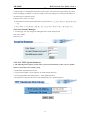
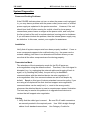
2-4-6-1. IGMP Snooping
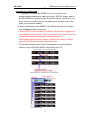
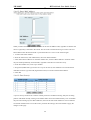
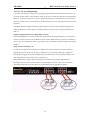
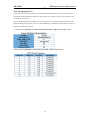
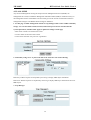
The HPNA SWITCH support IP multicast , you can enable IGMP protocol on web management’s
switch setting advanced page, then display the IGMP snooping information in this page, you can view
difference multicast group ,VID and member port in here, IP multicast addresses range from 224.0.0.0
through 239.255.255.255.
The Internet Group Management Protocol (IGMP) is an internal protocol of the Internet Protocol (IP)
suite.
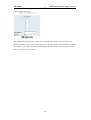
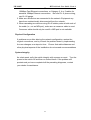
IP manages multicast traffic by using switches, routers, and hosts that support IGMP. Enabling IGMP
allows the ports to detect IGMP queries and report packets and manage IP multicast traffic through the
switch. IGMP have three fundamental types of message as follows:
26