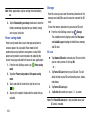
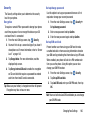
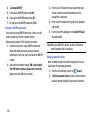
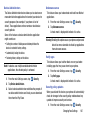
1
4 G L T E S M A R T P H O N E User Manual Please read this manual before operating your phone, and keep it for future reference. Warning! This product contains chemicals known to the State of California to cause cancer and reproductive toxicity. Intellectual Property All Intellectual Property, as defined below, owned by or which is otherwise the property of Samsung or its respective suppliers relating to the SAMSUNG Phone, including but not limited to, accessories, parts, or software relating there to (the “Phone System”), is proprietary to Samsung and protected under federal laws, state laws, and international treaty provisions. Intellectual Property includes, but is not limited to, inventions (patentable or unpatentable), patents, trade secrets, copyrights, software, computer programs, and related documentation and other works of authorship. You may not infringe or otherwise violate the rights secured by the Intellectual Property. Moreover, you agree that you will not (and will not attempt to) modify, prepare derivative works of, reverse engineer, decompile, disassemble, or otherwise attempt to create source code from the software. No title to or ownership in the Intellectual Property is transferred to you. All applicable rights of the Intellectual Property shall remain with SAMSUNG and its suppliers. Open Source Software Some software components of this product incorporate source code covered under GNU General Public License (GPL), GNU Lesser General Public License (LGPL), OpenSSL License, BSD License and other open source licenses. To obtain the source code covered under the open source licenses, please visit: http://opensource.samsung.com. CRT_SM-G900AZ_UM_English_NE7_TN_061714_F2 Disclaimer of Warranties; Exclusion of Liability EXCEPT AS SET FORTH IN THE EXPRESS WARRANTY CONTAINED ON THE WARRANTY PAGE ENCLOSED WITH THE PRODUCT, THE PURCHASER TAKES THE PRODUCT "AS IS", AND SAMSUNG MAKES NO EXPRESS OR IMPLIED WARRANTY OF ANY KIND WHATSOEVER WITH RESPECT TO THE PRODUCT, INCLUDING BUT NOT LIMITED TO THE MERCHANTABILITY OF THE PRODUCT OR ITS FITNESS FOR ANY PARTICULAR PURPOSE OR USE; THE DESIGN, CONDITION OR QUALITY OF THE PRODUCT; THE PERFORMANCE OF THE PRODUCT; THE WORKMANSHIP OF THE PRODUCT OR THE COMPONENTS CONTAINED THEREIN; OR COMPLIANCE OF THE PRODUCT WITH THE REQUIREMENTS OF ANY LAW, RULE, SPECIFICATION OR CONTRACT PERTAINING THERETO. NOTHING CONTAINED IN THE INSTRUCTION MANUAL SHALL BE CONSTRUED TO CREATE AN EXPRESS OR IMPLIED WARRANTY OF ANY KIND WHATSOEVER WITH RESPECT TO THE PRODUCT. IN ADDITION, SAMSUNG SHALL NOT BE LIABLE FOR ANY DAMAGES OF ANY KIND RESULTING FROM THE PURCHASE OR USE OF THE PRODUCT OR ARISING FROM THE BREACH OF THE EXPRESS WARRANTY, INCLUDING INCIDENTAL, SPECIAL OR CONSEQUENTIAL DAMAGES, OR LOSS OF ANTICIPATED PROFITS OR BENEFITS. Modification of Software SAMSUNG IS NOT LIABLE FOR PERFORMANCE ISSUES OR INCOMPATIBILITIES CAUSED BY YOUR EDITING OF REGISTRY SETTINGS, OR YOUR MODIFICATION OF OPERATING SYSTEM SOFTWARE. USING CUSTOM OPERATING SYSTEM SOFTWARE MAY CAUSE YOUR DEVICE AND APPLICATIONS TO WORK IMPROPERLY. YOUR CARRIER MAY NOT PERMIT USERS TO DOWNLOAD CERTAIN SOFTWARE, SUCH AS CUSTOM OS. IF YOUR CARRIER PROHIBITS THIS, IF YOU ATTEMPT TO DOWNLOAD SOFTWARE ONTO THE DEVICE WITHOUT AUTHORIZATION, YOU WILL BE NOTIFIED ON THE SCREEN THAT UNAUTHORIZED SOFTWARE HAS BEEN DETECTED. YOU SHOULD THEN POWER DOWN THE DEVICE AND CONTACT YOUR CARRIER TO RESTORE THE DEVICE TO THE CARRIER AUTHORIZED SETTINGS. SAFE™ (Samsung Approved For Enterprise) SAFE™: "SAFE™" (Samsung for Enterprise) is a mark for a Samsung device which has been tested against Samsung's own internal criteria for interoperability with certain third party security-related solutions for MDM and VPN. The testing includes field testing with local network connection and menu tree testing which tests functionality of the solutions in conjunction with the Samsung device. During the testing, the device is tested with the security solutions to see if the solutions work with the device as described by the third party security solution providers. The testing, for example, includes field testing with local network connection and menu tree testing which tests functionality of the solutions in conjunction with the Samsung device. For more information about Samsung's SAFE™ program, please refer to www.samsung.com/us/safe. Disclaimer of Warranties: EXCEPT AS OTHERWISE PROVIDED IN THEIR STANDARD END USER LICENSE AND WARRANTY, TO THE FULL EXTENT PERMITTED BY LAW SAMSUNG ELECTRONICS CO., LTD., SAMSUNG TELECOMMUNICATIONS AMERICA, LLC, AND THEIR AFFILIATES (COLLECTIVELY REFERRED TO HEREIN AS THE "SAMSUNG ENTITIES") EXPRESSLY DISCLAIM ANY AND ALL WARRANTIES, EXPRESS OR IMPLIED, INCLUDING ANY WARRANTY OF MERCHANTABILITY, FITNESS FOR A PARTICULAR PURPOSE, INTEROPERABILITY OR NON-INFRINGEMENT, WITH RESPECT TO INFORMATION TECHNOLOGY SECURITY PROTECTION, SAFE™ DEVICES AND APPLICATIONS TESTED WITH SAFE™ DEVICES. IN NO EVENT SHALL THE SAMSUNG ENTITIES BE LIABLE FOR ANY DIRECT, INDIRECT, INCIDENTAL, PUNITIVE, OR CONSEQUENTIAL DAMAGES OF ANY KIND WHATSOEVER WITH RESPECT TO INFORMATION TECHNOLOGY SECURITY PROTECTION, SAFE™ DEVICES OR APPLICATIONS TESTED WITH SAFE™ DEVICES. In addition, information technology security protection will be affected by features or functionality associated with, among other things the e-mail platform, master data management, and virtual private network solutions selected by the software provider, solution provider or user. Choice of an e-mail, master data management, and virtual private network solution is at the sole discretion of the software provider, solution provider or user and any associated effect on information technology security protection is solely the responsibility of the software provider, solution provider or user. For complete statement of limited warranty, please refer to www.samsung.com/us/safe, available on the web and where Samsung smartphones and mobile devices are sold. [051214] Samsung Telecommunications America (STA), LLC Headquarters: 1301 E. Lookout Drive Richardson, TX 75082 Customer Care Center: 1000 Klein Rd. Plano, TX 75074 Toll Free Tel: 1.888.987.HELP (4357) Internet Address: www.samsung.com ©2014 Samsung Telecommunications America, LLC. Samsung is a registered trademark of Samsung Electronics Co., Ltd. Do you have questions about your Samsung Mobile Phone? For 24 hour information and assistance, we offer a new FAQ/ARS System (Automated Response System) at: http://www.samsung.com/us/support. The actual available capacity of the internal memory is less than the specified capacity because the operating system and default applications occupy part of the memory. The available capacity may change when you upgrade the device. Nuance®, VSuite™, T9® Text Input, and the Nuance logo are trademarks or registered trademarks of Nuance Communications, Inc., or its affiliates in the United States and/or other countries. The Bluetooth® word mark, figure mark (stylized “B Design”), and combination mark (Bluetooth word mark and “B Design”) are registered trademarks and are wholly owned by the Bluetooth SIG. microSD™ and the microSD logo are Trademarks of the SD Card Association. Openwave® is a registered Trademark of Openwave, Inc. LTE is a trademark of ETSI. and are trademarks of SRS Labs, Inc. CS Headphone and WOW HD technologies are incorporated under license from SRS Labs, Inc. Google, the Google logo, Android, the Android logo, Google Play, Gmail, Google Mail, Google Maps, Google Music, Google Hangouts, Picasa, YouTube and other marks are trademarks of Google Inc. Wi-Fi is a registered trademark of the Wireless Fidelity Alliance, Inc. Swype and the Swype logos are trademarks of Swype, Inc. © 2010 Swype, Inc. All rights reserved. Devices purchased for use on Cricket's system are designed for use exclusively on Cricket's system. You agree that you won't make any modifications to the Equipment or programming to enable the Equipment to operate on any other system. A voice plan is required on all voice-capable devices, unless specifically noted otherwise in the terms governing your agreement. Some devices or plans may require you to subscribe to a data plan. Your phone is designed to make it easy for you to access a wide variety of content. For your protection, Cricket wants you to be aware that some applications that you enable may involve the location of your phone being shared. For applications available through Cricket, Cricket offers privacy controls that let you decide how an application may use the location of your phone and other phones on your account. However, Cricket's privacy tools do not apply to applications available outside of Cricket. Please review the terms and conditions and the associated privacy policy for each location-based service to learn how location information will be used and protected. Your phone may be used to access the Internet and to download, and/or purchase goods, applications, and services from Cricket or elsewhere from third parties. Cricket provides tools for you to control access to the Internet and certain Internet content. These controls may not be available for certain devices which bypass Cricket controls. Portions ©2014 Cricket Wireless LLC. All rights reserved. Cricket is a trademark of Cricket Wireless LLC. Other marks are the property of their respective owners. Your phone features earSmart™, an intelligent voice processor that delivers a clear voice experience, allowing you to hear and be heard™ in nearly any environment. earSmart technology uses the science of human hearing to distinguish sounds, identify your voice and suppress surrounding noise, for clear conversations just about anywhere. How Does It Work? • The earSmart voice processor in your phone captures your voice and all the sounds around you. • Working like the human ear, it processes and distinguishes these sounds, isolates your voice conversation, and removes background noise from both ends of a call. • It also automatically equalizes and adjusts voice volume so you can hear and talk naturally, even in the noisiest places. • With earSmart technology, you can talk where you want, and have clear conversations for mobile calls, video chats, even speakerphone calls, without worrying about surrounding noise. Phone Health/Safety and Warranty Guide The online version of the Health/Safety and Warranty guide for your device can be found at: English: http://www.samsung.com/us/Legal/Phone_HSGuide Spanish: http://www.samsung.com/us/Legal/Phone_HSGuide_SP Location of Legal Information on the Device: Health and Safety Information • Settings ➔ About device ➔ Legal information ➔ Samsung legal ➔ Health and Safety Warranty • Settings ➔ About device ➔ Legal information ➔ Samsung legal ➔ Warranty EULA • Settings ➔ About device ➔ Legal information ➔ Samsung legal ➔ End User License Agreement Table of Contents Section 1: Getting Started ..............................4 Setting Up Your Phone . . . . . . . . . . . . . . . . . . . . . . 4 Charging the Battery . . . . . . . . . . . . . . . . . . . . . . . 7 Maintaining water and dust resistance . . . . . . . . 10 Extending Your Battery Life . . . . . . . . . . . . . . . . . 11 Switching the Device On or Off . . . . . . . . . . . . . . 12 Locking and Unlocking the Touch Screen . . . . . . 12 Configuring your Phone . . . . . . . . . . . . . . . . . . . . 13 Creating a Samsung Account . . . . . . . . . . . . . . . 13 Setting Up Your Voice Mail . . . . . . . . . . . . . . . . . 14 Section 2: Understanding Your Phone .........15 Features of Your Phone . . . . . . . . . . . . . . . . . . . . 15 Front View . . . . . . . . . . . . . . . . . . . . . . . . . . . . . . 16 Back View . . . . . . . . . . . . . . . . . . . . . . . . . . . . . . 19 Status Bar . . . . . . . . . . . . . . . . . . . . . . . . . . . . . . 20 Menu Navigation . . . . . . . . . . . . . . . . . . . . . . . . . 23 Using the Multi Window . . . . . . . . . . . . . . . . . . . . 26 Customizing Your Home Screen . . . . . . . . . . . . . 31 Notification Panel . . . . . . . . . . . . . . . . . . . . . . . . 38 Entering Text . . . . . . . . . . . . . . . . . . . . . . . . . . . . 39 Using Google Voice Typing . . . . . . . . . . . . . . . . . .40 Using the Samsung Keyboard . . . . . . . . . . . . . . . .40 Entering Text Using Swype . . . . . . . . . . . . . . . . . .44 Section 3: Call Functions ............................ 46 Displaying Your Phone Number . . . . . . . . . . . . . .46 Making a Call . . . . . . . . . . . . . . . . . . . . . . . . . . . .46 Ending a Call . . . . . . . . . . . . . . . . . . . . . . . . . . . .48 Answering a Call . . . . . . . . . . . . . . . . . . . . . . . . .49 Making Emergency Calls . . . . . . . . . . . . . . . . . . .49 Making a Call Using Speed Dial . . . . . . . . . . . . . .50 Dialing Options . . . . . . . . . . . . . . . . . . . . . . . . . . .50 Call Log . . . . . . . . . . . . . . . . . . . . . . . . . . . . . . . .51 Call Duration . . . . . . . . . . . . . . . . . . . . . . . . . . . .53 Options During a Call . . . . . . . . . . . . . . . . . . . . . .53 Call Settings . . . . . . . . . . . . . . . . . . . . . . . . . . . . .58 Section 4: Contacts ..................................... 59 Adding a New Contact . . . . . . . . . . . . . . . . . . . . .59 Editing an Existing Contact . . . . . . . . . . . . . . . . . .61 Using Contacts . . . . . . . . . . . . . . . . . . . . . . . . . . .61 Linking Contacts . . . . . . . . . . . . . . . . . . . . . . . . .62 1 Synchronizing Accounts . . . . . . . . . . . . . . . . . . . Contacts List Options . . . . . . . . . . . . . . . . . . . . . Groups . . . . . . . . . . . . . . . . . . . . . . . . . . . . . . . . Contacts List Favorites . . . . . . . . . . . . . . . . . . . . Deleting Contacts List Entries from the Phone . . 64 64 65 67 68 Section 5: Messaging .................................. 69 Types of Messages . . . . . . . . . . . . . . . . . . . . . . . Creating and Sending Messages . . . . . . . . . . . . . Message Options . . . . . . . . . . . . . . . . . . . . . . . . Viewing New Received Messages . . . . . . . . . . . . Deleting Messages . . . . . . . . . . . . . . . . . . . . . . . Message Search . . . . . . . . . . . . . . . . . . . . . . . . . Messaging Settings . . . . . . . . . . . . . . . . . . . . . . 69 70 71 73 74 74 75 Section 6: Connections ................................ 78 PC Connections . . . . . . . . . . . . . . . . . . . . . . . . . Wi-Fi . . . . . . . . . . . . . . . . . . . . . . . . . . . . . . . . . NFC . . . . . . . . . . . . . . . . . . . . . . . . . . . . . . . . . . Bluetooth . . . . . . . . . . . . . . . . . . . . . . . . . . . . . . 78 79 83 84 Section 7: Applications ................................ 88 Calculator . . . . . . . . . . . . . . . . . . . . . . . . . . . . . . Calendar . . . . . . . . . . . . . . . . . . . . . . . . . . . . . . Camera . . . . . . . . . . . . . . . . . . . . . . . . . . . . . . . ChatON . . . . . . . . . . . . . . . . . . . . . . . . . . . . . . . 2 88 89 90 96 Chrome . . . . . . . . . . . . . . . . . . . . . . . . . . . . . . . . 97 Clock . . . . . . . . . . . . . . . . . . . . . . . . . . . . . . . . . . 97 Contacts . . . . . . . . . . . . . . . . . . . . . . . . . . . . . . 100 Drive . . . . . . . . . . . . . . . . . . . . . . . . . . . . . . . . . 100 Email . . . . . . . . . . . . . . . . . . . . . . . . . . . . . . . . . 100 Flipboard . . . . . . . . . . . . . . . . . . . . . . . . . . . . . . 102 Gallery . . . . . . . . . . . . . . . . . . . . . . . . . . . . . . . . 102 Gmail . . . . . . . . . . . . . . . . . . . . . . . . . . . . . . . . 107 Google . . . . . . . . . . . . . . . . . . . . . . . . . . . . . . . 108 Google Settings . . . . . . . . . . . . . . . . . . . . . . . . . 108 Google + . . . . . . . . . . . . . . . . . . . . . . . . . . . . . . 108 Hangouts . . . . . . . . . . . . . . . . . . . . . . . . . . . . . . 109 Internet . . . . . . . . . . . . . . . . . . . . . . . . . . . . . . . 109 Maps . . . . . . . . . . . . . . . . . . . . . . . . . . . . . . . . . 112 Memo . . . . . . . . . . . . . . . . . . . . . . . . . . . . . . . . 112 Messaging . . . . . . . . . . . . . . . . . . . . . . . . . . . . 112 Music . . . . . . . . . . . . . . . . . . . . . . . . . . . . . . . . 113 My Cricket . . . . . . . . . . . . . . . . . . . . . . . . . . . . . 116 My Files . . . . . . . . . . . . . . . . . . . . . . . . . . . . . . 117 Phone . . . . . . . . . . . . . . . . . . . . . . . . . . . . . . . . 117 Photos . . . . . . . . . . . . . . . . . . . . . . . . . . . . . . . . 117 Play Books . . . . . . . . . . . . . . . . . . . . . . . . . . . . 117 Play Games . . . . . . . . . . . . . . . . . . . . . . . . . . . . 117 Play Movies & TV . . . . . . . . . . . . . . . . . . . . . . . 118 Play Music . . . . . . . . . . . . . . . . . . . . . . . . . . . . 118 Play Newsstand . . . . . . . . . . . . . . . . . . . . . . . . 118 Play Store . . . . . . . . . . . . . . . . . . . . . . . . . . . . . 119 POLARIS Office 5 . . . . . . . . . . . . . . . . . . . . . . . . 119 S Health . . . . . . . . . . . . . . . . . . . . . . . . . . . . . . 120 S Voice . . . . . . . . . . . . . . . . . . . . . . . . . . . . . . . 121 Samsung Apps . . . . . . . . . . . . . . . . . . . . . . . . . 122 Settings . . . . . . . . . . . . . . . . . . . . . . . . . . . . . . 122 Smart Remote . . . . . . . . . . . . . . . . . . . . . . . . . . 122 Video . . . . . . . . . . . . . . . . . . . . . . . . . . . . . . . . . 127 Voice Recorder . . . . . . . . . . . . . . . . . . . . . . . . . 128 Voice Search . . . . . . . . . . . . . . . . . . . . . . . . . . . 128 Voicemail . . . . . . . . . . . . . . . . . . . . . . . . . . . . . 129 Wi-Fi . . . . . . . . . . . . . . . . . . . . . . . . . . . . . . . . . 129 YouTube . . . . . . . . . . . . . . . . . . . . . . . . . . . . . . 129 Motion . . . . . . . . . . . . . . . . . . . . . . . . . . . . . . . .152 User and Backup . . . . . . . . . . . . . . . . . . . . . . . .154 System Settings . . . . . . . . . . . . . . . . . . . . . . . . .156 Application Settings . . . . . . . . . . . . . . . . . . . . . .171 Section 9: Samsung Product Registration .............................................. 185 Index ........................................................... 186 Section 8: Changing Your Settings ............130 Accessing Settings . . . . . . . . . . . . . . . . . . . . . . 130 Quick Settings . . . . . . . . . . . . . . . . . . . . . . . . . . 131 Connections . . . . . . . . . . . . . . . . . . . . . . . . . . . 132 Connect and Share . . . . . . . . . . . . . . . . . . . . . . 137 Sound and Display . . . . . . . . . . . . . . . . . . . . . . 139 Personalization . . . . . . . . . . . . . . . . . . . . . . . . . 147 3 Section 1: Getting Started This section explains how to start using your phone by first configuring your hardware, activating your service, and then setting up your voice mail. 2. Lift the cover up and to the right of the phone. Setting Up Your Phone Prior to use it is necessary to install both the battery and SIM into their corresponding internal compartments. The microSD™ card slot is also located in this same internal area. 1. Remove the back cover by inserting a fingernail into the slot on the top of your phone. Caution! Do not remove the rubber seal from the inside of the back cover. Doing so can cause water damage to the device if it gets wet. Do not bend or twist the back cover excessively. Doing so may damage the cover. 4 Installing the SIM Card When you subscribe to a cellular network, you are provided with a plug-in SIM card loaded with your subscription details, such as your PIN, available optional services, and many others features. • Make sure that the card’s gold contacts face into the phone and that the upper-left angled corner of the card is positioned as shown. Important! The plug-in SIM card information and its contacts can be easily damaged by scratching or bending, so be careful when handling, inserting, or removing the card. Keep all SIM cards out of reach of small children. Carefully slide the SIM card into the SIM card socket (as shown) until the card locks into place. Note: If the card is not inserted correctly, the phone will not detect the SIM card. Re-orient the card back into the slot if the SIM is not detected. Getting Started 5 Installing the Battery 1. Insert the battery into the opening on the back of the phone, making sure the connectors align. 2. Gently press down to secure the battery. Installing the Memory Card Push the microSD card into the slot until it clicks (as shown). • Make sure the microSD’s gold contact pins face downward and the card is securely inserted. Removing and Installing the Memory Card You can use a microSD (SD) or microSDHC card to expand available memory space if you desire. This secure digital card enables you to exchange images, music, and data between SD compatible devices. This type of memory card is designed for use with this mobile phone and other such devices. Note: Your phone has been tested to support up to a 128GB memory card. 6 For more information, refer to “Storage” on page 164. Removing the Memory Card 1. Push on the memory card until it clicks and is released. 2. Grasp the memory card and remove it from the phone. Installing the Back Cover 1. Place the battery cover onto the back of the phone (1) and press down (2). 3. To avoid water damage, ensure that the back cover is completely closed by pressing just below the Cricket Logo until you hear a click. Note: Make sure the battery is properly installed before switching on the phone. Charging the Battery 2. Press along the edge of the back cover (3) until you have a secure seal. Your device is powered by a rechargeable Li-on battery. A wall charger, which is used for charging the battery, is included with your device. Use only approved batteries and chargers. Ask your local Samsung dealer for further details. Before using your device for the first time, you must fully charge the battery. Your device is powered by a rechargeable Li-on battery. The Travel Charger that is used to charge the battery, is included with your device. Use only Samsung approved batteries and chargers. Getting Started 7 Note: You must fully charge the battery before using your phone for the first time. A discharged battery recharges fully in approximately 4 hours. Although you can use the phone while the battery is charging, doing so will require additional charging time. Important! Verify that the battery is installed prior to connecting the wall charger. If the wall charger is connected and the battery is not installed, the handset will power cycle continuously and prevent proper operation. Failure to unplug the wall charger before you remove the battery, can cause damage to the phone. To connect a USB 3.0 cable to the device: 1. Connect the USB cable to the charging head. 2. Lift up on the Charger/Accessory jack cover that covers the port on the bottom of your phone and swing it open. Caution! Be careful not to damage or detach the Charger/ Accessory jack cover. A damaged or missing cover can result in water damage to the device. 3. Insert the USB 3.0 cable into the device’s Charger/Accessory jack. 4. Plug the charging head into a standard AC power outlet. The device turns on with the screen locked and indicates both its charge state and percent of charge. Charging Head Important! While the device is charging, if the touch screen does not function due to an unstable power supply unplug the USB power adapter from the power outlet or unplug the USB cable from the device. USB Cable 8 USB 3.0 connector 7. When charging is finished, first unplug the charger’s power plug from the AC wall outlet, then disconnect the charger’s connector from the phone. Important! Before closing the Charger/Accessory jack cover, check to see if there is any foreign substance such as dust on sand on the rubber seal. 8. Tightly close the multipurpose jack cover when you are finished so that no water can enter the port. USB 2.0 connector 5. When charging is finished, first unplug the charger’s power plug from the AC wall outlet, then disconnect the charger’s connector from the device. 6. If you are using the older style USB 2.0 cable to charge your battery, plug the flat end of the cable into the smaller port in the device’s Charger/Accessory jack. Important! Your touch screen responds best to a light touch from the pad of your finger or a non-metallic stylus. Using excessive force or a metallic object when pressing on the touch screen may damage the tempered glass surface and void the warranty. For more information, refer to the “Standard Limited Warranty” in your in-box H&S Guide. Getting Started 9 Maintaining water and dust resistance This device is rated IP67 using the Ingress Protection rating system. The dust rating is 6 (highest level of protection), and the water resistance rating is 7 (water resistant up to 1 meter for up to 30 minutes). Despite this classification, your device is not impervious to water damage in any situation. It is important that all compartments are closed tightly. Follow these tips carefully to prevent damage to the device. • Whenever your device gets wet, dry it thoroughly with a clean, soft cloth. • Do not expose the device to salt water or ionized water, or to water over 1 meter deep for more than 30 minutes. If your device is exposed to salt water, wash the device with fresh water then dry thoroughly with a clean, soft cloth. Otherwise, when it dries, salt may accumulate and block the microphone, earpiece, and speaker. • When drying off your device, be sure to pat the earpiece (top front of phone), microphone (bottom of phone), and speaker (rear of phone) with a clean, soft cloth to remove as much water as possible. • When making a call immediately after your device is wet, the microphone may have water in it which may lower the volume that the other person will hear. After drying off the device, allow the device to air-dry before making a call. 10 • The back and multipurpose jack covers may be loosened slightly if the device is dropped or receives an impact. Ensure that all the covers are properly aligned and tightly closed. Otherwise, they may not provide protection from water and dust. • Always keep the multipurpose jack cover clean and be careful to avoid damaging it. Note: The touch screen may not be active in water. Extending Your Battery Life Active applications, light levels, Bluetooth usage, and GPS functionality all act to drain your battery. The following is a list of helpful tips that can help conserve your battery power: • Reduce the time your backlight stays on. • Turn Bluetooth off when not in use. • Turn Wi-Fi off when not in use. • Deactivate the GPS when not needed. Most applications using this function will periodically query the GPS satellites for your current location; each query drains your battery. • Do not wait until your battery is completely depleted before charging your device. Repeating this process of a complete discharge and recharge can over time reduce the storage capacity of any battery. • Use the Power Saving feature to deactivate some hardware and interface functions. • Check the Battery use screen to review what features or functions have been consuming your battery resources. • Check the Running Services and close any unnecessary applications. • Use the Task Manager feature to end/shutdown background applications that are still running. These minimized applications can, over time, cause your device to slow down. • Animated wallpapers use processing power, memory, and more power. Change your Live Wallpaper to a non-animated Wallpaper gallery or Gallery image. Low Battery Indicator When the battery is weak and only a few minutes of talk time remain, the battery icon blinks and the device sounds a warning tone at regular intervals. In this condition, your phone conserves its remaining battery power, not by turning off the backlight, but by entering the dimming mode. For a quick check of your battery level, glance at the battery charge indicator located in the upper right corner of your device’s display. Solid color indicates a full charge. When the battery level becomes too low, the phone automatically turns off. You can also choose to display a percentage value. Having a percentage value onscreen can provide a better idea of the remaining charge on the battery. From the Home screen, tap Apps ➔ Settings ➔ Show battery percentage. ➔ Battery Getting Started 11 Switching the Device On or Off To turn the device on: 1. Press and hold switches on. Power/End until the device The device searches for your network and after finding it, you can make or receive calls. 2. Swipe your finger across the screen to unlock the phone. To turn the device off: 1. Press and hold options screen appears. 2. Tap Power/End until the Device Power off. 3. At the Power off prompt, tap OK. 12 Locking and Unlocking the Touch Screen 1. Press to lock the touch screen. 2. Press again to display the lock screen then swipe your finger across the screen to unlock. Note: Swipe is the default screen locking method. To change your screen lock, see “Lock Screen Settings” on page 143. Configuring your Phone When you first turn on your phone, you will need to set up a few things. 1. As each screen is displayed, follow the instructions on each screen to set up that particular feature. – or – If you already have a Google account, tap Existing to sign in and add the account to your phone. 3. Follow the onscreen instructions to add a Google Account. 2. Tap Next or Skip to progress to the next page. 3. At the last screen, tap Finish, to finish your setup. Note: Once the device has been configured, you will not be prompted with setup screens again. Creating a New Google Account In order to utilize your device to the fullest extent, you will need to create a Google™ Account when you first use your device. With a Google Account, Google applications will always be in sync between your phone and computer. If you did not create a new account during the setup procedure when you first turned your phone on, follow these steps: 1. From the Home screen, tap ➔ Gmail . The Add a Google Account screen displays. Note: Once you have created a Google account, you only need to sign in. Creating a Samsung Account An active Samsung account is required to begin accessing applications such as ChatON and Samsung Hub. If you did not create a Samsung account when you first set up your phone, follow these steps: 1. From the home screen, tap ➔ Settings ➔ Accounts ➔ Add account. 2. Tap Samsung account. 3. Tap Create new account. 4. Follow the onscreen instructions to create and activate your account. 2. Tap New to create a new Google account. Getting Started 13 Setting Up Your Voice Mail 1. From the Home screen, tap , then tap . 2. Follow the tutorial to create a password, record a greeting, and record your name. Note: These steps may be different depending on your network. Accessing Your Voice Mail 1. From the Home screen, tap , then tap . You may be prompted to enter a password. 2. When connected, follow the voice prompts from the voice mail center. Accessing Your Voice Mail From Another Phone 1. Dial your wireless phone number. 2. When you hear your voicemail greeting, press the asterisk key on the phone you are using. 3. Enter your password and you are connected to your Voice Mail. 14 Section 2: Understanding Your Phone This section outlines some key features of your phone and describes the screen and the icons that appear when the phone is in use. It also shows how to navigate through the phone and provides information on using a memory card. Features of Your Phone Your phone is lightweight, easy-to-use and offers many useful features. The following list outlines a few of the features included in your phone. • Android v 4.4.2, KitKat Platform • Brilliant 5.1” Full HD Super AMOLED® (1920 x 1080) display • Multi-core processor • USB 3.0 connector for faster transfer speeds • Wi-Fi ® Capability (802.11 a/b/g/n/ac) @ both 2.4GHz and 5GHz • Delivers data faster using 4G LTE and High Speed Packet Access Plus (HSPA+) • Galaxy Gear™ compliant. For more information, please visit: www.samsung.com/us/galaxygearsupport • Smart Switch™ compliant. For more information, see www.samsungsmartswitch.com • Ready access to the Internet • Built-in Bluetooth and advanced Wi-Fi® technology • Mobile Hotspot and USB Tethering capability • 16 Megapixel camera and camcorder with Front Facing camera • Smart Remote control using Smart Remote • GPS Navigation functionality provides real-time navigation • Expandable memory slot • Corporate and Personal Email • Sync and update social network applications • Thousands of Apps available to download via Google Play Store™ and Samsung Hub • Full Integration of Google Mobile™ Services (Gmail, YouTube, Google Maps, Google Voice Search) • Multiple Messaging Options: Text/Picture/Video Messaging, and Instant Messaging with Google Hangouts™ • Video with Full HD 1080p recording and playback • Samsung Link to share your media content across DLNA certified devices Understanding Your Phone 15 Front View 20 19 18 17 1 16 15 2 • Battery Charging - red remains on 3 14 13 12 4 11 10 5 9 6 16 1. Indicator light illuminates with a series of distinct colors and flashing patterns to indicate different notifications and statuses. Events include Charging, Low battery, and Missed event: • Powering on and Missed Notification (Call or Messaging)- blue blinks 7 8 • Low Battery or Charging Error- red blinks • Battery Fully Charged - green remains on 2. Light (RGB) Sensor lets you use the ambient light level to adjust the screen brightness/contrast. This sensor decreases screen brightness in dim light. • In a bright light condition (outdoors), the sensors cause the device to increase the brightness and contrast for better viewing. • In dim light conditions, the device decreases the screen brightness to compensate. 3. Volume key allows you to adjust the ringer volume in standby mode (with the phone open) or adjust the voice volume during a call. When receiving an incoming call: • Pressing the volume key down mutes the ring tone. 4. Application icons are shortcuts to your favorite applications on the Home screen. 5. Recent key displays a list of recently opened apps and provides access to the Task Manager. 6. Home key displays the Home screen when pressed. Press and hold to display Google Search. Double-press to activate S Voice. 7. Microphone - bottom is used during phone calls and allow other callers to hear you clearly when you are speaking to them. 8. USB Power/Accessory connector allows you to connect a power cable or optional accessories such as a USB/ data cable. 10. Primary Shortcuts allow quick access to important features such as Phone, Contacts, Messaging, Internet, and Apps. 11. Home screen indicator shows which Home screen is presently displayed. 12. Google Quick Search bar provides a shortcut to Google Search that allows you to search for items on the internet. 13. Widgets are self-contained onscreen applications (not shortcuts). These can be placed onto any of the available screens (Home or extended). 9. Back key re-displays the previous screen or clears entries. Understanding Your Phone 17 ends a call or switches the 14. Power/End key phone off and on. Press and hold for two seconds to: • Access the audio modes for the device. Tap an onscreen selection (Mute, Vibrate, or Sound). • Turn the device On or Off • Enable Airplane mode • Restart the device . 19. Receiver allows you to hear the other caller. . • Enable Emergency mode . 15. Status bar shows the information needed to operate your phone, such as the received signal strength, phone battery level, time, unread Emails, missed calls, etc. 16. Front Facing Camera allows you to take pictures while facing the screen and allows you to video conference. 17. Gestures Sensor used to detect Air View and Air Gesture motions. 18 18. Proximity Sensor detects how close an object is to the surface of the screen. This is typically used to detect when your face is pressed up against the screen, such as during a phone call. • While talking on the phone, the sensor detects talk activity and locks the keypad to prevent accidental key presses. 20. Microphone - top used while an active call is in the speakerphone mode and assists in noise cancellation (2 microphone solution). Back View 1. Camera lens is used to take photos. 2. Flash is used to take photos in low-light conditions. 5 1 2 3 6 7 3. Heart Rate Sensors, when using the S Health app, these sensors measure your heart rate via your fingertip. For information on the S Health app, see “S Health” on page 120. 4. External speaker allows you to hear ringers, music, and other sounds offered by your phone. 5. Headset jack allows you to connect a hands-free headset so you can listen to music. 4 6. Temperature and Humidty sensor allows your device to read both temperature and humidity conditions. This is useful to calculate calories burned within S Health. 7. IR Transmitter used to emit infrared signals used for controlling external devices. For more information, refer to “Smart Remote” on page 122. Understanding Your Phone 19 Status Bar The Status Bar shows information about the connection status, signal strength, battery level, and time, and displays additional notifications information. This list identifies the icons you might see on your device’s display screen: Indicator Icons This list identifies the symbols you’ll see on your phone’s display and Indicator area: Displays your current signal strength. The greater the number of bars, the stronger the signal. Indicates that the Airplane Mode is active. You cannot send or receive any calls or access online information. Displays when there is a system error or alert. Displays to indicate a security warning. You are prompted to set a screen lock password. Displays when a call is in progress. Displays when a call is on hold. Displays when the speakerphone is on. Displays when a call has been missed. Displays when a call has been muted. Displays when there is no SIM card in the phone. Displays when there is no network available. Displays when your phone is in Blocking mode. 20 Displays when Call forwarding is set to Always forward. For more information, refer to “Call forwarding” on page 58. Displays your battery charge level. Icon shown is fully charged. Displays when a Play Store download has completed. Displays when your battery is charging. Also displays battery charge level. Displays when updates are available for download. Device Power Low – Shows your current battery charge level. Device Power Critical – Shows your current battery only has less than 5 percent power remaining and will soon shutdown. Displays when your connection to an EDGE network is active. Displays when your phone is communicating with the EDGE network. Displays when your connection to a 4G LTE network is active. Displays when your phone is downloading or has downloaded a file. It will blink green when it is installing. Displays when the an outbound file transfer is in progress. Displays when the phone is connected to a computer via a supported USB cable connection. Displays when the phone is tethered via a supported USB cable connection. Displays when a new text or multimedia message is received. Displays when a new voice mail is received. Displays when Email is received. Displays in the notifications window when there is a new Gmail message. Displays when the time and date for a Calendar Event has arrived. For more information, refer to “Calendar” on page 89. Understanding Your Phone 21 Displays when you set an alarm to ring at a specified time. For more information, refer to “Alarm” on page 97. Displays when the Sound profile is set to Mute. Displays when the Sound profile is set to Vibrate. Displays when Bluetooth is activated. Displays when a Bluetooth device has been paired with the phone. Displays when Wi-Fi is connected, active, and communicating with a Wireless Access Point (WAP). Displays when there is a Wi-Fi access point available but you are not connected to it. May also display if there is a communication issue with the target Wireless Access Point (WAP). Displays when Wi-Fi Direct is active and your phone is connected to another device. 22 Displays when your phone as been configured as a portable Wi-Fi hotspot. Displays when the Location feature is active and acquiring a signal. Displays when data synchronization and application sync is active and synchronization is in progress for Gmail, Calendar, and Contacts. Displays when Near Field Communication (NFC) has been activated. Displays when your device is connected being used to control streaming media and is connected to a Digital Living Network Alliance (DLNA) certified device using the Samsung Link application. Displays when your device is currently sharing/ streaming media to a paired device using the Samsung Link application. Displays when TTY device has been inserted. Displays when a screen capture has been taken. Displays when the keypad is active. For more details on configuring your phone’s settings, see “Changing Your Settings” on page 130. Menu Navigation You can tailor the phone’s range of functions to fit your needs using both menus and widgets. Menus, sub-menus, and features can be accessed by scrolling through the available onscreen menus. Your phone originally has three home screens but you can expand up to seven home screens. Command Keys Recent Key Press Recent to display a list of recently opened apps. Home Key Press Home to display the main Home screen. Press and hold to display access the Google Search feature. Back Key Press step. Back to return to the previous screen, option or Understanding Your Phone 23 Terms used in this user manual Tap Lightly touch items to select or launch them. For example: • Tap the on screen keyboard to enter characters or text. • Tap a menu item to select it. • Tap an application’s icon to launch the application. Touch and Hold Activate onscreen items by a touch and hold gesture. For example: • Touch and hold a widget on the home screen to move it. • Touch and hold on a field to display a pop-up menu of options. Swipe and Palm Swipe To swipe, lightly drag your finger vertically or horizontally across the screen. Use swipe when: • Unlocking the screen • Scrolling through the Home screen or a menu To palm swipe, swipe the side of your hand horizontally across the screen. Use palm swipe when: • Capturing the screen 24 Turn over Turn your phone over so that the screen faces downward. For example: • Mute incoming calls and playing sounds by turning your phone over. Home Screen Overview The main home screen is the starting point for many applications and functions, and it allows you to add items like application icons, shortcuts, folders, or Google widgets to give you instant access to information and applications. This is the default page and accessible from any menu by pressing . Navigating Through the Home Screens Your phone originally has four home screens but you can expand up to seven home screens. If you like, you can place different applications on each of the home screens. From the main Home screen, sweep the screen with your finger in either direction. The main Home Screen is located in the middle with a Home screen on each side. Navigating Through the Application Menus Your phone initially has three Application Menus available. Follow these steps to navigate through the Application Menus: 1. At the Home screen, tap . The first Application Menu will be displayed. Accessing Recently-Used Apps 1. Press from any screen to open the recently-used applications window. 2. Tap an icon to open the selected application. – or – Tap to go to the Task manager. 2. Sweep the screen left or right to access the other two menus. – or – 3. Tap one of the application icons. Tap to delete the record of all recently used applications. Note: As you add applications, the number of Application menus that you have available will increase. Navigating Using Sub-Menus Sub-menus are available when you are at any Home screen or have selected a feature or application such as Phone, Contacts, Messaging, or Internet. To access a sub-menu: 1. Press . A sub-menu will appear at the bottom of the phone screen. 2. Tap an option. Understanding Your Phone 25 Using the Multi Window This feature allows you to run multiple applications on the current screen at the same time. Note: Only applications found within the Multi window panel can be active atop another current application on the screen. Activating and Deactivating Multi window There are two different ways you can activate and deactivate the Multi window feature: To activate Multi window via the Notification screen: 1. In a single motion, touch the Status bar to reveal the Notifications tab, and then drag it to the bottom of the screen to open the Notifications screen. 2. Swipe the row of icons to the left until the Multi window icon is displayed. 3. Tap the Multi window entry to activate the feature. The icon turns green when active. 4. Tap Home 26 to return to the Home screen. 5. Tap the tab to open the application panel showing all the available Multi window apps. Note: Once you have turned the Multi window option on in step 3, you only need to press and hold the Back key to re-activate the Multi window feature. To activate Multi window via the Settings menu: 1. From the Home screen, tap ➔ Settings ➔ Multi window. 2. Tap the ON/OFF slider, located to the right of the Multi window field, to turn the feature on . 3. Tap Home to return to the Home screen. 4. Tap the tab to open the application panel showing all the available Multi window apps. To deactivate Multi window: Press and hold the Back key Multi window tab from view. . This action hides the Repositioning the Multi Window The Multi window contains two components: tab and apps panel. The tab can be manually moved across the screen. The apps panel (containing the scrollable apps) can be relocated to lock onto either side of the screen (left or right). To move the tab: 1. Activate the Multi window feature. 2. In a single motion, touch and hold the tab for approximately one-second, then slowly drag it to its new location along the current screen edge. Note: This is a quick way to get the tab out of the way if you can’t get to a button or option behind it. Customizing the Multi Window apps The applications found within the apps panel of the Multi window can be organized by either being rearranged or removed. To rearrange the Multi window applications: 1. Activate the Multi window feature. 2. Tap the tab to display the apps panel (containing the scrollable apps). 3. In a single motion, touch and hold a desired app until it detaches from the panel, then carefully drag it to a new location in the list of apps. Lift your finger or stylus off the screen to let go of the app and drop it into its new location. To relocate the Multi window apps panel: 1. Activate the Multi window feature. 2. Tap the tab to display the apps panel (containing the scrollable apps). 3. In a single motion, touch and hold the tab for approximately one-second to detach it from the screen, then slowly drag it to its new location along either side. More - access to additional functions Create Create - create a user-defined custom Multi window (paired window) Edit - edit the available Multi window apps Edit Understanding Your Phone 27 To edit a Multi window application: 1. Activate the Multi window feature. To restore a Multi window application: 1. Activate the Multi window feature. 2. Tap the tab to display the apps panel (containing the scrollable apps). 2. Tap the tab to display the apps panel (containing the scrollable apps). More ➔ Edit (located at the bottom of 3. Tap the list) to reveal a staging area (on the right) that can house any removed applications from the Multi window panel. More ➔ Edit located at the bottom of 3. Tap the list) to reveal the staging area containing any previously removed apps. 4. Tap Done once you have completed the removal process. 5. In a single motion, touch and hold a desired app until it detaches from the staging area, then carefully drag it to a new location in the current list of apps. To remove a Multi window application: 1. Activate the Multi window feature. 2. Tap the tab to display the apps panel (containing the scrollable apps). More ➔ Edit button (located at the 3. Tap bottom of the list) to reveal a staging area that can house any removed applications from the Multi window panel. 4. Tap Done once you have completed the removal process. 28 4. Locate the desired application. Using Multi Window to run multiple apps on the same screen Any of the apps found within the Multi window panel can be run at the same time as a current onscreen app. Once multiple apps are running on the same screen, you can then choose to either swap their positions or maximize a desired app. Note: Only applications found within the Multi-window panel can be active atop another current application on the screen. When launching applications that contain multimedia files (music/video), audio from both files will be played simultaneously. In the following example, we will be launching both the Messaging and Internet applications. 1. Launch an application such as Messaging. 2. Activate the Multi window feature. 3. Tap the tab to display the apps panel. 4. Touch and hold the desired app, such as Internet, until it detaches from the panel. 5. In a single motion, drag it over the current app and drop the new Multi window app over either the top or bottom area of the current onscreen app. Note: Once two applications are running, the device displays a split screen view containing both the initial app and the new Multi window app. Each application is still independent of the other. To switch the arrangement of the applications: 1. Tap the desired Drag/Drop Content App #1 application area (top Close or bottom). 2. With the two applications shown in a split screen, tap the Border button to show the onscreen functions. 3. Locate and tap Switch Window. The current apps are switched. To increase the size of a desired application window: 1. With the two applications shown in App Switch #2 Window a split screen, locate the Border bar indicating the edge of the app window. Border Bar Understanding Your Phone 29 2. In a single motion, touch and hold the Border bar then drag it to resize the desired window. To close a selected application: 1. With the two applications shown in a split screen, tap one of the two onscreen apps to select it. 2. Tap the Border bar to show the onscreen icons. 3. Locate and tap Close Application. The current app is closed and the remaining app is maximized. To add text or image to app: Dragging and dropping a paragraph of text or a screen shot image is now possible with Multi Window. 1. Drag the Gallery app onto one of the available onscreen windows. Open an image folder. 2. With the two applications shown in a split screen, tap the Border button 3. Locate and tap . Drag and Drop Content. 4. Drag and drop a paragraph of text or an image from one window into the other. Note: Not all apps support this feature. 30 Creating a Customized Multi Window Preset 1. Arrange the Multi window view as desired (app location, high of windows, etc.) 1. Once configured, tap More ➔ Create. 2. Use the onscreen keyboard to name the new preset of paired windows. 3. Tap OK. The new preset then appears at the top of the Multi window list of apps. Customizing Your Home Screen You can customize your Home screen. Customizing the Toolbox For more information, refer to “Toolbox” on page 145. Activating the Toolbox feature displays an onscreen button that provides quick access to a set of five user-defined applications. Creating Shortcuts Shortcuts activate a feature, action, or launch an application. Adding a shortcut from the Apps Menu 1. Press to activate the main Home screen. 6. While still holding the onscreen icon, position it on the current page or move it to another page. Once complete, release the screen to lock the new shortcut into its new position on the screen. Deleting a shortcut 1. Press to activate the main Home screen. 2. Touch and hold the desired shortcut. This unlocks it from its location on the current screen. 3. Drag the icon over the Remove icon and release it. Note: This action does not delete the shortcut, it just removes it from the current screen. 2. Navigate to the desired Home Page. 3. Tap to display your current applications. 4. Scroll through the list and locate your desired application. 5. Touch and hold the application icon. This creates an immediate shortcut of the selected icon and closes the Apps tab. Understanding Your Phone 31 Adding and Removing Primary Shortcuts You can change any of your primary shortcuts with the exception of the Apps shortcut. 1. Press to activate the main Home screen. 2. Touch and hold the primary shortcut you want to replace, then drag it to an empty space on any Home screen. 3. Scroll through the App menu to find the shortcut you want to add as the new primary short cut. 4. Touch and hold the new shortcut, then drag it to the empty space in the row of primary shortcuts. The new primary shortcut will now appear on all Home screens. Adding and Removing Widgets Widgets are self-contained applications that reside in either your Widgets tab or on the main or extended Home screens. Unlike a shortcut, the Widget appears as an onscreen application. Adding a Widget 1. Press to activate the main Home screen. 2. Navigate to the desired Home Page. 32 3. Touch and hold on an empty area of the screen. 4. Tap Widgets at the bottom of the screen. 5. Press and hold an available Widget to position it on the current screen, then release the Widget. Removing a Widget 1. Touch and hold a Widget until you can move it around on the screen. 2. Drag the Widget up to the Remove icon release it. and Note: This action does not actually delete the Widget, it just removes it from the current Home screen. Moving Icons in the Apps Menu 1. Press to activate the main Home screen. 2. Tap to display your current applications. 3. Tap and tap View as. 4. Tap Custom. A green circle will appear next to the option. 5. Tap and tap Edit. Creating Application Folders You can create application folders to hold similar applications if you wish. To create a folder follow these steps: 1. Press to activate the main Home screen. 2. Tap to display your current applications. 3. Tap and tap Edit. 6. Scroll through the list and locate the icon you wish to move. 4. Touch and hold the first application that you would like to move to a folder. 7. Touch and drag the icon to the position that you want. To move to a different page, drag the icon to the edge of the page until the page scrolls to the desired page. 6. Enter a folder name and tap OK. 8. Tap Save. 9. Press to return to the Home screen. 5. Drag the icon up to the Create folder icon. A folder is displayed in the original place of the application icon with the application icon displayed on top of it. You can now drag other Apps into the folder. 7. To view information on an App, drag the App icon up to icon to view information on the the App info application. 8. Tap Save. Understanding Your Phone 33 Managing Shortcuts Adding and Removing Primary Shortcuts To add a shortcut from the Applications screen: 1. From the Home screen, select a screen location for your new shortcut by scrolling across your available screens until you reach the desired one. to reveal all your current available 2. Tap Apps applications. By default, applications are displayed as an Alphabetical grid. 3. Scroll across the screens and locate your desired application. 4. Touch and hold the icon. The new shortcut then appears to hover over the current screen. 5. While still holding the onscreen icon, position it on the current screen. Once complete, release the screen to lock the shortcut into its new position. To delete a shortcut: 1. From the Home screen, touch and hold the desired shortcut. This unlocks it from its location on the current screen. 2. Drag the shortcut over the it. 34 Remove tab and release Note: You can change any of your primary shortcuts with the exception of the Apps shortcut. To remove a primary shortcut: From the Home screen, touch and hold the primary shortcut you want to replace, then drag it to an empty space on any available screen. The primary shortcuts are now updated to show an empty slot. To insert a new primary shortcut: 1. From the Home screen, tap Apps. 2. Locate your desired application, then touch and hold the onscreen icon to position it in the desired primary shortcut location. For more information, refer to “Managing Shortcuts” on page 34. The new primary shortcut will now appear on both the Home and Extended screens. Adding and Removing Widgets Widgets are self-contained applications that can be placed on any screen. Unlike shortcuts, widgets appear as applications. To add a Widget: 1. Navigate to a target screen containing an available Recent until open area, then press and hold screen options appear. 2. Tap Widgets and scroll through the available Widgets to find the desired Widget. To place a widget onto a different screen: 1. Touch and hold the widget until it becomes transparent. 2. Slowly drag it past the edge of the screen until the adjacent page appears highlighted and it then snaps onto the new page. 3. Drag the widget to its desired position on the new screen. 4. Repeat these steps to continue moving it to other screens. 3. Touch and hold the Widget until it detaches from the screen. 4. While still holding the Widget, scroll over the location of the available screen and let go of the Widget to place it in the desired location. To remove a Widget: 1. Touch and hold a Widget until it unlocks from the current screen. 2. Drag the widget over the it. Remove tab and release Understanding Your Phone 35 Managing Wallpapers Wallpapers consist of either Gallery images (user taken), Static Wallpaper images (default wallpapers), or Live wallpapers (animated backgrounds). Note: Selecting animated Live wallpapers will require additional battery power. To change the current Home screen wallpaper: 1. Navigate to an available screen containing an open area. Recent to launch the Home 2. Press and hold Screen Options page. 3. Tap Wallpapers ➔ Home screen. 4. Scroll across the available wallpaper images and select a Wallpaper type: • Tap More images to select from a user image stored in the camera image gallery or your Google Photos, crop the image, and tap Done. • Tap any wallpaper to select from an available static or animated backgrounds, once done tap Set wallpaper. 36 To change Wallpapers from Settings Menu: 1. From the Home screen, tap Apps ➔ Settings ➔ Wallpaper. 2. Choose from Home screen, Lock screen, or Home and lock screens. Note: The Home and lock screens is an option that allows you to change both screens at the same time. 3. Select a wallpaper image and tap Done or Set wallpaper. For more information, refer to “Wallpaper” on page 143. To change the current Lock screen wallpaper: 1. From the Home screen, tap Apps ➔ Settings ➔ Wallpaper ➔ Lock screen. 2. Select a wallpaper image and tap Done or Set wallpaper. Adding and Deleting Screens Rearranging the Screens Your device comes with up to seven screens. You can delete these screens and then add them back later. 1. Press and hold options appear. Important! Your device can only contain at most seven screens and at least one screen. 2. Touch and hold a screen and then drag it left or right into its new location. Left most is screen position #1 and right most is screen last screen. To add a screen: 1. Navigate to an available screen containing an open area, then press and hold Recent until edit home screen options appear. 2. Scroll to the far right of the available screens and tap Add screen. The newly added screen appears as the last page. 3. Press Recent until edit home screen Assigning a New Home Screen 1. press and hold options appear. 2. Tap Recent until edit home screen to assign an existing screen as the new Home screen. The Home screen icon highlights at the top of the selected screen. to return to the main Home screen. To delete a screen: 1. Navigate to an available screen containing an open Recent until edit home area, then press and hold screen options display. 2. Scroll across the available screens, then drag the undesired screen up to the Remove tab. 3. Press Home to return to the main Home screen. Understanding Your Phone 37 Notification Panel The Notification panel includes a pull down list to show information about processes that are running, recent notifications, and alerts. To display the Status indicator: 1. On the Home screen, touch and hold the Notification panel until the pull down displays, then drag down vertically. 2. Tap a notification entry to open the associated application. Clearing Notifications To clear all notifications from the Notification panel: 1. From the Home screen, touch and hold the Notification panel until the pull-down displays, then drag down vertically. 2. Tap the Clear button. The notifications are cleared and the panel closes. Accessing Additional Panel Functions In addition to notifications, the Notification panel also provides quick and ready access to separate device functions. These can be quickly activated or deactivated. You can choose the functions that will be displayed. 1. From the notification panel, tap to display additional options. The following functions are located in the top two rows and can either be activated (green) or deactivated (light blue): Wi-Fi, Location, Sound, Screen rotation, and so on. 2. Tap then locate the Notifications panel area located at the bottom of the Notifications panel screen. 3. Touch and hold a desired function from the bottom two rows and then drag it to the top two rows. Additional functions are Screen mirroring, NFC, Sync, Smart stay, and so on. 4. Tap Brightness adjustment to create a checkmark if you want to be able to adjust the screen brightness via the Notification panel. 5. Tap 38 to display only your primary functions. Entering Text Your device comes equipped with an orientation detector that can tell if the phone is being held in an upright (Portrait) or sideways (Landscape) orientation. This is useful when entering text. Your device also provides several onscreen keypad text entry options to make the task of text entry that much easier. Text Input Methods There are three text input methods available: • Google voice typing: allows you to enter text by speaking. • Samsung keyboard (default): Samsung’s onscreen QWERTY keypad that can be used in both portrait and landscape orientation. Selecting the Text Input Method The Text Input Method can be assigned from either of two locations: Settings Menu: From the Home screen, tap Apps ➔ Settings ➔ Language and input ➔ Default and select either the Samsung keyboard or Swype. Text Input field: 1. From a screen where you can enter text, in a single motion, touch and drag the Status bar down to the bottom of the screen to open the Notifications screen. Choose input method and select an available 2. Tap input method. • Swype: a new way to enter text on touch screens. Instead of tapping each key, use your finger to trace over each letter of a word. To change the input method, see “Keyboards and Input Methods” on page 156. Understanding Your Phone 39 Using Google Voice Typing This feature uses Google voice recognition to convert your spoken words into onscreen text. You can use your voice to enter text using the Google Voice typing feature. 1. From the keyboard, touch the top of the screen and drag it down to display your notification panel. Choose input method ➔ Google voice typing. 2. Tap For more detailed information on configuring Google Voice Typing settings, see “Google voice typing settings” on page 160. Speak now, speak clearly 3. At the Listening prompt and distinctly into the microphone. The text is displayed in the message as you are speaking. 4. Tap – or – Tap Done when you are finished. Resume to resume recognition. Note: The feature works best when you break your message down into smaller segments. 40 Using the Samsung Keyboard This device has a built-in, QWERTY keyboard. Using the QWERTY keyboard, you can type letter, numbers, punctuation, and other characters. To use the Samsung keyboard you must first configure the settings to default to the Samsung keyboard. 1. From the Home screen, tap Apps ➔ Settings ➔ Language and input ➔ Default ➔ Samsung keyboard. – or – From a screen where you can enter text, in a single motion, touch and drag the Status bar down to the bottom of the screen, then select Choose input method ➔ Samsung keyboard. 2. The virtual keyboard is then assigned to the Samsung keyboard configuration for all subsequent text input. Shift key Entering Text using Different Input Options Text input field Although the default text input method with the Samsung keyboard is to use the onscreen keys you have other options. Note: To access settings, touch and hold the Input Methods button , then tap Settings then select it from the available options. 1. From within an active message, tap the text input field to reveal the onscreen keyboard. Input Mode Current Mode Indicator Input Options /Settings Send Delete For more detailed information on configuring Samsung Keyboard settings, see “Samsung Keyboard settings” on page 157. Input Methods to use the default Voice 2. Tap typing input method to convert your spoken words to onscreen text. – or – Touch and hold to select from other input methods such as: • Voice to text to launch the device’s Google Voice typing application to covert spoken words into onscreen text. • Handwriting to launch an onscreen handwriting area that can be used to convert onscreen patterns to text. Understanding Your Phone 41 • Clipboard to launch the device’s clipboard area from where you can select a current clipboard item to place in your current message. • Settings to access the Samsung keyboard settings menu. • Emoticons to access the available Emoticons pages. • Keyboard alignment to detach the onscreen keyboard so that you can manually dock it anywhere on the current text entry screen. Selecting the feature again re-docks the keyboard into its original location using the original size. Changing the Text Input Mode in Keyboard 1. From a screen where you can enter text, tap the text input field to reveal the onscreen keyboard. 2. With Samsung keyboard as your text entry method, select one of the following text mode options: • Abc ABC : to use alphabetic characters from the onscreen keyboard. In this mode, the text mode button displays Sym . • Symbol/Numeric Sym : to enter numbers by pressing the numbers selecting them on the onscreen keyboard. In this mode, the text mode button displays ABC . There are up to 2 available pages of numeric symbols available by tapping 1/2 . 42 3. After typing an initial uppercase character, tap toggle capitalization. All lowercase to Displays when the next character is entered in lowercase. Initial Uppercase Displays when the first character of each word is entered as uppercase but all subsequent characters are lowercase. All Uppercase Displays when all characters will be entered as uppercase characters. By default, the first letter of a new entry is capitalized and the following letters are lower-cased. After a character is entered, the cursor automatically advances to the next space. Using ABC Mode in Samsung Keyboard 1. From a screen where you can enter text, tap the text input field to reveal the onscreen keyboard. 2. Tap ABC to configure the keyboard for ABC mode. Once in this mode, the text input type shows Sym . 3. Enter your text using the onscreen keyboard. – If you make a mistake, tap to erase a single character. Touch and hold to erase an entire word. 4. Tap Send to deliver the message. To enter symbols: 1. Tap Sym to configure the keyboard for Symbol mode. 2. Tap the appropriate symbol key. – or – Tap 1/2 button to cycle through additional pages. • The first number on this key indicates which page (1 or 2) of additional characters is active. Using Symbol/Numeric Mode Use the Symbol/Numeric Mode to add numbers, symbols, or emoticons. While in this mode, the text mode key displays ABC . 1. From a screen where you can enter text, tap the text input field to reveal the onscreen keyboard. 2. Tap Sym to configure the keyboard for Symbol mode. Once in this mode, the text input type shows ABC . 3. Tap a number, symbol, or emoticon character. 4. Tap ABC to return to ABC mode. Understanding Your Phone 43 Entering Text Using Swype Swype™ is a text input method that allows you to enter a word by sliding your finger or stylus from letter to letter, lifting your finger between words. Swype uses error correcting algorithms and a language model to predict the next word. Swype also includes a predictive text system. The following example shows how to enter the word “This”. Put your finger down on the “T”, and without lifting, glide it to the “h”, then to the “i” then over to the “s”. Enabling and Configuring Swype The Samsung keyboard is the default text input method, so to use Swype, you must first change the default keyboard setting. To enable Swype: 1. From a screen where you can enter text, touch and drag down from the Notifications area then tap Select input method. 2. Tap the Swype radio button. It will turn green. The Swype keyboard is displayed. Swype Settings For information on how you can configure your Swype settings, see “Swype Keypad Settings” on page 159. 44 Swype Text Entry Tips You can access the SwypeTips application and watch a video or tutorial on using Swype. You can also use the following Swype text entry tips. • Create a squiggle (like an S shape) to create a double letter (such as pp in apple). • Touch and hold a key to view the punctuation menu then make a selection. • Move your finger or stylus over the apostrophe to enter contractions. • Double-tap on the word you want to change to correct a misspelled word, then tap the delete key to erase one character. Touch and hold the delete key to erase an entire word. Understanding Your Phone 45 Section 3: Call Functions This section describes how to make or answer a call. It also includes the features and functionality associated with making or answering a call. Displaying Your Phone Number Tap ➔ Settings ➔ About device ➔ Status. Your phone number is displayed in the My phone number field. Making a Call 1. From the Home screen, tap and use the onscreen keypad to enter the number you wish to dial. 2. Tap to make the call. Note: When you activate the Auto redial option in the Voice Call menu, the phone will automatically redial up to 10 times when the person does not answer the call or is already on the phone. For more information, refer to “Call Settings” on page 58. 46 Quick Dialing a Number from the Contacts List 1. From the Home screen, tap ➔ Contacts . 2. Locate a contact from the list. 3. In a single motion, touch and drag your finger over the number by going to the right. This action places a call to the recipient. Running a Call in the Background If you exit the current call screen and return to the Home screen, you are visually notified that you are still on an active call by the phone icon within the Status bar. This is the best way to stay on your current call and do something else (multi-task) such as access the Contacts list, view a recent email, locate a picture, and so forth. Tap the onscreen reactivate button to return to the currently active call. In Call Notification Manual Pause Dialing To manually call a number with pause(s) without storing it in your Contacts list: 1. From the Home screen, tap and use the onscreen keypad to enter the phone number. 2. Press to display the dialer sub-menu. 3. Tap Add 3-sec pause to add a three second pause, and use the keypad to enter the additional numbers. Making an International Call 1. From the Home screen, tap , then touch and hold 0 + . The + character appears. 2. Use the onscreen keypad to enter the country code, area code, and phone number. • If you make a mistake, tap until the desired numbers have been deleted. 3. Tap to make the call. Tip: You can create pauses longer than three seconds by entering multiple three second pauses. – or – Select Add wait to add a wait. A wait will pause the calling sequence until you enter a number or press a key. 4. Tap to make the call. Call Functions 47 Ending a Call Correcting an Entered Number Use the following steps to correct a mis-typed entry when dialing. After entering a number using the keypad: • If you make a mistake, tap to erase a single character. • Press and hold to erase the entire string of numbers. Dialing a Recent Number All incoming, outgoing and missed calls are recorded in the Call log. If the number or caller is listed in your Contacts list, the associated name is also displayed. 1. From the Home screen, tap . 2. Tap the Logs tab. A list of recent calls is displayed. 3. Tap the desired number, then tap 48 to make a call. When you are ready to end your call, tap the key. Ending a Call from the Status Bar 1. From an active call, you can launch a separate application or return to the Home screen. The current call is kept active in the background. 2. Tap the Status bar to reveal the Notifications tab, and then drag the tab to the bottom of the screen to open the Notifications panel. 3. Tap End to end the currently active call. Answering a Call Making Emergency Calls When a call is received the phone rings and displays the caller’s phone number, or name if stored in the Contacts list. 1. At the incoming call screen: • Touch and drag in any direction to answer the call. If you do not have a SIM card installed the first time you turn on the phone, the Insert SIM card to make calls message displays and an animated tutorial shows you how to install the SIM card. • Touch and drag in any direction to reject the call and send it to your voicemail. Without a SIM card, you can only make an emergency call with the phone; normal cell phone service is not available. Making an Emergency Call without a SIM card 1. Tap Emergency call from the onscreen display to make an emergency call. 2. Tap to end the call. Note: You can answer a call while using the Contacts list or other menu feature. After ending the call, the phone returns to the previously active function screen. 2. Enter 9-1-1 and tap . Complete your call. During this type of call, you will have access to the Speaker mode, Keypad, and End Call features. 3. Tap to exit this calling mode. Making an Emergency Call with a SIM card 1. From the Home screen, tap . 2. Enter the emergency number (example: 911) and then . tap 3. Complete your call. During this type of call, you will have access to the Speaker mode, Keypad, and End Call features. Call Functions 49 Making a Call Using Speed Dial You can assign a short cut number to a phone number in your Contacts List for speed dialing. to display 1. From the Home screen, tap Contacts your Contacts List. 2. Press to display the options menu. 4. The Speed dial screen displays showing the numbers 1 through 100. The number 1 is reserved for Voicemail. 5. Tap an unused number and the contact screen displays. 6. Tap a contact to assign to the number. The selected contact number will display in the speed dial number box. located next to The speed dial number is removed from the speed dial list. 50 Dialing Options From the Home screen and Application menus, tap access the Dialer. 3. Tap Speed dial. 7. To remove a speed dial number, tap the speed dial contact. ➔ Keypad 8. To make a call using Speed Dial, tap touch and hold the speed dial number. If the speed dial number is more than 1 digit long, enter the first digits, then hold the last digit. to From the Dialer and the Contacts screen, the following tabs are located at the top of your screen: • Keypad: Dial a number using the onscreen keypad. • Logs: Displays a list of all dialed, received, and missed calls. • Favorites: Displays your contacts that you have marked as Favorites. • Contacts: Takes you to your Contacts list where you can select a contact to call. After you begin to enter numbers, the Add to contacts option appears so you can save the Contact if needed. Call Log Calling Back a Missed Call The phone stores the numbers of the calls you’ve dialed, received, or missed in the Call log. The Call log displays the details of the call. 1. From the Home screen, tap . 2. Tap the Logs tab. To call back a missed call number: 1. From the Home screen, tap ➔ Logs . A list of recent calls is displayed. If the number or caller is listed in your Contacts list, the associated name is displayed. A list of recent calls is displayed. If the number or caller is listed in your Contacts list, the associated name is displayed. 2. Swipe the desired missed call to the right to call. – or – All calls made, received, and missed are listed. Types of calls are identified by the following icons: Saving a Recent Call to your Contacts List • Incoming Calls: Swipe the desired missed call to the left to message. 1. From the Home screen, tap ➔ Logs . A list of recent calls is displayed. • Outgoing Calls: 2. Tap the call you want to save to your Contacts list. • Missed Calls: Create 3. The call detail page is displayed. Tap contact to add the call to your Contacts list. • Rejected Calls: • Auto Rejected Calls: 4. Tap Create contact to add the call to your Contacts list. – or – If you want to replace the number for an existing contact, tap Update existing. Call Functions 51 Menu options Delete log entry Add Contact 4. When you are done with your message, tap send. to Deleting a Call from the Call Log 1. From the Home screen, tap ➔ Logs . A list of recent calls is displayed. Call the number Send a message 2. Touch and hold the call you want to delete 3. The Call log will display with the contact checked. 4. Tap . 5. At the Delete log prompt, tap OK. The call is deleted from the Call log. 5. Enter information into the various fields using the keypad. 6. Tap Save to save when you are finished. ➔ Logs . A list of recent calls is displayed. 2. Swipe the entry you want to message to the left. 3. At the Message screen, tap the empty text field and use the onscreen keypad to type in a message. 52 1. From the Home screen, tap ➔ Logs . A list of recent calls is displayed. Sending a Message to a Recent Call 1. From the Home screen, tap Adding a Call to the Reject List 2. Touch and hold the call you want to add to the Reject List. 3. Tap Add to reject list. 4. At the Add to reject list prompt, tap OK. Future calls from this number will be rejected and sent to your voicemail. Call Duration 1. From the Home screen, tap 2. Press – or – ➔ Logs . Quickly add more volume to the incoming audio by tapping ➔ Extra volume. ➔ Call duration. 3. The following times are displayed for Voice and Data: • Last call: Shows the length of time for the last call. • Dialed call: Shows the total length of time for all calls dialed. • Received call: Shows the total length of time for all calls received. • All calls: Shows the total length of time for all calls made and received. 4. You may reset these times to zero by pressing tapping Reset. then Options During a Call Your phone provides a number of control functions that you can use during a call. Adjusting the Call Volume During a call, to adjust the volume, use the Volume keys on the left side of the phone. Press the Up volume key to increase the volume level and press the Down volume key to decrease the volume level. From the Home screen, you can also adjust the ringer volume using these same keys. In-Call Options During an active call there are several functions available by tapping a corresponding onscreen button. • Add call: Displays the dialer so you can call another person. • Keypad: Displays the onscreen keypad, where you can enter number using DTMF (Dual Tone Multi-Frequency). • End call: Terminates the call. • Speaker: Routes the phone’s audio through either the speaker or through the earpiece. – Tap Speaker to route the audio through the speaker. (You can adjust the speaker volume using the volume keys.) A green line will appear under the Speaker button. – Tap Speaker again to use the phone’s earpiece. The green line will disappear when Speaker is not activated. • Mute/Unmute: Turn the onboard microphone either on or off. – Tap Mute during a call to mute the microphone. A green line will appear under the Mute button. Call Functions 53 – Tap Mute again to unmute the microphone. The green line will disappear when Mute is not activated. • Bluetooth: connects to a Bluetooth headset. – Tap Bluetooth during a call to activate a Bluetooth headset. A green line will appear under the Headset button. – Tap Bluetooth again to de-activate the Bluetooth headset. The green line will disappear when the Headset is not activated. • Press for more options: – Hold: Place the current active call on hold. – Contacts: Allows you to go to your Contact list. – Memo: Allows you to write a memo. – Messages: Allows you to write a message during a call. – Personalize call sound: Allows you to adjust the sound of the incoming call by selecting an audio equalizer setting for the current call. – Extra volume: Allows you to turn up the volume when you are in a noisy setting. – Settings: Allows you to access your Call settings. Personalizing the Call Sound Setting During a call it may be necessary to adjust the sound of the incoming call by selecting an audio equalizer setting for the current call. 1. From the currently active call, tap Menu ➔ Personalize call sound. Note: If prompted to enable the feature via the Call settings menu, go to Settings ➔ Call ➔ Personalize call sound. 2. Select an available option. Choose from: Adapt sound, Soft sound, Clear sound, and Off. Placing a Call on Hold You can place the current call on hold whenever you want. If your network supports this service, you can also make another call while a call is in progress. To place a call on hold: 1. From the currently active call, tap place the current call on hold. Menu ➔ Hold to Menu ➔ 2. From the currently active call, tap Resume call to activate the call that is on hold. 54 To make a new call while a call is in progress: 1. From the currently active call, tap Add call to dial the second call. 2. Dial the new phone number and tap Call. To switch between the two calls: Tap the onscreen previous On hold number entry and select Swap Swap. The previous In call number turns gray and displays On hold. The new active call displays a green background behind the number. Switching Between Calls When you have an active call and a call on hold, you may switch between the two calls, changing the one on hold to active and placing the other on hold. 1. Tap Swap. The current call (caller #2) is placed on hold and the previous call on hold (caller #1) is then reactivated so that you can continue conversing with that person. The active call will appear in a green box. 2. Tap to end the currently active call. To end a specific call: 1. Tap Swap until the call you want to end appears in a green box. 2. Tap to end the specific call. 3. Tap to end the remaining call. To answer a call while you have a call in progress: You can answer another call while you have a call in progress if you have activated your Call waiting feature. Otherwise, the other call will go to your Voicemail box. For more information, refer to “Additional settings” on page 176. 1. Tap and slide to the right to answer another call. 2. Tap Put "Name/Number" on hold to put the first call on hold. – or – Tap End call with "Name/Number" to end the first call. 3. To switch between the two calls, tap Swap. • Swap: Places the current call on hold and then activates the previous call. The active call will appear in a green box. Tap Swap again to switch back. Call Functions 55 To end a call on hold: 1. Tap to disconnect the active call. 2. The call on hold will now become the active call. Tap to end the call. 3-Way Calling (Multi-Party Calling) The 3-Way or Multi-Party feature allows you to answer a series of incoming calls and place them on hold. If this service is supported by the network, all calls can be joined together. You are notified of an incoming call by a call waiting tone. 4. Join the first two callers into a single multi-party call by tapping Merge . Merge 5. To temporarily leave the conference call, tap ➔ Hold. Menu To rejoin the conference call tap Resume call. 6. Tap to end the call. Using the Speakerphone During an Active Call While in an active call, it is possible to enable the speakerphone feature. . 1. Tap Speaker Speaker Note: The Merge option combines all of the calls you have established with your phone (both active and on hold). Swap places the current call on hold and then activates the previous call. This feature joins all of the calls you have established with your phone (both active and on hold) into a multi-party call. 1. Tap and slide to the right to answer the call. 2. Tap and slide to the right to answer the next call. 3. Tap Put "Name/Number" on hold to put the first call on hold. 56 The Speaker button now appears as speakerphone is activated. Speaker and the 2. Use the Volume keys (located on the left side of your phone) to adjust the volume. 3. To deactivate the speakerphone, tap Speaker Speaker . Switching off the Microphone (Mute) Searching for a Number in Contacts List You can temporarily switch your phone’s microphone off, so that the other person cannot hear you. Example: You wish to say something to a person in the room, but do not want the person on the phone to hear you. 1. Tap Mute Mute . The Mute button now appears as activated. Mute and Mute is 1. During the active call, press then tap Contacts. 2. Tap the Contacts list entry. For further details about the Contacts list feature, see “Finding a Contacts List Entry” on page 61. Call waiting You can answer an incoming call while you have a call in progress, if this service is supported by the network and you have previously set the Call waiting option to Activate. You are notified of an incoming call by a call waiting tone. to deactivate the Mute function and 2. Tap Mute reactivate the microphone. To answer a new call while you have a call in progress: Mute Bluetooth headset 1. Tap Headset Headset . 2. The phone will scan for your Bluetooth headset. When found, connect to the headset. The Headset button now appears as Bluetooth headset is activated. Headset and the 1. In a single motion, touch and slide it in any direction to answer the new incoming call. 2. Tap an option from the Accept call after menu: • Put "Name/Number" on hold to place the previous caller on hold while you answer the new incoming call. • End call with "Name/Number" to end the previous call and answer the new call. 3. Tap Headset to deactivate the Bluetooth headset and reactivate the phone speaker. Headset Call Functions 57 • Forward when unanswered: Allows you to forward voice calls to a designated number instead of your voicemail number when there is no answer on your phone. You can also select the amount of time that the phone delays before forwarding. Note: The new caller appears at the top of the list. The previous caller is placed on hold and appears at the bottom of the list. • Forward when unreachable: Allows you to forward voice calls to a designated number instead of your voicemail number when you are not in an area covered by your service provider or when your phone is switched off. 3. Tap the On hold number entry and select Swap Swap to switch between the two calls. This places the new caller on hold and activates the previous call. Important! The currently active call is displayed with a green background. 4. Tap Swap Swap again to switch back. Call Settings To access the Call settings menu: From the Home screen, tap Call. – or – From the Home screen, tap Apps ➔ Call. Call forwarding 1. From the Home screen, tap ➔ ➔ Settings ➔ Call ➔ Additional settings ➔ Call forwarding. 2. Tap one of the following options: • Always forward: Allows you to forward all voice calls. • Forward when busy: Allows you to forward voice calls to a designated number instead of your voice mail number if you are on another phone call. 58 ➔ ➔ Settings ➔ ➔ Settings For detailed information on all of the call settings, see “Call” on page 174. Section 4: Contacts This section allows you to manage your daily contacts by storing their name and number in your Contacts list. Contact entries can be sorted by name, entry, or group. Adding a New Contact Use the following procedure to add a new contact to your Contacts list. Saving a Number from the Home screen 1. From the Home screen, tap Contacts ➔ . 2. At the Save contact to prompt, tap on Device, SIM, or Account name. 3. Tap the image icon and assign a picture to the new entry by choosing one of three options: • Image: Retrieve a previously stored image from your Gallery or from My files folder, and assign it to this entry. Tap the image to assign it to the contact, then tap Done. • Tagged pictures: Retrieve a previously tagged image from your Gallery. • Take picture: Use the camera to take a new picture and assign it to this entry, then tap Done. • Remove: Deletes any previously assigned image on an existing contact. 4. Tap the Name field and use the keyboard to enter the name. – or – next to the Name field to display additional Tap name fields. 5. Tap the Phone number field. The numerical keypad is displayed. The Mobile button Mobile initially displays next to the Phone number field. If you want to add a phone number that is not a mobile number, tap the Mobile button and select from the other phone number types. 6. Enter the phone number. to add another Phone number field or tap Tap to delete a field. 7. Tap Email address . The keyboard is displayed. Contacts 59 The Home button Home initially displays next to the Email field. If you want to add an Email address that is not a Home email address, tap the Home button and select another Email address type. 8. Enter the Email address. to add another Email address field or tap Tap to delete a field. 9. Tap any of the following fields that you want to add to your new contact: • Groups: Assign the contact to Not assigned, Favorites, ICE emergency contacts, Co-workers, Family, or Friends. • Ringtone: Adds a field used to assign a message tone that will sound when messages are received from this contact. • Add another field: tap this button to add additional fields. 10. Tap Save to save the new contact. Adding Pauses to Contact Numbers When you call automated systems, you are often required to enter a password or account number. Instead of manually entering the numbers each time, you can store the numbers in your Contacts along with special characters called pauses and waits. A pause will stop the calling sequence for two seconds and a wait will pause the calling sequence until you enter a number or press a key. To add a pause or a wait to an existing Contact: 1. From the Home screen, tap Contacts , and then tap the name or number to open the Contact. 2. Tap to edit. 3. Tap the phone number field. 4. Tap the screen at the position where the pause or wait needs to be added. 5. Tap . 6. Tap Pause to add a two-second pause or tap Wait to add a wait, and use the keypad to enter the additional numbers. A pause will be displayed as a comma (,) and a wait will be displayed as a semi-colon (;). 7. Tap Save to save your changes, or tap Cancel to discard. 60 Editing an Existing Contact When editing an existing contact, you can tap a field and change or delete the information, or you can add additional fields to the contact’s list of information. 1. From the Home screen, tap Contacts . 2. Tap the Contact that you want to edit. 3. Tap to edit. 4. Tap any of the fields to add, change, or delete information. 1. From the Home screen, tap Contacts . The Contacts list is sorted alphabetically. 2. Tap a letter on the right side of the display to quickly jump to the contacts beginning with that letter. 3. Tap the contact you wish to call or message. 4. Tap the phone icon to make a phone call or tap the message icon to send a message. For more information, refer to “Creating and Sending Messages” on page 70. 5. Tap Save to save the edited information. Using Contacts Once you have stored phone numbers in the Contacts list, you can dial them easily and quickly by either using their SIM card location number or by using the Search field to locate the entry. Tip: You can sweep right over a Contact listing to make a call. Sweep left over a Contact listing to send a message. You can also send messages from the Contacts list. Finding a Contacts List Entry You can store phone numbers and their corresponding names in your phone’s memory or an online account. The two locations are physically separate but are used as the Contacts list. Contacts 61 Linking Contacts Many people now maintain multiple email accounts, social networking logins, and other similar account information. For example, a Facebook account login name might differ from a corporate email account login because they are maintained separately and for different groups of people. This device can synchronize with multiple accounts such as Facebook, Twitter, MySpace, Corporate email, and Google. When you synchronize your phone with these accounts, each account creates a separate contact entry in the Contacts list. If one of your contacts (Amy Smith, for example) has a regular email account that you maintain in Gmail, but also has a Facebook account under her maiden and married name, as well as a Yahoo! chat account, when you merge these accounts into your Contacts list you can link all of her entries and view the information in one record. The next time you synchronize your phone with your accounts, any updates that contacts make to email account names, email addresses, etc. automatically updates in your contacts list. 62 For more information about synchronizing accounts, see “Synchronizing Accounts” on page 64. 1. From the Home screen, tap Contacts . 2. Tap the name you want to link to another entry. Typically this is the same contact with a different name or account information. 3. Press ➔ Link contacts. The contact list is displayed. Note: Only contacts stored on your phone can be linked. 4. Tap the entry to link. The second contact is now linked with the first and the account information is merged into one screen. The information is still maintained in both entries, but displays in one record for easier viewing when you link the contacts. 5. Tap the link icon on the Connection bar to view the contact information you joined. The contact information displays indicating what type of account information is contained in the entry. Unlinking a Contact Marking a Contact as Default 1. From the Home screen, tap Contacts . 2. Tap the account name you want to unlink. Typically this is the same contact with a different name or account information. 3. Tap the link icon 4. Tap the minus sign on the Connection bar. next to entry to be unlinked. 5. At the Separate contact prompt, tap OK. The contact is now separated and no longer displays as a merged record. When you use messaging a application, it needs to know which information is primary (default) in a contact entry list. For example, you may have three different contact records for John Smith, so the application will be looking for the “default” number or entry. 1. From the Home screen, tap Contacts . 2. Tap a Contact name. 3. Press ➔ Mark as default. The Mark as default screen displays radio buttons next to the contact names or phone numbers of all the linked contacts. The radio button next to the selected contact turns green. 4. To change the default contact, tap the radio button next to another entry that you want to be the default. The radio button turns green, then tap Done. Contacts 63 Synchronizing Accounts 1. From the Home screen, tap Contacts 2. Press Contacts List Options . ➔ Settings ➔ Contacts then tap Accounts. If you have previously added accounts, the Sync settings prompt displays with these current accounts listed. 1. From the Home screen, tap Contacts . then press 2. The following options are displayed: • Select: Select entries by placing a check mark alongside a desired entry. 3. Tap an account to synchronize. • Delete: Delete one or more of your selected contacts. 4. At the Sync settings screen, tap the options to synchronize for that account. • Business cards: Import new business card information or access previously imported business cards. 5. Tap Sync now to synchronize the account. The account is synchronized. 6. Press to return to the Contacts list. Note: You can also synchronize your accounts using the Settings menu. For more information, refer to “Synchronizing Accounts” on page 154. ➔ to begin framing and photographing a new business card. This process automatically imports the information and updates either an existing contact or creates a new one. – Tap • Merge accounts: Merge account contacts from your accounts such as Google, Facebook, etc. • Speed dial: Set up speed-dialing. • Send message or email: Send a text /picture message or an email using your Google account. • Link contacts: Link the current contact to another contact. Similar to a “see also” feature. • Settings: 64 – Call: Provides quick access to the Phone settings menu. – Contacts: Provides access to Contacts options such as Sort by, Import/Export, Contacts to display, etc. • Help: Provides an onscreen Help file for Contacts. Options at Selected Contact Screen 1. From the Home screen, tap Contacts • Send contact information: Select specific elements of an existing contact, such as name, Mobile number, email, etc. and send it to a recipient via a text message. This option does not send the entire Contact entry, only the selected elements. • Add to reject list: Add a Contact’s number to the reject list. . 2. Tap a contact and at the contact’s display screen, press . 3. The following options are displayed: • Delete: Delete the currently active entry. • Add shortcut to home screen: Adds a shortcut to the current contacts to an available screen location. Groups Adding a Contact to a Group 1. From the Home screen, tap Contacts . • Link contacts: allows you to link the current contact to another current contact. 2. Tap the Contact that you want to add to a group. • Unlink contacts: allows you to unlink contacts that have been linked. This option only appears if the contact has been linked. 4. Tap Groups. • Mark as default: allows you to mark one entry in a contact record to use as the default. For more information, refer to “Marking a Contact as Default” on page 63. • Share name card: Send contact information as an attachment using various applications. 3. Tap to edit. 5. Tap the group that you would like to add the contact to. You may select as many groups as you like. 6. Tap Save. 7. After returning to the main edit screen, tap Save again. The contact is added to the group. Contacts 65 Removing a Contact From a Group 1. From the Home screen, tap Contacts Groups. ➔ 5. Tap Group vibration pattern to choose a vibration audio file for assignment to this new group, then tap OK. – or – 2. Tap a group entry. 3. Press ➔ Remove from group. 4. Tap all of the contacts you want to remove from this group. A green checkmark will appear next to their name. 5. Tap Done. The contacts are now removed from the group. Creating a New Group 1. From the Home screen, tap Contacts Groups ➔ Create group. Tap Create and follow the onscreen instructions to create your own vibration pattern. 6. Tap Add member to add contacts to the new group. 7. Tap each contact you want to add. You can also tap Select all. 8. Tap Done. ➔ 2. Tap the Group name field and use the onscreen keypad to enter a new group name. For more information, refer to “Entering Text” on page 39. 3. Tap Group ringtone to choose a ringtone for assignment to this new group. Tap a ringtone to hear how it sounds, then tap OK. – or – Tap Add to select a ringtone from your music files. 66 4. Tap Group message tone to choose an alert tone for assignment to this new group, then tap OK. 9. Tap Save to save the new Group category. Editing a Caller Group To edit a Group entry, there must be at least one member as part of the selected group. 1. From the Home screen, tap Contacts ➔ Groups. 2. Tap a group entry. 3. Press ➔ Edit group. 4. Make modifications to the Group name, Group ringtone, Group message tone, or Group vibration pattern fields. Contacts List Favorites Once you have stored phone numbers in the Contacts list, you can add them to your Favorites list. To view your Favorites list: From the Home screen, tap Contacts Favorites . ➔ Adding Favorites to your Contacts List 1. From the Home screen, tap Contacts Favorites . ➔ 5. Tap Add member to add more contacts to this group. 2. Press 6. Tap Done. 3. When the Contacts list is displayed, tap a contact to add to your favorites list. You may select more than 7. Tap Save to save the edited Group category. Add to favorites. one. 4. Tap Done. 5. A gold star will appear next to the contact image in the Contacts list. Contacts 67 Removing Favorites from your Contacts List 1. From the Home screen, tap Contacts . 2. Tap a contact you want to remove from your favorites list. Contacts in your Favorites list will have a gold star. 3. Tap the gold star on the top of the display. 4. The gold star will change to a white star and the contact is removed from your Favorites list. The gold star will no longer appear next to the contact image in the Contacts list. 68 Deleting Contacts List Entries from the Phone You can delete Phone Contacts entries from your phone’s memory. . 1. From the Home screen, tap Contacts 2. Within the Contacts list, touch and hold a contact that you want to delete. 3. Tap Delete on the displayed list. 4. At the Delete prompt, tap OK to delete the contact or Cancel to exit. Section 5: Messaging This section describes how to send and receive different messages using the default Messaging app on your phone. Types of Messages Your default Messaging app provides the following message types: • Text Messages • Multimedia (Picture, Video, and Audio) Messages The Short Message Service (SMS) lets you send and receive text messages to and from other mobile phones or email addresses. To use this feature, you may need to subscribe to your service provider’s message service. Important! When creating a message, adding an image, a sound file, or a video clip to a text message changes the message from a text message to a multimedia message. Messaging icons are displayed at the top of the screen and to indicate when messages are received. For more information, refer to “Indicator Icons” on page 20. The Multimedia Messaging Service (MMS) lets you send and receive multimedia messages (such as picture, video, and audio messages) to and from other mobile phones or email addresses. To use this feature, you may need to subscribe to your service provider’s multimedia message service. Messaging 69 Creating and Sending Messages This section describes how to create a send a message using the Messaging app. ➔ 1. From the main Home screen, tap Messaging Compose. – or – Tap Apps ➔ Messaging ➔ Compose. 2. Tap Enter recipient to enter a recipient or tap to select a recipient from your Contacts. You can also select the recipient based on Groups, Favorites, or Logs. Note: Enter additional recipients by separating each entry with a semicolon (;). 3. If adding a recipient from your Contacts, tap the contact, then tap Done. The contact is placed in the recipient field. 70 Note: For the Group option, if the number of recipients is less than 10, all members in the group will be added. You will need to delete any unnecessary members in the list by selecting the trash can icon and deleting unwanted entries. 4. Tap the Enter message field and use the onscreen keyboard to enter a message. For more information, refer to “Entering Text” on page 39. 5. Add more recipients by tapping the recipient field. Add emoticons to choose an available 6. Tap emoticon from an onscreen list and then add it into your message (at the cursor location) if desired. 7. Review your message and tap Send . Note: If you exit a message before you send it, it is automatically saved as a draft. Message Options • Settings: Access Messaging settings. For more information, refer to “Messaging Settings” on page 75. Options before composing a message 1. From the main Home screen, tap Messaging . Note: Priority senders appear at the top of the main Messages screen. 2. Before composing a message, press additional messaging options: • Select: Select desired messages. to reveal • Delete: Deletes the entire message and its bubbles. • Draft messages: Displays the draft messages folder and its contents. • Locked messages: Displays the locked messages folder and its contents. • Scheduled messages: Displays the scheduled messages folder and its contents. • Spam messages: Displays the spam messages folder and its contents. • Font size: Configure the font size to use in your Messages application. • Help: Allows you to get online help. Options while composing a message 1. While composing a message, press to reveal additional messaging options. • View contact: Displays the Contact’s Overview page. This option only displays if the message sender is in your contacts list. • Add to contacts: Add the recipient as a new Contacts entry. This option only displays if the recipient is not already in your Contacts list. • Quick responses: Displays your available preset text message reply templates. • Insert smiley: Insert smiley icons (emoticons). • Preview (only in MMS): Add preview the MMS message prior to delivery. • Add slide: Converts an SMS message into an MMS (Multimedia) message and allows you to attach an existing slideshow. Messaging 71 • Schedule message: Schedule a time for the current message to be delivered. • Audio: Choose an existing audio file from the Audio list, then add it to your message. • Duration (5 sec) (only in MMS): Change the duration of the image slideshow. • Record audio: Temporarily exit the message and record an audio clip using the phone’s microphone. • Layout (bottom) (only in MMS): Change the layout. • Memo: Add a memo that you have created. • Discard: Closes the current open message. • Calendar: Add an event from your calendar. • Font size: Configure the font size to use in your Messages application. • My location: Attach a Google Maps URL location indicating your current location. Adding attachments to a message To add an attachment to your message, tap and select one of the following options: • Image: Add an existing image from your Pictures list to your message. • Take picture: Temporarily exit the message, take a photo with phone’s camera, and then add it to your message. • Video: Choose an existing video from the Videos list, and add it to your message. • Record video: Temporarily exit the message, record a video clip using the phone’s camera, and then add it to your message. 72 • Maps: Attach both a thumbnail and Google Maps URL link indicating your current location. • Contacts: Add an existing Contacts list entry to your message. Viewing New Received Messages Message Threads 1. When you receive a new message, the new message icon will appear at the top of your screen. 2. Open the Notification Bar and select the message. For more information, refer to “Notification Panel” on page 38. – or – From the main Home screen, tap Messaging tap the new message to view it. then Sent and received text and picture messages are grouped into message threads. Threaded messages allow you to see all the messages exchanged (similar to a chat program) and displays a contact on the screen. Message threads are listed in the order in which they were received, with the latest message displayed at the top. To access message thread options: The selected message appears in the display. 3. To play a multimedia message, tap . • To pause playback of the multimedia message, tap • Add to spam numbers: Adds the current sender to a spam list. Any new texts from this sender are automatically blocked. . 4. To scroll through the message (if additional text pages have been added), touch the screen and in a single motion, scroll up or down the page. From the main Messaging screen, touch and hold the message to display the following options: • Delete: Deletes the currently selected message thread. To access additional Bubble options: Touch and hold the message bubble within an active message conversation to display the following options: • Delete: Deletes any currently selected message bubble from the thread. • Copy text: Copies the currently selected message bubble from the thread. Messaging 73 • Forward: Forward the currently selected message bubble to an external recipient. • Lock/Unlock: Locks or unlocks the currently selected message bubble from being accidentally deleted. • Copy to SIM: Copies the currently selected message bubble as a single text message to the SIM card. • Share: Share the message with others using various apps. • View message details: Display details for the currently selected message bubble. • Report as SPAM: Register the number as spam. Deleting Messages To delete your messages, follow these steps: 1. From the main Home screen, tap Messaging . ➔ Delete. 2. Press 3. Tap each message you want to delete or tap Select all. A checkmark will appear beside each message you select. 4. Tap Done. 5. At the Delete conversation prompt, tap OK to delete. Message Search You can search through your messages by using the Message Search feature. 1. From the main Home screen, tap Messaging 2. Tap . . 3. Use the onscreen keyboard to enter a word or phrase . to search for, then tap 4. All messages that contain the search string are displayed. 74 Messaging Settings To configure the settings for text messages, multimedia messages, Voice mails, and Push messages. ➔ 1. From the main Home screen, tap Messaging ➔ Settings. 2. The following Messaging settings are available: • Default messaging app: Set your default messaging application. • Display: – Bubble style: Choose from several bubble styles for your messages. Bubbles are the rounded boxes that surround each message. – Background style: Choose from several background styles for your messages. – Change font size: Change the text size by using the up or down volume keys. • Quick responses: Edit or add new quick responses to use in your messaging. • Text messages: – Manage SIM card messages: Manage the messages stored on the SIM card. – Input mode: Set the input mode for your text messages. Choose from: GSM Alphabet, Unicode, or Automatic. – Message center: Enter the number of your message center where your messages reside while the system is attempting to deliver them. • Multimedia messages: – Group conversation: Send a single message to multiple recipients. – Delivery reports: When activated, the network informs you whether or not your message was delivered. – Auto retrieve: Allows the message system to automatically retrieve messages. – Set restrictions: Allows you to select the creation mode. choose from Restricted (you can only create and submit messages with content belonging to the Core MM Content Domain), Warning (the device will warn you via pop up messages that you are creating a multimedia message which does not fit the Core MM Content Domain), Free (you may add any content to the message.) – MMS alert: Alerts you when the messaging modes changes from an SMS (text) to MMS (multimedia) mode. Messaging 75 • Delete old messages: Deletes old messages when the limit is reached, rather than overwriting them. – Emergency alerts: Allows you to set the alert types that you • Priority senders: Activates or deactivates the priority sender feature. – Emergency notification preview: Allows you to play the • Push messages: Allows you to receive push messages from the network. • Cell broadcast: Allows you to receive Cell broadcast messages. Touch and slide the slider to the right to turn it on . – Select channels: Allows you to set up the channel that you will receive CB messages on. You can also select My channel and add your own CB channel using the Add channel option below. – Add channel: Allows you to add your own CB channel. 76 wish to receive. emergency alert tone so you will know what to expect when an alert is received. – Alert reminder: Alows you to set reminders after you receive an alert. You can select Once, Every 2 minutes, Every 15 minutes, or Off (default). • Signature: Configure message signatures. Touch and slide the slider to the right to turn it on . – Edit signature: Allows you to enter a desired signature for your message. • Spam filter: When enabled, allows you to configure available spam settings such as: • Notifications: Allows you to see message notifications on your status bar. – Add to spam numbers: Allows you to manually enter and • Emergency alerts: Allows you to receive wireless emergency alerts from the Commercial Mobile Alerting System (CMAS). For more information, refer to “Emergency Alerts” on page 77. – Add to spam phrases: Allows you to assign a specific text assign a phone number as being sent from a spam source. phrase as belonging to a spam message. Ex: Dear friend. – Block unknown senders: When active, automatically blocks incoming messages from unknown sources or blocked numbers. • Delay message sending: Allows you to set a time delay limit that determines how long the messages are held until they are sent. This can allow you to cancel the delivery of a recent message. There are three types of Emergency Alerts: • Alerts issued by the President • Safe mode: Allows you to set security parameters for Messages. Choose from Allow access to all links and Potential threat alerts. • AMBER Alerts (missing child alert) Emergency Alerts This device is designed to receive wireless emergency alerts from the Commercial Mobile Alerting System (CMAS) which may also be known as the Personal Localized Alerting Network (PLAN). If your wireless provider has chosen to participate in CMAS/PLAN, alerts are available while in the provider's coverage area. If you travel outside your provider's coverage area, wireless emergency alerts may not be available. For more information, please contact your wireless provider. • Alerts involving imminent threats to safety of life (Extreme and Severe) Note: Alerts issued by the President can not be disabled. Customers may choose not to receive Imminent Threats (Extreme and Severe) and AMBER Alerts. Alerts issued by the President can not be disabled. To disable Imminent Threats and AMBER Alerts, follow the instructions below: 1. From the main Home screen, tap Messaging . 2. Press ➔ Settings ➔ Emergency alerts. 3. Tap Emergency alerts. 4. All alerts are enabled by default. Tap on an alert option to disable the alert and remove the checkmark. Emergency Alerts allows customers to receive geographically targeted messages. Alert messages are provided by the US Department of Homeland Security and alert customers of imminent threats to their safety within their area. There is no charge for receiving an Emergency Alert message. Messaging 77 Section 6: Connections This section describes the various connections your phone can make including Connecting your PC, Wi-Fi, NFC, Bluetooth, USB tethering, and Mobile Hotspot. PC Connections You can connect your device to a PC using your PC data cable using various USB connection modes. Media device (MTP): allows you to transfer media files in Windows, or using an Android file transfer on a Mac. Camera (PTP): allows you to transfer photos using the camera software, and transfer any files onto a PC that does not support MTP. Note: To sync your device to your computer it is highly recommended that you install Samsung Kies which is available at http://www.samsung.com/kies (for Windows/ Mac). 78 Note: If you are a Windows XP user, ensure that you have Windows XP Service Pack 3 or higher installed on your computer. Also, ensure that you have Samsung Kies 2.0 or Windows Media Player 10 or higher installed on your computer. Connecting with your PC For information on connecting your device with your PC, using USB 3.0 or 2.0, see page 8. Connecting as a Storage Device You can connect your device to a PC as a removable disk and access the file directory. If you insert a memory card in the device, you can also access the files directory from the memory card by using the device as a memory card reader. Note: The file directory of the memory card displays as a removable disk, separate from the internal memory. 1. Connect the USB cable to the device and connect the cable to the computer. After a few seconds, a pop-up window displays on the PC when connected. 2. On the PC pop-up, click Open device to view files. 3. Tap Card to see the contents on your memory card or tap Phone to see the contents on your phone. 4. You can now copy and move files back and forth between your PC and your phone. Wi-Fi About Wi-Fi Wi-Fi (short for "wireless fidelity"and sometimes referred to as Wi-Fi) is a term used for certain types of Wireless Local Area Networks (WLAN). These device types use an 802.11 wireless specification to transmit and receive wireless data. Wi-Fi communication requires access to an existing and accessible Wireless Access Point (WAP). These WAPs can either be Open (unsecured) as within most Hot Spots, or Secured (requiring knowledge of the Router name and password). Turning Wi-Fi On By default, your device’s Wi-Fi feature is turned on. Turning Wi-Fi on makes your device able to discover and connect to compatible in-range WAPs. 1. If your Wi-Fi is off, from any Home screen, tap ➔ Settings ➔ Wi-Fi. 2. Tap the ON/OFF slider, located to the right of the Wi-Fi field, to turn Wi-Fi ON . Connections 79 Connect to a Wi-Fi Network 1. From any Home screen, tap Wi-Fi. ➔ Settings ➔ The network names and security settings (Open network or Secured with WEP) of detected Wi-Fi networks are displayed in the Wi-Fi networks section. 2. Tap the network you want to connect to. Note: When you select an open network, you will be automatically connected to the network. 3. Enter a wireless password if necessary. Manually add your new network connection 1. From any Home screen, tap Wi-Fi. ➔ Settings ➔ 2. Tap Add Wi-Fi network. 3. Enter the Network SSID. This is the name of your Wireless Access Point. 4. Tap the Security field and select a security option. This must match the current security setting on your target WAP. 80 5. If secured, you will also need to enter your WAP’s password. 6. Tap Show advanced options, if you need to add advanced options such as Proxy settings and IP settings. 7. Tap Connect to store the new information and connect to your target WAP. Note: The next time your device connects to a previously accessed or secured wireless network, you are not prompted to enter the WAP key again, unless you reset your device back to its factory default settings. Turning Wi-Fi Off 1. From any Home screen, tap Wi-Fi. ➔ Settings ➔ 2. Tap the ON/OFF slider, located to the right of the Wi-Fi field, to turn Wi-Fi OFF . Note: Use of wireless data connections such as Wi-Fi and Bluetooth can cause an added drain to your battery and reduce your use times. Manually Scan for a Wi-Fi Network 1. From any Home screen, tap Wi-Fi. 2. Tap ➔ Wi-Fi Status Indicators Settings ➔ ➔ Scan. All available Wi-Fi networks are displayed. Smart network switch Smart network switch allows your device to automatically switch between a Wi-Fi network and a mobile network. Wi-Fi. 1. From the main Settings screen, tap 2. Tap Smart network switch to create a checkmark and activate the feature. The following icons show your Wi-Fi connection status at a glance: Displays when Wi-Fi is connected, active, and communicating with a Wireless Access Point (WAP). Displays when there is a Wi-Fi access point available but you are not connected to it. May also display if there is a communication issue with the target Wireless Access Point (WAP). Displays when connected to another device using Wi-Fi Direct. For more information, refer to “Wi-Fi Direct” on page 82. Connections 81 Wi-Fi Advanced Settings The Advanced Wi-Fi menu allows you to set up many of your device’s advanced Wi-Fi services. 1. From any Home screen, tap ➔ Settings ➔ Wi-Fi. 2. Tap ➔ Advanced. The following options are available: Wi-Fi Direct allows device-to-device connections so you can transfer large amounts of data over a Wi-Fi connection. Note: See your service plan for applicable charges for Wi-Fi Direct. ➔ Settings ➔ • Network notification: alerts you when a new WAP is available. 1. From any Home screen, tap Wi-Fi. • Passpoint: allows you to connect to passpoint-enabled Wi-Fi Access Points automatically. 2. Tap the ON/OFF slider, located to the right of the Wi-Fi field, to turn Wi-Fi ON . • Sort by: allows you to sort by alphabetical order or signal strength. 3. Tap • Keep Wi-Fi on during sleep: allows you to specify when to disconnect from Wi-Fi. • Always allow scanning: allows the Google location service and other apps to scan for networks, even when Wi-Fi is turned off. • MAC address: view your device’s MAC address, required when connecting to some secured networks (not configurable). • IP address: view your device’s IP address. 82 Wi-Fi Direct ➔ Wi-Fi Direct. Your phone automatically scans for other Wi-Fi Direct devices. 4. Repeat steps 1 - 3 on the other device you want to connect with. The steps on a different model of phone, may be different. 5. Once the device you want to connect to is displayed, tap on it. 6. The other device has 2 minutes to tap Accept for the connection to be made. 7. Once connected, the other device will show as Connected in your list of Wi-Fi Direct devices and the icon will display at the top of your screen. 8. Tap for additional options. Sharing Information with Connected Device To share Videos, Photos, or other information with the connected device, follow these steps: 1. View the information that you want to share. For example, if you want to share a photo, find the photo in your camera viewer or My Files folder, then tap the Share, Share via, or Send via option. 2. Tap the Wi-Fi Direct option. 3. Tap the connected device name. For example, Android_49a. 4. Tap Done. 5. The file is transferred and the other device will receive a screen notification that a Wi-Fi file has been received. The file can be found at Apps ➔ My Files ➔ Device storage ➔ Download folder. Note: Depending on the other device model, the prompts and shared folder information may differ. NFC NFC (Near Field Communication) allows data exchange when you touch your device with another compatible device. This is used for applications such as S Beam. To activate NFC on your device, see “NFC” on page 137. Android Beam When Android Beam is activated, you can beam app content to another NFC-capable device by holding the devices close together. You can beam browser pages, YouTube videos, contacts, and more. For more information, refer to “Android Beam” on page 137. S Beam When S Beam is activated, you can beam files to another NFC-capable device by holding the devices close together. You can beam images and videos from your Gallery, music files from your Music app, and more. For more information, refer to “S Beam” on page 137. Connections 83 Tap and pay Tap and pay allows you to select the default payment application you want to use for making on-phone purchases. For more information, refer to “Tap and pay” on page 137. Bluetooth About Bluetooth Settings ➔ 2. Tap the ON/OFF slider, located to the right of the Bluetooth field, to turn Bluetooth OFF . To turn Bluetooth on: 1. From any Home screen, tap Bluetooth. The following icons show your Bluetooth connection status at a glance: Displays when Bluetooth is active. Displays when Bluetooth is connected (paired) and communicating with another device. Bluetooth Settings Turning Bluetooth On and Off ➔ Settings ➔ 2. Tap the ON/OFF slider, located to the right of the Bluetooth field, to turn Bluetooth ON . appears within the Status area. The Bluetooth settings menu allows you to set up many of the characteristics of your device’s Bluetooth service, including: • Entering or changing the name your device uses for Bluetooth communication and description • Setting your device’s visibility (or “discoverability”) for other Bluetooth devices 84 ➔ Bluetooth Status Indicators Bluetooth is a short-range communications technology that allows you to connect wirelessly to a number of Bluetooth devices, such as headsets and hands-free car kits, and Bluetooth-enabled handhelds, computers, printers, and wireless devices. The Bluetooth communication range is usually up to approximately 30 feet. When active, To turn Bluetooth off: 1. From the Home screen, tap Bluetooth. To access the Bluetooth Settings menu: 1. From the Home screen, tap ➔ Bluetooth. 2. Verify your Bluetooth is ON To change your Bluetooth name: 1. From the Home screen, tap Bluetooth. 2. Tap To show received files: Settings ➔ . ➔ From the Home screen, tap ➔ Settings ➔ Bluetooth ➔ ➔ Received files. A list of all files received from Bluetooth is displayed. Settings ➔ ➔ Rename device. 3. After the About device screen displays, tap Device name. 4. Use the keyboard to modify your device name and tap OK. To make your device visible: 1. From the Home screen, tap ➔ Settings ➔ Bluetooth ➔ ➔ Visibility timeout. • Making your device visible allows it to be detected by other devices for pairing and communication. 2. Select a time that you would like your device visibility to timeout. To scan for Bluetooth devices: 1. From the Home screen, tap Bluetooth. 2. Verify your Bluetooth is ON ➔ Settings ➔ . 3. From the Bluetooth settings page, tap Scan to search for visible external Bluetooth-compatible devices such as headsets, devices, printers, and computers. Pairing Bluetooth Devices The Bluetooth pairing process allows you to establish trusted connections between your device and another Bluetooth device. When you pair devices, they share a passkey, allowing for fast, secure connections while bypassing the discovery and authentication process. To pair your device with another Bluetooth device: 1. Verify your Bluetooth is active. 2. Tap Scan. Your device will display a list of discovered in-range Bluetooth devices. Connections 85 3. Tap a device from the list to initiate pairing. 4. Enter the passkey or PIN code, if needed, and tap OK. 5. The external device will then have to also accept the connection and enter your device’s PIN code. Once successfully paired to an external device, appears within the Status area. Note: Due to different specifications and features of other Bluetooth-compatible devices, display and operations may be different, and functions such as transfer or exchange may not be possible with all Bluetooth compatible devices. Note: Pairing between two Bluetooth devices is a one-time process. Once a pairing has been created, the devices will continue to recognize their partnership and exchange information without having to re-enter a passcode again. 86 Disconnecting a paired device Disconnecting a paired device breaks the connection between the device and your phone, but retains the knowledge of the pairing. At a later point when you wish to reconnect the device, there is no need to setup the connection information again. 1. Verify your Bluetooth is active. 2. From the Bluetooth settings page, tap the previously paired device (from the bottom of the page). 3. Tap OK to confirm disconnection. Note: Disconnections are manually done but often occur automatically if the paired device goes out of range of your phone or it is powered off. Deleting a paired device (unpair) Deleting a device from your list removes its “connection record” and upon reconnection would require that you reenter all the previous pairing information. 1. Verify your Bluetooth is active. 2. From the Bluetooth settings page, tap next to the previously paired device. This opens the connected device’s menu options. 3. Tap Unpair to delete the paired device. 4. Tap Rename to change the name of the paired device. 5. Tap Call audio to enable or disable call audio from the paired device. 6. Tap Media audio to enable or disable media audio from the paired device. Connections 87 Section 7: Applications This section contains a description of each application that is available in the Apps Menu, its function, and how to navigate through that particular application. If the application is already described in another section of this user manual, then a cross reference to that particular section is provided. Note: This manual only addresses applications that have been loaded on your device as of the date of purchase. Information concerning third party applications that you may choose to download from the Google Play Store or otherwise should be obtained from the application provider directly and not from Samsung. Calculator With this feature, you can use the device as a calculator. The calculator provides the basic arithmetic functions; addition, subtraction, multiplication, and division. The Calculator also keeps a history of recent calculations. 1. From the Home screen, tap ➔ Calculator . 2. Enter the first number using the onscreen numeric keys. 3. Enter the operation for your calculation by tapping the corresponding onscreen arithmetic function key. 4. Enter the second number. 5. To view the result, tap the equal sign (=). Tip: To open applications quickly, add the icons of frequently used applications to one of the Home screens. For details, see “Customizing Your Home Screen” on page 31. 88 To access the Applications, tap Apps Home screen. from any located at the top 6. To view calculator history, tap right of the calculator buttons. A history of your past to display the calculations is displayed. Tap calculator keypad. 7. Turn your phone sideways to the landscape position to display the scientific calculator. Calendar With the Calendar feature, you can consult the calendar by day, week, or month, create events, and set an alarm to act as a reminder, if necessary. To access the Calendar: 1. From the Home screen, tap ➔ Calendar . 2. To change your calendar view tap at the top left of your screen and select one of the following: • Year: displays the Year view. • Month: displays the Month view. • Delete: allows you to delete All events, All events before today, or an individual event. • Search: allows you to search within your current events. • Calendars: allows you to view the current Calendar accounts. • Sync: allows you to synchronize your calendar with one or all of your accounts. This option only appears when an account has been opened. • Settings: displays a list of configurable settings. Calendar Settings 1. From any Calendar view, Tap ➔ Settings. • Month and agenda: displays the Month view with your events listed at the bottom. 2. Tap First day of week and select either Local default, Saturday, Sunday or Monday. • Week: displays the Week view. 3. Tap Lock time zone (to lock event time based on your current user-selected time zone). Select a time zone from within the Select time zone field. • Day: displays the Day view. • Agenda: displays a list of your Events. 3. Tap (Create event) to create a new Calendar event. 4. Tap Today to display the current date indicated by a blue box. 5. Tap and select one of the following options: • Go to: displays a specific date. 4. Tap Show week numbers to display the week numbers along the side of the week entries. 5. Tap Hide declined events to activate this option. A check mark indicates selection. 6. Tap Hide completed tasks to activate this option. A check mark indicates selection. Applications 89 7. Tap Weather to have weather symbols displayed on your calendar. A check mark indicates selection. 8. Tap Set alert type to adjust the event notification method. Choose from: Pop-up notifications, Status bar notifications, or Off. 9. Tap Notification sound to assign a ringtone to a calendar event notification. 10. Tap Vibration to set the Event notification tone to vibrate. 11. Tap Quick responses to select quick responses to emailing guests. Camera This section explains how to use the camera on your phone. You can take photographs and shoot video by using the builtin camera functionality. Your 16 megapixel camera produces photos in JPEG format. Important! Do not take photos of people without their permission. Do not take photos in places where cameras are not allowed. Do not take photos in places where you may interfere with another person’s privacy. Using the Camera Taking pictures with your device’s built-in camera is as simple as choosing a subject, pointing the camera, then pressing the camera key. Note: When taking a photo in direct sunlight or in bright conditions, shadows may appear on the photo. 1. From the main Home screen, tap Camera activate the camera mode. 90 to 2. Using the phone’s main display screen as a viewfinder, adjust the image by aiming the camera at the subject. 3. If desired, before taking the photo, you can tap onscreen icons to access various camera options and settings. Camera Mode Front Facing Camera Record Video Take Picture Change Mode 4. You can also tap the screen to move the focus to the area you touch. 5. Press the Camera key until the shutter sounds. (The picture is automatically stored within your designated storage location. If no microSD is installed, all pictures are stored on the Phone.) 6. You can also use the Up and Down Volume keys to take pictures. Press rapidly for continuous shooting. 7. Pinch the screen to zoom out or pinch outwards to zoom in. Settings Viewfinder Gallery 8. While viewing a picture, after you have taken it, pinch the screen outwards to zoom in or pinch the screen inwards to zoom out. You can magnify the picture up to x4. 9. Press to return to the viewfinder. Applications 91 Camera Modes There are many different camera modes that you can use to help optimize your photos depending on the conditions and your experience. 1. From the camera viewfinder, tap the Mode button MODE to change the mode to one of the following: • Auto: Automatically adjusts your camera to optimize color and brightness. This is the default setting • Beauty face: Use this to take photos with lightened faces for gentler images. • Panorama: use this to take wide panoramic photos. Press the Shutter button to take a photo, and then move the camera in any direction. When the blue frame aligns with the preview screen, the camera automatically takes another shot in the panoramic sequence. To stop shooting, press the Shutter button again. 92 • Shot & more: use this burst shot mode to combine the best of burst shots with other features. Effects can be directly applied right after taking these pictures. The following effects are available in this mode, Best photo, Best face, Eraser, Drama, and Panning shot. – Best photo: use this to take multiple photos in a short time, and then choose the best photos among them. – Best face: use this to take multiple group shots at the same time and combine them to create the best possible image. Press the Shutter button to take multiple photos. When Gallery opens, tap the yellow frame on each face, and choose the best individual face for the subject. After choosing a pose for each individual, tap Done to merge the images into a single photo, and tap Save. – Eraser: saves the best of 5 taken pictures and removes any passers by. • Virtual tour: use this to mode to take a virtual 3D shot of your surroundings. Follow the onscreen instructions. – Drama shot: use this to take a series of photos of a moving • Dual camera: allows you to activate both the front and rear cameras simultaneously. – Panning shot: use this to take wide photos. object and then merge them together into one image. • Manage Modes: allows you to choose the modes present on your camera. • Download: allows you to download various camera features from Samsung Apps. Taking Dual Camera Photos With the Dual Camera feature, you can take a picture with both the front and rear cameras at the same time. To take a Dual Camera picture: 1. From the camera viewfinder, tap the Mode icon then tap Dual camera. MODE The camera viewfinder displays an image from the front-facing camera within a postage stamp picture frame on top of the main image displayed from the rear-facing camera. 2. Press the Camera key to take the picture. To resize the front camera image: Touch the postage stamp picture frame until the resize handles appear, then drag a corner to enlarge the image. To reposition the front camera image Touch the postage stamp picture frame to detach it and then move it to a desired location. Camera and Camcorder Settings This section describes the different settings that you can configure on your camera. Not all of the following options are available in both still camera and video camera modes. The available options vary by mode. 1. From the viewfinder, tap . 2. The following settings are available: • Picture size: Select a resolution for photos. Use higher resolution for higher quality. Higher resolution photos take up more memory. • Burst shots: Allows several photographs to be captured in quick succession by touching and holding the Camera button. • Picture stabilization: Enable the stabilization feature to help adjust for jitter during picture taking. • Face detection: Adjust the camera focus based on face detection technology. • ISO: Determines how sensitive the light meter is on your digital camera. Choose from Auto, 100, 200, 400, or 800. Use a lower ISO number to make your camera less sensitive to light, a higher ISO number to take photos with less light, or Auto to let the camera automatically adjust the ISO for each of your shots. Applications 93 • Metering modes: Set how the camera measures or meters the light source: Center-weighted, Matrix, or Spot. • Tap to take pics.: Enable the ability to also take images by tapping on the screen. • Selective focus: Automatically adjusts your pictures so that the objects you want are in focus. • Video size: Select a resolution for videos. Use higher resolution for higher quality. Higher resolution videos take up more memory. Highest quality is UHD (4K video) • Recording mode: Select a resolution for videos. Choose from: Normal, Limit for MMS, Slow motion, Fast motion, or Smooth motion. • Timer: Use this for delayed-time shots. You can set the timer to Off, 2 sec, 5 sec, or 10 sec. • HDR: Use this to take photos with richer colors and contrasts by merging images taken at different exposure levels. • Location tag: Attach a GPS location tag to the photo. To improve GPS signals, avoid shooting in locations where the signal may be obstructed, such as between buildings or in lowlying areas, or in poor weather conditions. Your location may appear on your photos when you upload them to the Internet. To avoid this, deactivate the GPS tag setting. • Storage: Select the memory location for storage. • Video stabilization: Activate or deactivate Optical Image Stabilization. • Review pics/videos: Set this option if you want to view each picture after you take it. Select a time value. • Audio zoom: Enable the feature where the device can focus on an audio source that is not directly in front of the device. • Remote viewfinder: Activates/deactivates the feature that allows you to take pictures using the viewfinder of a Wi-Fi direct connected device. • Effects: Provides access to pre-installed and downloaded effects. Default effects include: No effect, Vignette, Vintage, Faded color, Grayscale, Sepia, Tint, Turquoise, Cartoon, Fisheye, Moody, Oil pastel, Rugged, Download (additional effects), and Manage effects. 94 • Flash: Activate or deactivate the flash. • White balance: Select an appropriate white balance, so images have a true-to-life color range. The settings are designed for specific lighting situations. These settings are similar to the heat range for white-balance exposure in professional cameras. • Exposure value: Adjust the brightness level by moving the slider. Using the Camcorder In addition to taking photos, the camera also doubles as a camcorder that also allows you to record, view, and send videos. Note: The camera may not be able to properly record videos to a memory card with a slow transfer speed. • Guide lines: Display viewfinder guides to help composition when selecting subjects. Shooting Video • Shutter sound: Turn the shutter sound on or off. Tip: When shooting video in direct sunlight or in bright conditions, it is recommended that you provide your subject with sufficient light by having the light source behind you. • Voice control: Activates/deactivates voice control feature that allows you to verbally take a photo. • Help: Provides an onscreen set of help topics. • Reset: Reset the camera settings. Viewing your Pictures After you take a photo, you can access various options from the Image Viewer. The Image Viewer uses your Gallery. For more information, refer to “Gallery” on page 102. 1. From the main Home screen, tap Camera activate the camera mode. to 2. Using the camera’s main display screen as a viewfinder, adjust the image by aiming the camcorder at the subject. 3. Before you take a video, use the Volume control buttons to zoom in or out. You can magnify the video up to x4 (400 percent). Applications 95 4. Tap the Video key ( ) to begin shooting video. The red light will blink while recording. 5. You can tap the screen to move the focus to the area you touch. 6. Tap the Pause key ( ) to stop the recording and save the video file to your Camera folder. 7. Tap the Stop key ( ) to stop the recording and save the video file to your Camera folder. 8. Once the file has been saved, tap the image viewer, then tap to play your video. 9. Press to return to the viewer. Viewing your Videos After you take a video, you can access various options from the Image Viewer. The Image Viewer uses your Gallery and the Video player. For more information, refer to “Gallery” on page 102. Also, see“Video” on page 127. ChatON With the ChatON application, you can interact with friends and family with text, images, hand-written notes and video shared instantly. You can chat in groups, while a Web client will allow the easy sharing of content and conversations between your phone and PC. 1. From the Home screen, tap ➔ ChatON . 2. Sign on to your Samsung account if you have not already done so. For more information, refer to “Creating a Samsung Account” on page 13. 3. Read the introduction and tap Next. Note: The first time you use the ChatON app, you will need to download the updated application from the Play Store. When the Play Store page displays, tap Update then follow the onscreen instructions. For more information, refer to “Play Store” on page 119. 4. Follow the onscreen instructions to register and use the ChatON app. For more information, visit: https://web.samsungchaton.com. 96 Chrome The Google Chrome app allows you to use the Google Chrome web browser on your phone. . 1. From the Home screen, tap ➔ Chrome 2. Read the Google Chrome Terms of Service and tap Accept and Continue. 3. If you have an existing Chrome account, tap Sign in to bring your open tabs, bookmarks, and omnibox data from your computer to your phone, otherwise tap No thanks. 4. Follow the onscreen instructions to use Google Chrome. Clock The Clock application allows you to access alarms, view the World Clock, set a stopwatch, use a timer, and set up your desk clock. Alarm This feature allows you to set an alarm to ring at a specific time. ➔ 1. From the Home screen, tap ➔ Clock Alarm ➔ Create alarm . 2. Tap (Up) or (Down) to set the new time for the alarm to sound. Tap AM or PM. 3. The following settings are available: • Repeat weekly: Tap the Repeat weekly checkbox to have the alarm repeat on the same day every week. • Alarm type: Sets the way in which the alarm sounds when activated (Sound, Vibration, or Vibration and sound). • Alarm tone: Sets the sound file which is played when the alarm is activated. Select an option or tap Add for additional options. • Alarm volume: Drag the slider to adjust the alarm’s volume. • Snooze: Use this option to set a Duration (3, 5, 10, 15, or 30 Minutes) and Snooze repeat (1, 2, 3, 5, or 10 Times). Tap the ON/OFF slider to activate. • Smart alarm: Tracks body movements and calculates the best time for sounding the alarm. Place the phone somewhere on your bed then the phone's movement sensor (also known as accelerometer) is sensitive enough to work from any part of the bed. Set the Interval and the Tone. Tap the ON/OFF slider to activate. Applications 97 • Name: Allows you to use a specific name for the alarm. The name will appear on the display when the alarm activates. 4. Tap Save to store the alarm details. Turning Off an Alarm To stop an alarm when it sounds, touch and sweep the icon to the right. Setting the Snooze Feature To activate the Snooze feature after an alarm sounds, touch and sweep the ZZ icon to the left. Snooze must first be set in the alarm settings. For more information, refer to “Alarm” on page 97. Deleting Alarms To delete an alarm, follow these steps: 1. From the Home screen, tap ➔ Clock Alarm. ➔ 2. Press and hold any alarm. All of your alarms are displayed in a list. Tap the alarms you wish to delete to create a green checkmark then tap . Tap Select all to delete all alarms. 3. Tap Undo if you would like to undelete an alarm you just deleted. 98 World Clock World Clock allows you to view the time of day or night in other parts of the world. World Clock displays time in hundreds of different cities, within all 24 time zones around the world. 1. From the Home screen, tap ➔ Clock ➔ World Clock. The clock for your time zone is displayed. 2. Tap Clock. Add city to add another city to the World 3. Scroll through the list of cities to find the city you want to add, or tap the Search bar and use the keypad to enter a city to search for. 4. Tap the city you want to add. The clock for that city will display. 5. To set Daylight Savings time, press and hold a city, DST settings. then tap 6. Select Automatic, Turn off, or Turn on. 7. If Daylight Savings Time is selected, next to the World Clock listing. will appear Deleting a World Clock Entry 1. From the Home screen, tap ➔ Clock World Clock ➔ ➔ Delete. Timer ➔ 2. Tap the city clocks you wish to delete to create a checkmark. Delete. Tap Select all to delete all World 3. Tap Clocks. Stopwatch You can use this option to measure intervals of time. 1. From the Home screen, tap ➔ Clock ➔ Stopwatch. 2. Tap Start to start the stopwatch and tap Lap to mark a unit of time per lap. 3. Tap Stop to stop the stopwatch. 4. Tap Restart to continue or tap Reset to erase all times recorded. You can use this option to set a countdown timer. Use a timer to count down to an event based on a preset time length (hours, minutes, and seconds). 1. From the Home screen, tap ➔ Clock ➔ Timer. 2. To change the time, tap the time inside the circle. The Seconds field is highlighted and set to 30 seconds. Use the keypad to set the number of seconds you want. 3. Tap the Minutes field to set minutes. 4. Tap the Hours field to set hours if desired. As you tap different fields, they will become highlighted. 5. Tap Start to begin the timer and tap Stop to pause the timer. 6. After stopping, tap Restart to continue or tap Reset to set the timer back to the original setting. Applications 99 Contacts Email You can manage your daily contacts by storing their name and number in your Contacts list. Contacts entries can be sorted by name, entry, or group. You can also synchronize your phone Contacts list with accounts linked to your phone, such as your Google account. For more information, refer to “Contacts” on page 59. Drive With the Google Drive application, everything that you add to your Drive from work or home is also available on your device. You can create and edit documents on your device and the changes are saved everywhere. 1. Sign on to your Google account. For more information, refer to “Creating a New Google Account” on page 13. 2. From the Home screen, tap ➔ Drive . 3. Follow the onscreen instructions to use Google Drive. Email enables you to review and create email using various email services. You can also receive message alerts when you receive an important email. Creating an Email Account 1. From the Home screen, tap Email . Your accounts screen displays with an Email setup screen displayed. 2. Enter you email address in the Email address field. 3. Enter your password in the Password field. 4. If you want to see your password as it is being typed, tap Show password to create a checkmark. 5. Tap Next. 6. At the Account options screen, tap any of the options you would like. 7. Tap Next. 8. Enter a name for this email account (optional). 9. Tap Done. 100 Creating a Corporate Email Account Use the following procedure to configure your phone to synchronize with a corporate email account. 1. From the Home screen, tap Email . Your accounts screen displays with an Email setup screen displayed. 2. Enter you email address in the Email address field. 3. Enter your password in the Password field. 4. If you want to see your password as it is being typed, tap Show password to create a checkmark. 5. If you want all of your emails sent from this email account by default, tap the checkbox to create a checkmark. This checkbox only appears if you have previously set up an email account. 6. Tap Manual setup. 7. Tap the Microsoft Exchange ActiveSync field. 10. Enter the desired information in the different fields, then tap Next. 11. Enter an Account name for this account (Optional) and tap Done. Wait for the Inbox to synchronize before use. 12. Press ➔ Settings to change the account settings. Creating Additional Email Accounts To create additional email accounts after setting up your first account, follow these steps: . 1. From the Home screen, tap Email Your Email screen displays showing your emails from the active account. 2. Press ➔ Settings. 3. Tap Add account to add another email account. 4. Enter the information required to set up another account. 8. Enter all the Exchange server information, Domain, User name and Password, then tap Next. 9. At the Activation prompt, tap OK. The Account options screen is displayed. Applications 101 Switching Between Email Accounts 1. From the Home screen, tap Email . Your Email screen displays showing your emails from the active account. 2. Tap the Inbox button Inbox at the top of your screen. Your Email accounts screen is displayed. 3. Tap the Email account Inbox you would like to switch to. You can also select Combined inbox which will display email messages from all accounts. 4. The new Email account is displayed. Flipboard This application creates a personalized digital magazine out of everything being shared with you. Access news stories, personal feeds and other related material. Flip through your Facebook newsfeed, tweets from your Twitter account, photos from friends and much more. 1. From the Home screen, tap ➔ Flipboard . 2. Swipe the screen up and select some onscreen categories that you are interested in, then follow the onscreen instructions to build your flipboard. – or – 102 Tap Tap to create or sign in to log into your previously created profile. 3. Follow the onscreen instructions. Gallery The Gallery is where you view photos and play back videos. For photos, you can also perform basic editing tasks, view a slideshow, set photos as wallpaper or contact image, and share as a picture message. 1. Tap ➔ Gallery . All of the Albums that hold your pictures and videos will be displayed with folder name and number of files. 2. Tap an Album and thumbnails of the contents will be displayed. Note: If your device displays that the memory is full when you access Gallery, delete some of the files by using My Files or other file management applications and try again. For more information, refer to “My Files” on page 117. Viewing Pictures 1. From the main gallery, press ➔ Slideshow to see a slideshow of all of your pictures. 2. Tap a thumbnail to view a single picture. Note: If no control icons are displayed on the screen in addition to the picture, tap anywhere on the screen to display them. Viewing Videos Note: If no control icons are displayed on the screen in addition to the picture, tap anywhere on the screen to display them. 1. Tap a video to select it. 2. Tap 3. Press 3. The following options are available at the top of the screen when your phone is held horizontally: • Change player : allows you to change the device the picture is displayed on if you are using Samsung Link. • Share via : allows you to share the picture via various applications. • Delete • Camera 4. Press : allows you to delete the picture. : activates the camera. for additional options. to play the video. for additional options. For video player controls, see “Video” on page 127. Using S Beam to Share Pictures This feature (when activated via NFC) allows you to beam large files directly to another compatible device that is in direct contact. These files can be larger, such as Videos, HD pictures, and other large files.You can beam images and videos from your gallery, music files from your Music, and more. 1. From the Home screen, tap ➔ Settings ➔ NFC. 2. If not already active, in a single motion touch and slide . the NFC slider to the right to turn it on Applications 103 3. Tap S Beam and make sure the feature is turned on. 4. If not already active, in a single motion touch and slide . the S Beam slider to the right to turn it on 5. On the source device (containing the desired image or . video), tap ➔ Gallery 7. Place the two active NFC enabled devices back to back to begin. Place devices back to back 6. Locate and tap the selected image to open it in the preview window. Important! Neither device must be in Lock mode or displaying the Lock screen. They must both be active and unlocked. It is recommended that the target device be on the Home screen. Touch to beam Tap the source image 8. From the Touch to beam screen, tap the reduced image preview to begin the transfer. 104 Note: If the Touch to beam screen does not appear on the source device: - Pull them apart - Verify the image is visible in the preview window on the source device (providing the file) - Place them together again 9. When prompted, separate the two devices. After a few seconds (depending on file size) the recipient will then see the transferred file displayed on their screen. To share multiple pictures via S Beam: 1. On the source device (containing the desired image or video), tap ➔ Gallery . Editing a Photo You can edit your photos using the built-in Photo editor application on your device. The photo editor application provides basic editing functions for pictures that you take on your phone. Along with basic image tuning like brightness, contrast, and color it also provides a wide variety of effects used for editing the picture. 1. From the Home screen, tap ➔ Gallery . 2. Select a folder location and tap a file to open it. 3. With the image displayed, press the Photo editor. ➔ Edit to launch Note: To select the picture area, touch and hold the current picture. 2. Locate the selected folder. 3. Touch and hold the first image and place a checkmark on it and all desired images. 4. Place the two active NFC enabled devices back to back to begin. 5. From the Touch to beam screen, tap the reduced image preview to begin the transfer. 6. When prompted, separate the two devices. Applications 105 4. Use the following editor controls to edit your picture: Previous: lets you undo the current operation. Tone: provide the following tonal options: Brightness, Contrast, Saturation, Red, Green, Blue, Temperature, and Hue. Next: lets you redo the previous operation. Effect: allows you to add various effects to your photo. Cancel/Delete: exits the current photo editing session. Portrait: allows you to apply various face correction effects such as: Remove red, Brighten face, Airbrush, or Out-of-focus. Save: stores the currently edited photo. Decoration: provides creative features such as: Sticker, Label, Frame, Drawing, and Image. Adjustment: provide the following adjustment options: • Rotate: allows you to rotate a photo in all 4 directions. You can also mirror image a photo. • Crop: allows you to crop (cut-out) an area of a photo. • Resize: allows you to crop (cut-out) an area of a photo. 106 to access the following options: 5. Press • Clipboard: Allows you to select images from your clipboard to add to your picture. • Share via: Allows you to share your saved photo via various applications. • Set as: Assigns the currently saved image as either a: Contact photo, Home and lock screens, Home screen, Lock screen, or wallpaper. Gmail Creating a Gmail Message Gmail is a web-based email service. Gmail is configured when you first set up your phone. Depending on your synchronization settings, Gmail can automatically synchronize with your Gmail account on the web. Signing into Your Gmail Note: You must sign in to your Gmail account in order to access Gmail. 1. Sign on to your Google account if you are not already signed on. For more information, refer to “Creating a New Google Account” on page 13. 2. From the Home screen, tap ➔ Gmail 3. Follow the onscreen instructions. The Inbox loads conversations and email. . 1. From the Gmail Inbox, tap at the bottom of the screen to create a new message. 2. Enter the recipients Email address in the To field. Separate multiple recipient email addresses with a comma. 3. Tap copy. and select Add Cc/Bcc to add a carbon or blind 4. Enter the subject of this message in the Subject field. 5. Tap the Compose email field and begin composing your message. 6. Tap to send. Viewing a Gmail Message 1. From the Gmail Inbox, tap a message to view it. 2. Press for additional options. Applications 107 Google The Google Search application provides you an onscreen Internet search engine powered by Google™. The Google Search application is the same onscreen Internet search engine that is on the Google Search Bar on your main Home screen. 1. From the Home screen, tap ➔ Google. 2. Use the onscreen keypad to enter the item you want to search for, then tap . 3. Tap to use Google Voice Search. Follow the onscreen instructions. Google Settings As Google has become more intertwined with other applications, this menu provides a quick and ready access point to configure preferences for Google+, Location, etc. You can also use the Search function to initiate a Google Search from this menu. 1. From the Home screen, tap ➔ Google Settings and select an onscreen option. 2. Follow the onscreen prompts to modify your Google Settings. 108 Google + Google+ makes messaging and sharing with your friends a lot easier. You can set up Circles of friends, visit the Stream to get updates from your Circles, use Messenger for fast messaging with everyone in your Circles, or use Instant Upload to automatically upload videos and photos to your own private album on Google+. 1. Sign on to your Google account. For more information, refer to “Creating a New Google Account” on page 13. 2. From the Home screen, tap ➔ Google+ . 3. Select the account you want to use to sign in to Google+. – or – Tap Add account to create another account. 4. Follow the onscreen instructions to use Google+. 5. Visit www.google.com/mobile/+/ for more information. Hangouts Internet Hangouts is a free Windows and web-based application for instant messaging offered by Google. You can connect with your friends across computers and various Android devices. You can have conversations or video calls with up to 10 friends. Note: The first time you use Hangouts, you will need to download the updated application from the Play Store. When the Play Store page displays, tap Update. For more information, refer to “Play Store” on page 119. The Internet is your access to the mobile web. This section explains how to navigate your Internet Browser and introduces you to the basic features. Accessing the Mobile Web To access the Browser: . From the Home screen, tap Internet The Quick access homepage displays. Navigating with the Browser 1. To select an item, tap an entry. 1. Log on to your Google account if you have not already done so. For more information, refer to “Creating a New Google Account” on page 13. 2. From the Home screen, tap ➔ Hangouts . 3. The first time you access Hangouts, tap Confirm to confirm your mobile number. If the number is not correct, tap Edit Number to change it. 4. Begin using Hangouts. 5. Press ➔ Help for more information on using Hangouts. 2. To scroll through a website, sweep the screen with your finger in an up or down motion. 3. Sweep the screen left to right to move laterally across a web page. 4. To return to a previous page, press 5. To move forward to a web page, press . . Browser Options From any web page, press options. to access your browser Applications 109 Internet Settings From any web page, press ➔ Settings to access your Internet settings. For more detailed information, see “Internet” on page 181. Enter a URL Adding and Deleting Windows You can have up to eight Internet windows open at one time. To add a new window, follow these steps: 1. From your browser, tap ➔ New window. A new browser window is opened. You can access a website quickly by entering the URL. Websites are optimized for viewing on your phone. 2. Tap 2 (Windows) to see thumbnails of all open windows. To enter a URL and go to a particular website, follow these steps: 1. Tap the Search or enter URL field at the top of your screen. 3. Tap a window listing to open up that Internet window. 2. Enter the URL using the onscreen keypad. The website displays. Search the Internet To perform an internet search using keywords, follow these steps: 1. Tap the Search or enter URL field at the top of the browser. 2. Enter the keyword(s) to search using the onscreen keypad and tap Go. 3. Tap a link to view the website. 110 at the top right corner of the web page 4. Tap thumbnail to delete the window. Going Incognito The incognito feature allows you to view Internet sites outside of normal browsing. Pages viewed in this incognito window won’t appear within your browser history or search history, and no traces (such as cookies) are left on your device. Note: Any downloaded files will be preserved and will stay on your device after you exit the incognito mode. To add a new incognito window: 1. From your browser, tap 2. Press ➔ Incognito mode. to display the Bookmark options. Adding Bookmarks 2. At the information prompt, tap OK. 1. From any webpage, tap 3. A new browser window displays. 2. Use the onscreen keypad to enter the Name, Address, and Location. To exit from the incognito window: 1. From your browser window, tap 2 Windows. 2. Scroll across the available windows and locate the incognito window. The incognito icon appears in the upper-left of the new browser window while you are in this mode. ➔ . 3. Tap Save. 4. Saved to bookmarks will appear at the bottom of the page. next to the incognito listing to delete this 3. Tap window. Using Bookmarks While navigating a website, you can bookmark a site to quickly and easily access it at a future time. The URLs (website addresses) of the bookmarked sites are displayed in the Bookmarks page. From the Bookmarks page you can also view your Most visited websites and view your History. 1. From the Home webpage, tap Bookmarks located at the bottom right of the screen. The Bookmarks page is displayed. Applications 111 Maps Memo Depending on your location, you can view basic, custom, and satellite maps. As well as local business information, including contact information, and driving directions. You can also post public messages about a location and track your friends. The Memo application allows you to write memos that can include text, audio, and images. . 1. From the Home screen, tap ➔ Memo Important! Before using Google Maps you must have an active data connection. The Maps application does not cover every country or city. Search to search for a matching text string 3. Tap within your available memos. – or – Options to reveal available Memo categories 2. Tap or Manage categories. Tap To receive better GPS signals, avoid using your device in the following conditions: • inside a building or between buildings • in a tunnel or underground passage • in poor weather • around high-voltage or electromagnetic fields • in a vehicle with tinted windows ➔ Maps Menu and select one of the following options: • Delete: allows you to delete selected memos. • Account: allows you to access an available account. Messaging . 2. Follow the onscreen instructions to use the Maps application. 112 Tap • Select: allows you to select an available memo. Using Maps 1. From the Home screen, tap Tap to create memo to create a new memo. – or – You can send and receive different types of messages. For more information, refer to “Messaging” on page 69. Music Volume control and SoundAlive. Music is an application that can play music files. Music supports files with extensions AAC, AAC+, eAAC+, MP3, WMA, 3GP, MP4, and M4A. Launching Music allows you to navigate through your music library, play songs, and create playlists (music files bigger than 300 KB are displayed). Playing Music 1. Tap ➔ Music . 2. Tap a library category at the top of the screen (Songs, Playlists, Albums, Artists, Music square, or Folders) to view the available music files. Volume control showing volume muted. Plays the entire song list once. Replays the current list when the list ends. Repeats the currently playing song. Shuffles the current list of songs randomly. Songs play in order and are not shuffled. Lists the current playlist songs. Create a new playlist. 3. Scroll through the list of songs and tap an entry to begin playback. Assign the current song as a Favorite. 4. The following Music controls are available: Streams the current music file to another device via Samsung Link. Pause the song. Start the song after pausing. Press and hold to rewind the song. Tap to go to previous song. Press and hold to fast-forward the song. Tap to go to next song. Applications 113 Music Options To access additional options, follow these steps: 1. While in Music, press . 2. The follow options are available before you play music: Note: The following options may or may not appear depending on whether or not music is actually playing. Also, options will be different if the song you are listening to is in a playlist. • Listen via Bluetooth: Scans for devices and pairs with a Bluetooth headset. • Set as: Allows you to set the music file as a ringtone or alarm tone. • Settings: Allows you to change your Music settings. For more information, refer to “Music Settings” on page 114. • Details: Displays details about the music file such as Title, Artist, etc. Music Settings The Music Settings menu allows you to set preferences for the Music app such as whether you want the music to play in the background, sound effects, and how the music menu displays. 1. From the Home screen, tap ➔ Music . 2. Press ➔ Settings. 3. Select one of the following settings: • Tabs: Allows you to select which categories you want to display. Choices are: Albums, Artists, Genres, Music square, Folders, Composers, Years, Most played, Recently played, or Recently added. Tap each item that you want to display in the Music menu. • Playlists: Allows you to determine which playlists are displayed. • SoundAlive: Set a type of equalization such as Normal, Pop, Rock, Jazz, Dance, Classic, etc. • Adapt Sound: Set Adapt Sound on when your are listening with earphones to alert of incoming calls and notifications. • Play speed: Set the play speed anywhere between 0.5X and 2.0X using the slider. 114 • Music auto off: When activated, music will automatically turn off after a set interval. • Lyrics: When activated, displays lyrics when available. • Smart volume: Automatically adjusts each track’s volume to an equal level. Using Playlists Creating a Playlist ➔ Music . 2. Tap the Playlists tab. 3. Tap the playlist name in which to add music. to add music. 5. Tap a music file, or tap Select all to add all the music tracks to this playlist then tap Done. Removing Music from a Playlist To remove music files from a playlist: 1. From the Home screen, tap ➔ Music . 2. Tap the Playlists tab. ➔ Music . 2. Tap the Playlists tab. 3. Press To add files to the playlist: 1. From the Home screen, tap 4. Tap Playlists are used to assign songs to a list of preferred media which can then be grouped into a list for later playback. These Playlists can be created via either the handset’s Music options menu or from within a 3rd party music application (such as Windows Media Player) and then downloaded to the handset. 1. From the Home screen, tap Adding Music to a Playlist ➔ Create playlist. 4. Type a name for this playlist in the field and tap OK. 3. Tap the playlist name in which to delete music. 4. Press ➔ Remove. 5. Tap the checkbox to the left of each track you want to remove from this playlist, or tap Select all to remove all the music tracks from this playlist, then tap Remove. Applications 115 My Cricket Editing a Playlist Besides adding and removing music files in a playlist, you can also rename the playlist. To edit a playlist: 1. From the Home screen, tap ➔ Music . 2. Tap Playlists. 3. Press ➔ Edit title. 4. Tap a playlist name to edit. 5. Enter a new name for the playlist then tap OK. For information on downloading music for your phone, see “Play Music” on page 118. The My Cricket application allows you to manage your own Cricket account. You can review and pay your bill, check minutes and data usage, upgrade to a new device, or change your rate plan. 1. From the Home screen, tap ➔ My Cricket . The My Cricket page is displayed. 2. Read the Terms and Conditions and tap Accept to continue. 3. Enter your User ID and Password using the onscreen keypad, then tap Login. 4. Follow the onscreen instructions. 116 My Files Photos My Files allows you to manage your sounds, images, videos, bluetooth files, Android files, and other memory card data in one convenient location. 1. From the Home screen, tap ➔ My Files . This application provides a means for automatically backing up your photos and videos to a centralized Google cloud location. 1. From the Home screen, tap ➔ Photos. 2. Tap Device storage to see the contents of your internal SD card. 2. Follow the onscreen prompts to configure a connection method and other related parameters. Note: If you do not have an external SD card inserted, this option will not display. All files shown will be from your internal storage. Note: Different folders may appear depending on how your phone is configured. 3. If you have an external SD card inserted, tap SD memory card to see the contents of your external SD card (memory card). Phone The Phone application allows you to access the dialer keypad, call logs, and favorites. For more information, refer to “Call Functions” on page 46. Play Books With Google Play Books, you can find more than 3 million free e-books and hundreds of thousands more to buy in the eBookstore. 1. From the Home screen, tap ➔ Play Books . 2. Follow the onscreen instructions for using the Play Books application. Play Games This application takes you directly to the Play Store Games area where you can download games. 1. From the Home screen, tap ➔ Play Games . 2. Select an available onscreen option and follow the onscreen instructions. Applications 117 Play Movies & TV With Google Play Movies & TV, you can rent thousands of different movies and television shows. You can watch instantly, or download your movie or show for offline viewing at a later time. 1. From the Home screen, tap ➔Play Movies & TV . 2. Following the onscreen instructions for renting and viewing movies and TV shows. Play Music With Google Play Music, you can play music that you have added to your music file as well as any music you copied from your PC. While offline, you can listen to music you have copied from your PC. 1. From the Home screen, tap ➔ Play Music . 2. At the Google play screen, tap Add account if you have not previously used Play Music, and follow the onscreen instructions to create your account and use Play Music. 118 Play Newsstand With Google Play Newsstand, you can subscribe to your favorite magazines and have them available to read on your phone at any time or any place. 1. From the Home screen, tap ➔ Play Newsstand . 2. Log on to your Google account if you have not already done so. For more information, refer to “Creating a New Google Account” on page 13. 3. Sweep the screen to the left or right to view various categories. 4. Tap a magazine to see more information and subscribe. 5. Follow the onscreen instructions to subscribe to a magazine. Play Store Play Store provides access to downloadable applications and games to install on your phone. Play Store also allows you to provide feedback and comments about an application, or flag an application that might be incompatible with your phone. Before using the Play Store you must have a Google Account. For more information, refer to “Gmail” on page 107. 1. From the main Home screen, tap Play Store . 2. Sign in to your Google account. 3. The first time you sign in, the Play Store Terms of Service will be displayed. Tap Accept to continue or Decline to exit. 4. Tap Apps or Games to download or purchase games or applications. You can also download updates to existing applications. 5. Follow on the onscreen instructions. POLARIS Office 5 POLARIS® Office Mobile for Android is a Microsoft Office compatible software suite. This application provides a central place for managing your documents online or offline. The application can also open Adobe PDF (Portable Document Format) files. 1. From the Home screen, tap ➔ POLARIS Office 5 . 2. Enter your Email information (if desired) and touch Register to complete the process. – or – Touch Skip to ignore this registration. The main POLARIS Office 5 screen displays. 3. Follow the onscreen instructions to use POLARIS Office 5. Applications 119 S Health S Health is a wellness application that allows you to better manage your health by providing you with relevant information. 1. From the Home screen, tap ➔ S Health . 2. Read the introduction and tap Next. 3. Read the Use of S Health, Connecting Third Party Devices and Programs, Information Used, Proprietary Rights and Licences, and Disclaimer of Warranty. 4. Tap the I agree checkbox. 5. Tap Next. 6. Sign in to your Samsung account if you have not already done so. For more information, refer to “Creating a Samsung Account” on page 13. 7. Follow the onscreen instructions to use S Health. Before You Start Exercising This app can be used to monitor your exercise. While moderate physical activity, such as brisk walking, is safe for most people, health experts suggest that you talk with your doctor before you start an exercise program, particularly if you have any of the following conditions: • Heart disease; • Asthma or lung disease; • Diabetes, or liver or kidney disease; • Arthritis. You should also check with your doctor if you have symptoms suggestive of heart, lung, or other serious disease, such as: • Pain or discomfort in your chest, neck, jaw, or arms during physical activity; • Dizziness or loss of consciousness; • Shortness of breath with mild exertion or at rest, or when lying down or going to bed; • Ankle swelling, especially at night; • A heart murmur or a rapid or pronounced heartbeat; • Muscle pain when walking upstairs or up a hill that goes away when you rest. 120 Finally, the American College of Sports Medicine recommends that you see your doctor before engaging in vigorous exercise if two or more of the following apply: • You are a man older than age 45 or a woman older than age 55; • You have a family history of heart disease before age 55; • You smoke or quit smoking in the past six months; • You have not exercised for three months or more; • You are overweight or obese; • You have high blood pressure or high cholesterol; • You have impaired glucose tolerance, also called pre-diabetes. S Voice With the S Voice application you can use your voice to perform operations that you would normally have to do by hand such as dialing a phone number, texting a message, playing music, etc. 1. From the Home screen, tap ➔ S Voice . For more information, refer to “S Voice” on page 183. When in Doubt - Check it Out If you are unsure of your health status, have several health problems, or are pregnant, you should speak with your doctor before starting a new exercise program. Working with your doctor ahead of time is a good way to plan an exercise program that is right and safe for you. Consider it the first step on your path to physical fitness. Applications 121 Samsung Apps Smart Remote With Samsung Apps, you can download hundred of applications from a variety of categories. 1. Sign on to your Samsung account if you have not already done so. 2. From the Home screen, tap . ➔ Samsung Apps 3. Tap an application that you would like, then tap Free or Price (depending on whether it is free or not). 4. Tap Accept and download. The application is downloaded to your device. You can find the app icon in your app menu. 5. Press ➔ Help for additional information. Settings This widget navigates to the sound and phone settings for your phone. It includes such settings as: display, security, memory, and any extra settings associated with your phone. For more information, refer to “Changing Your Settings” on page 130. 122 Important! Before initiating use, verify you have an active Internet connection available (either mobile network or Wi-Fi connection). Note: Before beginning your initial Smart Remote application setup, confirm your TV is turned off. For more information, refer to www.samsungwatchon.com. Initial Configuration 1. Sign into your Samsung account. 2. From the Home screen, tap . ➔ Smart Remote Note: If you are not connected to an active Wi-Fi, you may be prompted to continue the set up process via a mobile network. Click Connect to proceed. 3. Select your desired country or region for your TV Guide’s source listing. 4. Enter your current zip code and tap Done. This zip code must correspond to the location of your desired TV and set top box. 5. From the Find your TV service screen, select a service provider from the available channel listing. 6. From the Personalize screen, you can either follow the onscreen prompts to personalize your desired content or tap Skip to continue without customizing your content. 7. Read the onscreen Peel Disclaimer agreement and tap Agree to complete the set up process. Customizing Your Remote 1. From the top of the main screen, tap Control) ➔ Continue. (Remote 2. From the Select your TV brand screen, tap your TV’s manufacturer name. • If you have a brand of TV not listed or you are using a projector, select from one of the following two options. Choose from either Show other brands or I have a home projector. 3. Aim your device at the TV and tap (Power) to confirm the set up process completed successfully and the correct TV IR codes were selected. Note: The process of the initial TV activation can take up to 10 seconds. Please do not press the button again. 4. If the TV turned on, tap Yes, this code 1 works. – or – If the TV did not turn on after tapping (Power) and waiting 10 seconds, tap No, test next code 2 or Send this code 1 again. 5. From the Select your channel source screen, select the entry that corresponds to your current channel control method: • Set-top Box: selected when changing channels is done via a receiver box. Channels are not changed via the TV remote but rather through the receiver/box. • My xxx TV: selected when a signal is fed directly into the TV and no box is used. Channels are changed directly on the TV by using the TV remote and not a box’s remote. Applications 123 Note: Try matching your current channel selection method. 6. Select the Satellite Box Brand from the available list. For example, DirectTV®. • If your brand does not appear in the list, tap Show other brands and follow the onscreen instructions. Important! You must configure your set top box for IR communication with your device. If you do not select More info below and follow the onscreen instructions you may not be able to properly use the application. 7. When prompted to Enable IR, tap More info to learn how to configure your set top box to receive and respond to IR controls. 8. Only after completing the IR setup process and programming your box, press . Note: This IR programming of your set top box is a one-time process and once successful should not need to be repeated. 124 9. If prompted to personalize your experience, follow the onscreen instructions. Using Smart Remote To change channels: 1. Sign into your Samsung account. 2. From the Home screen, tap . ➔ Smart Remote 3. From the top of the main screen, tap (Remote Control). This launches an onscreen remote control. • Easy remote: provides the most common used control features. Scroll down to view additional functions. 4. In a single motion touch and drag up from the bottomright of the screen to access additional remote tabs Choose from one of the following: • TV: provides access to control functions specific to your TV. • [Set top box]: displays customized control specific to your configured set top box. Ex: satellite dish remote control functions. 5. From the remote screen press and then tap (Change room) to choose from different receivers/boxes in different rooms. Ex: Living Room box, Bedroom box, etc. 6. Press (Back) to return to the main menu. Locating your favorite programming: 1. Sign into your Samsung account. 2. From the main Smart Remote screen, tap (Combined View) to reveal available media categories. 3. Select an available category. – or – Tap Channel Guide to display on your TV an onscreen listing of available set top box shows. Smart Remote Settings From the main Smart Remote screen, press and then select an available onscreen option: • Change room: allows you to select a previously configured room. • Edit channels: allows you to add or remove channels from your custom list. Press and hold a channel number to update the channel entry. • Settings: provides access to the Samsung Smart Remote settings menu. • About: displays onscreen information about the application. Personalize Smart Remote You can personalize your application to do things such as show content only from your selected media categories, or add an additional room’s set top box. Applications 125 To configure your Just for you settings: The Just for you option displays available content matching your activated media categories. These categories can be configured during your initial set up or at any later time. 1. Sign into your Samsung account. 2. From the main Smart Remote screen, tap (Combined View) ➔ Just for you. 3. From the On TV tab, press Settings. and then select 4. Access parameters such as Basic profile, Genres and Sports to then configure and enable those parameters you would like to show in the Just for you tab. To add a new room: Your device can be used to control boxes/receivers from several rooms. You could go from controlling your set top box in your living room and then move into your bedroom to do the same. 1. Sign into your Samsung account. 2. From the main Smart Remote screen, tap the On TV tab 3. Press and then select Settings ➔ Add room. 4. Name the new room and tap Next. 126 5. Enter your current zip code and tap Done. This zip code must correspond to the location of your desired TV and set top box. 6. To complete the process, see “Initial Configuration” on page 122 and complete steps 1 - 4. Video The Video application plays video files stored on your phone or microSD card. . 1. Tap ➔ Video All videos that you have on your phone and memory card will be displayed. 2. Tap the video that you want to play. The video will begin to play. 3. The following video controls are available: PIP (Picture In Picture) view. The video will be played in a small window so you can use your phone for other purposes while watching the video. Double-tap screen to return to previous size. Original size view. The video will be played in its original size. Full-screen in ratio view. The video is enlarged as much as possible without becoming distorted. Pause the video. Keep aspect ratio view. Start the video after being paused. Full-screen view. The entire screen is used, which may cause some minor distortion. Press and hold to rewind the video. Tap to go to previous video. Press and hold to fast-forward the video. Tap to go to next video. Volume control. Streams the video to another device via Samsung Link. Note: The screen view icons are a three-way toggle. The icon that is displayed, is the mode that will appear after the icon is tapped. Applications 127 Voice Recorder Voice Search The Voice Recorder allows you to record an audio file up to one minute long and then immediately share it using Wi-Fi Direct, Messaging, Gmail, or via Bluetooth. Recording time will vary based on the available memory within the phone. 1. From the Home screen, tap ➔ Voice recorder . 2. To start recording, tap Record microphone. and speak into the 3. During the recording process you can either tap Stop to stop and save the recording or Pause to temporarily halt the recording. After pausing, tap Record to resume recording. Once the audio recording has stopped, the message is automatically saved. Tap Cancel to cancel the recording without saving. 4. Tap List to display a list of current recordings. Recording quality to adjust the recording 5. Tap quality. Choose from: Normal, Interview, Conversation, or Voice memo. 6. Press 128 for additional options. The Google Voice Search application allows you to search the web using only your voice. . 1. From the Home screen, tap ➔ Voice Search 2. When the Google Voice Search screen displays, speak the word or words that you would like to search for on the internet. 3. If the timer expires and the mic icon changes from red to gray, tap the mic icon and speak the word or words that you would like to search for on the internet. Results are displayed on your phone. 4. The following options are available at the bottom of your screen: • Web: After selecting a different option, tap Web to return to the original search results. • Images: Displays images for your search. • News: Displays news items related to your search. • MORE: After tapping More, sweep your screen to the left to see additional options such as Maps, Shopping, Videos, Blogs, Discussions, Books, Applications, and Phone. Voicemail 2. Tap the search field to search for specific videos, scroll down to browse through the main page thumbnails, or scroll to the bottom to explore additional options. Access your Cricket Visual Voicemail account. From the Apps screen, touch Voicemail. Wi-Fi Use Cricket Wi-Fi to access to free and open Wi-Fi hotspots across the country, for high speed Internet and to save on mobile data charges. From the Apps screen, touch Wi-Fi. YouTube YouTube™ is a video sharing website on which users can upload and share videos. The site is used to display a wide variety of user-generated video content, including movie clips, TV clips, and music videos, as well as video content such as video blogging, informational shorts and other original videos. 3. To view a video, tap an available preview thumbnail or tap the title link. 4. Press for additional options. Note: It is not necessary to sign in to the YouTube site to view content. However, if you wish to sign in to access additional options, tap Sign in at the top left corner, enter your YouTube or Google username and password, and tap Sign in. Note: YouTube is a data-intensive feature. It is recommended that you upgrade to a large data plan to avoid additional data charges. 1. From the Home screen, tap ➔ YouTube . Applications 129 Section 8: Changing Your Settings • Motion: Settings for the different motions and gestures you can This section explains the settings used for customizing your device. use to make using your phone easier. Accessing Settings From any Home screen, tap Apps • User and backup: All of the settings used for accounts, backing ➔ Settings . Settings Categories The Settings are divided into 9 main categories. When the Settings screen displays, the following 9 category headings are listed. Scroll down to view all of the headings: • Quick settings: The most frequently used settings by the average person. You can modify your Quick settings so your most frequently used settings are at the top of the list. For more information, refer to “Quick Settings” on page 131. • Network connections: All of the settings related to the connection of your device to external sources. • Connect and share: All of the settings that are related to sharing information with other devices. • Sound and display: Settings are related to the sounds, colors, display appearance, and notifications on your phone. • Personalization: Customize your phone the way you like it. 130 up your phone, and resetting your phone. • System: Setting up the system on your phone. • Applications: Managing your applications. Note: The settings for your device are described in this section in the order that they appear within the Settings menu with the exception of the Frequently used settings. Searching the Settings If you are not sure exactly where to find a certain setting, you can use the Setting search feature. 1. From the main Settings screen, tap . 2. Enter a word or words in the Search box. As you type, settings that match will appear on the screen. 3. Tap an entry to go to that setting. Note: If the word you entered does not find any matches, No results found will be displayed. Quick Settings Quick settings are all of the settings that you most frequently use. When you first access the Settings menu, the Quick settings are set to a default list of settings. To modify the Quick settings display with your most frequently used settings, follow these steps: 1. From the main Settings screen, tap ➔ Edit quick settings. 2. Scroll thru all of the settings and tap the settings icons that you want in your Quick settings menu. The settings that are already in the Quick settings menu are highlighted. Tap a highlighted item to remove it from the Quick settings menu. 3. Tap Save to save your new Quick settings menu. Changing Your Settings 131 Connections Wi-Fi Settings In this menu you can activate or deactivate Wi-Fi, and connect to a Wi-Fi network. For information on Wi-Fi, see “Wi-Fi” on page 79. Bluetooth In this menu you can activate Bluetooth, view or assign a device name, activate your phone so other Bluetooth devices can discover it, or scan for other, available Bluetooth devices with which to pair. For more information, refer to “Bluetooth” on page 84. Airplane mode Airplane mode allows you to use many of your phone’s features, such as Camera, Games, and more, when you are in an airplane or in any other area where making or receiving calls or data is prohibited. Important! When your phone is in Airplane Mode, it cannot send or receive any calls or access online information or applications. 1. From the main Settings screen, tap mode. Airplane 2. At the Turn on Airplane mode prompt, tap OK. The Airplane mode icon your screen. 132 is displayed at the top of Data Usage From this screen you can view your Mobile data usage and turn your Mobile data capability On or Off. 1. From the main Settings screen, tap Data usage. 2. Tap Mobile data to create a checkmark and turn Mobile data usage on. 3. Tap Set mobile data limit to create a checkmark and allow a data limit to be set. 4. Touch and drag the orange limit bar to the GB limit that you desire. 5. Tap the Data usage cycle drop-down menu and select a date. The data usage displays as a chart and also displays a list applications with a breakdown of how much data was used per application. Note: Data is measured by your device. Your service provider may account for data usage differently. 6. Tap to display additional options. Tap to activate. • Data roaming: Enables data roaming on your device. • Restrict background data: Restricts some apps and services from working unless you are connected to a Wi-Fi network. • Auto-sync data: Allows your accounts to automatically sync • Show Wi-Fi usage: Displays a Wi-Fi tab that shows Wi-Fi usage. Location The Location settings allow you to set up how the phone determines your location. Location. 1. From the main Settings screen, tap 2. The menu is separated into various sections: • Mode: Allows you to choose a location mode. Each mode uses different technologies and affects the accuracy of the location. • Recent location requests: Displays services that have recently requested your location information. • Location services: Uses Google Location Reporting to report your location to various applications. • My places: Allows you to add location information for your Home, Work, and Car. Changing Your Settings 133 More networks Data Roaming This option displays additional Connectivity information. From the main Settings screen, tap networks. More Default messaging app This option allows you to set the default messaging app that you can use to send all of your messages. From the main Settings screen, tap More networks ➔ Default messaging app and make a selection. Mobile networks Before you use applications such as Google Maps and find your location or search for places of interest, you must enable the Mobile networks options. Mobile data To enable data access over the mobile network, this option must be selected. It is set on by default. 1. From the main Settings screen, tap More networks ➔ Mobile networks. 2. Tap Mobile data to create a checkmark and activate the feature. 134 Data roaming allows you to connect to your service provider’s partner networks and access data services when you are out of your service providers area of coverage. 1. From the main Settings screen, tap More networks ➔ Mobile networks. 2. Tap Data roaming to create a checkmark and activate the feature. Access Point Names To use Wi-Fi you need access to a wireless access point (hotspot). 1. From the main Settings screen, tap More networks ➔ Mobile networks. 2. Tap Access Point Names. A list of the Access Point names display. The active access point displays a green, filled circle to the right of the name. Network Operators 2. Tap Network operators. Using this feature you can view the current network connection. You can also scan and select a network operator manually, or set the network selection to Automatic. 1. From the main Settings screen, tap More networks ➔ Mobile networks. 3. Tap Default setup. 2. Tap Network operators. The current network connection displays at the bottom of the list. Important! You must deactivate data service prior to searching for an available network. 4. Tap Manual to locate and connect to a network manually, or tap Automatic to allow the device to automatically select a network. VPN settings The VPN settings menu allows you to set up and manage Virtual Private Networks (VPNs). Important! Before you can use a VPN you must establish and configure one. Adding a Basic VPN Note: Connecting to 2G networks slows the data transfer speed and time. Default setup options Your phone default is set to Automatic (to automatically search for an available network. You can set this option to Manual to select a network each time you connect. 1. From the main Settings screen, tap More networks ➔ Mobile networks. Before you add a VPN you must determine which VPN protocol to use: PPTP (Point-to-Point Tunneling Protocol), L2TP (Layer 2 Tunneling Protocol), L2TP/IPSec PSK (Preshared key based L2TP/IPSec), or L2TP/IPSec CRT (Certificate based L2TP/IPSec). 1. Before using VPN, you must first set up a screen unlock PIN or password. For more information, refer to “Lock Screen Settings” on page 143. Changing Your Settings 135 2. From the main Settings screen, tap ➔ VPN. More networks (Add IPsec VPN network). 5. Enter a password, confirm the password, and tap OK. 3. Tap Basic VPN. 4. Tap 4. Tap 6. Enter a name for the VPN connection in the VPN connection name field. (Add VPN network). 5. Enter a name for the VPN network in the Name field. 6. Select a VPN type from the Type drop-down menu. 7. Select an IPsec connection type from the drop-down menu. 7. Enter the Server address and any other required fields that are dependent upon the Type you entered previously. 8. Enter any other required information. 8. Tap the PPP encryption (MPPE) check box to enable encryption. 10. Tap Save to save your VPN settings. 9. Tap the Show advanced options check box to display additional VPN options. 10. Tap Save to save your VPN settings. Adding an IPsec VPN 1. Before using VPN, you must first set up a screen unlock PIN or password. For more information, refer to “Lock Screen Settings” on page 143. 2. From the main Settings screen, tap ➔ VPN. 3. Tap Advanced IPsec VPN. 136 More networks 9. Tap Show advanced options to display additional VPN options. Connect and Share S Beam NFC NFC (Near Field Communication) allows data exchange when you touch your device with another compatible device. This is used for applications such as Android Beam and S Beam. To activate NFC, follow these steps: 1. From the main Settings screen, tap NFC. 2. Tap the ON/OFF icon to turn S Beam on 2. Tap the ON/OFF slider, located to the right of the NFC field, to turn NFC ON . . 3. Touch the back of your device with another NFC capable device and the content is transferred. Android Beam When Android Beam is activated, you can beam app content to another NFC-capable device by holding the devices close together. You can beam browser pages, YouTube videos, contacts, and more. 1. From the main Settings screen, tap NFC ➔ Android Beam. 2. Tap the ON/OFF icon to turn Android Beam ON When S Beam is activated, you can beam files to another NFC capable device by holding the devices close together. You can beam images and videos from your Gallery, music files from your Music app, and more. 1. From the main Settings screen, tap NFC ➔ S Beam. Tap and pay Tap and pay allows you to select the default payment application you want to use for making on phone purchases. NFC ➔ 1. From the main Settings screen, tap Tap and pay. 2. Select the app that you want as your default. . 3. Touch the back of your device with another NFC capable device and the content is transferred. Changing Your Settings 137 Nearby devices This option allows you to share your media files with nearby devices connected to the same Wi-Fi. 1. Connect to a Wi-Fi network. For more information, refer to “Wi-Fi” on page 79. 2. From the main Settings screen, tap devices. Nearby 3. Tap the ON/OFF icon to turn Nearby devices on . Nearby devices appears at the top of the 4. Verify screen in your status bar. 5. Tap Shared contents, then check the media you would like to share. Tap OK. 9. Tap Download from other devices, then select the actions you’ll take when you download content from other devices. Choose from either Always accept, Always ask, or Always reject. Printing With the Printing option, you can set your device to print on compatible Samsung Wi-Fi printers. Printing. 1. From the main Settings screen, tap 2. If you have a Samsung printer, tap Samsung Print Service Plugin. – or – If you have a HP printer, tap HP Print Service Plugin. 6. Tap Allowed devices, then select the connected devices you would like to allow. 3. Tap the ON/OFF slider, to turn Printing ON 7. Tap Denied devices, then select the connected devices you would like to not allow. 4. Follow the onscreen instructions. 8. Tap Download to, then select the destination of any downloaded (shared) content. Choose from Device or SD card. 138 Your device will search for compatible printers. 5. Tap for additional options. . Sound and Display Screen Mirroring The Screen Mirroring feature allows you to share the media files on your device screen with an HDMI device such as an HDMI TV. Sound Settings Note: This feature requires the optional AllShare Cast dongle which is available as an accessory. Visit www.samsung.com/accessories for more information . The following options display: Sound Mode 1. From the main Settings screen, tap Mirroring. Screen 2. Tap the ON/OFF slider, to turn on . 3. Connect the AllShare Cast dongle to the HDMI device using an HDMI A-to-A cable. 4. Tap Scan to scan for available devices. From this menu you can control the sounds on the phone. From the main Settings screen, tap Sound. Sound mode allows you to select Sound, Vibrate, or Mute to be used for all sounds. 1. From the main Settings screen, tap Sound ➔ Sound mode. 2. Select the option that you would like to use for all of your sounds. Volume The Volume option allows you to change the volume for all phone sounds in one easy location. Sound ➔ 1. From the main Settings screen, tap Volume. 2. Touch and drag the sliders to adjust the sound volume for the various options. 3. Tap OK. Changing Your Settings 139 Vibration intensity Vibration intensity allows you to select how intense the vibration is for different options. 1. From the main Settings screen, tap Sound ➔ Vibration intensity. 2. Touch and drag the slider to adjust the Vibration intensity for the various options. Ringtones This option allows you to set the ringtone. 1. From the main Settings screen, tap Sound. 3. Tap a ringtone and tap OK. – or – Tap Add to select a file from your music files. Vibrations This option allows you to set your phone to vibrate and ring. 1. From the main Settings screen, tap Sound. 3. Select a vibration pattern and tap OK. – or – 140 Notifications This option allows you to set the ringtone that will sound for notifications and alarms. 1. From the main Settings screen, tap Sound. 2. Tap Notifications. 3. Tap a ringtone and tap OK. 2. Tap Ringtones. 2. Tap Vibrations. Tap Create and follow the onscreen instructions to create your own vibration. Vibrate when ringing This option allows you to enable your phone to vibrate whenever it rings. 1. From the main Settings screen, tap Sound. 2. Tap Vibrate when ringing to create a checkmark and enable the feature. System Tone Settings The System tone settings are used when you use the dialing pad, make a screen selection, lock your screen, or tap the screen. 1. From the main Settings screen, tap Sound. 2. Tap any of the following options to create a checkmark and activate the feature: • Dialing keypad tone: Makes a sound when you tap a key on the keyboard. • Touch sounds: Makes a sound when you touch the screen. • Screen lock sound: Makes a sound when your screen is locked or unlocked. • Haptic feedback: Makes a vibration when you tap soft keys and on certain UI interactions. • Messaging: Modify settings for the Messaging app. • Email: Modify settings for your Email accounts. • S Planner: Modify settings for event notification in your Calendar application. 3. Follow the onscreen instructions to update your app sound settings. Music effects Music effects allows you to set the Music effects control panel that will be used when you play music on your phone. 1. From the main Settings screen, tap Sound ➔ Music effects. 2. Select the option that you would like to use for your Music effects control panel. Samsung Application Sound Settings This section describes how to modify sound settings associated with several frequently used apps. Sound. 1. From the main Settings screen, tap 2. Tap one of the following apps to access the settings: • Call: Modify settings for call alerts, ringtone and sound settings, and Voicemail sound settings. Changing Your Settings 141 Display Settings In this menu, you can change various settings for the display. From the main Settings screen, tap Display. The following options display: • Brightness: Configures the LCD Brightness levels. Tap Automatic brightness to allow the phone to self-adjust or drag the slider and tap OK. • Font: Set the font style and font size that your phone will use. You can also tap Get fonts online to choose from a wider selection. • Screen rotation: Switch the display orientation automatically when you rotate the phone. • Smart stay: When activated, your screen stays on as long as you are looking at it. • Screen timeout: Adjust the delay time before the screen automatically turns off. • Screen mode: Select from several different screen modes that affect the color and sharpness of your display. • Auto adjust screen tone: Save power because the phone analyzes the displayed screen image and adjusts the LCD brightness. 142 • Daydream: Control what your screen does when your device is docked or sleeping. Tap the ON/OFF icon next to Daydream to turn it on . Follow the onscreen instructions. • LED indicator: Set up how your LED lights can be used as indicators. Tap the features that you want activated to create a checkmark. • Touch key light duration: Adjust the delay before the Touch key light automatically turns off. • Increase touch sensitivity: Adjust the touch sensitivity of your phone automatically depending on the type of material on the display. Wallpaper You can change the Wallpaper (background) of your home and lock screens by following these steps: 1. From the main Settings screen, tap Wallpaper. 2. Select the screen or screens that you would like to modify. Select Home screen, Lock screen, or Home and lock screens. • Pattern: A screen unlock pattern is a touch gesture you create and use to unlock your device. Follow the prompts to create or change your screen unlock pattern. • Fingerprint: You can select any finger and use the fingerprint to unlock your screen. Place your finger in the marked area and repeatedly move your finger down over the home key until the bar reaches 100%. 3. Scroll through the wallpaper thumbnails located at the bottom of the screen. Tap the one you want. • PIN: Select a PIN to use for unlocking the screen. 4. It is displayed on your screen. • None: No pattern, PIN, or password is required. The screen will never lock. 5. Tap Done. The new wallpaper is saved. • Password: Create a password for unlocking the screen. Lock screen options Lock Screen Settings Activate or deactivates various Unlock screen functions. Choose settings for unlocking your screen. For more information about using the lock and unlock features, see “Locking and Unlocking the Touch Screen” on page 12. Screen Lock 1. From the main Settings screen, tap Lock screen. Note: The Lock screen options will differ depending on what type of Screen Lock you have selected. 2. Tap Screen lock for these options then follow the onscreen instructions to set up your Screen lock: • Swipe: Swipe the screen to unlock it. 1. From the main Settings screen, tap Lock screen. 2. The following options are available depending on the Screen Lock type that you have selected: • Dual clock displays a dual clock on your lock screen when roaming. Changing Your Settings 143 • Clock size allows you to select the size of the clock that will appear on your lockscreen. • Show date displays the date on your lockscreen. • Camera shortcut displays a camera shortcut icon on your lockscreen. • Owner information displays information about you, that you want to be displayed on the lockscreen. • Unlock effect sets the effect you receive when unlocking the phone. • Additional information displays Weather on Walking mate (from S Health app) information on your lockscreen. • Help text shows help information on the Lock screen (Swipe option only). • Make pattern visible allows you to see the pattern as you draw it (Pattern and Fingerprint options only). • Vibration feedback causes your phone to vibrate if you enter a wrong pattern (Pattern and Fingerprint options only). • Secured lock time allows you to set a time-out for lock screen. (Pattern, Fingerprint, Pin, and Password options only) 144 Multi window The Multi window feature allows you to run multiple applications on the current screen at the same time. For more information, refer to “Using the Multi Window” on page 26. 1. From the main Settings screen, tap Multi window. 2. Tap the ON/OFF slider, located to the right of the Multi window field, to turn it on . 3. Tap Open in multi window view to create a checkmark if you want to automatically have Multi window activated whenever you open files from My Files, Video, or any attachments from emails or messages. 4. Tap Tray position and select the side of the screen that you would like the Multi window tray to be located (Left or Right). 5. From any screen, press and hold the show or hide the multi window tray. Back key to Notification panel The Notification panel includes a pull-down list to show information about processes that are running, recent notifications, and alerts. 1. From the main Settings screen, tap Notification panel. 2. For more information, refer to “Notification Panel” on page 38. Toolbox This feature allows you to customize a quick access feature that hold up to five frequently used application shortcuts. Once activated, this onscreen button can be placed anywhere. This button appears atop off current screens and can only be disabled via either the Notifications Panel or via the Toolbox screen. Important! There can only be at most five applications assigned to the quick access Toolbox button. To activate the Toolbox: 1. From the main Settings screen, tap Toolbox. In a single motion touch and slide the Toolbox slider to the right to turn it on. The slider color indicates the activation status. – or – From the Notification panel, tap to display additional functions. Open Grid view Toggle on the Toolbox activation button (turns green). Toolbox access button 2. When activated, the appears on the current screen. To deactivate the Toolbox: 1. From the main Settings screen, tap Toolbox. In a single motion touch and slide the Toolbox slider to the right to turn it off. – or – From the Notification panel, tap to display additional functions. Open Grid view Toggle off the Toolbox activation button (turns gray). Changing Your Settings 145 To customize the Toolbox applications: 1. From the active Toolbox screen, tap Edit. To activate One-handed operation: 2. Place a check mark alongside up to five applications. These will be quickly accessible via the onscreen button. 3. Tap Save once you have completed the assignment of your applications. One-handed operation The one-handed operation settings help you to use your phone keypads easily with only one hand. 1. From the main Settings screen, tap One-handed operation. 2. Tap the ON/OFF icon next to One-handed operation to the right to turn it on 146 . Complete the set up process by grabbing the device in one hand and then in a single motion, swipe your thumb from the edge of the screen towards the middle and then back. To deactivate One-handed operation: Tap view. Resume Normal View to return to normal Personalization • Vision: Easy Mode – TalkBack: activate the TalkBack feature. TalkBack, when This application allows you to see your display using the default layout or provide an easier user experience for the first-time smartphone users using Easy mode. 1. From the main Settings screen, tap Easy mode. 2. Tap the ON/OFF icon next to Easy mode to the right to turn it on installed and enabled, speaks feedback to help blind and lowvision users. – Dark screen: allows you to keep your screen turned off at all times until you double press the Power key to turn the feature off. The TalkBack feature must be enabled. – Rapid key input: allows you to release your finger rather than . 3. Applications that are affected by Easy mode are checked. Tap any application to uncheck if you want the standard display for that application. double tapping to enter a selection when using the TalkBack feature. – Speak passwords: reads out password information. he TalkBack feature must be enabled. Accessibility – Font size: change the size of the fonts used on the device Accessibility services are special features to make using the device easier for those with certain physical disabilities. Use the Accessibility settings to activate these services. Note: You can download accessibility applications from Play Store and manage their use here. within menus, options, etc. Choose from: Tiny, Small, Normal, Large, or Huge. – Magnification gestures: use exaggerated gestures such as triple-tapping, double pinching, and dragging two fingers across the screen. – Notification reminder: plays a beep when you have unread 1. From the main Settings screen, tap 2. The following options are available: Accessibility. notifications. Touch and slide the slider turn it on. Changing Your Settings to the right to 147 – Negative colors: reverse the display of onscreen colors from White text on a Black background to Black text on a White background. – Color adjustment: allows you to adjust the display colors if you are color blind and have difficulty reading the display because of to the right to the colors. Touch and slide the slider turn it on. Follow the onscreen instructions. – Accessibility shortcut: allows you to quickly enable accessibility features in 2 quick steps. Touch and slide the slider to the right to turn it on. Follow the onscreen instructions. – Text-to-speech options: allows you to adjust your text-tospeech settings. For more information, refer to “Speech Settings” on page 130. • Hearing: – Flash notification: allows you to set your camera light to blink whenever you receive a notification. – Turn off all sounds: allows you to mute every sound made by the device during taps, selections, notifications, etc. – Hearing aids: allows you to improve the sound quality of your device for use with hearing aids. 148 – Samsung subtitles (CC): allows you to turn on subtitles when using applicable Samsung apps. Assistant menu: allows you to improve the device accessibility for users with reduced dexterity. Touch and slide the slider to the right to turn it on. Follow the onscreen instructions. – Google subtitles (CC): allows you to turn on subtitles when using applicable Google apps. Touch and slide the slider to the right to turn it on. Follow the onscreen instructions. – Sound balance: allows you to use the slider to set the Left and Right balance when using a stereo device. – Mono audio: allows you to enable stereo audio to be compressed into a single mono audio stream for use with a single earbud/earphone. – Baby crying detector: causes your phone to vibrate when a crying baby is detected. – Auto haptic: causes your phone to automatically vibrate in response to the sounds of downloadable apps such as games. Some apps do not support this feature. • Dexterity and interaction: – Assistant menu: allows you to improve the device accessibility for users with reduced dexterity. Touch and slide the slider to the right to turn it on . Follow the onscreen instructions. – Air wake up: allows you to turn on your screen by waving your hand over the device when it is lying face up. – Smart scroll: once your eyes have been detected, the screen will scroll according to your device’s tilt angle. Tap the slider to the right of the Smart scroll field to activate the feature. With Smart scroll, the screen will scroll depending on the phone’s tilt angle once your eyes have been detected. – Press and hold delay: allows you to select a time interval • Direct access: allows you to open the Accessibility settings by pressing the Home key 3 times in quick succession. Select the settings that you want to open to create a checkmark. • Answering and ending calls: allows you to set up the manner in which you accept incoming calls. Tap a selection to create a checkmark. • Single tap mode: allows you to dismiss or snooze alarms, calendar events and timer alerts, and answer or reject incoming calls with a single tap. • Manage accessibility: save and update your accessibility settings or share them with another device. You can export your settings, import a previously saved file, or share your file with another device. for this action. Choose from: Short, Medium, Long, or Custom. – Interaction control: allows you to enable or disable motions and screen timeout. You can also block areas of the screen from touch interaction. Touch and slide the slider to the right to turn it on . Follow the onscreen instructions. Changing Your Settings 149 Blocking Mode When Blocking mode is enabled, notifications for selected features will be disabled. You will only receive notifications of incoming calls from people on your allowed list. 1. From the main Settings screen, tap Blocking mode. 2. In a single motion touch and slide the Blocking mode slider to the right to turn it on . Confirm that the Blocking mode active icon appears in the Status bar. 3. Place a green checkmark adjacent to the features that you would like to disable. 4. Configure a timeframe for these features to be active. Remove the checkmark from the Always field to configure the From and To time fields. 5. Tap Allowed contacts to assign those contacts that are exempted from these rules. Choose from None, All contacts, Favorites, or Custom. Allowed contacts will then appear in the Allowed contact list. 150 Private Mode This feature allows you to hide personal content from being accessed by anyone else using your device. 1. From the main Settings screen, tap Private mode. 2. Read the information on the Welcome screen and tap Next to view more helpful information. 3. Tap Start. 4. Select an unlock method and complete the associated set up process. Private Mode active appears in the 5. Confirm Notifications area. To disable Private Mode: 1. From the main Settings screen, tap Private mode. 2. In a single motion touch and slide the slider to the left to turn it off . Finger Scanner 8. Confirm the password and tap OK. You can use the Finger Scanner feature as an alternative security method for certain actions and as your lockscreen. Note: In order for fingerprint recognition to function, your fingerprint information will be stored in your phone. Registering your fingerprints 1. From the main Settings screen, tap Scanner. Finger 2. If you did not register your fingerprints when you first set up your phone, tap Fingerprint manager. 3. Read the Disclaimer at tap OK. 4. Tap on the finger or thumb that you would like to register. 5. Swipe your finger over the Home key from the first knuckle to the tip of the finger. An animated drawing shows you exactly how. 6. Continue to swipe your finger until the progress bar shows 100%. 7. Enter a password to use as an alternative in case your fingerprint is not read correctly. 9. Your fingerprint is now registered. Tap the fingerprint screen. to return to 10. Under the Settings heading, the following options are available: • Fingerprint manager: Allows you to register more fingerpints or deregister the fingerprints that are on your phone. • Change alternative password: Allows you to change your alternative password which is used in case your fingerprint is not recognized. 11. Under the Features heading the following options are available: • Screen lock: Allows you to sign into websites which support the remember passwords feature. Follow the onscreen instructions. • Verify Samsung account: Allows you to use your fingerpint instead of your password when signing onto your Samsung account. Follow the onscreen instructions. • Pay with PayPal: Allows you to link your PayPal account to your phone to make quick and secure payments using any of your registered fingerprints. Changing Your Settings 151 Motion Direct call Motions and gestures The Motions and Gestures settings allow you to set up various Motion activation services. From the main Settings screen, tap gestures. Motions and Air browse Air browse allows you to scroll through pages or go to the next or previous item in a list by moving your hand up and down, or left and right above the sensor located at the middle top of your display. 1. From the main Settings screen, tap Motions and gestures ➔ Air browse. 2. In a single motion touch and slide the slider to the right to turn it on . 3. Tap on the applications that you would like to enable to use the Air browse feature. A checkmark will appear. 4. When using a supported application, move your open hand across the screen to use Air browse. 152 With the Direct Call feature, your phone will dial the currently displayed onscreen Contact entry as soon as you place the device to your ear. 1. From the main Settings screen, tap Motions and gestures ➔ Direct call. 2. In a single motion touch and slide the slider to the right to turn it on . Smart alert Once Smart alert is enabled, you can pickup the device to be alerted and notified if you have missed any calls or messages. 1. From the main Settings screen, tap Motions and gestures ➔ Smart alert. 2. In a single motion touch and slide the slider to the right to turn it on . Mute/Pause Palm swipe to capture Once enabled, you can pause any onscreen video or mute any current sound by simply covering the screen with your hand or turning it over. Once you remove your hand from the screen, the device goes back to normal by either continuing to play the current video or unmuting the current sound. 1. From the main Settings screen, tap Motions and gestures ➔ Mute/Pause. Once enabled, you can capture any onscreen information swiping across the screen. In a single motion, press the side of your hand on the screen and swipe form left to right. 1. From the main Settings screen, tap Motions and gestures ➔ Palm swipe to capture. 2. In a single motion touch and slide the slider to the right to turn it on . 3. You can find the captured screen in the Images section in My Files and in your Gallery. 2. In a single motion touch and slide the slider to the right to turn it on . 3. Tap the following methods that you want to use to Mute/Pause your phone: • Covering screen with hand: Place your hand on the screen to mute incoming calls and alarms, or to pause media while the screen is on. • Turning device over: Turn your phone over to mute incoming calls, message alerts, and alarms, or to pause media. • Smart pause: Uses the front camera to detect if you are facing the screen and pauses a video when you look away. Changing Your Settings 153 Air view When Air view is enabled, it displays helpful information when you hover your finger over the screen. 1. From the main Settings screen, tap Air view. Removing an Account Important! Removing an account also deletes all of its messages, contacts, and other data from the device. 2. Follow the onscreen instructions. User and Backup Accounts This menu allows you to set up, manage, and synchronize your accounts. Adding an Account 1. From the main Settings screen, tap Accounts ➔ Add account. 2. Tap one of the account types. 3. Use the keyboard and follow the prompts to enter your credentials and set up the account. A green circle will appear next to the account type once you have created an account. Your email account will also be displayed in the My Accounts section of the main Accounts menu. 1. From the main Settings screen, tap Accounts. 2. Tap the account which is located in the My Accounts section. 3. Tap the account name. 4. Tap ➔ Remove account, then tap Remove account at the prompt to remove the account and delete all its messages, contacts, and other data. Synchronizing Accounts Select the items you want to synchronize on your account such as Books, Calendar, Contacts, and more. 1. From the main Settings screen, tap Accounts. 2. Tap the account which is located in the My Accounts section. 3. Tap the account name. 4. Tap ➔ Sync all to synchronize your account or only tap the Sync items that you want to synchronize. 154 5. Tap ➔ Cancel sync to stop the synchronization. 6. Additional settings are available under the account name of each account depending on the type of account. These may include Profile, Terms and conditions, Help, Storage usage, Search, Location, Ads, etc. Back up and reset The Back up and reset settings allow you to back up your data, back up accounts, automatically restore your phone, and reset your phone settings to the factory settings. Back Up My Data By setting this option, the Google server will back up all of your settings and data. Backup and 1. From the main Settings screen, tap reset. 2. Tap Back up my data to enable or disable back up of application data, WI-Fi passwords, and other settings to the Google server. Backup Account If you have enabled the Back up my data option, then the Backup account option is available. 1. From the main Settings screen, tap Backup and reset. 2. Tap Backup account and tap your Google Gmail account or tap Add account to set your Google Gmail account to be backed up to the Google server. Automatic Restore By setting this option, when you reinstall an application, all of your backed up settings and data will be restored. 1. From the main Settings screen, tap Backup and reset. 2. Tap Automatic restore to enable or disable automatic restoration of settings from the Google server. Factory Data Reset From this menu you can reset your phone and sound settings to the factory default settings. 1. From the main Settings screen, tap Backup and reset. 2. Tap Factory data reset. Changing Your Settings 155 The Factory data reset screen displays reset information. 3. Tap Reset device, then follow the prompts to perform the reset. Warning! Performing a Factory data reset will erase all data from your phone and internal SD card, including your Google account, system and application data and settings, and downloaded applications. It will not erase current system software, bundled applications, and external SD card files such as music and photos. System Settings Language and input This menu allows you to configure the language in which to display the menus. You can also set onscreen keyboard options. Language You can change the language used by your device by following these steps: 1. From the main Settings screen, tap Language and input ➔ Language. 2. Tap a language from the list. Keyboards and Input Methods You can change the keyboard used by your device by following these steps: 1. From the main Settings screen, tap Language and input. 2. Tap Default and select a keyboard. Select Samsung keyboard or Swype. icon next to the input method that you 3. Tap the would like to configure the settings for. 156 4. Based on your selection of input method, the appropriate settings will appear and are explained below. Samsung Keyboard settings From this menu you can set Samsung keyboard options. 1. From the main Settings screen, tap Language and input. 2. Tap the icon next to Samsung keyboard. 3. Set any of the following options: • English(US) is the default language. Whatever language you select in the Select input languages, is displayed here. • Select input languages sets the input language. Tap a language from the available list. The keyboard is updated to the selected language. • Predictive text enables predictive text entry mode. This must be enabled to gain access to the advanced settings. Touch and hold to access the advanced settings. Touch and slide the slider to the right to turn it on .Tap Predictive text. The following options are available: – Personalized data: allows you to use personal language that you have added to make your prediction results better. – Learn from Facebook: allows you to login to your Facebook account so your phone can learn your Facebook style. – Learn from Gmail: allows you to login to your Gmail account so your phone can learn your Gmail style. – Learn from Twitter: allows you to login to your Twitter account so your phone can learn your Twitter style. – Learn from Messages: allows your device to learn from your Messages. – Learn from Contacts: allows your device to learn from your Contacts. – Clear server data: deletes anonymous data that is stored on the personalization server. – Clear personal data: removes all personalized data that you have entered. • Privacy Policy: click the link to read the privacy policy. Follow the onscreen instructions. – Live word update allows the device to automatically update its word database with popular new words every day. Changing Your Settings 157 • Auto replacement automatically completes or replaces the current word with the most probable word match after tapping the space bar or entering a punctuation mark. Touch and slide the slider to the right to turn it on . symbols and alternative characters. • Key-tap feedback provides feedback functions to be enabled such as: • My Hot keys creates number key shortcuts to enter predefined words or phrases more quickly. – Sound enables auditory feedback when you tap an • Auto capitalization automatically capitalizes the first letter of the first word in each sentence (standard English style). – Vibration enables vibration feedback when you tap an • Auto spacing automatically inserts space between words. – Character preview provides an automatic preview of the • Auto punctuate automatically inserts a full stop in a sentence by tapping the space bar twice when using the onscreen QWERTY keyboard. • Keyboard swipe allows you to combine the Samsung keyboard with an additional input method choose from: – None leaves text input as only via the onscreen keyboard. – SwiftKey Flow like using Swipe, allows you to enter text by sliding your fingers across the onscreen keyboard. This feature is optimized for use with the onscreen QWERTY keyboard. – Cursor control when enabled, allows you to control your onscreen cursor by moving your finger across the keyboard. 158 – Flick input allows you to flick upwards on a key to view onscreen key. onscreen key. current character selection within the text string. This is helpful when multiple characters are available within one key. – Press and hold delay: allows you to select a time interval for this action. Choose from: Short, Medium, Long, or Custom. • More settings provides access to additional access to more settings. – Reset settings resets the keyboard settings back to their original configuration. Swype Keypad Settings To configure Swype settings: 1. From the main Settings screen, tap input. 2. Tap the Language and icon next to Swype. 3. Tap Settings on the left side of the screen to alter these settings: • Vibrate on keypress activates a vibration sensation as you enter text using the keypad. • Sound on keypress turns on sounds generated by the Swype application. • Auto-spacing automatically inserts a space between words. When you finish a word, just lift your finger or stylus and start the next word. • Next word prediction once enabled, predicts the next word in your text string based on your current text entries. • Show Voice key once enabled, displays the Voice icon on your Swype keyboard so you can use the Voice input option. 4. Tap Themes on the left side of the screen to access the following options: • Portrait keyboard allows you to set the Portrait keyboard to Full screen, Mini left, or Mini right. • Pop-up on keypress displays the character above the key when typing. • Landscape keyboard allows you to set the Landscape keyboard to Full screen, Mini left, Mini right, or split. • Long-press delay set the time needed to select alternate characters. • Keyboard height allows you to set the keyboard height in both Portrait and Landscape modes. • Show complete trace once enabled, sets wether or not to display the complete Swype path. • Word choice list font size allows you to change the font size in the word choice list. • Auto-capitalization automatically capitalizes the first letter of every sentence. 5. Tap My Words on the left side of the screen to access the following options: • Backup & Sync allows you to backup your Swype dictionary and sync your Swype dictionary across multiple devices. Changing Your Settings 159 • Living Language when enabled, this feature automatically updates your Swype dictionary with popular new words. • Social integration allows you to learn information from your Facebook, Twitter, and Gmail accounts to help you while using Swype. • Edit my dictionary allows you to edit your personal Swype dictionary. • Clear language data deletes all of your personal language data, including your words. • Contribute usage data when enabled, allows the Nuance® application to collect usage data for better word predictions. • Cellular data when enabled, activates cellular data usage by the Swype application so it can receive program updates, language downloads, and other related features via your existing data connection. 6. Tap Languages on the left side of the screen to activate and select the current text input language. Default language is English. Touch Download languages, to download additional languages. 160 7. Tap Gestures on the left side of the screen to view helpful information on using gestures while using Swype. 8. Tap Help on the left side of the screen to see the following options: • How to Swype: Provides tips on how to learn to use Swype. • Show helpful tips: Once enabled, displays helpful tips and hints as you are using Swype. • Version: Displays the software version information. 9. Tap Updates on the left side of the screen to download any new Swype updates. If an update is available, it will display under the updates heading. If no updates are displayed, then check back later to see any available updates. Google voice typing settings From this menu you can set Samsung keyboard options. Language and 1. From the main Settings screen, tap input. 2. Tap the icon next to Google voice typing. 3. The following options are available: • Choose input languages: Tap on a language that you want to input. Select Automatic to use the local language or select a language from the list. • Block offensive words: Tap to create a checkmark and enable the blocking of recognized offensive words from the results of your voice-input Google typing. • Offline speech recognition: Enables voice input while offline. Speech Settings This menu allows you to set the speech settings for Voice input. 1. From the main Settings screen, tap Language and input. 2. Tap Voice search to configure the following: • Language: Choose a language for your voice input. • Speech output: Sets whether you will use speech output always or only when using hands-free. • Block offensive words: Enable or disable blocking of recognized offensive words from the results of your voice-input Google searches. • “Ok Google” hotword detection: Enable to being able to launch voice search by saying the word “Ok Google”. • Offline speech recognition: Enables voice input while offline. • Personalized recognition: Improves speech recognition accuracy. • Bluetooth headset: allows you to record audio through a Bluetooth headset if available. 3. Tap Text-to-speech options and select Samsung text-tospeech engine or Google Text-to-speech Engine. • Scroll down to the General section to access the following options: – Speech rate: Set the speed at which the text is spoken. – Listen to an example: Play a sample of speech synthesis (available if voice data is installed). – Default language status: Displays whether or not the default language is supported. 4. Tap Read notifications aloud to read new notifications aloud for incoming calls, messages, etc. and provides caller or sender information. Changing Your Settings 161 Pointer speed This option sets your Pointer speed for your mouse or trackpad when you are using a keyboard dock accessory. 1. From the main Settings screen, tap Language and input. 2. Tap Pointer speed then drag the slider to the right to go faster or to the left to go slower. 3. Tap OK to save your setting. Date and time This menu allows you to change the current time and date displayed. 1. From the main Settings screen, tap Date and time. 2. Tap Automatic date and time to allow the network to set the date and time. 3. Tap Automatic time zone to allow the network to set the time zone. Important! Deactivate Automatic date and time to manually set the rest of the options. 4. Tap Set date and tap the up and down arrows to set the Month, Day, and Year then tap Set. 162 5. Tap Set time and tap the up and down arrows to set the Hour, Minute, and PM/AM, then tap Set. 6. Tap Select time zone, then tap a time zone. 7. Optional: Tap Use 24-hour format. If this is not selected the phone automatically uses a 12-hour format. 8. Tap Select date format and tap the date format type. Safety assistance Safety assistance is intended to help users send a quick notice of their approximate location and visual surroundings to the mobile device of an emergency contact chosen in advance. Important! This feature is only for your convenience and is not intended as, or should it be treated as, a substitute for emergency calls to the authorities. 1. From the main Settings screen, tap assistance. Safety 2. You must first set up an emergency contact. If you have not already done so, from the main Safety assistance . screen, tap Create primary contact 3. Tap Create new contact or Select from contacts. 4. Enter your emergency contact information and tap Save. 5. From the main Safety assistance screen, the following options are available: • Emergency mode allows you to save power during an emergency by using a minimal home screen layout and limiting the number of usable apps. Touch and slide the slider to the right to turn it on . • Geo News informs you of natural disasters and extreme weather conditions occurring in your vicinity. Touch and slide the slider to the right to turn it on . • Send help messages helps you send a quick notice of your approximate location and visual/auditory surroundings to the mobile phone of the Emergency contact that you have created. Tap the power keys 3 times in a row to send an emergency message to your emergency contact: You should still make an emergency call to the appropriate authorities if needed. Touch and slide the slider to the right to turn it on . The following additional options are available: – Send pictures taken by the front and rear cameras will be sent – Send sound recording a sound recording will be sent to your emergency contact when an emergency has been declared (3 quick taps to the power button). • Manage emergency contacts allows you to create or modify your emergency contact information. Accessories This menu allows you to modify your HDMI (Audio output) settings. Accessories. 1. From the main Settings screen, tap 2. Tap Audio output to set your Audio output to Stereo or Surround. Battery See how much battery power is used for device activities. Battery. 1. From the main Settings screen, tap The battery level displays in percentage. The amount of time the battery was used also displays. Battery usage displays in percentages per application. 2. Tap one of the listed applications to view how it is affecting battery use. to your emergency contact when an emergency has been declared (3 quick taps to the power button). Changing Your Settings 163 Note: Other applications may be running that affect battery use. 3. Tap the Show battery percentage check box to have the battery percentage displayed on your battery charge icon on your status bar. Storage From this menu you can view the memory allocation for the memory card and USB as well as mount or unmount the SD card. To view the memory allocation for your external SD card: Power saving mode Power saving mode allows you to manage your phone to conserve power. You can select Power mode to limit performance on your phone to save power or select Ultra power saving mode to save more power by adjusting the screen to use grayscale and limit access to your applications. 1. From the main Settings screen, tap Power saving mode. 2. Tap either Power saving mode or Ultra power saving mode. 3. Touch and slide the slider to the right to turn it on . 4. Tap any of the options listed under the mode that you selected. 164 From the main Settings screen, tap Storage. The available memory displays under the Total space and Available space headings for both Device memory and SD card. SD card Tap Unmount SD card to unmount your SD card so that you can safely remove it, then tap OK. – or – 1. Tap Format SD card to format your SD card. This will delete all data on your SD card including music, videos, and photos. 2. Tap Format SD card again. 3. Tap Delete all to continue or press to cancel. Note: The Format SD card option is only available when your SD card is mounted. Security The Security settings allow you to determine the security level for your phone. Encryption To require a numeric PIN or password to decrypt your phone each time you power it on or encrypt the data on your SD card each time it is connected: 1. From the main Settings screen, tap Security. Set up/change password Use this option to set up your password when one is first required or change your current password. 1. From the main Settings screen, tap Security ➔ Set up/change password. 2. Enter a new password and tap Confirm. 3. Enter the new password again and tap Confirm. Set up SIM card lock 2. You must first set up a screen lock type if you haven’t already done so. For more information, refer to “Screen Lock” on page 143. Prevent another user from using your SIM card to make unauthorized calls or from accessing information stored on your SIM card by protecting the information using a PIN code. 3. Tap Encrypt device. For more information, read the displayed help screen. When enabled, your phone will ask for a PIN number each time you use the phone. Using this option you can also change your SIM PIN number. 1. From the main Settings screen, tap Security. 4. Tap Encrypt external SD card to enable the encryption on SD card data that requires a password be entered each time the microSD card is connected. Tip: Make sure your battery is charged more than 80 percent. Encryption may take an hour or more. 2. Tap Set up SIM card lock. 3. Tap Lock SIM card, enter your SIM PIN code, then tap OK. Note: You must activate Lock SIM card before you can change your SIM PIN code. Changing Your Settings 165 4. Tap Change SIM PIN. 5. Enter your old SIM PIN code and tap OK. 6. Enter your new SIM PIN code and tap OK. 7. Re-type your new SIM PIN code and tap OK. Forgotten SIM PIN password If you enter the wrong SIM PIN more than 3 times, you will need to contact your Cricket Customer Service Representative to get the PUK code for your device. 1. Each time you enter a wrong SIM PIN number the phone will display how many attempts you have remaining the next time you try and enter the SIM PIN number. 2. After the third incorrect attempt, SIM is now disabled, Enter PUK code to continue. Contact carrier for details displays and your SIM card is locked. 166 3. Enter the new PUK code that you received from your Cricket Customer Service Representative on the keypad that is displayed. 4. Enter a new PIN code on the keypad that is displayed and tap OK. 5. Enter the new PIN code again in the Confirm PIN code field and tap OK. Note: While your SIM PIN is locked, you will still be able to make Emergency calls if necessary. Make passwords visible When enabled, password characters display briefly as you touch them while entering passwords. 1. From the main Settings screen, tap Security. 2. Tap Make passwords visible to create a checkmark and enable or disable the display of password characters. Device Administrators Unknown sources The Device Administration feature allows you to select one or more administration applications that control your device for security purposes (for example, if your phone is lost of stolen). These applications enforce remote or local device security policies. This feature allows you to download and install non-Market applications. 1. From the main Settings screen, tap Security. 2. Tap Unknown sources. A check mark is displayed to indicate it is active. Some of the features a device administration application might control are: • Setting the number of failed password attempts before the device is restored to factory settings. Warning! Enabling this option causes your phone and personal data to be more vulnerable to attack by applications from unknown sources. • Automatically locking the device. • Restoring factory settings on the device. Verify apps Note: If a device uses multiple enabled administration applications, the strictest policy is enforced. 1. From the main Settings screen, tap Security. 2. Tap Device administrators. 3. Select a device administrator and follow the prompts. If no device administrators are listed, you can download them from the Play Store. This feature allows you to either block or warn you before installing apps that may cause harm to your phone. 1. From the main Settings screen, tap Security. 2. Tap Verify apps. A check mark is displayed to indicate it is active. Security policy updates When you activate this feature, your phone will automatically check for changes to the security policy and download any updates to improve security and service. 1. From the main Settings screen, tap Security. Changing Your Settings 167 2. Tap Security policy updates to create a checkmark and activate the feature. Send security reports When you activate this feature, your phone will automatically send security reports to Samsung via Wi-Fi for threat analysis. 1. From the main Settings screen, tap Security. 2. Tap Send security reports to create a checkmark and activate the feature. Storage type This option allows you to select where you will back up your credentials. Security ➔ 1. From the main Settings screen, tap Storage type. 2. Select the backup storage location for your credentials. Trusted Credentials If a certificate authority (CA) certificate gets compromised or for some other reason you do not trust it, you can disable or remove it. 1. From the main Settings screen, tap Security. 2. Tap Trusted credentials. 168 The trusted credentials screen has two tabs: • System: Displays CA certificates that are permanently installed in the ROM of your device. • User: Displays any CA certificates that you installed, for example, in the process of installing a client certificate. 3. Tap a CA certificate to examine its details. A scrolling screen displays the details. 4. Scroll to the bottom of the details screen and tap Turn off to disable a System certificate or Remove to remove a User certificate. Caution! When you disable a system CA certificate, the Turn off button changes to Turn on, so you can enable the certificate again, if necessary. When you remove a user-installed CA certificate, it is permanently deleted and must be re-installed, if needed. 5. Tap OK to return to the certificate list. When enabled, a check mark appears in the check box. Help Install from phone storage Install encrypted certificates from an installed memory card. Note: You must have installed a memory card containing encrypted certificates to use this feature. 1. From the main Settings screen, tap Security. 2. Tap Install from phone storage, then choose a certificate and follow the prompts to install. Clear credentials Note: This setting only appears if you have installed encrypted certificates. Security. 2. Tap Clear credentials to remove all certificates. Help. 2. Select an onscreen topic for more information: About Device This menu contains legal information, system tutorial information, and other phone information such as the model number, firmware version, baseband version, kernal version, and software build number. To access phone information: 1. From the main Settings screen, tap Clear stored credentials. 1. From the main Settings screen, tap Provides access to built-in Help information. 1. From the main Settings screen, tap About device. 2. The following information displays: • Software update: Allows you to update your phone software, if available. For more information, refer to “Software Update” on page 170. • Status: Displays the Battery status, Battery level (percentage), Network, Signal strength, Mobile network type, Service state, Roaming status, Mobile network state, the phone number for this device (My phone number), IMEI number, IMEISV number, IP address, Wi-Fi MAC address, Bluetooth address, Serial number, Up time, and Device status. Changing Your Settings 169 • Legal information: Displays information about Open source licenses, Google legal information, and Samsung legal information. This information clearly provides copyright and distribution legal information and facts as well as Google Terms of Service, Terms of Service for Android-powered Phones, and much more pertinent information as a reference. Read the information and terms, then press to return to the Settings menu. • Report diagnostic info: Allows you to report diagnostic information when you are have technical problems. • Device name: Displays the phone’s model name. • Model number: Displays the phone’s model number. • Android version: Displays the android version loaded on this handset. • Baseband version: Displays the baseband version loaded on this handset. • Kernel version: Displays the kernel version loaded on this handset. • Build number: Displays the software, build number. • SE for Android status: Displays the Security Enhancement status of your device. 170 • Security software version: Displays the version of the latest security software. Note: Baseband, kernal and build numbers are usually used for updates to the handset or support. For additional information please contact your Cricket service representative. Software Update The Software Update feature enables you to use your phone to connect to the network and upload any new phone software directly to your phone. The phone automatically updates with the latest available software when you access this option. 1. From the main Settings screen, tap About device ➔ Software update. 2. At the Software update prompt, tap OK to continue. 3. The phone automatically updates the software (if available), otherwise, when the The latest updates have already been installed. prompt is displayed, tap OK. 4. When updating software, once the update file is downloaded, you can delay the update on the start screen by postponing it for a certain period of time. If you want to resume the update before the selected time, tap Continue update. Application Settings Application Manager You can download and install applications from Play Store or create applications using the Android SDK and install them on your device. Use Application manager settings to manage applications. Warning! Because this device can be configured with system software not provided by or supported by Google or any other company, end-users operate these devices at their own risk. From the main Settings screen, tap manager. Application Memory Usage See how memory is being used by Downloaded or Running applications. 1. From the main Settings screen, tap Application manager. 2. Tap DOWNLOADED, SD CARD, RUNNING, or ALL to display memory usage for that category of applications. Changing Your Settings 171 The graph at the bottom of the Downloaded tab shows used and free device memory. The graph at the bottom of the Running tab shows used and free RAM. 5. Tap an application to view and update information about the application, including memory usage, default settings, and permissions. SD Card Downloaded Displays apps you have downloaded onto your device. Application 1. From the main Settings screen, tap manager. Displays apps you have downloaded onto your SD card. 1. From the main Settings screen, tap Application manager. 2. Tap the DOWNLOADED tab to view a list of all the downloaded applications on your device. 2. Tap the SD CARD tab to view a list of all the downloaded applications on your device. 3. To switch the order of the lists displayed in the Downloaded tabs, Tap ➔ Sort by size or Sort by name. 3. To switch the order of the lists displayed in the On SD card tab, Tap ➔ Sort by size or Sort by name. 4. To reset your application preferences, Tap Reset app preferences. ➔ Note: This will reset the preferences for disabled apps, disabled app notifications, default applications for actions, and background data restrictions for apps. You will not lose any app data. 172 4. To reset your application preferences, Tap Reset app preferences. ➔ Note: When you Reset app preferences, you will not lose any app data. 5. Tap an application to view and update information about the application, including memory usage, default settings, and permissions. Running Services View and control services running on your device. Application 1. From the main Settings screen, tap manager. 2. Tap the RUNNING tab. All the applications that are currently running on the device display. 3. Tap one of the applications to view application information. The following options display: • Stop: Stops the application from running on the device. This is usually done prior to uninstalling the application. Warning! Not all services can be stopped. Stopping services may have undesirable consequences on the application or Android System. • Report: Report failure and other application information. Note: Options vary by application. Default applications This menu allows you to pre-set the default applications for your Home screen and your messaging app. 1. From the main Settings screen, tap Default applications. 2. Tap Home and tap one of the following options: • TouchWiz easy home: this option provides a Home screen that provides an easier user experience for the first-time smartphone users. • TouchWiz home: this is the Home screen that originally displays on your phone. 3. Tap Message and select the method of sending messages. Select either Messaging (original Samsung messaging app) or Hangouts (Google messaging app). 4. To clear defaults that you have set up, tap Clear. Calendar This section allows you to modify settings associated with the Calendar app. For information on the Calendar app, see “Calendar” on page 89. Changing Your Settings 173 Call The Call settings menu allows you to modify your settings for making calls with your phone. From the main Settings screen, tap – or – From the Home screen, tap ➔ Call. ➔ Settings. The following options are available: Call rejection 1. From the main Settings screen, tap rejection. Call ➔ Call 2. Tap Auto reject mode and tap one of the following options: • Off: to turn Auto reject mode off. • All incoming calls: to reject all calls. • Auto reject numbers: to reject all calls in your Reject list. 3. Tap Auto reject list. 4. Tap to manually add numbers to the Reject list. 5. Tap Unknown, to create a checkmark and automatically reject all calls that are not in your Contacts list. 174 Set up call rejection messages 1. From the main Settings screen, tap Call ➔ Call rejection ➔ Set up call rejection messages. 2. Tap – or – to manually add a reject message. Tap one of the pre-written messages to be displayed when you want the call to be rejected. You can edit the message if desired. 3. Tap Save to save the reject message. Answering and ending calls 1. From the main Settings screen, tap Answering and ending calls. Call ➔ 2. The following options are available: • Pressing the home key: Tap this option to be able to accept incoming calls by pressing the Home key. • Voice control: Tap this option to be able to accept incoming calls by using your voice. • Waving hand over device: Tap this option to answer a call by waving your hand over the device. • Pressing the power key: This option will allow you to end a call by pressing the power key without turning off the screen. Call notification pop-ups This option allows you to have incoming call notifications pop-up on your display if an application is open on the screen. 1. From the main Settings screen, tap Call. 2. Tap Call notification pop-ups to create a checkmark and activate the feature. In-call status pop-ups This option allows you to have in-call status information displayed in a pop-up if an application is open on the screen. 1. From the main Settings screen, tap Call. 2. Tap In-call status pop-ups to create a checkmark and activate the feature. Show caller information This option displays a caller’s recent social network activity and the history of your communication with them when a call is received. 1. From the main Settings screen, tap Call. 2. Tap Show caller information to create a checkmark and activate the feature. Call alerts 1. From the main Settings screen, tap alerts. Call ➔ Call 2. Tap the following options to create a checkmark and activate the features: • Vibrate when answered: enables your phone to vibrate when the called party answers the phone. • Call-end vibration: enables your phone to vibrate when the call ends. • Call connect tone: plays a tone when a call is connected. • Minute minder: beeps twice every minute that you are on a call. • Call end tone: plays a tone when a call is ended. • Notify during calls: turns on alarm and message notifications during a call. Call Accessories 1. From the main Settings screen, tap accessories. Call ➔ Call 2. The following options are available: • Automatic answering: configures the device to automatically answer and incoming call when a headset is detected. Changing Your Settings 175 • Automatic answering timer: configures the time delay before the device automatically accepts the incoming call. • Outgoing call conditions: allows you to make calls even when the device is locked. Additional settings 1. From the main Settings screen, tap Additional settings. Call ➔ 2. Tap one of the following options: • Caller ID: allows you to choose how your Caller ID will be displayed. Select Network default, Hide number, or Show number. • Call forwarding: allows you to forward your calls to another number. • Auto area code: allows you to automatically prepend a specific area code to all outbound calls. • Call waiting: the network service informs you when someone is trying to reach you during another call. Tap to activate. • Auto redial: automatically redials the last number if the call was either cut off or was unable to connect. Tap to activate. • Fixed dialing numbers: allows you to restrict outgoing calls to a limited set of phone numbers. 176 • TTY mode: allows you to connect your phone and a TTY device via a special cable that plugs into your phone’s headset jack. If this cable was not provided with your TTY device, contact your TTY device manufacturer to purchase the connector cable. • Hearing aids: allows you to improve the sound quality of your phone when you are using a hearing aid. Using Fixed Dialing Numbers Enabling FDN 1. From the main Settings screen, tap Call ➔ Additional settings ➔ Fixed dialing numbers. 2. Tap Turn on FDN. 3. At the prompt, enter your PIN2 code and tap OK. FDN is enabled. 4. To enable FDN after it has been disabled, tap Turn off FDN, enter your PIN2 code and tap OK. Important! Not all SIM cards use a PIN2 code. If your SIM card does not, this menu does not display. The PIN2 code is provided by your carrier. Entering an incorrect PIN2 code could cause the phone to lock. Contact customer service for assistance. Changing the PIN2 Code 1. From the main Settings screen, tap Call ➔ Additional settings ➔ Fixed dialing numbers. 1. From the main Settings screen, tap Ringtones and keypad tones. Call ➔ 2. Tap Ringtones, select a ringtone, and tap OK. 2. Tap Change PIN2. 3. Tap Vibrations, select a vibration type, and tap OK. 3. At the prompt, enter your old PIN2 code. 4. At the prompt, enter a new PIN2 code. 4. Tap Vibrate when ringing to create a checkmark if you want your phone to vibrate when a call is incoming. 5. Confirm your PIN2 code. 5. Managing the FDN List When this feature is enabled, you can make calls only to phone numbers stored in the FDN list on the SIM card. Note: Before you can manage an FDN list a list must be created. Call ➔ 1. From the main Settings screen, tap Additional settings ➔ Fixed dialing numbers. 2. Tap FDN list. 3. A list of all existing FDN numbers will be displayed. Ringtones and keypad tones This option allows you to personalize the sounds you hear when your phone rings and when you press the keypad. Tap Dialing keypad tone to create a checkmark if you want tones to play when the keypad is pressed. Personalize call sound This option allows you to personalize the sounds you hear during a call with and without earphones. 1. From the main Settings screen, tap Call ➔ Personalize call sound. 2. At the Personalize call sound display, tap one of the following options: • Adapt sound: Allows you to customize your sounds. Follow the onscreen instructions to set up your personal call sound. • Soft sound: Plays a softer sound when the other party is in a noisy environment. • Clear sound: Plays a clearer sound when the other party sounds unclear or muffled. Changing Your Settings 177 • Off: Turns off your customized call sound and plays the default sounds. Noise reduction This option helps to suppress background noise from your side during a call. From the main Settings screen, tap Call ➔ Noise reduction to create a checkmark and enable the feature. Voicemail service 1. From the main Settings screen, tap Voicemail Service. 3. Tap OK. Sound This option allows you select your default ringtone that you receive whenever you get a call. 1. From the main Settings screen, tap Call ➔ Sound. 2. Tap a ringtone to hear it played. Call ➔ Voicemail service provided by your carrier is the default. 2. Tap My carrier to remove the carrier Voicemail service. Voicemail settings You can view or modify your voicemail number from this menu. 1. From the main Settings screen, tap Call ➔ Voicemail settings. 178 2. Tap the Voice mail number field, backspace to erase the digits, and enter a new voicemail number using the keypad, then tap OK. 3. Select a ringtone and tap OK. Vibrate This option allows you turn on vibration when you receive a call. 1. From the main Settings screen, tap Call. 2. Tap Vibrate to create a checkmark and activate the Vibrate feature. Contacts To modify the settings for your contacts, follow these steps: 1. From the main Settings screen, tap Contacts. 2. The following options are available: • Import/Export: Allows you to move contacts to or from your memory card or USB storage. • Contacts to display: Allows you to choose to display All contacts, those on your Device, SIM card, Samsung account, Gmail, or only display contacts that are part of a Customized list. • Swipe to call or send msgs: Allows you to call or message by swiping the contact to the left (to message) or to the right (to call). • Only contacts with phones: Allows you to only display contacts that have phone numbers. • Sort by: Allows you to sort by First name or Last name. • Display contacts by: Allows you to sort by First name first or Last name first. • Service numbers: Lists the currently available service numbers. • Send contact information: Allows you to send all or individual contacts via Bluetooth in the form of namecards. Tap Export settings and make a selection. • Accounts: Alows you to add and manage your Samsung, ChatON, Google, LDAP (Lightweight Directory Access Protocol), and Microsoft Exchange ActiveSync accounts. Tap Add account and then follow the onscreen instructions. • Contacts: Allows you to access the Contacts list so you can sync your contacts. Email The Email settings allow you to customize your Email application. 1. Set up an email account if you haven’t already done so. For more information, refer to “Email” on page 100. 2. From the main Settings screen, tap Managing your Email accounts 1. From the main Settings screen, tap Manage accounts. Email. Email ➔ All of your Email accounts are listed. 2. Tap an account to modify the settings for that account. Changing Your Settings 179 Note: The settings may be different depending on the type of email account. 3. Tap More settings for additional options. General Email Settings 1. From the main Settings screen, tap Email. 2. Tap Display. The following options are available: • Auto fit content: Shrink your email content to fit the screen. • Message preview line: Set the number of lines that are shown in the email preview. • Title line in list: Set the title line to the Email Subject or the Sender. • Hide checkboxes: Hide the checkboxes that are displayed in your email list. 3. Tap Auto advance. Auto Advance allows you to assign an action after an email is deleted. Choose from: Next email, Previous email, or Email list 4. Tap Priority sender settings. The following options are available: 180 • Set as the default folder: Shows the priority sender inbox whenever you open the Email app. • Email notifications: Activates the email notification icon to appear within the Notifications area of the status bar when a new email (Gmail, etc.) is received. • Notification sound: Plays a selected ringtone or sound file when a new email message is received. • Vibrate: Activates a vibration when a new email message is received. 5. Tap Spam addresses. 6. Tap to add an Email address to your Spam folder. 7. Tap Delay email sending to delay the sending of emails. 8. Tap Set length of delay to set the delay time. You can set the delay from 3 up to 30 seconds. This will give you time to cancel the sending of an email if needed. Gallery This section allows you to modify settings associated with using your Gallery. 1. From the main Settings screen, tap Gallery. 2. The following options are available: • Sync only via Wi-Fi: Select this option if you only want to sync pictures and videos when you are connected to a Wi-Fi network. • Filter by: Allows you to filter your Gallery when searching for certain types of picture or videos. Select an option to make a checkmark. • Tag buddy: Allows you to tag your pictures or videos by Location, Category, or Tags. Touch and move the slider to the right to activate the feature . • Face tag: Allows you to tag your pictures or videos when a face is present. 3. Tap ➔ Add account to add a Samsung, Facebook, or Google account. Internet This section allows you to modify settings associated with using your web browser. 1. From the main Settings screen, tap Internet. 2. Tap Account to sign on to your Samsung account if you have not already done so. You will need to do this if If you want to sync your bookmarks and open pages with other devices. For more information, refer to “Creating a Samsung Account” on page 13. 3. The following settings are available for modification: • Set homepage: Sets the current home page for the Web browser. • Auto fill forms: Allows you to enter text to be used in your web profile. Tap Add profile, then enter text for the Web form auto fill. • Privacy: – Suggest search terms and Web addresses displays predictions of related queries and popular websites in the address bar as you type. – Preload available links allows you improve performance when loading pages. Changing Your Settings 181 – Remember form data allows the device to store data from any previously filled out forms. Remove the checkmark to disable this function. – Remember passwords stores usernames and passwords for visited sites. Remove the checkmark to disable this function. • Content settings: – Accept cookies: Allows sites, that require cookies, to save and read cookies from your device. – Turn on location: Allows websites to request access to your location. – Delete personal data allows you to delete all personal data – Turn on JavaScript: Enables Javascript for the current Web such as Browsing history, Cache, Cookies and site data, Passwords, Auto-fill data, and Location access. page. Without this feature, some pages may not display properly. Remove the checkmark to disable this function. • Screen and text: – Text scaling allows you to preview the text size, scale the text size using a slider bar, set the zoom amount on double tap, and minimize the font size using a slider bar. – Force zoom: allows you to override the website’s request to control zoom. – Text encoding adjusts the current text encoding. – Full screen allows you to use Fullscreen mode to hide the status bar. – Text booster allows you to view PC websites easily by boosting the text size. The layout may change as a result. – Block pop-ups: Prevents popup advertisement or windows from appearing onscreen. Remove the checkmark to disable this function. – Default storage: Allows you to set your default storage to Device or Memory Card. – Website settings: View advanced settings for individual websites. – Turn on notifications: Allows website notifications. Select Always on, On demand, or Off. – Clear notifications: Deletes website notification access information. – Reset settings: Restores all settings to default. 182 • Bandwidth management: – Preload webpages: Allows the browser to preload pages in the background. You can set to Always, Only on Wi-Fi, and Never. – Load images: Allows web page images to be loaded along with the other text components of a loaded website. – Open pages in overview: Displays an overview of newly opened web pages. Messages This section allows you to modify settings associated with using the default Messaging application. For more information, refer to “Messaging Settings” on page 75. S Voice This section allows you to modify settings associated with the S Voice app. For information on the S Voice app, see “S Voice” on page 121. S Voice. 1. From the main Settings screen, tap 2. The following options are available: • Language: Set your default language for S Voice. • Hide offensive words: Have potentially offensive words replaced with asterisks. • About: Displays information about the S Voice app including the Terms of Service and the Privacy Policy. • Open via the home key: Allows you to open S Voice by double pressing the home key. • Voice wake-up: Customize your wake-up command for S Voice. • Auto start speakerphone: Automatically turns on the speaker when using S Voice to make a call. • Show body of message: Allows you to also see the message content whenever a new message arrives. Changing Your Settings 183 • Check missed events: Allows you to see your missed events whenever you open the S Voice app. • Personal briefing: Allows you to receive a voice briefing of your schedule whenever you open the S Voice app. • Home address: Allows you to enter your home address to be used in S Voice. • Log in to Facebook: A shortcut to log in to your Facebook account. • Log in to Twitter: A shortcut to log in to your Twitter account. 184 Section 9: Samsung Product Registration Samsung Product Registration 185 Index A About Device 169 Access Point Names 134 Accessibility 147 Accounts 154 Add accounts 154 Adding a New Contact Idle Screen 59 Adobe PDF 119 Air browse 152 Air view 154 Airplane mode 132 Alarm 97 Android Beam 83, 137 Applications Using the Camera 90 World Clock 98 Applications settings managing 172 running services 173 B Back key 23 186 Back up and reset 155 Backing up your data 155 Battery Charging 7 Display Percentage 11 Extending Life 11 Installing 6 Low Battery Indicator 11 Battery Life Extending 11 Blocking Mode 150 On 150 Bluetooth 84, 132 disconnecting a paired device 86 Outgoing Headset Condition 176 paring 85 settings 84 turning on/off 84 unpairing 87 Books Play Books 117 Bubble Options 73 C Calculator 88 Calendar 89 Call Functions 46 3-Way Calling (Multi-Party Calling) 56 Adjusting the Call Volume 53 Answering a Call 49 Background Calling 46 Call Back Missed Call 51 Call Duration 53 Call forwarding 58 Call Log 51 Call waiting 57 Correcting the Number 48 Dialing a Recent Number 48 Ending a Call 48 Ending via Status Bar 48 International Call 47 Making a Call 46 Manual Pause Dialing 47 Options During a Call 53 Saving a recent call number to Contacts list 51 Searching for a Number in Contacts list 57 Using the Speakerphone 56 Call rejection 174 Call Sound Adding More Volume 53 Personalize 54 Camcorder 95 Settings 93 Shooting Video 95 using 95 Camcorder Options Camcorder Options after a Video is Taken 96 Camera 90 Modes 92 Settings 93 Taking Pictures 90 Capture screen 153 Changing Your Settings 130 Charging battery 7 ChatON 96 Clock 97 Commercial Mobile Alerting System (CMAS) 77 Connections 132 Contact settings 179 Contacts 59 Adding a New Contact 59 Adding Pauses to Contact Numbers 60 Deleting Contacts list entries 68 Favorites 67 Finding a Contacts list entry 61 Group Settings 65 Using Contacts List 61 Contacts List Options 64 Creating a Playlist 115 D Data Roaming 134 Dialing Options 50 Direct call 152 Disconnecting 86 Display icons 20 Status Bar 20 Display Settings 142 Draft Messages 71 Drive 100 Dual Camera 93 Dual View 93 E Easy Mode 147 Editing a Picture 105 Email Creating a Corporate Email Account 101 Creating Additional Email Accounts 101 Switching Between Email Accounts 102 Emergency Alerts (CMAS) 77 Emergency Calls Making 49 With SIM 49 Without SIM 49 Emoticons 71 187 Encryption 165 Entering Text 39 Exercising Before You Start 120 F Finger Scanner 151 Flipboard 102 Font Size Messages 71, 72 G Gallery 102 viewing pictures 103 viewing videos 103 Gestures 152 Getting Started 4 Setting Up Your Phone 4 Switching Device On/Off 12 Voice mail 14 Google Settings 108 Google Chrome 97 Google Maps 112 Google Play Music 118 Google Search 108 188 Google Voice Typing 40 Google voice typing settings 160 Google+ Settings 108 Group Adding a contact 65 Editing 67 Removing a contact 66 Group Settings Editing a Caller Group 67 H Handwriting 41 HDR 94 Heart Rate Sensor 19 Help 169 Hold Placing a Call on Hold 54 Home key 23 Home Screen Assigning a New 37 Home Screen Settings 143 Hotspots 134 I Icons Indicator 20 Icons, description 20 In-Call Options 53 Incognito 110 Create Window 111 Exit Window 111 Installing the Back Cover 7 International Call 47 Internet 109 K Keyboard Input Methods 156 Keyboard settings 157 L Language and input 156 Language and keyboard settings select locale 156 Linking Contacts 62 Location 133 Lock Screen Changing Wallpaper 36 M Maps 112 Memory Card Installation 6 Menu Navigation 23 Message Register a Number as Spam 73 settings 183 Thread Options 73 Message Options 71 Message Search 74 Messages Chagne Font Size 75 Delay Delivery 77 Editing Signature 76 Font Size 71, 72 Priority Senders 76 Messaging Block Unknown Senders 76 Creating and Sending Text Messages 70 Default Application 75 Deleting a message 74 Draft 71 Insert Smiley 71 Locked 71 Options 71 Scheduled Messages 71 Settings 75 Signing into Email 100 Signing into Gmail 107 Spam 71 Types of Messages 69 microSD card 6 Installing 6 Removing 6 microSDHC card 6 Mobile data 134 Mobile networks 134 Mobile Web 109 Entering Text in the Mobile Web Browser 110 Using Bookmarks 111 Motions 152 Motions and gestures 152 Movies 118 Multi Window Activate/Deactivate 26 Close App 30 Custom Preset 30 Customizing 27 Increase App Window Size 29 Panel Relocation 27 Rearrange Apps 27 Removing Apps 28 Restoring Apps 28 Running Multiple Apps 28 Switch Arrangement 29 Tab Repositioning 27 Using 26 Multi window 144 Multi-Tasking Background Calling 46 Music 113 options 114 Music effects 141 Music Player adding music 115 creating a playlist 115 editing playlist 116 playlists 115 removing music 115 removing music from playlist 115 189 rename a playlist 116 settings 114 Mute 53, 57 Mute/Pause 153 My Cricket 116 My Files 117 N Navigation command keys 23 terms used 24 touch gestures 24 Nearby devices 138 NFC 83 On 103 Notification panel 145 Notifications 140 O On/Off Switch 12 One-handed operation 146 P Paired Windows Multi Window Preset 30 Palm swipe to capture screen 153 190 PC Connections 78 Personal Localized Alerting Network (PLAN) 77 Phone icons 20 Photo Editing 105 Photos 117 Pictures 102 Gallery 102 Sharing 103 Play Books 117 Play Movies & TV 118 Play Music 118 Play Newsstand 118 Play Store 119 Pointer speed 162 POLARIS® Office 5 119 Primary Shortcuts 17 Adding and Deleting 34 Customizing 34 Replacing 34 Printing 138 Privacy settings factory data reset 155 Private Mode 150 Q Quick Dialing 46 Quick Settings 131 R Reject list 52 Remote 122 Reset factory data 155 Restarting Device 18 Ringtones 140 S S Beam 137 On 104 Sharing Multiple Pictures 105 Sharing Pictures 103 S Voice 121 Samsung Keyboard ABC Mode 43 Changing the Input Type 42 Enabling 40 Entering Symbols 43 Keyboard Swipe 158 Reset Settings 158 Symbol/Numeric Mode 43 scientific calculator 88 Screen capture 153 Screen Mirroring 139 Screens Adding and Deleting 37 Rearranging 37 Security 165 policy updates 167 Security settings device administration 167 trusted credentials 168 Sensor Temperature and Humidity 19 Settings 93, 130 Shortcuts 34 Adding from Application Screen 34 Deleting from a Screen 34 Primary 17 SIM card installation 5 SIM card lock 165 Smart alert 152 Smart Remote Adding a New Room 126 Changing Channels 124 Configure Just For You 126 Customizing Your Remote 123 Initial Configuration 122 Locating Programs 125 Personalize 125 Settings 125 Using 124 Smart Switch 15 Snooze 98 Software Update 170 Sound Settings 139 Spam Add a Phrase 76 Add Number 73 Block Unknown Senders 76 Filter Settings 76 Manually Add a Number 76 Spam Messages 71 Assigning 71 Speakerphone Key 56 Status Bar 20 Stopwatch 99 Swap 55 SwiftKeyFlow Samsung Keyboard 158 Swype Cellular Data 160 Swype Keypad Settings 159 Swype Settings 44 Synchronizing Accounts 154 T Tap and pay 137 Text Input Methods 39 Text Input Method Selecting 39 Timer 99 Toolbox 145 activate 145 Customization 31 Customizing Applications 146 deactivate 145 191 Touch Screen Lock/Unlock 12 Transferring Large Files 103 Travel Charger 7 U UHD 4K Video 94 Understanding Your Device Back View 19 Front View 16 Side Views 20 Understanding Your Phone 15 Features of Your Phone 15 Unmute 53 USB 2.0 Cable Installation 9 USB 3.0 15 Cable Installation 8 USB Connections As Storage Device 78 USB Settings As Storage Device 78 Using Favorites Adding Favorites 111 192 V Vibrations 140 Video 127 Video player 127 Voice Mail Accessing 14 From Another Phone 14 Setup 14 Voice Recorder 128 Voice Typing 40 Volume 139 W Wallpaper Home and Lock Screens 36 Wallpapers Changing Home Screen 36 Changing Lock Screen 36 Changing via Settings Menu 36 Managing 36 Web 109 Widgets Adding and Removing 35 Moving to a Different Screen 35 Wi-Fi 79 Advanced Settings 82 Wi-Fi Direct 82 Wi-Fi Settings 132 World Clock Deleting an Entry 99 World clock 98 Y YouTube 129