1
1.
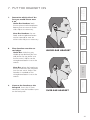
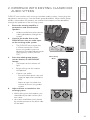
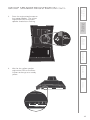
Determine which side of the
face you would like to wear
it on.
5. Maintenance &
Troubleshooting
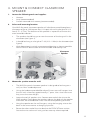
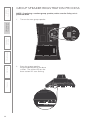
Under Ear Headset: both
the ear piece and microphone
boom pivot to wear on either
side. Adjust as necessary.
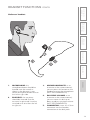
UNDER-EAR HEADSET
3. DaiIy Operation
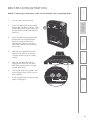
Place headset onto the ear
and adjust.
4. Additional
Information
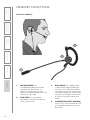
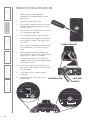
Over Ear Headset: the ear
hook and microphone boom
can be rotated to wear on
either side. Adjust as necessary.
2.
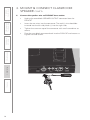
Under Ear: slide the grey
rubber piece behind your ear
and place the ear piece into
the ear canal. Adjust so the
microphone boom is near the
mouth.
1. Overview
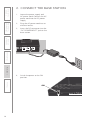
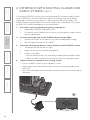
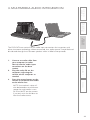
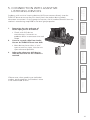
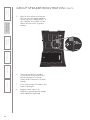
Connect the headset to the
belt-pack. Insert the 2.5mm
connector into the headset input
on the belt-pack.
2. Initial Set-up
Over Ear: place the hook over
the ear and insert the earpiece
into the ear canal. Adjust the
headset is needed so the
microphone boom is near the
mouth.
3.
6. Safety &
Specifications
7. PUT THE HEADSET ON
OVER-EAR HEADSET
21