1
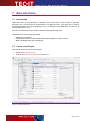
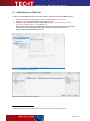
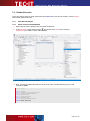
T Bar Cod e f or . N ET D ev e lop er M anu al 9 Redistributing TBarCode This chapter explains what is important when redistributing a custom application that uses the TBarCode .NET controls. 9.1 Dependencies A .NET application that uses TBarCode SDK requires the following files: TECIT.TBarCode.dll This is a .NET assembly that contains the .NET controls. This file is mandatory. TBarCode11.dll This is a native Win32 (x86) library that performs barcode generation. This file is mandatory for 32-Bit applications (platform x86 or Any CPU on x86 systems). TBarCode11_x64.dll This is a native Win64 (x64) library that performs barcode generation. This file is mandatory for 64-Bit applications (platform x64 or Any CPU on x64 systems). zlib1.dll This is a 3rd-party library that performs data compression. This file is optional. It is only required, when data compression in barcodes is enabled. These files are located in the folder6 C:\Program Files\Common Files\TEC-IT\TBarCode\11.0 (or in the folder you have chosen during setup). Because we rely on native code, also the Visual C++ 2010 SP1 runtime components have to be installed on the computer. See next section how to distribute them with your application. The target .NET framework (.NET 2.0, 3.0, 3.5, 4) must be available on the target system. 9.2 Redistribution When redistributing a custom application the files described above need to be redistributed together with the application. The DLLs should be located in the same folder as the executable. Other files than those listed above must not be redistributed. For web applications, the DLLs should be placed in the bin directory of the web site. 9.2.1 Visual C++ 2010 SP1 Runtime You may also have to deploy the runtime components of Visual C++ 2010 SP1 along with your application and/or ensure they are installed on the target computer. There are two options to install them: You can install these components with the Microsoft Visual C++ 2010 SP1 Redistributable Package available at - 32 Bit (x86) version: http://www.microsoft.com/en-us/download/details.aspx?id=8328 - 64 Bit (x64) version: http://www.microsoft.com/en-us/download/details.aspx?id=13523 The package installs all required runtime DLLs. 6 On Windows x64 this path contains the 64 Bit component. For the 32 Bit component see C:\Program Files (x86)\... Page 23 of 26