1
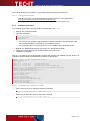
T Bar Cod e/ X U s er D o cum ent at ion QR-Code (Japan) requires CP932 / SHIFT-JIS PDF417 requires CP437 In this case you have to extend your iconv installation as follows (3 options): - Install the missing conversion tables from your system installation base. Update your iconv installation (e.g. by downloading a suitable binary) Use the iconv library provided by TEC-IT if available for your platform – see also below. ► If you don’t need the specified 2D codes you can omit the update of the Iconv library. A.1.3.1 Iconv for AIX Update your iconv packages (install missing Codepages) as shown in the following example: root@lpar19ml16ed_pub[/mnt/AIX53Base_lpp/installp/ppc] > lslpp -l bos.iconv.ucs.pc Fileset Level State Description ---------------------------------------------------------------------------Path: /usr/lib/objrepos bos.iconv.ucs.pc 5.3.0.0 COMMITTED Unicode Converters for Additional PC Code Sets root@lpar19ml16ed_pub[/mnt/AIX53Base_lpp/installp/ppc] > lslpp -l bos.iconv.ucs.com Fileset Level State Description ---------------------------------------------------------------------------Path: /usr/lib/objrepos bos.iconv.ucs.com 5.3.9.0 COMMITTED Unicode Base Converters for AIX Code Sets/Fonts In a special case the math library may also be required: package bos.adt.libm A.1.3.2 Iconv for HP-UX On HP-UX there may be problems with PDF417 bar code generation due to missing code page(s) in the pre-installed HP-UX iconv library: UCS-4BE to CP437 conversion not supported (HPUX 11.23) CP1252 to CP437 conversion not supported on (HPUX 11.23) Solution: TEC-IT provides the following pre-built libiconv binaries with full code page support. TBarCode/X TEC-IT Iconv Library Download Links V9.0.2 HP-UX 11.11 PA 2.0 GNU Iconv V1.13 http://www.tec-it.com/download/Unix/HPUX/dep/tec-iconv-hpux-11.11-pa.tar.gz V9.0.4 HP UX 11.23 IA64 GNU Iconv V1.11.1 http://www.tec-it.com/download/Unix/HPUX/dep/tec-iconv-hpux-11.23-ia64.tar.gz V9.1.0 HP UX 11.31 IA64 GNU Iconv V1.13.1 http://www.tec-it.com/download/tbarcodex/unix-linux/Download.aspx Other versions Please contact [email protected] Installation Untar into root directory to install into \usr\local\share\teciticonv This library will be a side-by-side installation and does not interfere with the system libiconv. Force the use of the TEC-IT iconv library with this command (before calling tbarcode): export LD_PRELOAD=/usr/local/share/teciticonv/lib/libiconv.so A.1.3.3 Iconv for Solaris On Solaris there may be problems with PDF417, QR-Code and Micro-QR bar code generation due to missing code page(s) in the pre-installed iconv library: Page 68 of 97