1
Turning Power On and Off
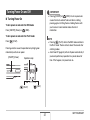
IMPORTANT!
• Pressing [ON/OFF] or [
] (REC) to turn on power also
causes the lens to extend. Take care there is nothing
pressing against or hitting the lens. Holding the lens with
your hand so it cannot extend creates the risk of
malfunction.
■ Turning Power On
To turn power on and enter the REC mode
Press [ON/OFF] (Power) or [
] (REC).
To turn power on and enter the PLAY mode
Press [
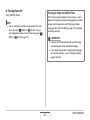
NOTE
• Pressing [
] (PLAY) while in the REC mode switches to
the PLAY mode. The lens retracts about 10 seconds after
switching modes.
• Auto Power Off (page 43) will turn off power automatically if
you do not perform any operation for a preset amount of
time. If this happens, turn power back on.
] (PLAY).
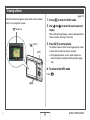
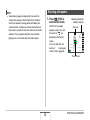
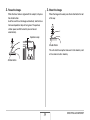
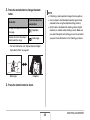
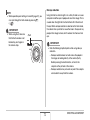
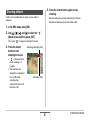
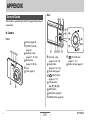
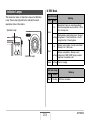
Pressing a button causes the operation lamp to light green
momentarily and turns on power.
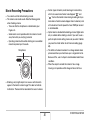
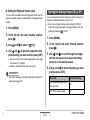
[ON/OFF] (Power)
Operation Lamp
[
] (PLAY)
[
] (REC)
41
GETTING READY