1
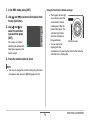
• Certain types of memory cards take longer to record data,
which can cause movie frames to be dropped. “
” and
“
” flash on the monitor screen during recording to let you
know when a frame has been dropped. Use of a memory card
with a maximum transfer speed of at least 10MB per second
is recommended.
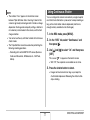
• Optical zoom is disabled while shooting a movie. Digital zoom
only is available while shooting a movie. If you want to use a
particular optical zoom setting, make sure you select it before
you press the shutter button to start movie recording (page
68).
• The effects of camera movement in an image become more
pronounced when you shoot close up or a large zoom factor.
Because of this, use of a tripod is recommended under these
conditions.
• When the subject is outside the camera’s focus range,
focusing is not possible and the image will be out of focus.
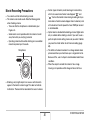
Movie Recording Precautions
• You cannot use flash while shooting a movie.
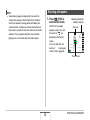
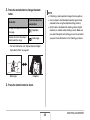
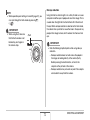
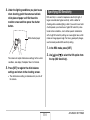
• The camera also records audio. Note the following points
when shooting a movie.
– Take care that the microphone is not blocked by your
fingers, etc.
– Good results are not possible when the camera is too far
away from what you are trying to record.
– Operating camera buttons while shooting can cause button
noise to be picked up in the audio.
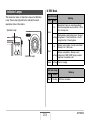
Microphone
• Shooting a very bright subject can cause a vertical band to
appear in the monitor screen image. This does not indicate
malfunction. The band will be recorded in the case of a movie.
83
SHOOTING A MOVIE