1
Dolby E Multichannel Distribution System User Manual
3.2.5
DP571 Dolby E Encoder
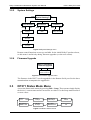
System Settings
Enter
DP571 Unit Setup
System Settings
System Settings
Remote Baud Rate
Enter
Esc
System Settings
Unit Address
Enter
Esc
System Settings
Unit Name
Enter
Esc
Unit Name
Dolby E Encoder
Unit Address
8280
Remote Baud Rate
9.6 kbps
Esc
Remote Baud Rate
38.4 kbps
Remote Baud Rate
19.2 kbps
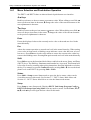
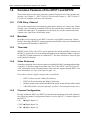
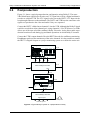
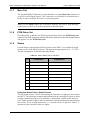
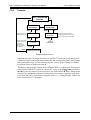
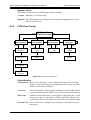
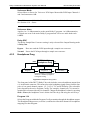
Figure 3-9 System Settings menu
Remote control functions are not yet available for the initial Dolby E product release,
so this menu is useful only during firmware upgrades (see the next section).
3.2.6
Firmware Upgrade
DP571 Unit Setup
Firmware Upgrade
Enter
Esc
Firmware Upgrade
ENTER=Yes ESC=No
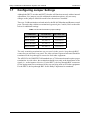
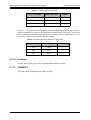
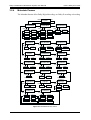
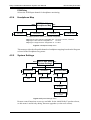
Figure 3-10 Firmware Upgrade menu
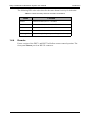
The firmware in the DP571 can be upgraded via the Remote Serial port. See the documentation that accompanies the upgrade kit.
3.3
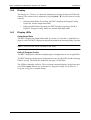
DP571 Status Mode Menu
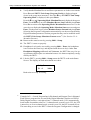
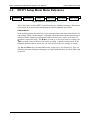
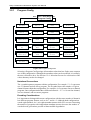
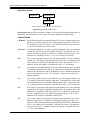
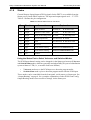
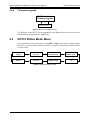
Access the Status mode menus by pressing Shift + Setup. These menus simply display
the device’s current status and are not used to set values. Use the Setup mode menus to
set new values.
Dolby E
5.1+2
20bit
Ext Metadata In
ENTER to View
Video Ref
29.97 fps
Timecode LTC
00:00:00:00 fps
Error Stats
ENTER to View
PCM Delay
No Input
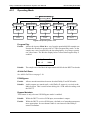
Figure 3-11 DP571 status menus
3-16
Metadata
Internal
L
Firmware Version
1.00