1
DP580 Front and Rear Panels
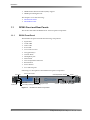
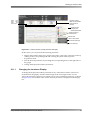
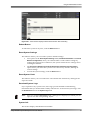
Front-Panel LEDs
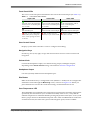
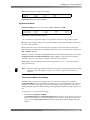
The color of each front‐panel LED indicates the state of the selected input (see Table 1‐1).
Table 1-1
Front-Panel LED Indicators
Input LED
Audio LED
Video LED
Green: Valid data is Green: Audio data is Green: Video data is detected detected on the selected input, detected on the selected input, on the selected input, and no and no errors occurred in past and no errors occurred in past errors occurred in past five seconds.
five seconds.
five seconds.
Off: No audio data is Off: No video data is Off: No data is detected on the selected input.
detected on the selected input. detected on the selected input.
Red: A video processing Red: A cyclic redundancy Red: A CRC error has check (CRC) error, transport occurred, or sync is not found. error has occurred.
error, or PA spacing error has occurred.
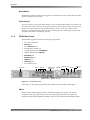
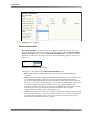
User-Control Screen
Displays system status and allows a user to configure networking.
Navigation Keys
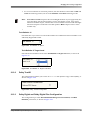
Provide up, down, left, right, escape, and enter functions for user‐control screen menu navigation.
Volume Knob
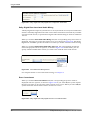
Controls the headphone output, two‐channel analog output, and digital outputs, depending on the Volume Control setting, as described in Volume Configuration.
Headphone Output
6.35 mm (1/4‐inch) standard stereo headphone port.
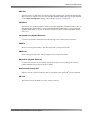
Dim Button
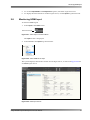
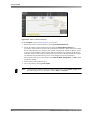
Reduces the audio level by a configurable value. (Default is –20 dB.) You can configure this attenuation control through the Monitoring screen, as shown in Figure 2‐78. When you press this button to activate the current dim setting, its LED illuminates in red.
Over-Temperature LED
This LED blinks in red when the CPU temperature approaches the maximum temperature specified by the manufacturer (or if an internal fan fails). If this occurs, verify that the ambient temperature is within the DP580 operating temperature limits (10°C to 35°C) and there is proper airflow to the DP580 front‐panel vents. If the red LED blinks in red because an internal fan fails, the other fans operate at their highest speed, which is audible.
Dolby® DP580 Professional Reference Decoder Manual
3