1
Chapter 3. Design
16
3.4.3 Integration into the PEPA Workbench
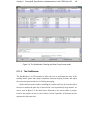
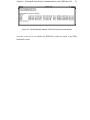
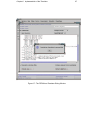
Integration into the PEPA Workbench is straightforward— a matter of adding a menu
item, which opens a Translator dialogue window. From this window, options such as
translation type, debug level and simulation speed can be set. Buttons in the window
allow the model to be translated, compiled and run. The model translated is the one that
is currently being worked on in the Workbench. Keeping the Translator in a separate
package and using a separate “pop-up” window means that it will be easy to integrate
in different versions of the Workbench, or removed if necessary.
3.5 Evaluation
The evaluation has been carried out on the models produced by the Translator to see
whether they compile and run correctly, and also to see whether their performance is
the same as predicted by the Workbench.
Evaluation has been carried out on the numerous existing PEPA models already
distributed as part of the Workbench. Some additional models which test areas not
covered by the existing models were also created.
Though time has not allowed, it would be worthwhile attempting to take a simple
model of a practical application through the full process shown in figure 1.1. One such
example might be to take a very simple Client-Server model where the Server controls
a resource such as a printer, and turn it into a working Java system. This exercise could
highlight any problems with this idealised process of design and implementation.