1
Warning: An independent redundant alarm should be used if control/alarm
relay failure could result in potential harm or damage.
Control Output
AC
2-wire RTD
4-20
6
7
8+
9-
1
+
2
3
4
1
10
5
2
3
4-wire RTD
1
2
3
Short terminals 1 and 2
TC
Leave the 4th wire open
Analog
Alarm Output
RTD
Figure 3
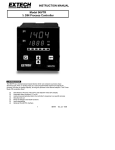
4. METER DESCRIPTION
1.
Process Variable (PV) Display
2.
Setpoint Variable (SV) Display
3.
Control Output Status LED
4.
Alarm Status LED
5.
'Return' Programming Key
6.
Down Arrow Programming Key
7.
Up Arrow Programming Key
8.
'Scroll' Programming Key
9.
Auto Tune Decimal Indication
10.
Mounting Bracket
11.
Bracket Screw
5. FRONT PANEL DESCRIPTION
5.1 PV (Process Variable) Display LEDs
During normal operation, the top LED (red digits) displays the actual process
measurement (temperature, voltage, or current input signal). This process
measurement is known as the "Process Variable" or PV. In programming mode,
these red LEDs display the parameters from Programming Levels 1 through 4 (input
type, control action, etc.), one at a time. These parameters can be edited to suit the
user's requirements. Error messages are also displayed on these red LED Digits.
Programming details and error messages are explained later in this manual.
5.2 SV (Setpoint Variable) Display LEDs
During normal operation, the bottom LED (green) displays the user-programmable
Setpoint Variable (SV). This represents the desired process equilibrium point to
which the controller's output will adjust the process. To adjust the setpoint, use the
up/down arrow keys. The allowable setting range equals the range the user selects
in LoLt (Low Limit) and HiLt (High Limit) parameters during programming. While
programming, this green LED display shows the actual data that can be edited for
the parameter shown on the red LED display. For example if the red LED is
displaying input type, then the green LED lists the input types (J, K, Linear, etc.).
The user can then select the desired type using the programming keys. Refer to
later sections for more on programming.
48VTR English
9/00
Ver. 2.7
3