1
1.5 Method
In order for my application to be implemented there were first a few steps that needed to be done.
The first days were spent planning ahead and researching the software to be used. The Wiki of
Snowflake SDK [14] needed to be read in order to understand how to set up a new project and when
that is done it goes through a couple of examples on how certain tasks are performed with
Snowflake so there was benefit in reading those as well. The Box2D manual [5] is really useful and
serves as a good guide. It both explains how to set up a Box2D world and shows some example
code on how it is done. It goes through Box2D bodies, fixtures, shapes and every joint, often
complimented with example code. Then some research about applications for kids was done [7][8]
[9], also color and design choices where looked up [10][11].
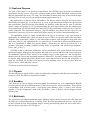
(Figure 1.2 - Method)
To get my working environment up and running Visual Studio 2010 and Qt were required. Then I
needed Mercurial and figure out how it works, it is the version control system that they use here at
NUITEQ. By using mercurial the newest Snowflake SDK can be pulled down and the work on the
project can start. With the Snowflake SDK that was made available through the mercurial repository
the source of some previous projects are included for me to look at. The new project/application
could then be created by using those projects and the Snowflake wiki describing how to set up a
new application, build it and run it. When everything were set up it was time to start implement
features.
By following the Box2D guide and looking at previous projects making use of it, Box2D will get
employed. In the application bodies of various shape should be able to be created and their physics
should be simulated. I will implement all the tools needed to create and destroy objects, the spring
tool, engine tool and move tool. When implementing these I need to consider the aspect that
children will be using them so they have to work in a natural and simple way. I also have to
consider that everything has to work with multitouch, since that is what NUITEQ want to showcase.
Lastly the GUI will be implemented with a toolbar that is very simple to use and an advanced
menu at the top of the screen. The toolbar will include tools for basic functionality and the advanced
menu lets the users modify physics parameters. Final touches will be added to everything and
finalized graphics will be applied.
1.5.1 Social, Ethical, and Environmental Considerations
This application is designed that people who use it should not have to be able to read to play with it.
This is not only good for kids, but also for people with reading disabilities and people from other
5