1
3. Results
In order to simplify the goal of my project it was split into four different smaller goals that were
easier to define. The categories of those goals that were to be achieved are first the physics part of
my project, then the sandbox aspect, the multitouch part and lastly that the application should be
designed for children. These categories were set by myself taking NUITEQ's values into
consideration. NUITEQ wanted me to create an application for their Snowflake Software Suite and
they required my project to make use of multitouch, because that is what they feature. The rest of
the project specification was up to me to decide.
3.1 Physics
The goal of the physics part was to make use of the Box2D physics engine in my application. The
application should has objects that has physics applied, so they can behave as rigid bodies in a 2D
physics world. They should be able to react with other bodies and it should look legitimate.
This was the first part of the application that was implemented. The application is able to create
bodies with the shape of boxes, circles and free-shaped polygons, all which are simulated by the
Box2D engine and rendered to the screen. Moreover it is not only the bodies that are making use of
the Box2D engine, but also the tools that are available in the application toolbar makes use of the
joints available there.
3.2 Sandbox
The sandbox part of my application was to allow the users to interact with and change the
simulation. I wanted to make use of some various joints in the Box2D engine, these are the revolute
joint, the distance joint, the weld joint and the mouse joint. All of these were used to implement a
respective tool that the user can wield to interact with the simulation. The users are also able to
create objects in various shapes as well as destroying them.
The first tool to be implemented allowed the creation of boxes and circles. When creating bodies
they would be taken over by the simulation, be pulled down by gravity and collide. After that the
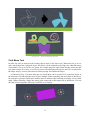
mouse joint was implemented in a tool called Move Tool. The tool allows the user to drag the
bodies around using multiple fingers to pull in different directions. And already at this stage the
application could be called a sandbox.
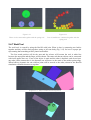
The rest of the joints were implemented shortly after. The distance joint was used to make the
Spring Tool that allows two bodies to be connected together with a spring. The revolute joint made
the Engine Tool that connect two bodies and making them rotate around the connection point. The
last of the joint that was implemented was the weld joint, the tool it made is called Weld Tool and it
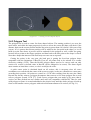
sticks two objects together. Not to forget the Polygon Tool that allows the user do draw a
completely free-shaped polygon that will be created. If the polygon intersect with itself it may not
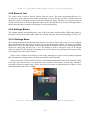
come out as expected though. The last tool is the Remove Tool, what it does is basically removing
the object that is being pressed.
3.3 Multitouch
The goal was to support multitouch as widely as possible. The users should be able to interact with
the application while simultaneously doing things like creating objects, moving them, using tools
etc. This has been a main focus through out the whole project and has been underlying in all the
design decisions that has been made. All tools in the toolbar are designed to work even if multiple
20