1
Gro
roundwater Model
Mo
2.10.7
Connective
ve cracking / permeability
pe
ennhancement
Changees to model parameters in order to simuulate connective cracking above undergroound mines has been
undertaaken manuallyy. Shapefiles were createdd delineating zones
z
where changes
c
were required. In order to
do this the shapefilees need to be imported as m
maps. Once the
t file is prepared it can bbe imported using the
menu FFile > Map > Shapefile.... The file musst then be seleected. Grounddwater Vistas will then use this file
to produce a file in itts own format (.map). A nam
me for this filee must be provvided.
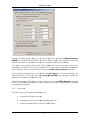
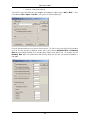
mported and can be seen in Groundwaterr Vistas the hyydraulic param
meters can be changed
c
Once thhe maps are im
by firstt selecting Props
P
> Hydraulic Cond uctivity.... This activates the optionss for controlling this
parameeter. If changes to storage are required Storage/Porrosity must be selected insstead. Once this has
been done changes to the param
meters can bee made simplyy by right cliccking on relevvant model ceells. To
mber attributed to the cell w
when this is done,
d
simply select
s
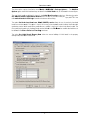
Props > Default Va
alues....
control the zone num
mber to equal the zone thatt is required.
Then, inn the dialog boox that opens,, set the Defaault Zone Num
2.11
Model and translation and run
Once m
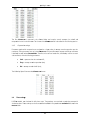
model setup iss finished, the model inputss need to be translated
t
to MODFLOW innput files form
mat. This
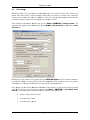
operation is done pressing the
button or thhrough the menu Model > MODFLOW
W > Create Da
atasets.
With thhe model filess translated, thhe model can be set to run wither using Groundwaterr Vistas or witth native
USGS M
MODFLOW thrrough the com
mmand promptt.
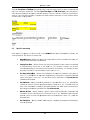
From Groundwater Vistas,
V
the moddel can be runn using the meenu Model > MODFLOW > Run MODFFLOW. A
new dialog will apppear showing the running pprogress and verbose messages. The m
model should carry
c
on
a stress peeriods until it gets to the end.
e
At this point it will say the
runningg through the time steps and
Modflow has finished and model results will be ready to be post-processedd.
2.12
2.12.1
Post proceessing resultss
Importing model resultss
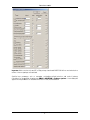
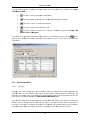
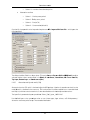
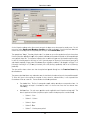
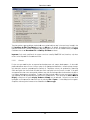
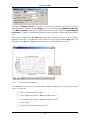
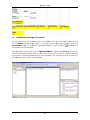
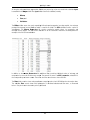
Prior too any post-pprocessing the model ressults generateed by MODFFLOW have tto be importted into
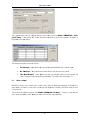
Groundwater Vistas. Model resultts can be imp orted using thhe button
or using the menu Plot > Import
ts... . A new diialog will appeear and it is illlustrated in thhe following figure.
Results
50371/P3--R3-FINAL
Schlumbeerger Water Servicees
27
DTTIRIS (NSW)