1
Troubleshooting Checklist
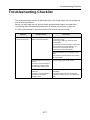
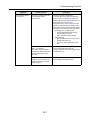
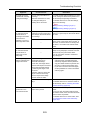
Symptom
Check This Item
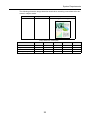
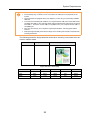
A part of the scanned
image data is lost/
Slant lines are
produced on the
scanned image data/
The output image is
wider than the
original.
With [Automatic detection]
being selected in the [Paper
size] drop-down list, was the
document skewed during a
scan?
Was the document scanned
with the edges of paper sheets
aligned with the side guide?
Resolution
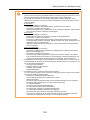
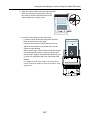
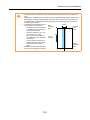
• Neatly align the edges of paper sheets
•
with the side guide.
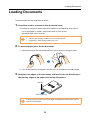
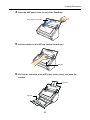
For details about how to load the document into the ScanSnap, refer to "Loading
Documents" (page 29).
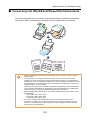
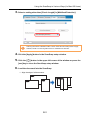
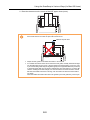
If you are scanning documents of mixed
paper sizes, carefully load smaller documents so that they can be fed straight.
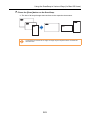
If you have difficulties in feeding documents straight, it is recommended to scan
documents in several batches and enable
continuous scanning; scan documents of
about the same width in one batch.
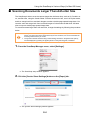
For details about how to load the document into the ScanSnap, refer to the following.
"Scanning Documents of Differing Widths or
Sizes at the Same Time" (page 166)
"Scanning Documents of Differing Widths or
Sizes at the Same Time" (page 280)
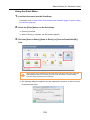
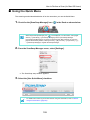
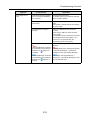
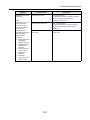
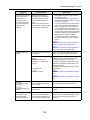
The Quick Menu is
hidden.
Is the [Use Quick Menu] check
box cleared?
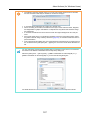
In the ScanSnap setup dialog box/window,
select the [Use Quick Menu] check box.
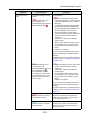
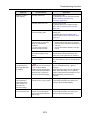
For S1500 only
If one of these applications is active, the
application automatically interacts with the
ScanSnap Manager and is used for
scanning. Therefore, the Quick Menu is not
displayed. To display the Quick Menu, exit
these applications.
For details about automatic linkage, refer to
the following:
Is ScanSnap Organizer,
CardMinder, or Rack2-Filer
running?
For S1500M only
Is Cardiris running?
"Automatic Linkage with Applications" (page
85)
"Automatic Linkage with Applications" (page
223)
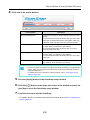
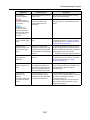
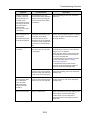
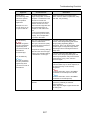
The Left-Click Menu
is hidden.
The [Profile] menu is
hidden.
Applications cannot
be selected in the
ScanSnap setup
dialog box/window.
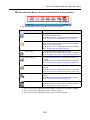
Are you using the Quick Menu?
Is the Quick Menu displayed
after scanning?
In the ScanSnap setup dialog box/window,
clear the [Use Quick Menu] check box.
Is ScanSnap setup dialog box/
window open?
Close the ScanSnap setup dialog box/
window.
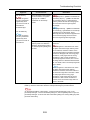
Are you using the Quick Menu?
When using the Quick Menu,
you can select an application in
the Quick Menu after scanning.
If you want to select an application in
advance, clear the [Use Quick Menu] check
box in the ScanSnap setup dialog box/
window.
326