1
2.5.3 Auto Port-Forwarding............................................................ 50
2.5.4 Network Service Setup ......................................................... 52
2.5.5 CMS Service Setup .............................................................. 53
2.6 Management ................................................................................. 54
2.6.1 View the List of Users ........................................................... 54
2.6.2 Create New Users ................................................................ 54
2.6.3 Modify User Information........................................................ 55
2.6.4 Change a User’s Password .................................................. 56
2.6.5 Delete Users ......................................................................... 56
2.6.6 Online License Activation...................................................... 57
2.6.7 Offline License Activation ...................................................... 58
2.6.8 View the Event Log ............................................................... 60
2.6.9 Save Unit Configuration ........................................................ 60
2.6.10 Load Unit Configuration / Default Settings........................ 61
2.7 System .......................................................................................... 63
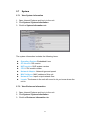
2.7.1 View System Information ...................................................... 63
2.7.2 View Enclosure Information .................................................. 63
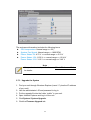
2.7.3 Upgrade the System ............................................................. 64
2.7.4 System Date and Time Setup ............................................... 65
2.7.5 Daylight Saving Time Setup .................................................. 66
2.7.6 Enable and Disable the Buzzer ............................................ 66
2.7.7 View UPS Status................................................................... 67
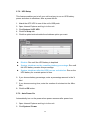
2.7.8 UPS Setup ............................................................................ 68
2.7.9 Auto Power On ..................................................................... 68
2.7.10 Restart the Unit................................................................. 69
2.7.11
Shut Down the Unit .......................................................... 70
3.
POS ........................................................................................................ 71
3.1 Introduction ................................................................................... 71
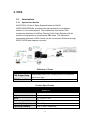
3.1.1 System Introduction .............................................................. 71
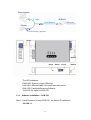
3.1.2 Hardware Installation – SCB-C31 ......................................... 72
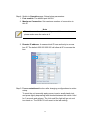
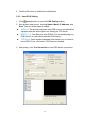
3.1.3 Software Installation – SCB-C31 .......................................... 73
3.1.4 Connection via TCP Client .................................................... 76
3.2 Software Setup.............................................................................. 76
3.2.1 Activate POS License ........................................................... 76
3.2.2
3.2.3
3.2.4
3.2.5
NVR POS Setting ................................................................. 76
Insert POS Setting ................................................................ 78
Delete POS Device ............................................................... 79
Configure POS Setting ......................................................... 79
2