1
Software Operational Manual for ACS306
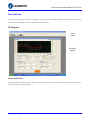
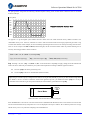
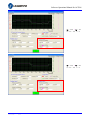
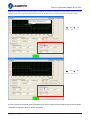
Current Loop Tuning Window
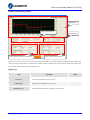
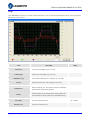
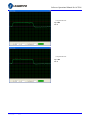
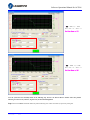
Red Curve:
Target Current of Step Test
Green Curve:
Actual Current of Step Test
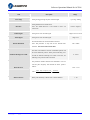
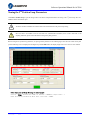
Click Drive->Current Loop to open the current loop tuning window. It is used to configure current loop parameters according to different
motor. In the tuning window, the user can adjust the proportional gain, integral gain and test Current.
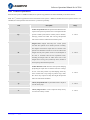
Item
Description
Range
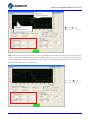
Increase this parameter to make current rise fast. Proportional Gain
determines the response of the drive to current setting command. Low
Proportional Gain
Proportional Gain provides a stable system (doesn’t oscillate), has low
stiffness, and large current error, causing poor performances in tracking
1 – 65535
current setting command in each step. Too large Proportional Gain
values will cause oscillations and unstable systems.
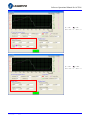
Adjust this parameter to reduce the steady error. Integral Gain helps the
drive to overcome static current errors. A low or zero value for the
Integral Gain
Integral Gain may have current errors at rest. Increasing the Integral
1 – 65535
Gain can reduce the error. If the Integral Gain is too large, the systems
may “hunt” (oscillate) about the desired position.
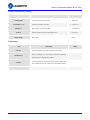
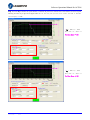
Test Current
Test Button
SW‐ACS306‐R20110826
The current amplitude for the step response.
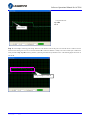
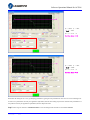
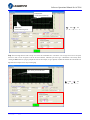
Click this button to activate the test. A target curve (red) and an actual
curve (green) will be displayed on the screen for user analysis.
0.5 – 6 A
-
6