1
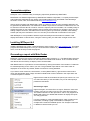
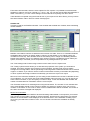
anyway, select the Options tab, check the Initial deposit checkbox, and fill in a deposit amount.
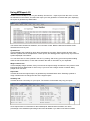
Activate the summary tab again to view the return and drawdown percentages.
Other information, like extra deposits, fees, withdrawals, or rebates will only be shown if this
information is available in the report.
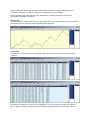
Balance tab
This tab will show a graph of the balance of your trades. Part of the graph may be red, which denotes
the trades where the maximum relative drawdown has happened.
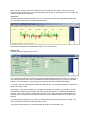
Trades tabs
There are two Trades tabs, to show information about trades for the selected symbols and magic
numbers.
By default, the trades list is sorted on close date/time. You can sort the list on ticket, lots, duration,
pips, or open or closing date/time by double clicking the appropriate cells on the header of the list.