1
Appendix A: Generic Experiment Steps
The following are the generic steps involved in each of the experiments executed against
ISTAR.
A.1. Configuration Management
The generic configuration management (CM) experiments will be developed with the assumption that a baselined Ada system already exists; furthermore, all experiments will be
done relative to this baselined system state. As such, the first step in developing an
evaluation experiment #1 is the specification of this baselined system configuration; the
second step is then the development of generic experiments to evaluate an Ada
environment’s support of configuration management activities.
Baselined System Configuration
For the sake of credibility, the Ada system model upon which the configuration management experimentation will be based was designed to fulfill the following requirements:
• The system must be large enough to address configuration management and version
control issues, yet small enough to be implemented within the context of the evaluation project (approximately 20 Ada compilation units).
• The current state of the system must coincide with a particular phase of the software
life cycle (e.g., system integration).
• Minimally, three levels of Ada compilation unit dependencies should be represented
(e.g., Package Specification, Package Body, Subprogram Body).
• The Ada system must be designed in a manner that warrants the use of Ada’s
separate compilation feature.
• The Ada system must be designed in a manner that is amenable to variant branch
development.
• The Ada system must be comprised of at least two logical subsystems in order to
support development by more than one software engineer.
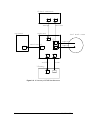
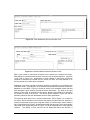
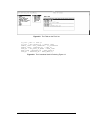
Given these system requirements, an Ada system model (see Figure A-1), which is
simple, yet supports separate development and testing, has a hierarchical structure, contains various compilation dependencies, and lends itself nicely to system integration activities, was chosen in order to evaluate an environment’s support of key configuration
management activities. It should be noted that the system integration phase of the
software life cycle will serve as the context of the CM evaluation experiments.
A.1.1. Configuration Management Experiment #1
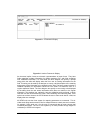
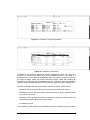
Given the Ada software system (Figure A-1), the following generic steps will serve as an
initial evaluation experiment and will furthermore establish a baseline configuration
(Figure A-2) that will be used as a basis for all other experiments in this evaluation. The
configuration management model presented in Figure A-2 is a pictorial representation of
a configuration thread view of the overall system [Leblang 85].
Note: All data file size recordings and all timing measurements (indicated below in italics)
should be logged into a file named Recordings in the experiment’s home directory. Fur-
CMU/SEI-88-TR-3
73