1
SUNACom User Manual - Troubleshooting
SUNA Performance Issue
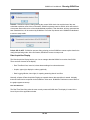
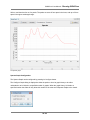
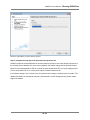
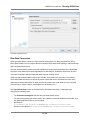
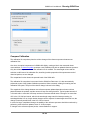
SUNA Self Test
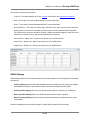
Whenever a SUNA is acting in an unexpected way, it is a good idea to run the self test function to ensure
the hardware is functioning properly. If any unexpected results occur, please contact Satlantic support for
assistance.
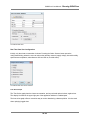
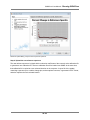
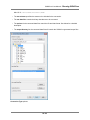
Invalid Frames in data
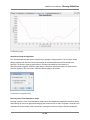
Within any data logging application there is a possibility that corrupt data values can get into a frame. For
each corrupt frame the user should see a message such as Lost Bytes in the Application tab of the output
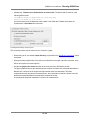
panel. In addition to this the SUNACom, Error Event panel should be displayed in the SUNACom GUI.
SUNACom is built in a way that will display this frame corruption to the user then ignore these corrupt
data points and continue.
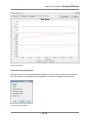
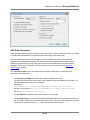
SUNACom Application Logs
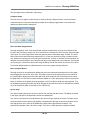
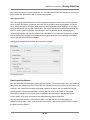
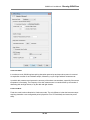
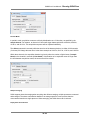
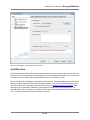
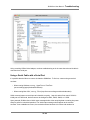
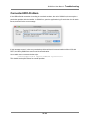
All activity that occurs with SUNACom is logged to disk in an application log file. The location of these log
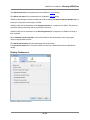
files is shown in the Message Logging Settings dialog that can be opened from the Edit menu.
Although the contents of the log are somewhat cryptic and mainly for use by Satlantic personnel to
diagnose problems within the application, it will often provide clues to errors that exist within the
application. Each line in the log represents an event that occurs within the application. Below is a short
explanation of the format of a logged message to assist the user in trying to self diagnose problems that
may occur.
A logged message has the following format:
<Date/Time>, <Module>:<Code> ~ <Message> <optional stack trace>
Date/Time- Displays the date and time when the message was logged.
Module- Displays the module that initiated the log message (i.e. Internal, Core or GUI)
Code - Internal code (i.e. ISC-1100-ERR) describing the module, internal error number and severity.
Severity is either INF(info), WRN(warning) or ERR(error).
Message- A text based representation of the event
Stack Trace- Optionally occurs when unexpected errors happen to show the state of the application
when the error occurred.
Here is an example that shows an error that occurred when trying to connect to a SUNA:
2008-03-80 10:25:21 UTC, SUNACom
: ISC-6804-ERR ~ Calculate file identity failed.
java.io.FileNotFoundException: C:\Program Files\Satlantic\SUNACom-1.0.0\CURRENT.CAL (The system cannot fin
at java.io.FileInputStream.open(Native Method)
75 / 82