1
Selection of signal pairs for signal plotting
Virtual Oscilloscope
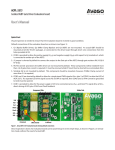
Figure 12. Device monitoring tab
The Zero Reset button allows the user to zero offset the encoder’s position data. When clicked, the alignment kit will be
commanded to send a short HIGH pulse of 10 ms to the Zero_RST pin of the encoder.
Check the ‘MSB Invert’ check box if inverted counting is required. When ‘MSB Invert’ is checked, the alignment kit will
output a HIGH level on the “MSBINV” pin and vice versa.
The software contains a virtual oscilloscope for plotting real-time data. For display, the user can select between two
signal pairs: incremental A/B signal pairs and Sine/Cosine signal pairs. Signals are sampled at a 4000 Hz rate and transferred to the software via the USB bus. The software calculates the frequency of the signal, and derives the encoder disc
rotation speed in RPM (Rotation per Minute).
The timebase, volts per division and offset are set by the controls at the bottom of the screen shown in Figure 12. Four
trigger modes are supported: None, Single, Normal and Stopped. The trigger source is fixed to the A signal for A/B incremental signal pairs and the sine signal for Sine/Cosine signal pairs.
8