1
CFI PROGRAMMING PROCEDURE
Adjustment
Procedures
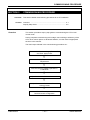
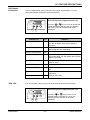
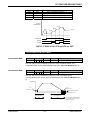
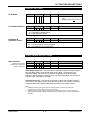
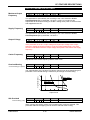
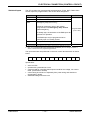
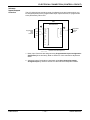
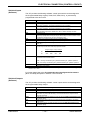
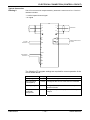
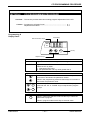
The following steps detail how to program the CFI.
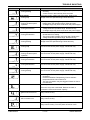
Scroll through the parameter list to select the desired
function.
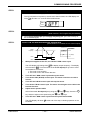
STEP 1
RUN
FLT
**
SET
or
keys to move to the parameter to be set.
Press the
On releasing the key the value of the parameter will be
displayed.
or
keys are held down the CFI will automatically
If the
step from function to function, firstly at a slow pace, and after
time at an increased speed.
SET
key while holding down either the
or
Pressing the
keys causes a ‘jump’ to the beginning of the next parameter
block. ie A0.0 - A1.0 - A2.0 etc
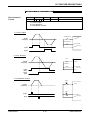
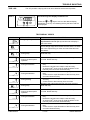
Enter the programming mode.
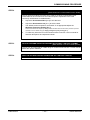
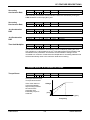
STEP 2
RUN
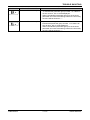
Press the
FLT
SET
*
SET
key to initiate parameter adjustment mode.
The last digit of the current setting will flicker, indicating it can
be changed.
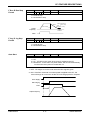
Set the desired parameter value.
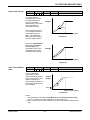
STEP 3
RUN
**
or
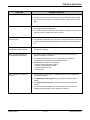
Using the
FLT
keys set the desired parameter value.
SET
Store the new parameter value.
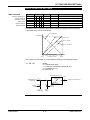
STEP 4
RUN
Press the
FLT
SET
key to store the new value.
SET
*
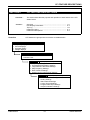
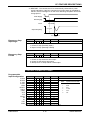
Return To The Desired Display Parameter.
STEP 5
RUN
or
keys return to the desired display
Using the
parameter. ie M1 thru M6.
FLT
**
CFI SERIES
SET
-- 8-2--
USERS MANUAL