1
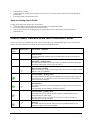
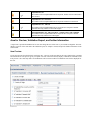
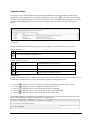
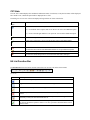
Contents Introduction 7 Maintain and synchronize Trade Items ...................................................................................... 7 GDSN .......................................................................................................................... 8 Online Help Structure ................................................................................................................ 9 Systems requirements .............................................................................................................. 10 Basic Handling - User Interface 11 Login- Logout .......................................................................................................................... 11 Reset password .......................................................................................................... 12 Dash board ............................................................................................................................... 13 Menu Structure ........................................................................................................................ 14 Screen Structure of Module Area ............................................................................................ 15 General Control Elements and Widgets ................................................................................... 16 Set UI Language ...................................................................................................................... 17 Set Time Zone.......................................................................................................................... 17 Change Password ..................................................................................................................... 18 Supplier Item List MyItems 19 Customize the Hit List ............................................................................................... 19 Structure of the hit list ............................................................................................................. 20 Module Structure ..................................................................................................................... 21 Selection and Search Components ............................................................................ 21 Find Items in a specific Working Context ................................................................. 23 Find Items with the Quick Search function ............................................................... 24 Find items with the Advanced Search function ......................................................... 25 Define a search criteria for an advanced search 25 Add further search criteria and remove search criteria 28 Find Items with the Smart Search function ............................................................... 28 Find Items with Search Profiles................................................................................. 30 Create a search profile 30 Change a search profile 30 Delete a search profile 30 Apply an existing Search Profile 31 Overall State, Release State and Publication State .................................................................. 31 Prices available State ........................................... Fehler! Textmarke nicht definiert. Area for Preview, Validation Report, and further Information ................................. 32 Item Preview 32 Validation Report 33 CIC State ................................................................................................................... 34 Hit List Function Bar ................................................................................................. 34 User Manual Introduction 3