1
Setting up the Configuration
Environment
A.3.1
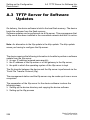
A.3 TFTP Server for Software Updates
Setting up the tftp Process
General prerequisites:
X The local IP address of the device and the IP address of the tftp server or
the gateway are known to the device.
X The TCP/IP stack with tftp is installed on tftp server.
The following sections contain information on setting up the tftp process,
arranged according to operating system and application.
SunOS and HP
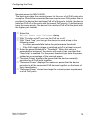
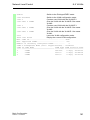
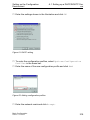
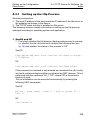
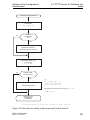
First check whether the tftp daemon (background process) is running,
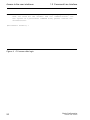
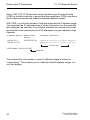
i.e. whether the file /etc/inetd.conf contains the following line (see
fig. 76) and whether the status of this process is "IW":
SunOS
tftp dgram udp wait root /usr/etc/in.tftpd in.tftpd s /tftpboot
HP
tftp dgram udp wait root /usr/etc/in.tftpd tftpd
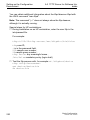
If the process is not entered or only entered as a comment line (#), modify
/etc/inetd.conf accordingly and then re-initialize the INET daemon. This is
performed with the command "kill -1 PID", where PID is the process
number of inetd.
This re-initialization can be executed automatically by entering the
following UNIX commands:
SunOS
ps -ax | grep inetd | head -1 | awk -e {print $1} |
kill -1
HP
/etc/inetd -c
Basic Configuration
Release 6.0 07/2010
229