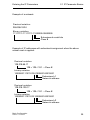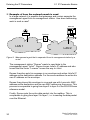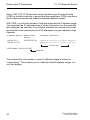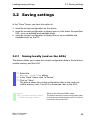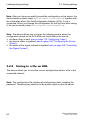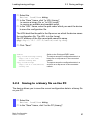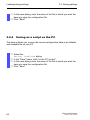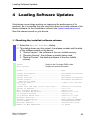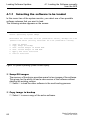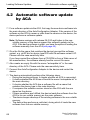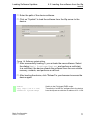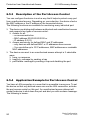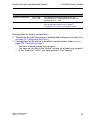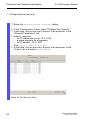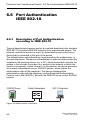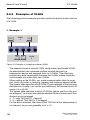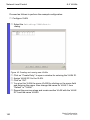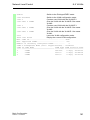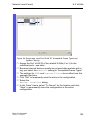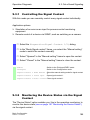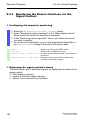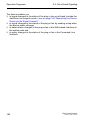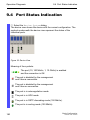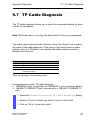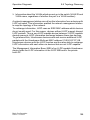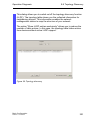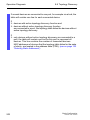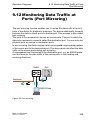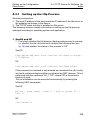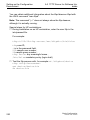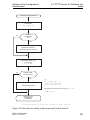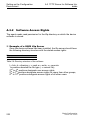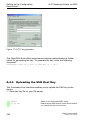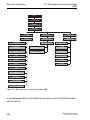
1
User Manual Basic Configuration Industrial ETHERNET (Gigabit) Switch RS20/RS30/RS40, MS20/MS30, OCTOPUS, PowerMICE, RSR20/RSR30, MACH 100, MACH 1000, MACH 4000 Basic Configuration Release 6.0 07/2010 Technical Support [email protected] The naming of copyrighted trademarks in this manual, even when not specially indicated, should not be taken to mean that these names may be considered as free in the sense of the trademark and tradename protection law and hence that they may be freely used by anyone. © 2010Hirschmann Automation and Control GmbH Manuals and software are protected by copyright. All rights reserved. The copying, reproduction, translation, conversion into any electronic medium or machine scannable form is not permitted, either in whole or in part. An exception is the preparation of a backup copy of the software for your own use. For devices with embedded software, the end-user license agreement on the enclosed CD applies. The performance features described here are binding only if they have been expressly agreed when the contract was made. This document was produced by Hirschmann Automation and Control GmbH according to the best of the company's knowledge. Hirschmann reserves the right to change the contents of this document without prior notice. Hirschmann can give no guarantee in respect of the correctness or accuracy of the information in this document. Hirschmann can accept no responsibility for damages, resulting from the use of the network components or the associated operating software. In addition, we refer to the conditions of use specified in the license contract. You can get the latest version of this manual on the Internet at the Hirschmann product site (www.hirschmann-ac.de). Printed in Germany Hirschmann Automation and Control GmbH Stuttgarter Str. 45-51 72654 Neckartenzlingen Germany Tel.: +49 1805 141538 Rel. 6.0 1-01-07/2010 13.7.10 Contents Contents About this Manual 9 Key 11 Introduction 13 1 Access to the user interfaces 15 1.1 System Monitor 16 1.2 Command Line Interface 18 1.3 Web-based Interface 21 2 Entering the IP Parameters 25 2.1 IP Parameter Basics 2.1.1 IP address (version 4) 2.1.2 Netmask 2.1.3 Classless Inter-Domain Routing 27 27 28 31 2.2 Entering IP parameters via CLI 33 2.3 Entering the IP Parameters via HiDiscovery 36 2.4 Loading the system configuration from the ACA 39 2.5 System configuration via BOOTP 41 2.6 System Configuration via DHCP 46 2.7 System Configuration via DHCP Option 82 49 2.8 Web-based IP Configuration 50 2.9 Faulty Device Replacement 52 3 Loading/saving settings 53 3.1 Loading settings 3.1.1 Loading from the local non-volatile memory 3.1.2 Loading from the AutoConfiguration Adapter 3.1.3 Loading from a file 3.1.4 Resetting the configuration to the state on delivery 54 55 55 56 58 3.2 Saving settings 3.2.1 Saving locally (and on the ACA) 59 59 Basic Configuration Release 6.0 07/2010 3 Contents 3.2.2 Saving to a file on URL 3.2.3 Saving to a binary file on the PC 3.2.4 Saving as a script on the PC 60 61 62 4 Loading Software Updates 63 4.1 Loading the Software manually from the ACA 4.1.1 Selecting the software to be loaded 4.1.2 Starting the software 4.1.3 Performing a cold start 65 66 67 67 4.2 Automatic software update by ACA 68 4.3 Loading the software from the tftp server 70 4.4 Loading the Software via File Selection 72 5 Configuring the Ports 73 6 Protection from Unauthorized Access 77 6.1 Protecting the device 78 6.2 Password for SNMP access 6.2.1 Description of password for SNMP access 6.2.2 Entering the password for SNMP access 79 79 80 6.3 Telnet/Web/SSH Access 6.3.1 Description of Telnet Access 6.3.2 Description of Web Access 6.3.3 Description of SSH Access 6.3.4 Enabling/disabling Telnet/Web/SSH Access 84 84 84 85 85 6.4 Restricted Management Access 87 6.5 HiDiscovery Access 6.5.1 Description of the HiDiscovery Protocol 6.5.2 Enabling/disabling the HiDiscovery Function 89 89 89 6.6 Port Authentication IEEE 802.1X 6.6.1 Description of Port Authentication according to IEEE 802.1X 6.6.2 Authentication Process according to IEEE 802.1X 6.6.3 Preparing the Device for the IEEE 802.1X Port Authentication 6.6.4 IEEE 802.1X Settings 94 94 95 95 96 7 Synchronizing the System Time in the Network 97 7.1 Entering the Time 98 4 Basic Configuration Release 6.0 07/2010 Contents 7.2 SNTP 7.2.1 Description of SNTP 7.2.2 Preparing the SNTP Configuration 7.2.3 Configuring SNTP 100 100 101 102 7.3 Precision Time Protocol 7.3.1 Description of PTP Functions 7.3.2 Preparing the PTP Configuration 7.3.3 Application Example 106 106 110 112 7.4 Interaction of PTP and SNTP 117 8 Network Load Control 8.1 Direct Packet Distribution 8.1.1 Store-and-forward 8.1.2 Multi-Address Capability 8.1.3 Aging of Learned Addresses 8.1.4 Entering Static Addresses 8.1.5 Disabling the Direct Packet Distribution 120 120 120 121 122 123 8.2 Multicast Application 8.2.1 Description of the Multicast Application 8.2.2 Example of a Multicast Application 8.2.3 Description of IGMP Snooping 8.2.4 Setting IGMP Snooping 8.2.5 Description of GMRP 8.2.6 Setting GMRP 125 125 126 127 128 133 135 8.3 Rate Limiter 8.3.1 Description of the Rate Limiter 8.3.2 Rate Limiter Settings (PowerMICE and MACH 4000) 8.3.3 Rate Limiter settings for RS20/RS30/40, MS20/MS30, RSR20/RSR30, MACH 100, MACH 1000 and OCTOPUS 137 137 138 8.4 QoS/Priority 8.4.1 Description of Prioritization 8.4.2 VLAN tagging 8.4.3 IP ToS / DiffServ 8.4.4 Management prioritization 8.4.5 Handling of Received Priority Information 8.4.6 Handling of Traffic Classes 8.4.7 Setting prioritization 141 141 142 144 148 148 149 149 8.5 Flow Control 8.5.1 Description of Flow Control 8.5.2 Setting the Flow Control 154 154 156 8.6 VLANs 157 Basic Configuration Release 6.0 07/2010 119 139 5 Contents 8.6.1 VLAN Description 8.6.2 Examples of VLANs 157 158 9 Operation Diagnosis 175 9.1 Sending Traps 9.1.1 List of SNMP Traps 9.1.2 SNMP Traps during Boot 9.1.3 Configuring Traps 176 177 178 179 9.2 Monitoring the Device Status 9.2.1 Configuring the Device Status 9.2.2 Displaying the Device Status 181 182 183 9.3 Out-of-band Signaling 9.3.1 Controlling the Signal Contact 9.3.2 Monitoring the Device Status via the Signal Contact 9.3.3 Monitoring the Device Functions via the Signal Contact 9.3.4 Monitoring the Fan 184 185 185 9.4 Port Status Indication 190 9.5 Event Counter at Port Level 9.5.1 Detecting Non-matching Duplex Modes 191 192 9.6 Displaying the SFP Status 196 9.7 TP Cable Diagnosis 197 9.8 Topology Discovery 9.8.1 Description of Topology Discovery 9.8.2 Displaying the Topology Discovery Results 198 198 200 9.9 Detecting IP Address Conflicts 9.9.1 Description of IP Address Conflicts 9.9.2 Configuring ACD 9.9.3 Displaying ACD 203 203 204 205 186 187 9.10 Detecting Loops 206 9.11 Reports 207 9.12 Monitoring Data Traffic at Ports (Port Mirroring) 209 9.13 Syslog 212 6 Basic Configuration Release 6.0 07/2010 Contents 9.14 Event Log 215 A Setting up the Configuration Environment 217 B General Information 239 C Index 247 D Further Support 251 Basic Configuration Release 6.0 07/2010 7 Contents 8 Basic Configuration Release 6.0 07/2010 About this Manual About this Manual The “Basic Configuration” user manual contains the information you need to start operating the device. It takes you step by step from the first startup operation through to the basic settings for operation in your environment. The following thematic sequence has proven itself in practice: X Set up device access for operation by entering the IP parameters X Check the status of the software and update it if necessary X If a configuration already exists, load/store it X Configure the ports X Set up protection from unauthorized access X Optimize the data transmission with network load control X Synchronize system time in the network X Function diagnosis X Store the newly created configuration to nonvolatile memory The “Installation” user manual contains a device description, safety instructions, a description of the display, and the other information that you need to install the device. The “Redundancy Configuration” user manual contains the information you need to select a suitable redundancy procedure and configure that procedure. The “Industry Protocols” user manual describes how the device is connected by means of a communication protocol commonly used in the industry, such as EtherNet/IP and PROFINET IO. The "Web-based Interface" reference manual contains detailed information on using the Web interface to operate the individual functions of the device. Basic Configuration Release 6.0 07/2010 9 About this Manual The "Command Line Interface" reference manual contains detailed information on using the Command Line Interface to operate the individual functions of the device. The Network Management Software HiVision/Industrial HiVision provides you with additional options for smooth configuration and monitoring: X X X X X X X X X 10 Configuration of multiple devices simultaneously. Graphical interface with network layouts. Auto-topology discovery. Event log. Event handling. Client / Server structure. Browser interface ActiveX control for SCADA integration SNMP/OPC gateway Basic Configuration Release 6.0 07/2010 Key Key The designations used in this manual have the following meanings: X List Work step Subheading Link Note: Indicates a cross-reference with a stored link A note emphasizes an important fact or draws your attention to a dependency. Courier ASCII representation in user interface Execution in the Web-based Interface user interface Execution in the Command Line Interface user interface Symbols used: WLAN access point Router with firewall Switch with firewall Router Switch Basic Configuration Release 6.0 07/2010 11 Key Bridge Hub A random computer Configuration Computer Server PLC Programmable logic controller I/O Robot 12 Basic Configuration Release 6.0 07/2010 Introduction Introduction The device has been developed for practical application in a harsh industrial environment. Accordingly, the installation process has been kept simple. Thanks to the selected default settings, you only have to enter a few settings before starting to operate the device. Note: The changes you make in the dialogs are copied into the volatile memory of the device when you click on "Set". To save the changes into the permanent memory of the device select the non-volatile memory location in the Basic Settings:Load/Save dialog and click "Save". Basic Configuration Release 6.0 07/2010 13 Introduction 14 Basic Configuration Release 6.0 07/2010 Access to the user interfaces 1 Access to the user interfaces The device has 3 user interfaces, which you can access via different interfaces: X System monitor via the V.24 interface (out-of-band) X Command Line Interface (CLI) via the V.24 connection (out-of-band) as well as Telnet or SSH (in-band) X Web-based interface via Ethernet (in-band). Basic Configuration Release 6.0 07/2010 15 Access to the user interfaces 1.1 System Monitor 1.1 System Monitor The system monitor enables you to X select the software to be loaded X perform a software update X start the selected software X shut down the system monitor X delete the configuration saved and X display the boot code information. Opening the system monitor Use the terminal cable (see accessories) to connect – the V.24 socket (RJ11) to – a terminal or a COM port of a PC with terminal emulation based on VT100 (for the physical connection, see the "Installation" user manual). Speed Data Parity Stopbit Handshake 9,600 Baud 8 bit none 1 bit off Table 1: Data transfer parameters Start the terminal program on the PC and set up a connection with the device. When you boot the device, the message "Press <1> to enter System Monitor 1" appears on the terminal. 16 Basic Configuration Release 6.0 07/2010 Access to the user interfaces < Device Name 1.1 System Monitor (Boot) Release: 1.00 Build: 2005-09-17 15:36 > Press <1> to enter System Monitor 1 ... 1 Figure 1: Screen display during the boot process Press the <1> key within one second to start system monitor 1. System Monitor (Selected OS: L3P-01.0.00-K16 (2005-10-31 19:32)) 1 2 3 4 5 Select Boot Operating System Update Operating System Start Selected Operating System End (reset and reboot) Erase main configuration file sysMon1> Figure 2: System monitor 1 screen display Select a menu item by entering the number. To leave a submenu and return to the main menu of system monitor 1, press the <ESC> key. Basic Configuration Release 6.0 07/2010 17 Access to the user interfaces 1.2 Command Line Interface 1.2 Command Line Interface The Command Line Interface enables you to use the functions of the device via a local or remote connection. The Command Line Interface provides IT specialists with a familiar environment for configuring IT devices. The script compatibility of the Command Line Interface enables you, among other things, to feed multiple devices with the same configuration data, to create and apply partial configurations or to compare 2 configuration by comparing the script files. You will find a detailed description of the Command Line Interface in the "Command Line Interface" reference manual. You can access the Command Line Interface via X the V.24 port (out-of-band) X Telnet (in-band) X SSH (in-band) Note: To facilitate making entries, CLI gives you the option of abbreviating keywords. Type in the beginning of a keyword. When you press the tab key, CLI completes the keyword. Opening the Command Line Interface Connect the device to a terminal or to the COM port of a PC using terminal emulation based on VT100 and press any key (see on page 16 “Opening the system monitor“) or call up the Command Line Interface via Telnet. A window for entering the user name appears on the screen. Up to five users can access the Command Line Interface. 18 Basic Configuration Release 6.0 07/2010 Access to the user interfaces 1.2 Command Line Interface Copyright (c) 2004-2009 Hirschmann Automation and Control GmbH All rights reserved PowerMICE Release L3P-05.1.00 (Build date 2009-10-11 12:13) System Name: Mgmt-IP : 1.Router-IP: Base-MAC : System Time: PowerMICE 10.0.1.105 0.0.0.0 00:80:63:51:74:00 2009-10-11 13:14:15 User: Figure 3: Logging in to the Command Line Interface program Enter a user name. The default setting for the user name is admin . Press the Enter key. Enter the password. The default setting for the password is private . Press the Enter key. You can change the user name and the password later in the Command Line Interface. Please note that these entries are case-sensitive. The start screen appears. Basic Configuration Release 6.0 07/2010 19 Access to the user interfaces 1.2 Command Line Interface NOTE: Enter '?' for Command Help. Command help displays all options that are valid for the 'normal' and 'no' command forms. For the syntax of a particular command form, please consult the documentation. (Hirschmann Product) > Figure 4: CLI screen after login 20 Basic Configuration Release 6.0 07/2010 Access to the user interfaces 1.3 Web-based Interface 1.3 Web-based Interface The user-friendly Web-based interface gives you the option of operating the device from any location in the network via a standard browser such as Mozilla Firefox or Microsoft Internet Explorer. As a universal access tool, the Web browser uses an applet which communicates with the device via the Simple Network Management Protocol (SNMP). The Web-based interface allows you to graphically configure the device. Opening the Web-based Interface To open the Web-based interface, you need a Web browser (a program that can read hypertext), for example Mozilla Firefox version 1 or later, or Microsoft Internet Explorer version 6 or later. Note: The Web-based interface uses Java software 6 (“Java™ Runtime Environment Version 1.6.x”). Install the software from the enclosed CD-ROM. To do this, you go to “Additional Software”, select Java Runtime Environment and click on “Installation”. Figure 5: Installing Java Basic Configuration Release 6.0 07/2010 21 Access to the user interfaces 1.3 Web-based Interface Start your Web browser. Check that you have activated JavaScript and Java in your browser settings. Establish the connection by entering the IP address of the device which you want to administer via the Web-based management in the address field of the Web browser. Enter the address in the following form: http://xxx.xxx.xxx.xxx The login window appears on the screen. Figure 6: Login window Select the desired language. In the drop-down menu, you select – user, to have read access, or – admin, to have read and write access to the device. The password "public", with which you have read access, appears in the password field. If you wish to have write access to the device, then highlight the contents of the password field and overwrite it with the password "private" (default setting). Click on OK. 22 Basic Configuration Release 6.0 07/2010 Access to the user interfaces 1.3 Web-based Interface The website of the device appears on the screen. Note: The changes you make in the dialogs are copied to the device when you click "Set". Click "Reload" to update the display. Note: You can block your access to the device by entering an incorrect configuration. Activating the function "Cancel configuration change" in the "Load/Save" dialog enables you to return automatically to the last configuration after a set time period has elapsed. This gives you back your access to the device. Basic Configuration Release 6.0 07/2010 23 Access to the user interfaces 24 1.3 Web-based Interface Basic Configuration Release 6.0 07/2010 Entering the IP Parameters 2 Entering the IP Parameters The IP parameters must be entered when the device is installed for the first time. The device provides 7 options for entering the IP parameters during the first installation: X Entry using the Command Line Interface (CLI). You choose this “out of band” method if X you preconfigure your device outside its operating environment X you do not have network access (“in-band”) to the device (see page 33 “Entering IP parameters via CLI“). X Entry using the HiDiscovery protocol. You choose this “in-band” method if the device is already installed in the network or if you have another Ethernet connection between your PC and the device (see page 36 “Entering the IP Parameters via HiDiscovery“). X Configuration using the AutoConfiguration Adapter (ACA). You choose this method if you are replacing a device with a device of the same type and have already saved the configuration on an ACA(see page 39 “Loading the system configuration from the ACA“). X Using BOOTP. You choose this “in-band” method if you want to configure the installed device using BOOTP. You need a BOOTP server for this. The BOOTP server assigns the configuration data to the device using its MAC address (see page 41 “System configuration via BOOTP“). Because the device is delivered with “DHCP mode” as the entry for the configuration data reference, you have to reset this to the BOOTP mode for this method. X Configuration via DHCP. You choose this “in-band” method if you want to configure the installed device using DHCP. You need a DHCP server for this. The DHCP server assigns the configuration data to the device using its MAC address or its system name (see page 46 “System Configuration via DHCP“). Basic Configuration Release 6.0 07/2010 25 Entering the IP Parameters X Using DHCP Option 82. You choose this “in-band” method if you want to configure the installed device using DHCP Option 82. You need a DHCP server with Option 82 for this. The DHCP server assigns the configuration data to the device using its physical connection (see page 49 “System Configuration via DHCP Option 82“). X Configuration via the Web-based interface. If the device already has an IP address and can be reached via the network, then the Web-based interface provides you with another option for configuring the IP parameters. 26 Basic Configuration Release 6.0 07/2010 Entering the IP Parameters 2.1 IP Parameter Basics 2.1 IP Parameter Basics 2.1.1 IP address (version 4) The IP addresses consist of 4 bytes. These 4 bytes are written in decimal notation, separated by a decimal point. Since 1992, five classes of IP address have been defined in the RFC 1340. Class A B C D E Network address 1 byte 2 bytes 3 bytes Host address Address range 3 bytes 2 bytes 1 byte 1.0.0.0 to 126.255.255.255 128.0.0.0 to 191.255.255.255 192.0.0.0 to 223.255.255.255 224.0.0.0 to 239.255.255.255 240.0.0.0 to 255.255.255.255 Table 2: IP address classes The network address is the fixed part of the IP address. The worldwide leading regulatory board for assigning network addresses is the IANA (Internet Assigned Numbers Authority). If you require an IP address block, contact your Internet service provider. Internet service providers should contact their local higher-level organization: X APNIC (Asia Pacific Network Information Center) - Asia/Pacific Region X ARIN (American Registry for Internet Numbers) - Americas and SubSahara Africa X LACNIC (Regional Latin-American and Caribbean IP Address Registry) – Latin America and some Caribbean Islands X RIPE NCC (Réseaux IP Européens) - Europe and Surrounding Regions Basic Configuration Release 6.0 07/2010 27 Entering the IP Parameters 0 Net ID - 7 bits 2.1 IP Parameter Basics Host ID - 24 bits Net ID - 14 bits I 0 I I 0 I I I 0 Multicast Group ID - 28 bits Class D I I I I reserved for future use - 28 b its Class E Net ID - 21 bits Host ID - 16 bits Class A Host ID - 8 bit s Class B Class C Figure 7: Bit representation of the IP address An IP address belongs to class A if its first bit is a zero, i.e. the first decimal number is less than 128. The IP address belongs to class B if the first bit is a one and the second bit is a zero, i.e. the first decimal number is between 128 and 191. The IP address belongs to class C if the first two bits are a one, i.e. the first decimal number is higher than 191. Assigning the host address (host id) is the responsibility of the network operator. He alone is responsible for the uniqueness of the IP addresses he assigns. 2.1.2 Netmask Routers and gateways subdivide large networks into subnetworks. The netmask assigns the IP addresses of the individual devices to a particular subnetwork. The division into subnetworks with the aid of the netmask is performed in much the same way as the division of the network addresses (net id) into classes A to C. The bits of the host address (host id) that represent the mask are set to one. The remaining bits of the host address in the netmask are set to zero (see the following examples). 28 Basic Configuration Release 6.0 07/2010 Entering the IP Parameters 2.1 IP Parameter Basics Example of a netmask: Decimal notation 255.255.192.0 Binary notation 11111111.11111111.11000000.00000000 Subnetwork mask bits Class B Example of IP addresses with subnetwork assignment when the above subnet mask is applied: Decimal notation 129.218.65.17 128 < 129 ≤ 191 ➝ Class B binary notation 10000001.11011010.01000001.00010001 Subnetwork 1 Network address Decimal notation 129.218.129.17 128 < 129 ≤ 191 ➝ Class B binary notation 10000001.11011010.10000001.00010001 Subnetwork 2 Network address Basic Configuration Release 6.0 07/2010 29 Entering the IP Parameters 2.1 IP Parameter Basics Example of how the network mask is used In a large network it is possible that gateways and routers separate the management agent from its management station. How does addressing work in such a case? Romeo Juliet Lorenzo LAN 1 LAN 2 Figure 8: Management agent that is separated from its management station by a router The management station "Romeo" wants to send data to the management agent "Juliet". Romeo knows Juliet's IP address and also knows that the router "Lorenzo" knows the way to Juliet. Romeo therefore puts his message in an envelope and writes Juliet's IP address as the destination address. For the source address he writes his own IP address on the envelope. Romeo then places this envelope in a second one with Lorenzo's MAC address as the destination and his own MAC address as the source. This process is comparable to going from layer 3 to layer 2 of the ISO/OSI base reference model. Finally, Romeo puts the entire data packet into the mailbox. This is comparable to going from layer 2 to layer 1, i.e. to sending the data packet over the Ethernet. 30 Basic Configuration Release 6.0 07/2010 Entering the IP Parameters 2.1 IP Parameter Basics Lorenzo receives the letter and removes the outer envelope. From the inner envelope he recognizes that the letter is meant for Juliet. He places the inner envelope in a new outer envelope and searches his address list (the ARP table) for Juliet's MAC address. He writes her MAC address on the outer envelope as the destination address and his own MAC address as the source address. He then places the entire data packet in the mail box. Juliet receives the letter and removes the outer envelope. She finds the inner envelope with Romeo's IP address. Opening the inner envelope and reading its contents corresponds to transferring the message to the higher protocol layers of the SO/OSI layer model. Juliet would now like to send a reply to Romeo. She places her reply in an envelope with Romeo's IP address as destination and her own IP address as source. But where is she to send the answer? For she did not receive Romeo's MAC address. It was lost when Lorenzo replaced the outer envelope. In the MIB, Juliet finds Lorenzo listed under the variable hmNetGatewayIPAddr as a means of communicating with Romeo. She therefore puts the envelope with the IP addresses in a further envelope with Lorenzo's MAC destination address. The letter now travels back to Romeo via Lorenzo, the same way the first letter traveled from Romeo to Juliet. 2.1.3 Classless Inter-Domain Routing Class C with a maximum of 254 addresses was too small, and class B with a maximum of 65534 addresses was too large for most users, as they would never require so many addresses. This resulted in ineffective usage of the class B addresses available. Class D contains reserved multicast addresses. Class E is reserved for experimental purposes. A gateway not participating in these experiments ignores datagrams with these destination addresses. Basic Configuration Release 6.0 07/2010 31 Entering the IP Parameters 2.1 IP Parameter Basics Since 1993, RFC 1519 has been using Classless Inter Domain Routing (CIDR) to provide a solution to get around these problems. CIDR overcomes these class boundaries and supports classless address ranges. With CIDR, you enter the number of bits that designate the IP address range. You represent the IP address range in binary form and count the mask bits that designate the netmask. The netmask indicates the number of bits that are identical to the network part for all IP addresses in a given address range. Example: IP address, decimal Network mask, decimal IP address, hexadecimal 149.218.112.1 149.218.112.127 255.255.255.128 10010101 11011010 01110000 00000001 10010101 11011010 01110000 01111111 25 mask bits CIDR notation: 149.218.112.0/25 Mask bits The combination of a number of class C address ranges is known as “supernetting”. This enables you to subdivide class B address ranges to a very fine degree. 32 Basic Configuration Release 6.0 07/2010 Entering the IP Parameters 2.2 Entering IP parameters via CLI 2.2 Entering IP parameters via CLI If you do not configure the system via BOOTP/DHCP, DHCP Option 82, the HiDiscovery protocol or the AutoConfiguration AdapterACA, then you perform the configuration via the V.24 interface using the CLI. Entering IP addresses Connect the PC with terminal program started to the RJ11 socket Command Line Interface starts after key press Log in and change to the Privileged EXEC Mode Switch off DHCP, enter and save IP parameters End of entering IP addresses Figure 9: Flow chart for entering IP addresses Note: If there is no terminal or PC with terminal emulation available in the vicinity of the installation location, you can configure the device at your own workstation, then take it to its final installation location. Basic Configuration Release 6.0 07/2010 33 Entering the IP Parameters 2.2 Entering IP parameters via CLI Set up a connection to the device (see on page 18 “Opening the Command Line Interface“). The start screen appears. NOTE: Enter '?' for Command Help. Command help displays all options that are valid for the 'normal' and 'no' command forms. For the syntax of a particular command form, please consult the documentation. (Hirschmann PowerMICE) > Deactivate DHCP. Enter the IP parameters. X Local IP address On delivery, the device has the local IP address 0.0.0.0. X Netmask If your network has been divided up into subnetworks, and if these are identified with a netmask, then the netmask is to be entered here. The default setting of the netmask is 0.0.0.0. X IP address of the gateway This entry is only required if the device and the management station or tftp server are located in different subnetworks (see page 30 “Example of how the network mask is used“). Enter the IP address of the gateway between the subnetwork with the device and the path to the management station. The default setting of the IP address is 0.0.0.0. Save the configuration entered using copy system:running-config nvram:startup-config. 34 Basic Configuration Release 6.0 07/2010 Entering the IP Parameters enable network protocol none network parms 10.0.1.23 255.255.255.0 copy system:running-config nvram:startup-config 2.2 Entering IP parameters via CLI Switch to the Privileged EXEC mode. Deactivate DHCP. Assign the device the IP address 10.0.1.23 and the netmask 255.255.255.0. You have the option of also assigning a gateway address. Save the current configuration to the non-volatile memory. After entering the IP parameters, you can easily configure the device via the Web-based interface (see the “Web-based Interface” reference manual). Basic Configuration Release 6.0 07/2010 35 Entering the IP Parameters 2.3 Entering the IP Parameters via HiDiscovery 2.3 Entering the IP Parameters via HiDiscovery The HiDiscovery protocol enables you to assign IP parameters to the device via the Ethernet. You can easily configure other parameters via the Web-based interface (see the "Web-based Interface" reference manual). Install the HiDiscovery software on your PC. The software is on the CD supplied with the device. To install it, you start the installation program on the CD. Note: The installation of HiDiscovery includes the installation of the software package WinPcap Version 3.1. If an earlier version of WinPcap is on the PC, the follow the suggestion in the set-up to uninstall it. A newer version remains intact during the installationHiDiscovery. However, this cannot be guaranteed for all future versions of WinPcap. In the event that the installation of HiDiscovery has overwritten a newer version of WinPcap, you uninstall WinPcap 3.1 and then re-install the new version. Start the HiDiscovery program. 36 Basic Configuration Release 6.0 07/2010 Entering the IP Parameters 2.3 Entering the IP Parameters via HiDiscovery Figure 10: HiDiscovery When HiDiscovery is started, it automatically searches the network for those devices which support the HiDiscovery protocol. HiDiscovery uses the first PC network card found. If your computer has several network cards, you can select these in HiDiscovery on the toolbar. HiDiscovery displays a line for every device which reacts to the HiDiscovery protocol. HiDiscovery enables you to identify the devices displayed. Select a device line. Click on the signal symbol in the tool bar to set the LEDs for the selected device flashing. To switch off the flashing, click on the symbol again. By double-clicking a line, you open a window in which you can enter the device name and the IP parameters. Basic Configuration Release 6.0 07/2010 37 Entering the IP Parameters 2.3 Entering the IP Parameters via HiDiscovery Figure 11: HiDiscovery - assigning IP parameters Note: When the IP address is entered, the device copies the local configuration settings (see on page 53 “Loading/saving settings“). Note: For security reasons, switch off the HiDiscovery function for the device in the Web-based interface, after you have assigned the IP parameters to the device (see on page 50 “Web-based IP Configuration“). Note: Save the settings so that you will still have the entries after a restart (see on page 53 “Loading/saving settings“). 38 Basic Configuration Release 6.0 07/2010 Entering the IP Parameters 2.4 Loading the system configuration from the ACA 2.4 Loading the system configuration from the ACA The AutoConfiguration Adapter (ACA) is a device for X storing the configuration data of a device and X storing the device software. In the case of a device becoming inoperative, the ACA makes it possible to easily transfer the configuration data by means of a substitute device of the same type. When you start the device, it checks for an ACA. If it finds an ACA with a valid password and valid software, the device loads the configuration data from the ACA. The password is valid if X the password in the device matches the password in the ACA or X the preset password is entered in the device. To save the configuration data on the ACA(see on page 59 “Saving locally (and on the ACA)“). Basic Configuration Release 6.0 07/2010 39 Entering the IP Parameters 2.4 Loading the system configuration from the ACA 1 2 0 3 0 1 1 3a 0 1 4 4a 5 Figure 12: Flow chart of loading configuration dats from the ACA 1 – Device start-up 2 – ACA plugged-in? 3 – Password in device and ACA identical? 3a – Default password in device? 4 – Load configuration from ACA, ACA LEDs flashing synchronously 4a –Load configuration from local memory, ACA LEDs flashing alternately 5 – Configuration data loaded 40 Basic Configuration Release 6.0 07/2010 Entering the IP Parameters 2.5 System configuration via BOOTP 2.5 System configuration via BOOTP When it is started up via BOOTP (bootstrap protocol), a device receives its configuration data in accordance with the “BOOTP process” flow chart (see fig. 13). Note: In its delivery state, the device gets its configuration data from the DHCP server. Activate BOOTP to receive the configuration data (see on page 50 “Webbased IP Configuration“), or see the CLI: enable network protocol bootp copy system:running-config nvram:startup-config y Switch to the Privileged EXEC mode. Activate BOOTP. Activate BOOTP. Confirm save. Provide the BOOTP server with the following data for a device: # # # # # # # # /etc/bootptab for BOOTP-daemon bootpd gw ha ht ip sm tc ------- gateway hardware address hardware type IP address subnet mask template .global:\ :gw=0.0.0.0:\ :sm=255.255.240.0: Basic Configuration Release 6.0 07/2010 41 Entering the IP Parameters 2.5 System configuration via BOOTP switch_01:ht=ethernet:ha=008063086501:ip=10.1.112.83:tc=.global: switch_02:ht=ethernet:ha=008063086502:ip=10.1.112.84:tc=.global: . . Lines that start with a ‘#’ character are comment lines. The lines under “.global:” make the configuration of several devices easier. With the template (tc) you allocate the global configuration data (tc=.global:) to each device . The direct allocation of hardware address and IP address is performed in the device lines (switch-0...). Enter one line for each device. After ha= enter the hardware address of the device. After ip= enter the IP address of the device. In the appendix under “Setting up a DHCP/BOOTP Server“ on page 218, you will find an example for the configuration of a BOOTP/DHCP server. 42 Basic Configuration Release 6.0 07/2010 Entering the IP Parameters 2.5 System configuration via BOOTP Start-up Load default configuration Device in initalization Device runs with settings from local flash DHCP or BOOTP? No Yes No* Send DHCP/ BOOTP Requests Reply from DHCP/BOOTP server? 1 Yes Save IP parameter and config file URL locally initialize IP stack with IP parameters Device is manageable 2 Figure 13: Flow chart for the BOOTP/DHCP process, part 1 * see fig. 14 Basic Configuration Release 6.0 07/2010 43 Entering the IP Parameters 2.5 System configuration via BOOTP 2 Start tftp process with config file URL of DHCP Load remote configuration from Yes URL of DHCP? No tftp successful? No* Yes Load transferred config file Save transferred config file local and set boot configuration to local Loading of configurations data is complete Figure 14: Flow chart for the BOOTP/DHCP process, part 2 44 Basic Configuration Release 6.0 07/2010 Entering the IP Parameters 2.5 System configuration via BOOTP Note: The loading process started by DHCP/BOOTP (see on page 218 “Setting up a DHCP/BOOTP Server“) shows the selection of "from URL & save locally" in the "Load" frame. If you get an error message when saving a configuration, this could be due to an active loading process. DHCP/BOOTP only finishes a loading process when a valid configuration has been loaded. If DHCP/BOOTP does not find a valid configuration, then finish the loading process by loading the local configuration in the "Load" frame. Basic Configuration Release 6.0 07/2010 45 Entering the IP Parameters 2.6 System Configuration via DHCP 2.6 System Configuration via DHCP The DHCP (Dynamic Host Configuration Protocol) is a further development of BOOTP, which it has replaced. The DHCP additionally allows the configuration of a DHCP client via a name instead of via the MAC address. For the DHCP, this name is known as the “client identifier” in accordance with rfc 2131. The device uses the name entered under sysName in the system group of the MIB II as the client identifier. You can enter this system name directly via SNMP, the Web-based management (see system dialog), or the Command Line Interface. During startup operation, a device receives its configuration data according to the “DHCP process” flowchart (see fig. 13). The device sends its system name to the DHCP server. The DHCP server can then use the system name to allocate an IP address as an alternative to the MAC address. In addition to the IP address, the DHCP server sends – the netmask – the default gateway (if available) – the tftp URL of the configuration file (if available). The device accepts this data as configuration parameters (see on page 50 “Web-based IP Configuration“). If an IP address was assigned by a DHCP server, it will be permanently saved locally. 46 Basic Configuration Release 6.0 07/2010 Entering the IP Parameters Option 1 2 3 4 12 61 66 67 2.6 System Configuration via DHCP Meaning Subnet Mask Time Offset Router Time server Host Name Client Identifier TFTP Server Name Bootfile Name Table 3: DHCP options which the device requests The advantage of using DHCP instead of BOOTP is that the DHCP server can restrict the validity of the configuration parameters (“Lease”) to a specific time period (known as dynamic address allocation). Before this period (“Lease Duration”) elapses, the DHCP client can attempt to renew this lease. Alternatively, the client can negotiate a new lease. The DHCP server then allocates a random free address. To avoid this, most DHCP servers provide the explicit configuration option of always assigning a specific client the same IP address based on a unique hardware ID (known as static address allocation). On delivery, DHCP is activated. As long as DHCP is activated, the device attempts to obtain an IP address. If it cannot find a DHCP server after restarting, it will not have an IP address. To activate/deactivate DHCP (see on page 50 “Web-based IP Configuration“). Note: When using HiVision network management, ensure that DHCP always allocates the original IP address to each device. In the appendix, you will find an example for the configuration of a BOOTP/ DHCP server (see on page 218 “Setting up a DHCP/BOOTP Server“). Basic Configuration Release 6.0 07/2010 47 Entering the IP Parameters 2.6 System Configuration via DHCP Example of a DHCP configuration file: # /etc/dhcpd.conf for DHCP Daemon # subnet 10.1.112.0 netmask 255.255.240.0 { option subnet-mask 255.255.240.0; option routers 10.1.112.96; } # # Host berta requests IP configuration # with her MAC address # host berta { hardware ethernet 00:80:63:08:65:42; fixed-address 10.1.112.82; } # # Host hugo requests IP configuration # with his client identifier. # host hugo { # option dhcp-client-identifier "hugo"; option dhcp-client-identifier 00:68:75:67:6f; fixed-address 10.1.112.83; server-name "10.1.112.11"; filename "/agent/config.dat"; } Lines that start with a '#' character are comment lines. The lines preceding the individually listed devices refer to settings that apply to all the following devices. The fixed-address line assigns a permanent IP address to the device. For further information, please refer to the DHCP server manual. 48 Basic Configuration Release 6.0 07/2010 Entering the IP Parameters 2.7 System Configuration via DHCP Option 82 2.7 System Configuration via DHCP Option 82 As with the classic DHCP, on startup an agent receives its configuration data according to the “BOOTP/DHCP process” flow chart (see fig. 13). While the system configuration is based on the classic DHCP protocol on the device being configured (see on page 46 “System Configuration via DHCP“), Option 82 is based on the network topology. This procedure gives you the option of always assigning the same IP address to any device which is connected to a particular location (port of a device) on the LAN. The installation of a DHCP server is described in the chapter “Setting up a DHCP Server with Option 82“ on page 224. PLC Switch (Option 82) MACH 4002 MAC address = 00:80:63:10:9a:d7 IP = 10.0.1.100 DHCP server IP = 10.0.1.1 IP = 10.0.1.100 Figure 15: Application example of using Option 82 Basic Configuration Release 6.0 07/2010 49 Entering the IP Parameters 2.8 Web-based IP Configuration 2.8 Web-based IP Configuration With the Basic Settings:Network dialog you define the source from which the device gets its IP parameters after starting, and you assign the IP parameters and VLAN ID and configure the HiDiscovery access. Figure 16: Network Parameters Dialog Under “Mode”, you enter where the device gets its IP parameters: X In the BOOTP mode, the configuration is via a BOOTP or DHCP server on the basis of the MAC address of the device (see page 218 “Setting up a DHCP/BOOTP Server“). X In the DHCP mode, the configuration is via a DHCP server on the basis of the MAC address or the name of the device (see page 224 “Setting up a DHCP Server with Option 82“). X In the “local” mode the net parameters in the device memory are used. 50 Basic Configuration Release 6.0 07/2010 Entering the IP Parameters 2.8 Web-based IP Configuration Enter the parameters on the right according to the selected mode. You enter the name applicable to the DHCP protocol in the “Name” line in the system dialog of the Web-based interface. The “VLAN” frame enables you to assign a VLAN to the agent. If you enter 0 here as the VLAN ID (not included in the VLAN standard version), the agent will then be accessible from all VLANs. The HiDiscovery protocol allows you to allocate an IP address to the device on the basis of its MAC address. Activate the HiDiscovery protocol if you want to allocate an IP address to the device from your PC with the enclosed HiDiscovery software (state on delivery: operation “on”, access “read-write”). Note: Save the settings so that you will still have the entries after a restart (see on page 53 “Loading/saving settings“). Basic Configuration Release 6.0 07/2010 51 Entering the IP Parameters 2.9 Faulty Device Replacement 2.9 Faulty Device Replacement The device provides 2 plug-and-play solutions for replacing a faulty device with a device of the same type (faulty device replacement): X Configuring the new device using an AutoConfiguration Adapter(see on page 39 “Loading the system configuration from the ACA“) or X configuration via DHCP Option 82 (see on page 224 “Setting up a DHCP Server with Option 82“) In both cases, when the new device is started, it is given the same configuration data that the replaced device had. Note: If you replace a device with DIP switches, please ensure that the DIP switch settings are identical. Note: If you want to access the device via SSH, you also need an SSH key. To transfer the SSH key of the old device to the new one, you have the following options: - If you have already created the key and saved it outside the device (e.g. on your administration workstation), load the saved key onto the new device (see on page 234 “Uploading the SSH Host Key“). - Otherwise create a new SSH key and load it onto the new device (see on page 233 “Preparing Access via SSH“). Note that the new device now identifies itself by means of another key. 52 Basic Configuration Release 6.0 07/2010 Loading/saving settings 3 Loading/saving settings The device saves settings such as the IP parameters and the port configuration in the temporary memory. These settings are lost when you switch off orreboot the device. The device enables you to X load settings from a non-volatile memory into the temporary memory X save settings from the temporary memory in a non-volatile memory. If you change the current configuration (for example, by switching a port off), the Web-based interface changes the “load/save” symbol in the navigation tree from a disk symbol to a yellow triangle. After saving the configuration, the Web-based interface displays the “load/save” symbol as a disk again. Basic Configuration Release 6.0 07/2010 53 Loading/saving settings 3.1 Loading settings 3.1 Loading settings When it is restarted, the device loads its configuration data from the local non-volatile memory, provided you have not activated BOOTP/DHCP and no ACA is connected to the device. During operation, the device allows you to load settings from the following sources: X the local non-volatile memory X from the AutoConfiguration Adapter. If an ACA is connected to the device, the device automatically loads its configuration from the ACA during the boot procedure. X a file in the connected network (setting on delivery) X a binary file or an editable and readable script on the PC and X the firmware (restoration of the configuration on delivery). Note: When loading a configuration, do not access the device until it has loaded the configuration file and has made the new configuration settings. Depending on the complexity of the configuration settings, this procedure may take 10 to 200 seconds. 54 Basic Configuration Release 6.0 07/2010 Loading/saving settings 3.1.1 3.1 Loading settings Loading from the local non-volatile memory When loading the configuration data locally, the device loads the configuration data from the local non-volatile memory if no ACA is connected to the device. Select the Basics: Load/Save dialog. In the "Load" frame, click "from Device". Click "Restore". enable copy nvram:startup-config system:running-config 3.1.2 Switch to the Privileged EXEC mode. The device loads the configuration data from the local non-volatile memory. Loading from the AutoConfiguration Adapter If a ACA is connected to the device, the device automatically loads its configuration from the ACA during the boot procedure. The chapter “Saving locally (and on the ACA)“ on page 59 describes how to save a configuration file on an ACA. Note: The device allows you to trigger the following events when the configuration stored on the ACA does not match that in the device: X an alarm (trap) is sent (see on page 179 “Configuring Traps“), X the device status is updated (see on page 181 “Monitoring the Device Status“), X the status of the signal contacts is updated (see on page 185 “Controlling the Signal Contact“). Basic Configuration Release 6.0 07/2010 55 Loading/saving settings 3.1.3 3.1 Loading settings Loading from a file The device allows you to load the configuration data from a file in the connected network if there is no AutoConfiguration Adapter connected to the device. Select the Basics: Load/Save dialog. In the "Load" frame, click X "from URL" if you want the device to load the configuration data from a file and retain the locally saved configuration. X "from URL & save to Switch" if you want the device to load the configuration data from a file and save this configuration locally. X "via PC" if you want the device to load the configuration data from a file from the PC and retain the locally saved configuration. In the "URL" frame, enter the path under which the device will find the configuration file, if you want to load from the URL. Click "Restore". The URL identifies the path to the tftp server from which the device loads the configuration file. The URL is in the format tftp://IP address of the tftp server/path name/file name (e.g. tftp://10.1.112.5/switch/config.dat). Example of loading from a tftp server Before downloading a file from the tftp server, you have to save the configuration file in the corresponding path of the tftp servers with the file name, e.g. switch/switch_01.cfg (see on page 60 “Saving to a file on URL“) In the "URL" line, enter the path of the tftp server, e.g. tftp:// 10.1.112.214/switch/switch_01.cfg. 56 Basic Configuration Release 6.0 07/2010 Loading/saving settings 3.1 Loading settings Figure 17: Load/Save dialog enable copy tftp://10.1.112.159/ switch/config.dat nvram:startup-config Switch to the Privileged EXEC mode. The device loads the configuration data from a tftp server in the connected network. Note: The loading process started by DHCP/BOOTP (see on page 41 “System configuration via BOOTP“) shows the selection of "from URL & save locally" in the "Load" frame. If you get an error message when saving a configuration, this could be due to an active loading process. DHCP/BOOTP only finishes a loading process when a valid configuration has been loaded. If DHCP/BOOTP does not find a valid configuration, then finish the loading process by loading the local configuration in the "Load" frame. Basic Configuration Release 6.0 07/2010 57 Loading/saving settings 3.1.4 3.1 Loading settings Resetting the configuration to the state on delivery The device enables you to X reset the current configuration to the state on delivery. The locally saved configuration is kept. X reset the device to the state on delivery. After the next restart, the IP address is also in the state on delivery. Select the Basics: Load/Save dialog. Make your selection in the "Delete" frame. Click "Delete configuration". Setting in the system monitor Select 5 “Erase main configuration file” This menu item allows you to reset the device to its state on delivery. The device saves configurations other than the original one in its Flash memory in the configuration file *.cfg. Press the Enter key to delete the configuration file. 58 Basic Configuration Release 6.0 07/2010 Loading/saving settings 3.2 Saving settings 3.2 Saving settings In the "Save" frame, you have the option to X save the current configuration on the device X save the current configuration in binary form in a file under the specified URL, or as an editable and readable script X save the current configuration in binary form or as an editable and readable script on the PC. 3.2.1 Saving locally (and on the ACA) The device allows you to save the current configuration data in the local nonvolatile memory and the ACA. Select the Basics: Load/Save dialog. In the “Save” frame, click “to Device”. Click on “Save”. The device saves the current configuration data in the local nonvolatile memory and, if an ACA is connected, also in the ACA. enable copy system:running-config nvram:startup-config Basic Configuration Release 6.0 07/2010 Switch to the Privileged EXEC mode. The device saves the current configuration data in the local non-volatile memory and, if an ACA is connected, also on the ACA. 59 Loading/saving settings 3.2 Saving settings Note: After you have successfully saved the configuration on the device, the device sends an alarm (trap) hmConfigurationSavedTrap together with the information about the AutoConfiguration Adapter (ACA), if one is connected. When you change the configuration for the first time after saving it, the device sends a trap hmConfigurationChangedTrap. Note: The device allows you to trigger the following events when the configuration stored on the ACA does not match that in the device: X an alarm (trap) is sent (see on page 179 “Configuring Traps“), X the device status is updated (see on page 182 “Configuring the Device Status“), X the status of the signal contacts is updated (see on page 185 “Controlling the Signal Contact“). 3.2.2 Saving to a file on URL The device allows you to save the current configuration data in a file in the connected network. Note: The configuration file includes all configuration data, including the password. Therefore pay attention to the access rights on the tftp server. 60 Basic Configuration Release 6.0 07/2010 Loading/saving settings 3.2 Saving settings Select the Basics: Load/Save dialog. In the “Save” frame, click “to URL (binary)” to receive a binary file, or “to URL (script)” to receive an editable and readable script. In the “URL” frame, enter the path under which you want the device to save the configuration file. The URL identifies the path to the tftp server on which the device saves the configuration file. The URL is in the format tftp://IP address of the tftp server/path name/file name (e.g. tftp://10.1.112.5/switch/config.dat). Click "Save". enable copy nvram:startup-config tftp://10.1.112.159/ switch/config.dat copy nvram:script tftp://10.0.1.159/switch/ config.txt 3.2.3 Switch to the Privileged EXEC mode. The device saves the configuration data in a binary file on a tftp server in the connected network The device saves the configuration data in a script file on a tftp server in the connected network. Saving to a binary file on the PC The device allows you to save the current configuration data in a binary file on your PC. Select the Basics: Load/Save dialog. In the "Save" frame, click "on the PC (binary)". Basic Configuration Release 6.0 07/2010 61 Loading/saving settings 3.2 Saving settings In the save dialog, enter the name of the file in which you want the device to save the configuration file. Click "Save". 3.2.4 Saving as a script on the PC The device allows you to save the current configuration data in an editable and readable file on your PC. Select the Basics: Load/Save dialog. In the "Save" frame, click "on the PC (script)". In the save dialog, enter the name of the file in which you want the device to save the configuration file. Click "Save". 62 Basic Configuration Release 6.0 07/2010 Loading Software Updates 4 Loading Software Updates Hirschmann never stops working on improving the performance of its products. So it is possible that you may find a more up to date release of the device software on the Hirschmann Internet site (www.hirschmann.com) than the release saved on your device. Checking the installed software release Select the Basics:Software dialog. This dialog shows you the variant, the release number and the date of the software saved on the device. X “Stored Version”: the software in the non-volatile memory X “Running Version”: the software currently being used X “Backup Version”: the backup software in the non-volatile memory enable show sysinfo Switch to the Privileged EXEC mode. Display the system information. Alarm...................................... None System Description......................... System Name................................ System Location............................ System Contact............................. and Control GmbH System Up Time............................. 57 secs System Date and Time (local time zone)..... System IP Address.......................... Boot Software Release...................... Boot Software Build Date................... OS Software Release........................ OS Software Build Date..................... Hardware Revision.......................... Hardware Description....................... Serial Number.............................. Base MAC Address........................... Number of MAC Addresses.................... Basic Configuration Release 6.0 07/2010 Hirschmann Railswitch RS-1F1054 Hirschmann Railswitch Hirschmann Automation 0 days 0 hrs 45 mins 2009-11-12 14:15:16 10.0.1.13 L2B-05.2.00 2009-11-12 13:14 L2B-03.1.00 2009-11-12 13:14 1.22 / 4 / 0103 RS20-1600T1T1SDAEHH 943434023000001191 00:80:63:1F:10:54 32 (0x20) 63 Loading Software Updates Loading the software The device gives you 4 options for loading the software: X manually from the ACA 21 USB (out-of-band), X automatically from the ACA 21 USB (out-of-band), X via TFTP from a tftp server (in-band) and X via a file selection dialog from your PC. Note: The existing configuration of the device is still there after the new software is installed. 64 Basic Configuration Release 6.0 07/2010 Loading Software Updates 4.1 Loading the Software manually from the ACA 4.1 Loading the Software manually from the ACA You can connect the ACA 21-USB to a USB port of your PC like a conventional USB stick and copy the device software into the main directory of the ACA 12-USB. Connect the ACA 21-USB onto which you copied the device software with the USB port of the device. Open the system monitor (see page 16 “Opening the system monitor“). Select 2 and press the Enter key to copy the software from the ACA 21USB into the local memory of the device. At the end of the update, the system monitor asks you to press any key to continue. Select 3 to start the new software on the device. The system monitor offers you additional options in connection with the software on your device: X selecting the software to be loaded X starting the software X performing a cold start Basic Configuration Release 6.0 07/2010 65 Loading Software Updates 4.1.1 4.1 Loading the Software manually from the ACA Selecting the software to be loaded In this menu item of the system monitor, you select one of two possible software releases that you want to load. The following window appears on the screen: Select Operating System Image (Available OS: Selected: 05.0.00 (2009-08-07 06:05), Backup: 04.2.00 (2009-07-06 06:05 (Locally selected: 05.0.00 (2009-08-07 06:05)) 1 2 3 4 5 6 Swap OS images Copy image to backup Test stored images in Flash mem. Test stored images in USB mem. Apply and store selection Cancel selection Figure 18: Update operating system screen display Swap OS images The memory of the device provides space for two images of the software. This gives you the ability to load a new version of the software without deleting the existing version. Select 1 to load the other software in the next booting process. Copy image to backup Select 2 to save a copy of the active software. 66 Basic Configuration Release 6.0 07/2010 Loading Software Updates 4.1 Loading the Software manually from the ACA Test stored images in flash memory Select 3 to check whether the images of the software stored in the flash memory contain valid codes. Test stored images in USB memory Select 4, to check whether the images of the software stored in the ACA 21-USB contain valid codes. Apply and store selection Select 5 to confirm the software selection and to save it. Cancel selection Select 6 to leave this dialog without making any changes. 4.1.2 Starting the software This menu item (Start Selected Operating System) of the system monitor allows you to start the software selected. 4.1.3 Performing a cold start This menu item (End (reset and reboot)) of the system monitor allows you to reset the hardware of the device and perform a restart. Basic Configuration Release 6.0 07/2010 67 Loading Software Updates 4.2 Automatic software update by ACA 4.2 Automatic software update by ACA For a software update via the ACA, first copy the new device software into the main directory of the AutoConfiguration Adapter. If the version of the software on the ACA is newer or older than the version on the device, the device performs a software update. Note: Software versions with release 06.0.00 and higher in the nonvolatile memory of the device support the software update via the ACA. If the device software is older, you have the option of loading the software manually from the ACA(see page 65). Give the file the name that matches the device type and the software variant, e.g. rsL2P.bin for device type RS2 with the software variant L2P. Please note the case-sensitivity here. If you have copied the software from a CD-ROM or from a Web server of the manufacturer, the software already has the correct file name. Also create an empty file with the name “autoupdate.txt” in the main directory of the ACA. Please note the case-sensitivity here. Connect the AutoConfiguration Adapter to the device and restart the device. The device automatically performs the following steps: – During the booting process, it checks whether an ACA is connected. – It checks whether the ACA has a file with the name “autoupdate.txt” in the main directory. – It checks whether the ACA has a software file with a name that matches the device type in the main directory. – If compares the software version stored on the ACA with the one stored on the device. – If these conditions are fulfilled, the device loads the software from the ACA to its non-volatile memory as the main software. – The device keeps a backup of the existing software in the non-volatile memory. – The device then performs a cold start, during which it loads the new software from the non-volatile memory. 68 Basic Configuration Release 6.0 07/2010 Loading Software Updates 4.2 Automatic software update by ACA One of the following messages in the log file indicates the result of the update process: X S_watson_AUTOMATIC_SWUPDATE_SUCCESSFUL: Update completed successfully. X S_watson_AUTOMATIC_SWUPDATE_FAILED_WRONG_FILE: Update failed. Reason: incorrect file. X S_watson_AUTOMATIC_SWUPDATE_FAILED_SAVING_FILE: Update failed. Reason: error when saving. In your browser, click on “Reload” so that you can use the Web-based interface to access the device again after it is booted. Basic Configuration Release 6.0 07/2010 69 Loading Software Updates 4.3 Loading the software from the tftp server 4.3 Loading the software from the tftp server For a tftp update, you need a tftp server on which the software to be loaded is stored (see on page 228 “TFTP Server for Software Updates“). Select the Basics:Software dialog. The URL identifies the path to the software stored on the tftp server. The URL is in the format tftp://IP address of the tftp server/path name/file name (e.g. tftp://192.168.1.1/device/device.bin). 70 Basic Configuration Release 6.0 07/2010 Loading Software Updates 4.3 Loading the software from the tftp server Enter the path of the device software. Click on "Update" to load the software from the tftp server to the device. Figure 19: Software update dialog After successfully loading it, you activate the new software: Select the dialog Basic Settings:Restart and perform a cold start. In a cold start, the device reloads the software from the non-volatile memory, restarts, and performs a self-test. After booting the device, click "Reload" in your browser to access the device again. enable copy tftp://10.0.1.159/ rsL2E.bin system:image Basic Configuration Release 6.0 07/2010 Switch to the Privileged EXEC mode. Transfer the "rsL2E.bin" software file to the device from the tftp server with the IP address 10.0.1.159. 71 Loading Software Updates 4.4 Loading the Software via File Selection 4.4 Loading the Software via File Selection For an HTTP software update (via a file selection window), the device software must be on a data carrier that you can access via a file selection window from your workstation. Select the Basics:Software dialog. In the file selection frame, click on “...”. In the file selection window, select the device software (name type: *.bin, e.g. device.bin) and click on “Open”. Click on “Update” to transfer the software to the device. The end of the update is indicated by one of the following messages: X Update completed successfully. X Update failed. Reason: incorrect file. X Update failed. Reason: error when saving. X File not found (reason: file name not found or does not exist). X Connection error (reason: path without file name). After the update is completed successfully, you activate the new software: Select the Basic settings: Restart dialog and perform a cold start. In a cold start, the device reloads the software from the non-volatile memory, restarts, and performs a self-test. In your browser, click on “Reload” so that you can access the device again after it is booted. 72 Basic Configuration Release 6.0 07/2010 Configuring the Ports 5 Configuring the Ports The port configuration consists of: X X X X Switching the port on and off Selecting the operating mode Activating the display of connection error messages Configuring Power over ETHERNET. Switching the port on and off In the state on delivery, all the ports are switched on. For a higher level of access security, switch off the ports at which you are not making any connection. Select the Basics:Port Configuration dialog. In the "Port on" column, select the ports that are connected to another device. Selecting the operating mode In the state on delivery, all the ports are set to the “Automatic configuration” operating mode. Note: The active automatic configuration has priority over the manual configuration. Select the Basics:Port Configuration dialog. If the device connected to this port requires a fixed setting – select the operating mode (transmission rate, duplex mode) in the "Manual configuration" column and – deactivate the port in the "Automatic configuration" column. Basic Configuration Release 6.0 07/2010 73 Configuring the Ports Displaying connection error messages In the state on delivery, the device displays connection errors via the signal contact and the LED display. The device allows you to suppress this display, because you do not want to interpret a switched off device as an interrupted connection, for example. Select the Basics:Port Configuration dialog. In the "Propagate connection error" column, select the ports for which you want to have link monitoring. Configuring Power over ETHERNET Devices with Power over ETHERNET (PoE) media modules or PoE ports enable you to supply current to terminal devices such as IP phones via the twisted-pair cable. PoE media modules and PoE ports support Power over ETHERNET according to IEEE 802.3af. On delivery, the Power over ETHERNET function is activated globally and at all ports. Nominal power for MS20/30, MACH 1000 and PowerMICE: The device provides the nominal power for the sum of all PoE ports plus a surplus. Because the PoE media module gets its PoE voltage externally, the device does not know the possible nominal power. The device therefore assumes a “nominal power” of 60 Watt per PoE media module for now. Nominal power for HS600x: The device provides the nominal power for the sum of all PoE ports plus a surplus. Because the PoE media module gets its PoE voltage externally, the device does not know the possible nominal power. The device therefore assumes a “nominal power” of 60 Watts per PoE media module for now. Nominal power for OCTOPUS 8M-PoE: The device provides the nominal power for the sum of all PoE ports plus a surplus. Because the device gets its PoE voltage externally, the device does not know the possible nominal power. The device therefore assumes a “nominal power” of 15 Watt per PoE port for now. 74 Basic Configuration Release 6.0 07/2010 Configuring the Ports Nominal power for MACH 4000: The device provides the nominal power for the sum of all PoE ports plus a surplus. Should the connected devices require more PoE power than is provided, the device then switches PoE off at the ports. Initially, the device switches PoE off at the ports with the lowest PoE priority. If multiple ports have the same priority, the device first switches PoE off at the ports with the higher port number. Select the Basics:Power over Ethernet dialog. With “Function on/off” you turn the PoE on or off. With “Send Trap” you can get the device to send a trap in the following cases: – If a value exceeds/falls below the performance threshold. – If the PoE supply voltage is switched on/off at at least one port. Enter the power threshold in “Threshold”. When this value is exceeded/not achieved, the device will send a trap, provided that “Send trap” is enabled. For the power threshold you enter the power yielded as a percentage of the nominal power. “Nominal Power” displays the power that the device nominally provides for all PoE ports together. “Reserved Power” displays the maximum power that the device provides to all the connected PoE devices together on the basis of their classification. “Delivered Power” shows how large the current power requirement is at all PoE ports. Basic Configuration Release 6.0 07/2010 75 Configuring the Ports The difference between the "nominal" and "reserved" power indicates how much power is still available to the free PoE ports. In the “POE on” column, you can enable/disable PoE at this port. The “Status” column indicates the PoE status of the port. In the “Priority” column (MACH 4000), set the PoE priority of the port to “low”, “high” or “critical”. The “Class” column shows the class of the connected device: ClassMaximum power delivered 0: 15.4 W = state on delivery 1: 4.0 W 2: 7.0 W 3: 15,4 W 4: reserved, treat as class 0 The “Name” column indicates the name of the port, see Basic settings:Port configuration. Figure 20: Power over Ethernet dialog 76 Basic Configuration Release 6.0 07/2010 Protection from Unauthorized Access 6 Protection from Unauthorized Access The device provides you with the following functions to help you protect it against unauthorized access. X X X X X X Password for SNMP access Telnet/Web/SSH access disabling Restricted management access HiDiscovery function disabling Port access control via IP or MAC address Port authentication according to IEEE 802.1X Basic Configuration Release 6.0 07/2010 77 Protection from Unauthorized Access 6.1 Protecting the device 6.1 Protecting the device If you want to maximize the protection of the device against unauthorized access in just a few steps, you can perform some or all of the following steps on the device: Deactivate SNMPv1 and SNMPv2 and select a password for SNMPv3 access other than the standard password (see on page 80 “Entering the password for SNMP access“). Deactivate Telnet access. Deactivate web access after you have downloaded the applet for the webbased interface onto your management station. You can start the webbased interface as an independent program and thus have SNMP access to the device. If necessary, deactivate SSH access (see on page 85 “Enabling/disabling Telnet/Web/SSH Access“). Deactivate HiDiscovery access. Note: Make sure to retain at least one option to access the device. V.24 access is always possible, since it cannot be deactivated. 78 Basic Configuration Release 6.0 07/2010 Protection from Unauthorized Access 6.2 Password for SNMP access 6.2 Password for SNMP access 6.2.1 Description of password for SNMP access A network management station communicates with the device via the Simple Network Management Protocol (SNMP). Every SNMP packet contains the IP address of the sending computer and the password with which the sender of the packet wants to access the device MIB. The device receives the SNMP packet and compares the IP address of the sending computer and the password with the entries in the device MIB. If the password has the appropriate access right, and if the IP address of the sending computer has been entered, then the device will allow access. In the delivery state, the device is accessible via the password "public" (read only) and "private" (read and write) to every computer. To help protect your device from unwanted access: First define a new password with which you can access from your computer with all rights. Treat this password as confidential, because everyone who knows the password can access the device MIB with the IP address of your computer. Limit the access rights of the known passwords or delete their entries. Basic Configuration Release 6.0 07/2010 79 Protection from Unauthorized Access 6.2.2 6.2 Password for SNMP access Entering the password for SNMP access Select the Security:Password/SNMP Access dialog. This dialog gives you the option of changing the read and read/write passwords for access to the device via the Web-based interface, via the CLI, and via SNMPv3 (SNMP version 3). Please note that passwords are case-sensitive. Set different passwords for the read password and the read/write password so that a user that only has read access (user name “user”) does not know, or cannot guess, the password for read/write access (user name “admin”). If you set identical passwords, when you attempt to write this data the device reports a general error. The Web-based interface and the user interface (CLI) use the same passwords as SNMPv3 for the users “admin” and “user”. Select “Modify Read-Only Password (User)” to enter the read password. Enter the new read password in the “New Password” line and repeat your entry in the “Please retype” line. Select “Modify Read-Write Password (Admin)” to enter the read/ write password. Enter the read/write password and repeat your entry. "Data encryption" encrypts the data of the Web-based management that is transferred between your PC and the device with SNMPv3. You can set the "Data encryption" differently for access with a read password and access with a read/write password. 80 Basic Configuration Release 6.0 07/2010 Protection from Unauthorized Access 6.2 Password for SNMP access Figure 21: Password/SNMP Access dialog Note: If you do not know a password with “read/write” access, you will not have write access to the device. Note: For security reasons, the device does not display the passwords. Make a note of every change. You cannot access the device without a valid password. Note: For security reasons, SNMPv3 encrypts the password. With the “SNMPv1” or “SNMPv2” setting in the dialog Security:SNMPv1/v2 access, the device transfers the password unencrypted, so that this can also be read. Note: Use between 5 and 32 characters for the password in SNMPv3, since many applications do not accept shorter passwords. Basic Configuration Release 6.0 07/2010 81 Protection from Unauthorized Access 6.2 Password for SNMP access Select the Security:SNMPv1/v2 access dialog. With this dialog you can select the access via SNMPv1 or SNMPv2. In the state on delivery, both protocols are activated. You can thus manage the device with HiVision and communicate with earlier versions of SNMP. If you select SNMPv1 or SNMPv2, you can specify in the table via which IP addresses the device may be accessed, and what kinds of passwords are to be used. Up to 8 entries can be made in the table. For security reasons, the read password and the read/write password must not be identical. Please note that passwords are case-sensitive. Index Password IP address IP mask Access mode Active 82 Serial number for this table entry Password with which this computer can access the device. This password is independent of the SNMPv2 password. IP address of the computer that can access the device. IP mask for the IP address The access mode determines whether the computer has read-only or read-write access. Enable/disable this table entry. Basic Configuration Release 6.0 07/2010 Protection from Unauthorized Access 6.2 Password for SNMP access Figure 22: SNMPv1/v2 access dialog To create a new line in the table click "Create entry". To delete an entry, select the line in the table and click "Delete". Basic Configuration Release 6.0 07/2010 83 Protection from Unauthorized Access 6.3 Telnet/Web/SSH Access 6.3 Telnet/Web/SSH Access 6.3.1 Description of Telnet Access The Telnet server of the device allows you to configure the device by using the Command Line Interface (in-band). You can deactivate the Telnet server if you do not want Telnet access to the device. On delivery, the server is activated. After the Telnet server has been deactivated, you will no longer be able to access the device via a new Telnet connection. If a Telnet connection already exists, it is kept. Note: The Command Line Interface (out-of-band) and the Security:Telnet/Web access dialog in the Web-based interface allow you to reactivate the Telnet server. 6.3.2 Description of Web Access The Web server of the device allows you to configure the device by using the Web-based interface. Deactivate the Web server if you do not want the device to be accessed from the Web. On delivery, the server is activated. 84 Basic Configuration Release 6.0 07/2010 Protection from Unauthorized Access 6.3 Telnet/Web/SSH Access After the Web server has been switched off, it is no longer possible to log in via a Web browser. The login in the open browser window remains active. 6.3.3 Description of SSH Access The SSH server of the device allows you to configure the device by using the Command Line Interface (in-band). You can deactivate the SSH server to disable SSH access to the device. On delivery, the server is deactivated. After the SSH server has been deactivated, you will no longer be able to access the device via a new SSH connection. If an SSH connection already exists, it is kept. Note: The Command Line Interface (out-of-band) and the Security:Telnet/Web access dialog in the Web-based interface allow you to reactivate the SSH server. Note: To be able to access the device via SSH, you need a key that has to be installed on the device (see the "Basic Configuration" user manual). 6.3.4 Enabling/disabling Telnet/Web/SSH Access Select the Security:Telnet/Web/SHH access dialog. Disable the server to which you want to refuse access. Basic Configuration Release 6.0 07/2010 85 Protection from Unauthorized Access enable configure lineconfig transport input telnet no transport input telnet exit ip http server no ip http server ip ssh no ip ssh 86 6.3 Telnet/Web/SSH Access Switch to the Privileged EXEC mode. Switch to the Configuration mode. Switch to the configuration mode for CLI. Enable Telnet server. Disable Telnet server. Switch to the Configuration mode. Enable Web server. Disable Web server. Enable SSH function on Switch Disable SSH function on Switch Basic Configuration Release 6.0 07/2010 Protection from Unauthorized Access 6.4 Restricted Management Access 6.4 Restricted Management Access The device allows you to differentiate the management access to the device based on IP address ranges, and to differentiate these based on management services (http, snmp, telnet, ssh). You thus have the option to set finely differentiated management access rights. If you only want the device, which is located, for example, in a production plant, to be managed from the network of the IT department via the Web interface, but also want the administrator to be able to access it remotely via SSH, you can achieve this with the “Restricted management access” function. You can configure this function using the Web-based interface or the CLI. The Web-based interface provides you with an easy configuration option. Make sure you do not unintentionally block your access to the device. The CLI access to the device via V.24 provided at all times is excluded from the function and cannot be restricted. In the following example, the IT network has the address range 192.168.1.0/ 24 and the remote access is from a mobile phone network with the IP address range 109.237.176.0 - 109.237.176.255. The device is always ready for the SSH access (see on page 233 “Preparing Access via SSH“) and the SSH client application already knows the fingerprint of the host key on the device. Parameter IT network address IT network netmask Desired management access from the IT network Mobile phone network address Mobile phone network netmask Desired management access from the mobile phone network Value 192.168.1.0 255.255.255.0 http, snmp 109.237.176.0 255.255.255.0 ssh Table 4: Example parameter for the restricted management access Basic Configuration Release 6.0 07/2010 87 Protection from Unauthorized Access 2 Switch to the Privileged EXEC mode. Display the current configuration. Create an entry for the IT network. This is given the smallest free ID - in the example, 2. Set the IP address of the entry for the IT network. 2 Set the netmask of the entry for the IT network. 2 Deactivate telnet for the entry of the IT network. 2 Deactivate SSH for the entry of the IT network. enable show network mgmt-access network mgmt-access add network mgmt-access modify ip 192.168.1.0 network mgmt-access modify netmask 255.255.255.0 network mgmt-access modify telnet disable network mgmt-access modify ssh disable network mgmt-access add network mgmt-access modify 3 ip 109.237.176.0 network mgmt-access modify 3 netmask 255.255.255.0 network mgmt-access modify 3 http disable network mgmt-access modify 3 snmp disable network mgmt-access modify 3 telnet disable network mgmt-access status 1 disable network mgmt-access operation enable show network mgmt-access copy system:running-config nvram:startup-config 88 6.4 Restricted Management Access Create an entry for the mobile phone network. In the example, this is given the ID 3. Set the IP address of the entry for the mobile phone network. Set the netmask of the entry for the mobile phone network. Deactivate http for the entry of the mobile phone network. Deactivate snmp for the entry of the mobile phone network. Deactivate telnet for the entry of the mobile phone network. Deactivate the preset entry. Activates the function immediately. Display the current configuration of the function. Save the entire configuration in the non-volatile memory. Basic Configuration Release 6.0 07/2010 Protection from Unauthorized Access 6.5 HiDiscovery Access 6.5 HiDiscovery Access 6.5.1 Description of the HiDiscovery Protocol The HiDiscovery protocol allows you to allocate an IP address to the device on the basis of its MAC address (see on page 36 “Entering the IP Parameters via HiDiscovery“). HiDiscovery is a Layer 2 protocol. Note: For security reasons, restrict the HiDiscovery function for the device or disable it after you have assigned the IP parameters to the device. 6.5.2 Enabling/disabling the HiDiscovery Function Select the Basics:Network dialog. Disable the HiDiscovery function in the "HiDiscovery Protocol" frame or limit the access to "read-only". d enable network protocol hidiscovery off network protocol hidiscovery read-only network protocol hidiscovery read-write Basic Configuration Release 6.0 07/2010 Switch to the Privileged EXEC mode. Disable HiDiscovery function. Enable HiDiscovery function with "read-only" access Enable HiDiscovery function with "read-write" access 89 Protection from Unauthorized Access 6.5.3 6.5 HiDiscovery Access Description of the Port Access Control You can configure the device in such a way that it helps to protect every port from unauthorized access. Depending on your selection, the device checks the MAC address or the IP address of the connected device. The following functions are available for monitoring every individual port: X The device can distinguish between authorized and unauthorized access and supports two types of access control: X Access for all: – no access restriction. – MAC address 00:00:00:00:00:00 or – IP address 0.0.0.0. X Access exclusively for defined MAC and IP addresses: – only devices with defined MAC or IP addresses have access. – You can define up to 10 IP addresses, MAC addresses or maskable MAC addresses. X The device can react to an unauthorized access attempt in 3 selectable ways: X none: no response X trapOnly: message by sending a trap X portDisable: message by sending a trap and disabling the port 6.5.4 Application Example for Port Access Control You have a LAN connection in a room that is accessible to everyone. To set the device so that only defined users can use the LAN connection, activate the port access control on this port. An unauthorized access attempt will cause the device to shut down the port and alert you with an alarm message. The following is known: 90 Basic Configuration Release 6.0 07/2010 Protection from Unauthorized Access Parameter Allowed IP Addresses Value 10.0.1.228 10.0.1.229 Action portDisable 6.5 HiDiscovery Access Explanation The defined users are the device with the IP address 10.0.1.228 and the device with the IP address 10.0.1.229 Disable the port with the corresponding entry in the port configuration table (see on page 73 “Configuring the Ports“) and send an alarm Prerequisities for further configuration: X The port for the LAN connection is enabled and configured correctly (see on page 73 “Configuring the Ports“) X Prerequisites for the device to be able to send an alarm (trap) (see on page 179 “Configuring Traps“): – You have entered at least one recipient – You have set the flag in the “Active” column for at least one recipient – In the “Selection” frame, you have selected “Port Security” Basic Configuration Release 6.0 07/2010 91 Protection from Unauthorized Access 6.5 HiDiscovery Access Configure the port security. Select the Security:Port Security dialog. In the “Configuration” frame, select “IP-Based Port Security”. In the table, click on the row of the port to be protected, in the “Allowed IP addresses” cell. Enter in sequence: – the IP subnetwork group: 10.0.1.228 – a space character as a separator – the IP address: 10.0.1.229 Entry: 10.0.1.228 10.0.1.229 In the table, click on the row of the port to be protected, in the “Action” cell, and select portDisable. Figure 23: Port Security dialog 92 Basic Configuration Release 6.0 07/2010 Protection from Unauthorized Access 6.5 HiDiscovery Access Save the settings in the non-volatile memory. Select the dialog Basic Settings:Load/Save. In the “Save” frame, select “To Device” for the location and click “Save” to permanently save the configuration in the active configuration. Basic Configuration Release 6.0 07/2010 93 Protection from Unauthorized Access 6.6 Port Authentication IEEE 802.1X 6.6 Port Authentication IEEE 802.1X 6.6.1 Description of Port Authentication according to IEEE 802.1X The port-based network access control is a method described in the standard IEEE 802.1X to protect IEEE 802 networks from unauthorized access. The protocol controls the access to a port by authenticating and authorizing a device that is connected to this port of the device. The authentication and authorization is performed by the authenticator, in this case the device. The device authenticates (or does not authenticate) the supplicant (the querying device, e.g. a PC), which means that it permits the access to the services it provides (e.g. access to the network to which the device is connected), or else refuses it. In the process, the device accesses an external authentication server (RADIUS server), which checks the authentication data of the supplicant. The device exchanges the authentication data with the supplicant via the Extensible Authentication Protocol over LANs (EAPOL), and with the RADIUS server via the RADIUS protocol. RADIUS Server Switch/Authenticator 802.1X Supplicant Figure 24: Radius server connection 94 Basic Configuration Release 6.0 07/2010 Protection from Unauthorized Access 6.6 Port Authentication IEEE 802.1X 6.6.2 Authentication Process according to IEEE 802.1X A supplicant attempts to communicate via a device port. X The device requests authentication from the supplicant. At this time, only EAPOL traffic is allowed between the supplicant and the device. X The supplicant replies with its identification data. X The device forwards the identification data to the authentication server. X The authentication server responds to the request in accordance with the access rights. X The device evaluates this response and provides the supplicant with access to this port (or leaves the port in the blocked state). 6.6.3 Preparing the Device for the IEEE 802.1X Port Authentication Configure your own IP parameters (for the device). Globally enable the 802.1X port authentication function. Set the 802.1X port control to "auto". The default setting is "forceauthorized". Enter the "shared secret" between the authenticator and the Radius server. The shared secret is a text string specified by the RADIUS server administrator. Enter the IP address and the port of the RADIUS server. The default UDP port of the RADIUS server is port 1812. Basic Configuration Release 6.0 07/2010 95 Protection from Unauthorized Access 6.6 Port Authentication IEEE 802.1X 6.6.4 IEEE 802.1X Settings Configurating the RADIUS Server Select the Security:802.1x Port Authentication:RADIUS Server dialog. This dialog allows you to enter the data for 1, 2 or 3 RADIUS servers. Click "Create entry" to open the dialog window for entering the IP address of a RADIUS server. Confirm the IP address entered using "OK". You thus create a new row in the table for this RADIUS server. In the "Shared secret" column you enter the character string which you get as a key from the administrator of your RADIUS server. With "Primary server" you name this server as the first server which the device should contact for port authentication queries. If this server is not available, the device contacts the next server in the table. "Selected server" shows which server the device actually sends its queries to. With "Delete entry" you delete the selected row in the table. Selecting Ports Select the Security:802.1x Port Authentication:Port Configuration dialog. In the "Port control" column you select "auto" for the ports for which you want to activate the port-related network access control. Activating Access Control Select the Security:802.1x Port Authentication:Global dialog. With "Function" you enable the function. 96 Basic Configuration Release 6.0 07/2010 Synchronizing the System Time in the Network 7 Synchronizing the System Time in the Network The actual meaning of the term “real time” depends on the time requirements of the application. The device provides two options with different levels of accuracy for synchronizing the time in your network. If you only require an accuracy in the order of milliseconds, the Simple Network Time Protocol (SNTP) provides a low-cost solution. The accuracy depends on the signal runtime. IEEE 1588 with the Precision Time Protocol (PTP) achieves accuracies in the order of fractions of microseconds. This superior method is suitable for process control, for example. Examples of application areas include: X log entries X time stamping of production data X production control, etc. Select the method (SNMP or PTP) that best suits your requirements. You can also use both methods simultaneously if you consider that they interact. Basic Configuration Release 6.0 07/2010 97 Synchronizing the System Time in the Network 7.1 Entering the Time 7.1 Entering the Time If no reference clock is available, you have the option of entering the system time in a device and then using it like a reference clock (see on page 102 “Configuring SNTP“), (see on page 112 “Application Example“). Note: When setting the time in zones with summer and winter times, make an adjustment for the local offset. The device can also get the SNTP server IP address and the local offset from a DHCP server. Select the Time dialog. With this dialog you can enter time-related settings independently of the time synchronization protocol selected. X The “IEEE 1588 time” displays the time determined using PTP. The “SNTP time” displays the time with reference to Universal Time Coordinated (UTC). The display is the same worldwide. Local time differences are not taken into account. X The “System time” uses the “IEEE 1588 / SNTP time”, allowing for the local time difference from “IEEE 1588 / SNTP time”. “System time” = “IEEE 1588 / SNTP time” + “Local offset”. X “Time source” displays the source of the following time data. The device automatically selects the source with the greatest accuracy. Possible sources are: local and sntp. The source is initially local. If SNTP is activated and if the device receives a valid SNTP packet, the device sets its time source to sntp. 98 Basic Configuration Release 6.0 07/2010 Synchronizing the System Time in the Network 7.1 Entering the Time With “Set time from PC”, the device takes the PC time as the system time and calculates the IEEE 1588 / SNTP time using the local time difference. “IEEE 1588 / SNTP time” = “System time” - “Local offset” The “Local Offset” is for displaying/entering the time difference between the local time and the “IEEE 1588 / SNTP time”. With “Set offset from PC”, the agent determines the time zone on your PC and uses it to calculate the local time difference. enable configure sntp time <YYYY-MM-DD HH:MM:SS> sntp client offset <-1000 to 1000> Basic Configuration Release 6.0 07/2010 Switch to the Privileged EXEC mode. Switch to the Configuration mode. Set the system time of the device. Enter the time difference between the local time and the "IEEE 1588 / SNTP time". 99 Synchronizing the System Time in the Network 7.2 SNTP 7.2 SNTP 7.2.1 Description of SNTP The Simple Network Time Protocol (SNTP) enables you to synchronize the system time in your network. The device supports the SNTP client and the SNTP server function. The SNTP server makes the UTC (Universal Time Coordinated) available. UTC is the time relating to the coordinated world time measurement. The time displayed is the same worldwide. Local time differences are not taken into account. The SNTP client obtains the UTC from the SNTP server. GPS PLC NTPServer Switch Switch Client Switch 192.168.1.0 Client Client Server Client Server Client Server 192.168.1.1 192.168.1.2 192.168.1.3 Figure 25: SNTP cascade 100 Basic Configuration Release 6.0 07/2010 Synchronizing the System Time in the Network 7.2.2 7.2 SNTP Preparing the SNTP Configuration To get an overview of how the time is passed on, draw a network plan with all the devices participating in SNTP. When planning, bear in mind that the accuracy of the time depends on the signal runtime. GPS PLC NTP Server Switch Switch Client Switch 192.168.1.0 Client Client Server Client Server Client Server 192.168.1.1 192.168.1.2 192.168.1.3 Figure 26: Example of SNTP cascade Enable the SNTP function on all devices whose time you want to set using SNTP. The SNTP server of the device responds to Unicast requests as soon as it is enabled. If no reference clock is available, specify a device as the reference clock and set its system time as accurately as possible. Note: For the most accurate system time distribution possible, only use network components (routers, switches, hubs) which support SNTP in the signal path between the SNTP server and the SNTP client. Basic Configuration Release 6.0 07/2010 101 Synchronizing the System Time in the Network 7.2.3 7.2 SNTP Configuring SNTP Select the Time:SNTP dialog. X Operation In this frame you switch the SNTP function on/off globally. X SNTP Status The “Status message” displays statuses of the SNTP client as one or more test messages. Possible messages: Local system clock is synchronized; An SNTP loop has occurred; General error; Synchronized one time; Client deactivated; Server 1 is not synchronized; Server 1 has incorrect protocol version; Server 1 not responding; Server 2 is not synchronized; Server 2 has incorrect protocol version; Server 2 not responding. 102 Basic Configuration Release 6.0 07/2010 Synchronizing the System Time in the Network 7.2 SNTP X Configuration SNTP Client In “Client status” you switch the SNTP client of the device on/off. In “External server address” you enter the IP address of the SNTP server from which the device periodically requests the system time. In “Redundant server address” you enter the IP address of the SNTP server from which the device periodically requests the system time, if it does not receive a response to a request from the “External server address” within 1 second. Note: If you are receiving the system time from an external/ redundant server address, you do not accept any SNTP Broadcasts (see below). You thus ensure that the device uses the time of the server entered. In “Server request interval” you specify the interval at which the device requests SNTP packets (valid entries: 1 s to 3600 s, on delivery: 30 s). With “Accept SNTP Broadcasts” the device takes the system time from SNTP Broadcast/Multicast packets that it receives. With “Deactivate client after synchronization”, the device only synchronizes its system time with the SNTP server one time after the client status is activated, then it switches the client off. Note: If you have enabled PTP at the same time, the SNTP client first collects 60 time stamps before it deactivates itself. The device thus determines the drift compensation for its PTP clock. With the preset server request interval, this takes about half an hour. Basic Configuration Release 6.0 07/2010 103 Synchronizing the System Time in the Network 7.2 SNTP X Configuration SNTP Server In “Server status” you switch the SNTP server of the device on/ off. In “Anycast destination address” you enter the IP address to which the SNTP server of the device sends its SNTP packets (see table 5). In “VLAN ID” you specify the VLAN to which the device periodically sends its SNTP packets. In “Anycast send interval” you specify the interval at which the device sends SNTP packets (valid entries: 1 s to 3,600 s, on delivery: 120 s). With “Disable Server at local time source” the device disables the SNTP server function if the source of the time is local (see Time dialog). IP destination address 0.0.0.0 Unicast address (0.0.0.1 - 223.255.255.254) Multicast address (224.0.0.0 - 239.255.255.254), especially 224.0.1.1 (NTP address) 255.255.255.255 Send SNTP packet to Nobody Unicast address Multicast address Broadcast address Table 5: Destination address classes for SNTP packets 104 Basic Configuration Release 6.0 07/2010 Synchronizing the System Time in the Network 7.2 SNTP Figure 27: SNTP Dialog Device Operation Server destination address Server VLAN ID Send interval Client external server address Request interval Accept Broadcasts 192.168.1.1 On 0.0.0.0 1 120 192.168.1.0 30 No 192.168.1.2 On 0.0.0.0 1 120 192.168.1.1 30 No 192.168.1.3 On 0.0.0.0 1 120 192.168.1.2 30 No Table 6: Settings for the example (see fig. 26) Basic Configuration Release 6.0 07/2010 105 Synchronizing the System Time in the Network 7.3 Precision Time Protocol 7.3 Precision Time Protocol 7.3.1 Description of PTP Functions Precise time management is required for running time-critical applications via a LAN. The IEEE 1588 standard with the Precision Time Protocol (PTP) describes a procedure that assumes one clock is the most accurate and thus enables precise synchronization of all clocks in a LAN. This procedure enable the synchronization of the clocks involved to an accuracy of a few 100 ns. The synchronization messages have virtually no effect on the network load. PTP uses Multicast communication. Factors influencing precision are: X Accuracy of the reference clock IEEE 1588 classifies clocks according to their accuracy. An algorithm that measures the accuracy of the clocks available in the network specifies the most accurate clock as the "Grandmaster" clock. 106 Basic Configuration Release 6.0 07/2010 Synchronizing the System Time in the Network PTPv1 Stratum number 0 7.3 Precision Time Protocol PTPv2 Clock class Specification 1 – (priority 1 = 0) 6 2 3 6 187 4 248 5–254 255 – 255 For temporary, special purposes, in order to assign a higher accuracy to one clock than to all other clocks in the network. Indicates the reference clock with the highest degree of accuracy. The clock can be both a boundary clock and an ordinary clock. Stratum 1/ clock class 6 clocks include GPS clocks and calibrated atomic clocks. A stratum 1 clock cannot be synchronized using the PTP from another clock in the PTP system. Indicates the second-choice reference clock. Indicates the reference clock that can be synchronized via an external connection. Indicates the reference clock that cannot be synchronized via an external connection. This is the standard setting for boundary clocks. Reserved. Such a clock should never be used as the best master clock. Table 7: Stratum – classifying the clocks X Cable delays; device delays The communication protocol specified by IEEE 1588 enables delays to be determined. Formulas for calculating the current time eliminate delays. X Accuracy of local clocks The communication protocol specified by IEEE 1588 takes into account the inaccuracy of local clocks in relation to the reference clock. Calculation formulas permit the synchronization of the local time, taking into account the inaccuracy of the local clock in relation to the reference clock. Basic Configuration Release 6.0 07/2010 107 Synchronizing the System Time in the Network Local (Slave clock) Reference (Master clock) PTP PTP UDP IP 7.3 Precision Time Protocol UDP Delay + Jitter Delay + Jitter MAC IP MAC Delay + Jitter Phy Phy LAN PTP UDP IP MAC Phy Precision Time Protocol (Application Layer) User Datagramm Protocol (Transport Layer) Internet Protocol (Network Layer) Media Access Control Physical Layer Figure 28: Delay and jitter for clock synchronization To get around the delay and jitter in the protocol stack, IEEE 1588 recommends inserting a special hardware time stamp unit between the MAC and Phy layers. Devices/modules with the “-RT” suffix in their names are equipped with this time stamp unit and support PTP version 1. Media modules MM23 and MM33 support PTP version 1 and PTP version 2. The delay and jitter in the LAN increase in the media and transmission devices along the transmission path. With the introduction of PTP version 2, two procedures are available for the delay measurement: X End-to-End (E2E) E2E corresponds to the procedure used by PTP version 1. Every slave clock measures only the delay to its master clock. 108 Basic Configuration Release 6.0 07/2010 Synchronizing the System Time in the Network 7.3 Precision Time Protocol X Peer-to-Peer (P2P) With P2P, like in E2E, every slave clock measures the delay to its master clock. In addition, in P2P every master clock measures the delay to the slave clock. For example, if a redundant ring is interrupted, the slave clock can become the master clock and the master clock can become the slave clock. This switch in the synchronization direction takes place without any loss of precision, as with P2P the delay in the other direction is already known. The cable delays are relatively constant. Changes occur very slowly. IEEE 1588 takes this fact into account by regularly making measurements and calculations. IEEE 1588 eliminates the inaccuracy caused by delays and jitter by defining boundary clocks. Boundary clocks are clocks integrated into devices. These clocks are synchronized on the one side of the signal path, and on the other side of the signal path they are used to synchronize the subsequent clocks (ordinary clocks). PTP version 2 also defines what are known as transparent clocks. A transparent clock cannot itself be a reference clock, nor can it synchronize itself with a reference clock. However, it corrects the PTP messages it transmits by its own delay time and thus removes the jitter caused by the transmission. When cascading multiple clocks in particular, you can use transparent clocks to achieve greater time precision for the connected terminal devices than with boundary clocks GPS PLC Reference (Grandmaster Clock) Switch Ordinary Clock Ordinary Clock Slave Master Boundary Clock Figure 29: Integration of a boundary clock Basic Configuration Release 6.0 07/2010 109 Synchronizing the System Time in the Network 7.3 Precision Time Protocol Independently of the physical communication paths, the PTP provides logical communication paths which you define by setting up PTP subdomains. Subdomains are used to form groups of clocks that are time-independent from the rest of the domain. Typically, the clocks in a group use the same communication paths as other clocks. GPS Reference (Grandmaster Clock) PLC Ordinary Clock Switch PTP Subdomain 1 Boundary Clock PTP Subdomain 2 Figure 30: PTP Subdomains 7.3.2 Preparing the PTP Configuration After the function is activated, the PTP takes over the configuration automatically. The delivery settings of the device are sufficient for most applications. To get an overview of the time distribution, draw a network plan with all the devices participating in PTP. 110 Basic Configuration Release 6.0 07/2010 Synchronizing the System Time in the Network 7.3 Precision Time Protocol Note: Connect all the connections you need to distribute the PTP information to connections with an integrated time stamp unit (RT modules). Devices without a time stamp unit take the information from the PTP and use it to set their clocks. They are not involved in the protocol. Enable the PTP function on all devices whose time you want to synchronize using PTP. Select the PTP version and the PTP mode. Select the same PTP version for all the devices that you want to synchronize. PTP mode v1-simple-mode Application Support for PTPv1 without special hardware. The device synchronizes itself with received PTPv1 messages. Select this mode for devices without a timestamp unit (RT module). v1-boundary-clock Boundary Clock function based on IEEE 1588-2002 (PTPv1). v2-boundary-clock-onestep Boundary Clock function based on IEEE 1588-2008 (PTPv2) for devices with MM23 and MM33 media modules. The one-step mode determines the precise PTP time with one message. v2-boundary-clock-twostep Boundary Clock function based on IEEE 1588-2008 (PTPv2) for devices with RT modules. The two-step mode determines the precise PTP time with two messages. v2-simple-mode Support for PTPv2 without special hardware. The device synchronizes itself with received PTPv2 messages. Select this mode for devices without a timestamp unit (RT module). v2-transparent-clock Transparent Clock (one-step) function based on IEEE 1588-2008 (PTPv2) for devices with MM23 and MM33 media modules. Table 8: Selecting a PTP mode If no reference clock is available, you specify a device as the reference clock and set its system time as accurately as possible. Basic Configuration Release 6.0 07/2010 111 Synchronizing the System Time in the Network 7.3.3 7.3 Precision Time Protocol Application Example PTP is used to synchronize the time in the network. As an SNTP client, the left device (see fig. 31) gets the time from the NTP server via SNTP. The device assigns PTP clock stratum 2 (PTPv1) or clock class 6 (PTPv2) to the time received from an NTP server. Thus the left device becomes the reference clock for the PTP synchronization and is the “preferred master”. The “preferred master” forwards the exact time signal via its connections to the RT module. The device with the RT module receives the exact time signal at a connection of its RT module and thus has the clock mode “v1-boundaryclock”. The devices without an RT module have the clock mode “v1-simplemode”. GPS Reference (Grandmaster Clock) A 10.0.1.116 A 10.0.1.112 10.0.1.2 Boundary Clock Ordinary Clock B 10.0.1.105 B 10.0.1.106 Figure 31: Example of PTP synchronization A: Device with RT module B: Device without RT module: 112 Basic Configuration Release 6.0 07/2010 Synchronizing the System Time in the Network Device PTP Global Operation Clock Mode Preferred Master SNTP Operation Client Status External server address Server request interval Accept SNTP Broadcasts Server status Anycast destination address VLAN ID 7.3 Precision Time Protocol 10.0.1.112 10.0.1.116 10.0.1.105 10.0.1.106 on v1-boundaryclock true on v1-boundaryclock false on on v1-simple-mode v1-simple-mode false false on on 10.0.1.2 off off 0.0.0.0 off off 0.0.0.0 off off 0.0.0.0 30 any any any No any any any on 0.0.0.0 off 0.0.0.0 off 0.0.0.0 off 0.0.0.0 1 1 1 1 Table 9: Settings for the example (see fig. 31) The following configuration steps apply to the device with the IP address 10.0.1.112. Configure the other devices in the same way with the values from the table above. Enter the SNTP parameters. Basic Configuration Release 6.0 07/2010 113 Synchronizing the System Time in the Network 7.3 Precision Time Protocol Select the Time:SNTP dialog. Activate SNTP globally in the “Operation” frame. Activate the SNTP client (client status) in the “Configuration SNTP Client” frame. In the “Configuration SNTP Client” frame, enter: – “External server address”: 10.0.1.2 – “Request interval”: 30 – “Accept SNTP Broadcasts”: No Activate the SNTP server (server status) in the “Configuration SNTP Server” frame. In the “Configuration SNTP Server” frame, enter: – “Anycast destination address”: 0.0.0.0 – “VLAN ID”: 1 Click “Set” to temporarily save the entry in the configuration. enable configure sntp operation on sntp operation client on sntp client server primary 10.0.1.2 sntp client request-interval 30 sntp client accept-broadcast off sntp operation server on sntp anycast address 0.0.0.0 sntp anycast vlan 1 Switch to the Privileged EXEC mode. Switch to the Configuration mode. Switch on SNTP globally. Switch on SNTP client. Enter the IP address of the external SNTP server 10.0.1.2. Enter the value 30 seconds for the SNTP server request interval. Deactivate “Accept SNTP Broadcasts”. Switch on SNTP server. Enter the SNTP server Anycast destination address 0.0.0.0. Enter the SNTP server VLAN ID 1. Enter the global PTP parameters. 114 Select the Time:PTP:Global dialog. Activate the function in the “Operation IEEE 1588 / PTP” frame. Select v1-boundary-clock for “PTP version mode”. Click “Set” to temporarily save the entry in the configuration. Basic Configuration Release 6.0 07/2010 Synchronizing the System Time in the Network ptp operation enable ptp clock-mode v1-boundaryclock 7.3 Precision Time Protocol Switch on PTP globally. Select PTP version and clock mode. In this example, you have chosen the device with the IP address 10.0.1.112 as the PTP reference clock. You thus define this device as the “Preferred Master”. Select the Time:PTP:Version1:Global dialog. In the “Operation IEEE 1588 / PTP” frame, select true for the “Preferred Master”. Click “Set” to temporarily save the entry in the configuration. ptp v1 preferred-master true Define this device as the “Preferred Master”. Get PTP to apply the parameters. In the Time:PTP:Version1:Global dialog, click on “Reinitialize” so that PTP applies the parameters entered. ptp v1 re-initialize Basic Configuration Release 6.0 07/2010 Apply PTP parameters. 115 Synchronizing the System Time in the Network 7.3 Precision Time Protocol Save the settings in the non-volatile memory. Select the Basics: Load/Save dialog. In the “Save” frame, select “To Device” for the location and click “Save” to permanently save the configuration in the active configuration. copy system:running-config nvram:startup-config 116 Save the current configuration to the non-volatile memory. Basic Configuration Release 6.0 07/2010 Synchronizing the System Time in the Network 7.4 Interaction of PTP and SNTP 7.4 Interaction of PTP and SNTP According to the PTP and SNTP standards, both protocols can exist in parallel in the same network. However, since both protocols affect the system time of the device, situations may occur in which the two protocols compete with each other. Note: Configure the devices so that each device only receives the time from one source. If the device gets its time via PTP, you enter the “External server address” 0.0.0.0 in the SNTP client configuration and do not accept SNTP Broadcasts. If the device gets its time via SNTP, make sure that the “best” clock is connected to the SNTP server. Then both protocols will get the time from the same server. The example (see fig. 32) shows such an application. GPS PLC NTPServer SNTP-Client SNTP SNTP PTP SNTP PTP 149.218.112.0 SNTP Client SNTP Server PTP 149.218.112.1 SNTP Server PTP SNTP Server PTP 149.218.112.2 149.218.112.3 SNTP-Client Figure 32: Example of the coexistence of PTP and SNTP Application Example The requirements with regard to the accuracy of the time in the network are quite high, but the terminal devices only support SNTP (see fig. 32). Basic Configuration Release 6.0 07/2010 117 Synchronizing the System Time in the Network 149.218.112.1 7.4 Interaction of PTP and SNTP Device PTP Operation Clock Mode Preferred Master 149.218.112.2 on on on v1-boundary-clock v1-boundary-clock v1-boundary-clock false false false SNTP Operation Client Status External server address Server request interval Accept SNTP Broadcasts Server status Anycast destination address VLAN ID Anycast send interval on on 149.218.112.0 any No on 224.0.1.1 1 30 on off 0.0.0.0 any No on 224.0.1.1 1 30 149.218.112.3 on off 0.0.0.0 any No on 224.0.1.1 1 30 Table 10: Settings for the example In the example, the left device, as an SNTP client, gets the time from the NTP server via SNTP. The device assigns PTP clock stratum 2 (PTPv1) or clock class 6 (PTPv2) to the time received from an NTP server. Thus the left device becomes the reference clock for the PTP synchronization. PTP is active for all 3 devices, thus enabling precise time synchronization between them. As the connectable terminal devices in the example only support SNTP, all 3 devices act as SNTP servers. 118 Basic Configuration Release 6.0 07/2010 Network Load Control 8 Network Load Control To optimize the data transmission, the device provides you with the following functions for controlling the network load: X X X X X X Settings for direct packet distribution (MAC address filter) Multicast settings Rate limiter Prioritization - QoS Flow control Virtual LANs (VLANs) Basic Configuration Release 6.0 07/2010 119 Network Load Control 8.1 Direct Packet Distribution 8.1 Direct Packet Distribution With direct packet distribution, you help protect the device from unnecessary network loads. The device provides you with the following functions for direct packet distribution: X X X X X Store-and-forward Multi-address capability Aging of learned addresses Static address entries Disabling the direct packet distribution 8.1.1 Store-and-forward All data received by the device is stored, and its validity is checked. Invalid and defective data packets (> 1,502 bytes or CRC errors) as well as fragments (< 64 bytes) are rejected. Valid data packets are forwarded by the device. 8.1.2 Multi-Address Capability The device learns all the source addresses for a port. Only packets with X unknown destination addresses X these destination addresses or X a multi/broadcast destination address 120 Basic Configuration Release 6.0 07/2010 Network Load Control 8.1 Direct Packet Distribution in the destination address field are sent to this port. The device enters learned source addresses in its filter table (see on page 122 “Entering Static Addresses“). The device can learn up to 8.000 addresses. This is necessary if more than one terminal device is connected to one or more ports. It is thus possible to connect several independent subnetworks to the device. 8.1.3 Aging of Learned Addresses The device monitors the age of the learned addresses. Address entries which exceed a particular age - the aging time - are deleted by the device from its address table. Data packets with an unknown destination address are flooded by the device. Data packets with known destination addresses are selectively transmitted by the device. Note: A reboot deletes the learned address entries. Select the Switching:Global dialog. Enter the aging time for all dynamic entries in the range from 10 to 630 seconds (unit: 1 second; default setting: 30). In connection with the router redundancy, select a time ≥ 30 seconds. Basic Configuration Release 6.0 07/2010 121 Network Load Control 8.1.4 8.1 Direct Packet Distribution Entering Static Addresses An important function of the device is the filter function. It selects data packets according to defined patterns, known as filters. These patterns are assigned distribution rules. This means that a data packet received by a device at a port is compared with the patterns. If there is a pattern that matches the data packet, a device then sends or blocks this data packet according to the distribution rules at the relevant ports. The following are valid filter criteria: X X X X Destination address Broadcast address Multicast address VLAN membership The individual filters are stored in the filter table (Forwarding Database, FDB). It consists of 3 parts: a static part and two dynamic parts. X The management administrator describes the static part of the filter table (dot1qStaticTable). X During operation, the device is capable of learning which of its ports receive data packets from which source address (see on page 120 “MultiAddress Capability“). This information is written to a dynamic part (dot1qTpFdbTable). X Addresses learned dynamically from neighboring agents and those learned via GMRP are written to the other dynamic part. Addresses already located in the static filter table are automatically transferred to the dynamic part by the device. An address entered statically cannot be overwritten through learning. Note: If the ring manager is active, it is not possible to make permanent unicast entries. Note: This filter table allows you to create up to 100 filter entries for Multicast addresses. 122 Basic Configuration Release 6.0 07/2010 Network Load Control 8.1 Direct Packet Distribution Select the Switching:Filters for MAC Addresses dialog. Each row of the filter table represents one filter. Filters specify the way in which data packets are sent. They are set automatically by the Switch (learned status) or created manually. Data packets whose destination address is entered in the table are sent from the receiving port to the ports marked in the table. Data packets whose destination address is not in the table are sent from the receiving port to all other ports. In the "Create filter" dialog you can set up new filters. The following status settings are possible: X learned: The filter was created automatically by the device. X invalid: With this status you delete a manually created filter. X permanent: The filter is stored permanently in the device or on the URL (see on page 59 “Saving settings“). X gmrp: The filter was created by GMRP. X gmrp/permanent: GMRP added further port markings to the filter after it was created by the administrator. The port markings added by the GMRP are deleted by a restart. X igmp: The filter was created by IGMP Snooping. To delete entries with the "learned" status from the filter table, select the Basics:Restart dialog and click "Reset MAC address table". 8.1.5 Disabling the Direct Packet Distribution To enable you to observe the data at all the ports, the device allows you to disable the learning of addresses. When the learning of addresses is disabled, the device transfers all the data from all ports to all ports. Basic Configuration Release 6.0 07/2010 123 Network Load Control 8.1 Direct Packet Distribution Select the Switching:Global dialog. UnCheck "Address Learning" to observe the data at all ports. 124 Basic Configuration Release 6.0 07/2010 Network Load Control 8.2 Multicast Application 8.2 Multicast Application 8.2.1 Description of the Multicast Application The data distribution in the LAN differentiates between 3 distribution classes on the basis of the addressed recipients: X Unicast - one recipient X Multicast - a group of recipients X Broadcast - every recipient that can be reached In the case of a Multicast address, the device forwards all data packets with a Multicast address to all ports. This leads to an increased bandwidth requirement. Protocols such as GMRP and procedures such as IGMP Snooping enable the device to exchange information via the direct transmission of Multicast data packets. The bandwidth requirement can be reduced by distributing the Multicast data packets only to those ports to which recipients of these Multicast packets are connected. You can recognize IGMP Multicast addresses by the range in which the address lies: X MAC Multicast Address 01:00:5E:00:00:00 - 01:00:5E:FF:FF:FF (in mask form 01:00:5E:00:00:00/24) X Class D IP Multicast address 224.0.0.0 - 239.255.255.255 (in mask form 224.0.0.0/4) Basic Configuration Release 6.0 07/2010 125 Network Load Control 8.2.2 8.2 Multicast Application Example of a Multicast Application The cameras for monitoring machines normally transmit their images to monitors located in the machine room and to the control room. In an IP transmission, a camera sends its image data with a Multicast address via the network. To prevent all the video data from slowing down the entire network, the device uses the GMRP to distribute the Multicast address information. As a result, the image data with a Multicast address is only distributed to those ports that are connected to the associated monitors for surveillance. 1st floor h H h H h H MICE 2nd floor h H h H h H MICE Control room Figure 33: Example: Video surveillance in machine rooms 126 Basic Configuration Release 6.0 07/2010 Network Load Control 8.2.3 8.2 Multicast Application Description of IGMP Snooping The Internet Group Management Protocol (IGMP) describes the distribution of Multicast information between routers and terminal devices on Layer 3. Routers with an active IGMP function periodically send queries to find out which IP Multicast group members are connected to the LAN. Multicast group members reply with a Report message. This Report message contains all the parameters required by the IGMP. The router records the IP Multicast group address from the Report message in its routing table. The result of this is that it transfers frames with this IP Multicast group address in the destination field only in accordance with the routing table. Devices which no longer want to be members of a Multicast group can cancel their membership by means of a Leave message (from IGMP version 2), and they do not transmit any more Report messages. In IGMP versions 1 and 2, the router removes the routing table entry if it does not receive any Report messages within a specified period of time (aging time). If there are a number of routers with an active IGMP function in the network, then they work out among themselves (in IGMP version 2) which router carries out the Query function. If there is no router in the network, then a suitably equipped Switch can perform the Query function. A Switch that connects a Multicast receiver with a router can evaluate the IGMP information with the aid of the IGMP Snooping procedure. IGMP Snooping translates IP Multicast group addresses into MAC Multicast addresses, so that the IGMP functions can also be used by Layer 2 Switches. The Switch records the MAC addresses of the Multicast receivers, with are obtained via IGMP Snooping from the IP addresses, in the static address table. The Switch thus transmits these Multicast packets exclusively at the ports at which Multicast receivers are connected. The other ports are not affected by these packets. A special feature of the device is that you can specify whether it should drop data packets with unregistered Multicast addresses, transmit them to all ports, or only to those ports at which the device received query packets. You also have the option of additionally sending known Multicast packets to query ports. Default setting: “Off”. Basic Configuration Release 6.0 07/2010 127 Network Load Control 8.2.4 8.2 Multicast Application Setting IGMP Snooping Select the Switching:Multicast:IGMP dialog. Operation The “Operation” frame allows you to enable/disable IGMP Snooping globally for the entire device. If IGMP Snooping is disabled, then X the device does not evaluate Query and Report packets received, and X it sends (floods) received data packets with a Multicast address as the destination address to all ports. Settings for IGMP Querier and IGMP With these frames you can enter global settings for the IGMP settings and the IGMP Querier function. Prerequisite: The IGMP Snooping function is activated globally. 128 Basic Configuration Release 6.0 07/2010 Network Load Control 8.2 Multicast Application IGMP Querier “IGMP Querier active” allows you to enable/disable the Query function. “Protocol version” allow you to select IGMP version 1, 2 or 3. In “Send interval [s]” you specify the interval at which the device sends query packets (valid entries: 2-3,599 s, default setting: 125 s). Note the connection between the parameters Max. Response Time, Send Interval and Group Membership Interval (see on page 130 “Parameter Values“). IGMP-capable terminal devices respond to a query with a report message, thus generating a network load. Select large sending intervals if you want to reduce the load on your network and can accept the resulting longer switching times. Select small sending intervals if you require short switching times and can accept the resulting network load. IGMP Settings “Current querier IP address” shows you the IP address of the device that has the query function. In “Max. Response Time” you specify the period within which the Multicast group members respond to a query (valid values: 1-3,598 s, default setting: 10 s). Note the connection between the parameters Max. Response Time, Send Interval and Group Membership Interval (see on page 130 “Parameter Values“). The Multicast group members select a random value within the maximum response time for their response, to prevent all the Multicast group members responding to the query at the same time. Select a large value if you want to reduce the load on your network and can accept the resulting longer switching times. Select a small value if you require short switching times and can accept the resulting network load. In “Group Membership Interval” you specify the period for which a dynamic Multicast group remains entered in the device if it does not receive any report messages (valid values: 3-3,600 s, default setting: 260 s). Note the connection between the parameters Max. Response Time, Send Interval and Group Membership Interval (see on page 130 “Parameter Values“). Basic Configuration Release 6.0 07/2010 129 Network Load Control 8.2 Multicast Application Parameter Values The parameters – Max. Response Time, – Send Interval and – Group Membership Interval have a relationship to each other: Max. Response Time < Send Interval < Group Membership Interval. If you enter values that contradict this relationship, the device then replaces these values with a default value or with the last valid values. Parameter Max. Response Time, Send Interval Group Membership Interval Protocol Version 1, 2 3 1, 2, 3 1, 2, 3 Value range Default setting 1-25 seconds 1-3,598 seconds 2-3,599 seconds 3-3,600 seconds 10 seconds 125 seconds 260 seconds Table 11: Value range for - Max. Response Time - Send Interval - Group Membership Interval Multicasts With these frames you can enter global settings for the Multicast functions. Prerequisite: The IGMP Snooping function is activated globally. 130 Basic Configuration Release 6.0 07/2010 Network Load Control 8.2 Multicast Application Unknown Multicasts In this frame you can determine how the device in IGMP mode sends packets with known and unknown MAC/IP Multicast addresses that were not learned through IGMP Snooping. “Unknown Muilticasts” allows you to specify how the device transmits unknown Multicast packets: X “Send to Query Ports”. The device sends the packets with an unknown MAC/IP Multicast address to all query ports. X “Send to All Ports”. The device sends the packets with an unknown MAC/IP Multicast address to all ports. X “Discard”. The device discards all packets with an unknown MAC/IP Multicast address. Note: The way in which unlearned Multicast addresses are handled also applies to the reserved IP addresses from the “Local Network Control Block” (224.0.0.0 - 224.0.0.255). This can have an effect on higher-level routing protocols. Known Multicasts In this frame you can determine how the device in IGMP mode sends packets with known MAC/IP Multicast addresses that were learned through IGMP Snooping. X “Send to query and registered ports”. The device sends the packets with a known MAC/IP Multicast address to all query ports and to registered ports. This standard setting sends all Multicasts to all query ports and to registered ports. The advantage of this is that it works in most applications without any additional configuration. Application: “Flood and Prune” routing in PIM-DM. X “Send to registered ports”. The device sends the packets with a known MAC/IP Multicast address to registered ports. The advantage of this setting, which deviates from the standard, is that it uses the available bandwidth optimally through direct distribution. It requires additional port settings. Application: Routing protocol PIM-SM. Basic Configuration Release 6.0 07/2010 131 Network Load Control 8.2 Multicast Application Settings per Port (Table) X “IGMP on” This table column enables you to enable/disable the IGMP for each port when the global IGMP Snooping is enabled. Disabling the IGMP at a port prevents registration for this port. X “IGMP Forward All” This table column enables you to enable/disable the “Forward All” IGMP Snooping function when the global IGMP Snooping is enabled. With the “Forward All” setting, the device sends to this port all data packets with a Multicast address in the destination address field. Note: If a number of routers are connected to a subnetwork, you must use IGMP version 1 so that all the routers receive all the IGMP reports. Note: If you use IGMP version 1 in a subnetwork, then you must also use IGMP version 1 in the entire network. X “IGMP Automatic Query Port” This table column shows you which ports the device has learned as query ports, if “automatic” is selected in “Static Query Port”. X “Static Query Port” The device sends IGMP report messages to the ports at which it receives IGMP queries (disable=default setting). This column allows you to also send IGMP report messages to: other selected ports (enable) or connected Hirschmann devices (automatic). X “Learned Query Port” This table column shows you at which ports the device has received IGMP queries, if “disable” is selected in “Static Query Port”. 132 Basic Configuration Release 6.0 07/2010 Network Load Control 8.2 Multicast Application Figure 34: IGMP Snooping dialog 8.2.5 Description of GMRP The GARP Multicast Registration Protocol (GMRP) describes the distribution of data packets with a Multicast address as the destination address on Layer 2. Basic Configuration Release 6.0 07/2010 133 Network Load Control 8.2 Multicast Application Devices that want to receive data packets with a Multicast address as the destination address use the GMRP to perform the registration of the Multicast address. For a Switch, registration involves entering the Multicast address in the filter table. When a Multicast address is entered in the filter table, the Switch sends this information in a GMRP packet to all the ports. Thus the connected Switches know that they have to forward this Multicast address to this Switch. The GMRP enables packets with a Multicast address in the destination address field to be sent to the ports entered. The other ports are not affected by these packets. Data packets with unregistered Multicast addresses are sent to all ports by the Switch. Default setting: “Off”. 134 Basic Configuration Release 6.0 07/2010 Network Load Control 8.2.6 8.2 Multicast Application Setting GMRP Select the Switching:Multicasts:GMRP dialog. Operation The “Operation” frame allows you to enable GMRP globally for the entire device. It GMRP is disabled, then X the device does not generate any GMRP packets, X does not evaluate any GMRP packets received, and X sends (floods) received data packets to all ports. The device is transparent for received GMRP packets, regardless of the GMRP setting. Settings per Port (Table) X „GMRP” This table column enables you to enable/disable the GMRP for each port when the GMRP is enabled globally. When you switch off the GMRP at a port, no registrations can be made for this port, and GMRP packets cannot be forwarded at this port. X “GMRP Service Requirement” Devices that do not support GMRP can be integrated into the Multicast addressing by means of X a static filter address entry on the connecting port. X selecting “Forward all groups” in the table column “GMRP Service Requirement”. The device enters ports with the selection “Forward all groups” in all Multicast filter entries learned via GMRP. Basic Configuration Release 6.0 07/2010 135 Network Load Control 8.2 Multicast Application Note: If the device is incorporated into a HIPER-Ring, you can use the following settings to quickly reconfigure the network for data packets with registered Multicast destination addresses after the ring is switched: X Activate GMRP on the ring ports and globally, and X activate “Forward all groups” on the ring ports. 136 Basic Configuration Release 6.0 07/2010 Network Load Control 8.3 Rate Limiter 8.3 Rate Limiter 8.3.1 Description of the Rate Limiter The device can limit the rate of message traffic during periods of heavy traffic flow. Entering a limit rate for each port specifies the amount of traffic the device is permitted to transmit and receive. If the data load transmitted at this port exceeds the maximum load entered, the device will discard the excess data at this port. A global setting enables/disables the rate limiter function at all ports. Note: The limiter functions work exclusively on layer 2 and serve the purpose of limiting the effects of storms of those frame types (typically broadcasts) that the Switch floods. The limiter function ignores any protocol information of higher layers like IP or TCP. This may affect e.g., TCP traffic. You can minimize this effects by: X applying the limiter function only to particular frame types (e.g., to broadcasts, multicasts and unicasts with an unlearned destination address) and excluding unicasts with a learned destination address from the limitation, X using the egress limiter function instead of the ingress limiter function because the former cooperates slightly better with TCP‘s flow control (reason: frames buffered by the internal switching buffer), X increasing the aging time for learned unicast destination addresses. Basic Configuration Release 6.0 07/2010 137 Network Load Control 8.3.2 8.3 Rate Limiter Rate Limiter Settings (PowerMICE and MACH 4000) Select the Switching:Rate Limiter dialog. X "Ingress Limiter (kbit/s)" allows you to enable or disable the ingress limiter function for all ports and to select the ingress limitation on all ports (either broadcast packets only or broadcast packets and Multicast packets). X "Egress Limiter (Pkt/s)" allows you to enable or disable the egress limiter function for broadcasts on all ports. Setting options per port: X Ingress Limiter Rate for the packet types selected in the Ingress Limiter frame: X = 0, no ingress limit at this port. X > 0, maximum incoming traffic rate in kbit/s that is allowed to be sent at this port. X Egress Limiter for broadcast packets: X = 0, no rate limit for outbound broadcast packets at this port. X > 0, maximum number of outgoing broadcasts per second sent at this port. Figure 35: Rate Limiter dialog 138 Basic Configuration Release 6.0 07/2010 Network Load Control 8.3.3 8.3 Rate Limiter Rate Limiter settings for RS20/RS30/40, MS20/MS30, RSR20/RSR30, MACH 100, MACH 1000 and OCTOPUS Select the Switching:Rate Limiter dialog. X "Ingress Limiter (kbit/s)" allows you to enable or disable the input limiting function for all ports. X "Egress Limiter (Pkt/s)" allows you to enable or disable the broadcast output limiter function at all ports. X "Egress Limiter (kbit/s)" allows you to enable or disable the output limiter function for all packet types at all ports. Basic Configuration Release 6.0 07/2010 139 Network Load Control 8.3 Rate Limiter Setting options per port: X "Ingress Packet Types" allows you to select the packet type for which the limit is to apply: X All, limits the total inbound data volume at this port. X BC, limits the broadcast packets received at this port. X BC + MC, limits broadcast packets and Multicast packets received at this port. X BC + MC + uUC, limits broadcast packets, Multicast packets, and unknown Unicast packets received at this port. X Ingress Limiter Rate for the inbound packet type selected: X = 0, no ingress limit at this port. X > 0, maximum inbound traffic rate in kbit/s that can be received at this port. X Egress Limiter Rate for broadcast packets: X = 0, no rate limit for outbound broadcast packets at this port. X > 0, maximum number of outbound broadcasts per second that can be sent at this port. X Egress Limiter Rate for the entire data stream: X = 0, no rate limit for outbound data stream at this port. X > 0, maximum outbound transmission rate in kbit/s sent at this port. Figure 36: Rate Limiter 140 Basic Configuration Release 6.0 07/2010 Network Load Control 8.4 QoS/Priority 8.4 QoS/Priority 8.4.1 Description of Prioritization This function prevents time-critical data traffic such as language/video or real-time data from being disrupted by less time-critical data traffic during periods of heavy traffic. By assigning high traffic classes for time-critical data and low traffic classes for less time-critical data, this provides optimal data flow for time-critical data traffic. The device supports 4 (8 with MACH 4000, MACH 104, MACH 1040 and PowerMICE) priority queues (traffic classes according to IEEE 802.1D). The assignment of received data packets to these classes is performed by X the priority of the data packet contained in the VLAN tag when the receiving port was configured to “trust dot1p”. X the QoS information (ToS/DiffServ) contained in the IP header when the receiving port was configured to “trust ip-dscp”. X the port priority when the port was configured to “no trust”. X the port priority when receiving non-IP packets when the port was configured to “trust ip-dscp”. X the port priority when receiving data packets without a VLAN tag (see on page 73 “Configuring the Ports“) and when the port was configured to “trust dot1p”. Default setting: “trust dot1p”. The device considers the classification mechanisms in the sequence shown above. Data packets can contain prioritizing/QoS information: X VLAN priority based on IEEE 802.1Q/ 802.1D (Layer 2) Basic Configuration Release 6.0 07/2010 141 Network Load Control 8.4.2 8.4 QoS/Priority VLAN tagging The VLAN tag is integrated into the MAC data frame for the VLAN and Prioritization functions in accordance with the IEEE 802 1Q standard. The VLAN tag consists of 4 bytes. It is inserted between the source address field and the type field. For data packets with a VLAN tag, the device evaluates X the priority information and X the VLAN information if VLANs have been set up. Data packets with VLAN tags containing priority information but no VLAN information (VLAN ID = 0), are known as Priority Tagged Frames. Priority entered 0 1 2 3 4 Traffic class for RS20/RS30/ RS40, MACH 1000, MS20/MS30, OCTOPUS (default) 1 0 0 1 2 Traffic Class for IEEE 802.1D traffic type PowerMICE, MACH 104/ MACH 1040 and MACH 4000 default setting) 2 0 1 3 4 5 2 5 6 3 6 7 3 7 Best effort (default) Background Standard Excellent effort (business critical) Controlled load (streaming multimedia) Video, less than 100 milliseconds of latency and jitter Voice, less than 10 milliseconds of latency and jitter Network control reserved traffic Table 12: Assignment of the priority entered in the tag to the traffic classes 142 Basic Configuration Release 6.0 07/2010 Network Load Control 8.4 QoS/Priority Note: Network protocols and redundancy mechanisms use the highest traffic classes 3 (RS20/30/40, MS20/30, RSR20/RSR30, MACH 1000, OCTOPUS) or 7 (PowerMICE, MACH 104/MACH 1040, MACH 4000). Therefore, select other traffic classes for application data. ld ie ield F r F d el ite ess Fi d il m dr el ss ld De Ad Fi e e r e Fi e n dd d yp e am tio ld l A T l / b Fr na ie e th e i F c m i t t ur g F ng ta ea ar s Pr St De So Ta Le Da 7 1 6 6 4 2 k ec ield h d C F el Fi me nce d a e Pa Fr equ S d el Fi a at D 42-1500 Octets 4 t min. 64, max. 1522 Octets Figure 37: Ethernet data packet with tag er r ie de if nt I ol oc ot r P it g B a T x8 2 t Bi de I at i tif n r e , 3 rm ifi t ir ty l Fo en rio nica Id P o r AN it se an it L U C B V B 12 1 t 4 Octets Figure 38: Tag format Basic Configuration Release 6.0 07/2010 143 Network Load Control 8.4 QoS/Priority When using VLAN prioritizing, note the following special features: X End-to-end prioritizing requires the VLAN tags to be transmitted to the entire network, which means that all network components must be VLANcapable. X Routers cannot receive or send packets with VLAN tags via port-based router interfaces. 8.4.3 IP ToS / DiffServ TYPE of Service The Type of Service (ToS) field in the IP header (see table 13) has been part of the IP protocol from the start, and it is used to differentiate various services in IP networks. Even back then, there were ideas about differentiated treatment of IP packets, due to the limited bandwidth available and the unreliable connection paths. Because of the continuous increase in the available bandwidth, there was no need to use the ToS field. Only with the real-time requirements of today's networks has the ToS field become significant again. Selecting the ToS byte of the IP header enables you to differentiate between different services. However, this field is not widely used in practice. Bits 0 1 2 Precedence 144 3 4 5 Type of Service 6 7 MBZ Basic Configuration Release 6.0 07/2010 Network Load Control 8.4 QoS/Priority Bits (0-2): IP Precedence Defined 111 - Network Control 110 - Internetwork Control 101 - CRITIC / ECP 100 - Flash Override 011 - Flash 010 - Immediate 001 - Priority 000 - Routine Bits (3-6): Type of Service Defined Bit (7) 0000 - [all normal] 0 - Must be zero 1000 - [minimize delay] 0100 - [maximize throughput] 0010 - [maximize reliability] 0001 - [minimize monetary cost] Table 13: ToS field in the IP header Differentiated Services The newly defined Differentiated Services field in the IP header (see fig. 39) - often known as the DiffServ code point or DSCP, replaces the ToS field and is used to mark the individual packets with a DSCP. Here the packets are divided into different quality classes. The first 3 bits of the DSCP are used to divide the packets into classes. The next 3 bits are used to further divide the classes on the basis of different criteria. In contrast to the ToS byte, DiffServ uses six bits for the division into classes. This results in up to 64 different service classes. Bits 0 1 2 3 4 5 Differentiated Services Codepoint (DSCP) RFC 2474 Class Selector Codepoints 6 7 Currently Unused (CU) Figure 39: Differentiated Services field in the IP header The different DSCP values get the device to employ a different forwarding behavior, namely Per-Hop Behavior (PHB). PHB classes: X Class Selector (CS0-CS7): For reasons of compatibility to TOS/IP Precedence X Expedited Forwarding (EF): Premium service. Reduced delay, jitter + packet loss (RFC2598) Basic Configuration Release 6.0 07/2010 145 Network Load Control 8.4 QoS/Priority X Assured Forwarding (AF): Provides a differentiated schema for handling different data traffic (RFC2597). X Default Forwarding/Best Effort: No particular prioritizing. The PHB class selector assigns the 7 possible IP precedence values from the old ToS field to specific DSCP values, thus ensuring the downwards compatibility. ToS Meaning Network Control Internetwork Control Critical Flash Override Flash Immediate Priority Routine Precedence Value 111 110 101 100 011 010 001 000 Assigned DSCP CS7 (111000) CS6 (110000) CS5 (101000) CS4 (100000) CS3 (011000) CS2 (010000) CS1 (001000) CS0 (000000) Table 14: Assigning the IP precedence values to the DSCP value 146 Basic Configuration Release 6.0 07/2010 Network Load Control 8.4 QoS/Priority DSCP value DSCP name Traffic Class for MACH 4000, MACH 104, MACH 1040, PowerMICE default setting) 0 1-7 8 9,11,13,15 10,12,14 16 17,19,21,23 18,20,22 24 25,27,29,31 26,28,30 32 33,35,37,39 34,36,38 40 41,42,43,44,45,47 46 48 49-55 56 57-63 Best Effort /CS0 2 2 0 0 0 1 1 1 3 3 3 4 4 4 5 5 5 6 6 7 7 CS1 AF11,AF12,AF13 CS2 AF21,AF22,AF23 CS3 AF31,AF32,AF33 CS4 AF41,AF42,AF43 CS5 EF CS6 CS7 Traffic class for RS20/RS30/RS40, RSR20/RSR30, MS20/MS30, OCTOPUS, MACH1000 (default setting) 1 1 0 0 0 0 0 0 1 1 1 2 2 2 2 2 2 3 3 3 3 Table 15: Mapping the DSCP values onto the traffic classes Basic Configuration Release 6.0 07/2010 147 Network Load Control 8.4.4 8.4 QoS/Priority Management prioritization To have full access to the management of the device, even in situations of high network load, the device enables you to prioritize management packets. In prioritizing management packets (SNMP, Telnet, etc.), the device sends the management packets with priority information. X On Layer 2 the device modifies the VLAN priority in the VLAN tag. For this function to be useful, the configuration of the corresponding ports must permit the sending of packets with a VLAN tag. X On Layer 3 the device modifies the IP-DSCP value. 8.4.5 Handling of Received Priority Information The device offers you 3 options to select globally for all ports (per port for PowerMICE, MACH 104, MACH 1040 and MACH 4000) how it handles received data packets that contain priority information. X trust dot1p The device assigns VLAN-tagged packets to the different traffic classes according to their VLAN priorities. The assignment is based on the predefined table (see on page 142 “VLAN tagging“). You can modify this assignment. The device assigns the port priority to packets that it receives without a tag. X untrusted The device ignores the priority information in the packet and always assigns the packets the port priority of the receiving port. X trust ip-dscp The device asbs the IP packets to the different traffic classes according to the DSCP value in the IP header, even if the packet was also VLANtagged. The assignment is based on the pre-defined values (see table 15). You can modify this assignment. The device prioritizes non-IP packets according to the port priority. 148 Basic Configuration Release 6.0 07/2010 Network Load Control 8.4.6 8.4 QoS/Priority Handling of Traffic Classes For the handling of traffic classes, the device provides: X Strict Priority Description of Strict Priority With the Strict Priority setting, the device first transmits all data packets that have a higher traffic class before transmitting a data packet with the next highest traffic class. The device transmits a data packet with the lowest traffic class only when there are no other data packets remaining in the queue. In some cases, a high level of data traffic can prevent packets with lower traffic classes from being sent. In applications that are time- or latency-critical, such as VoIP or video, this method ensures that high-priority data is sent immediately.. 8.4.7 Setting prioritization Assigning the Port Priority Select the QoS/Priority:Port Configuration dialog. In the “Port Priority” column, you can specify the priority (0-7) with which the device sends data packets which it receives without a VLAN tag at this port. Note: If you have set up VLANs, pay attention to the “Transparent mode” (see Switching:VLAN:Global) enable configure Basic Configuration Release 6.0 07/2010 Switch to the Privileged EXEC mode. Switch to the Configuration mode. 149 Network Load Control 8.4 QoS/Priority Switch to the Interface Configuration mode of interface 1/1. Assign port priority 3 to interface 1/1. Switch to the Configuration mode. interface 1/1 vlan priority 3 exit Assigning the VLAN Priority to the Traffic Classes Select the QOS/Priority:802.1D/p-Mapping dialog. In the "Traffic Class" column, enter the desired values. enable configure classofservice dot1pmapping 0 2 classofservice dot1pmapping 1 2 exit show classofservice dot1pmapping User Priority ------------0 1 2 3 4 5 6 7 Switch to the Privileged EXEC mode. Switch to the Configuration mode. Assign traffic class 2 to VLAN priority 0. Also assign traffic class 2 to VLAN priority 1. Switch to the privileged EXEC mode. Display the assignment. Traffic Class ------------2 2 0 1 2 2 3 3 Always assign the port priority to received data packets (PowerMICE, MACH 104, MACH 1040 and MACH 4000) enable configure interface 1/1 no classofservice trustvlan priority 1 exit 150 Switch to the Privileged EXEC mode. Switch to the Configuration mode. Switch to the Interface Configuration mode of interface 1/1. Assign the "no trust" mode to the interface. Set the port priority to 1. Switch to the Configuration mode. Basic Configuration Release 6.0 07/2010 Network Load Control 8.4 QoS/Priority exit show classofservice trust 1/1 Switch to the privileged EXEC mode. Display the trust mode on interface 1/1. Class of Service Trust Mode: Untrusted Untrusted Traffic Class: 4 Assigning the traffic class to a DSCP Select the QOS/Priority:IP DSCP Mapping dialog. In the "Traffic Class" column, enter the desired values. enable Switch to the Privileged EXEC mode. configure Switch to the Configuration mode. classofservice ip-dscpAssign traffic class 1 to DSCP CS1. mapping cs1 1 show classofservice ip-dscp-mapping IP DSCP ------------0(be/cs0) 1 . . 8(cs1) . Traffic Class ------------2 2 1 Always assign the DSCP priority to received IP data packets per interface (PowerMICE, MACH 104, MACH 1040 and MACH 4000) enable configure interface 6/1 classofservice trust ipdscp exit exit show classofservice trust 6/1 Basic Configuration Release 6.0 07/2010 Switch to the Privileged EXEC mode. Switch to the Configuration mode. Switch to the interface configuration mode of interface 6/1. Assign the "trust ip-dscp" mode to the interface. Switch to the Configuration mode. Switch to the privileged EXEC mode. Display the trust mode on interface 6/1. 151 Network Load Control 8.4 QoS/Priority Class of Service Trust Mode: IP DSCP Non-IP Traffic Class: 2 Always assign the DSCP priority to received IP data packets globally Select the QoS/Priority:Global dialog. Select trustIPDSCP in the "Trust Mode" line. enable Switch to the Privileged EXEC mode. configure Switch to the Configuration mode. classofservice trust ipAssign the "trust ip-dscp" mode globally. dscp exit Switch to the Configuration mode. exit Switch to the privileged EXEC mode. show classofservice trust Display the trust mode. Class of Service Trust Mode: IP DSCP Configuring Layer 2 management priority Configure the VLAN ports to which the device sends management packets as a member of the VLAN that sends data packets with a tag (see on page 158 “Examples of VLANs“). Select the QoS/Priority:Global dialog. In the line VLAN priority for management packets you enter the value of the VLAN priority. enable network priority dot1p-vlan 7 exit show network 152 Switch to the Privileged EXEC mode. Assign the value 7 to the management priority so that management packets with the highest priority are sent. Switch to the privileged EXEC mode. Displays the management VLAN priority. Basic Configuration Release 6.0 07/2010 Network Load Control 8.4 QoS/Priority System IP Address.............................. Subnet Mask.................................... Default Gateway................................ Burned In MAC Address.......................... Network Configuration Protocol (BootP/DHCP).... DHCP Client ID (same as SNMP System Name)...... Network Configuration Protocol HiDiscovery..... Management VLAN ID............................. Management VLAN Priority....................... Management IP-DSCP Value....................... Web Mode....................................... JavaScript Mode................................ 10.0.1.116 255.255.255.0 10.0.1.200 00:80:63:51:7A:80 None "PowerMICE-517A80" Read-Write 1 7 0(be/cs0) Enable Enable Configuring Layer 3 management priority Select the QoS/Priority:Global dialog. In the line IP-DSCP value for management packets you enter the IP-DSCP value with which the device sends management packets. enable network priority ip-dscp cs7 exit show network Switch to the Privileged EXEC mode. Assign the value cs7 to the management priority so that management packets with the highest priority are handled. Switch to the privileged EXEC mode. Displays the management VLAN priority. System IP Address.............................. Subnet Mask.................................... Default Gateway................................ Burned In MAC Address.......................... Network Configuration Protocol (BootP/DHCP).... DHCP Client ID (same as SNMP System Name)...... Network Configuration Protocol HiDiscovery..... Management VLAN ID............................. Management VLAN Priority....................... Management IP-DSCP Value....................... Web Mode....................................... JavaScript Mode................................ Basic Configuration Release 6.0 07/2010 10.0.1.116 255.255.255.0 10.0.1.200 00:80:63:51:7A:80 None "PowerMICE-517A80" Read-Write 1 7 56(cs7) Enable Enable 153 Network Load Control 8.5 Flow Control 8.5 Flow Control 8.5.1 Description of Flow Control Flow control is a mechanism which acts as an overload protection for the device. During periods of heavy traffic, it holds off additional traffic from the network. The example (see fig. 40) shows a graphic illustration of how the flow control works. Workstations 1, 2 and 3 want to simultaneously transmit a large amount of data to Workstation 4. The combined bandwidth of Workstations 1, 2 and 3 to the device is larger than the bandwidth of Workstation 4 to the device. This leads to an overflow of the send queue of port 4. The funnel on the left symbolizes this status. If the flow control function at ports 1, 2 and 3 of the device is turned on, the device reacts before the funnel overflows. Ports 1, 2 and 3 send a message to the connected devices that no data can be received at present. 154 Basic Configuration Release 6.0 07/2010 Network Load Control 8.5 Flow Control Port 1 Switch Port 2 Workstation 1 Workstation 2 Port 4 Port 3 Workstation 3 Workstation 4 Figure 40: Example of flow control Flow Control with a full duplex link In the example (see fig. 40) there is a full duplex link between Workstation 2 and the device. Before the send queue of port 2 overflows, the device sends a request to Workstation 2 to include a small break in the sending transmission. Note: The devices RS20/30/40, MS20/30, Octopus, MACH 100, RSR and MACH 1000 support flow control in full duplex mode only. Flow Control with a half duplex link In the example (see fig. 40) there is a half duplex link between Workstation 2 and the device. Before the send queue of port 2 overflows, the device sends data back so that Workstation 2 detects a collision and interrupts the sending process. Basic Configuration Release 6.0 07/2010 155 Network Load Control 8.5 Flow Control Note: The devices RS20/30/40, MS20/30, Octopus, MACH 100, RSR and MACH 1000 do not support flow control in half duplex mode. 8.5.2 Setting the Flow Control Select the Basics:Port Configuration dialog. In the "Flow Control on" column, you checkmark this port to specify that flow control is active here. You also activate the global "Flow Control" switch in the Switching:Global dialog. Select the Switching:Global dialog. With this dialog you can X switch off the flow control at all ports or X switch on the flow control at those ports for which the flow control is selected in the port configuration table. Note: When you are using a redundancy function, you deactivate the flow control on the participating ports. Default setting: flow control deactivated globally and activated on all ports. If the flow control and the redundancy function are active at the same time, there is a risk of the redundancy failing. 156 Basic Configuration Release 6.0 07/2010 Network Load Control 8.6 VLANs 8.6 VLANs 8.6.1 VLAN Description In the simplest case, a virtual LAN (VLAN) consists of a group of network participants in one network segment who can communicate with each other as if they belonged to a separate LAN. More complex VLANs span out over multiple network segments and are also based on logical (instead of only physical) connections between network participants. Thus VLANs are an element of flexible network design, as you can reconfigure logical connections centrally more easily than cable connections. The IEEE 802.1Q standard defines the VLAN function. The most important benefits of VLANs are: X Network load limiting VLANs can reduce the network load considerably as a Switch only transmits Broadcast/Multicast data packets and Unicast packets with unknown (unlearned) destination addresses within the virtual LAN. The rest of the data network is unaffected by this. X Flexibility You have the option of forming user groups flexibly based on the function of the participants and not on their physical location or medium. X Clarity VLANs give networks a clear structure and make maintenance easier. Basic Configuration Release 6.0 07/2010 157 Network Load Control 8.6.2 8.6 VLANs Examples of VLANs The following practical examples provide a quick introduction to the structure of a VLAN. Example 1 VLAN 2 A 1 D 2 3 B C 4 5 VLAN 3 Figure 41: Example of a simple port-based VLAN The example shows a minimal VLAN configuration (port-based VLAN). An administrator has connected multiple terminal devices to a transmission device and assigned them to 2 VLANs. This effectively prohibits any data transmission between the VLANs, whose members communicate only within their own VLANs. When setting up the VLANs, you create communication rules for every port, which you enter in incoming (ingress) and outgoing (egress) tables. The ingress table specifies which VLAN ID a port assigns to the incoming data packets. Hereby, you use the port address of the terminal device to assign it to a VLAN. The egress table specifies to which VLAN the frames sent from this port are assigned. Your entry also defines whether Ethernet frames sent from this port are to be tagged: X T = with TAG field (T = tagged) X U = without TAG field (U = untagged) For the above example, the status of the TAG field of the data packets is not relevant, so you can generally set it to „U“. 158 Basic Configuration Release 6.0 07/2010 Network Load Control Terminal Port A B C D 1 2 3 4 5 8.6 VLANs Port VLAN identifier (PVID) 2 3 3 2 1 Table 16: Ingress table VLANID 1 2 3 Port 1 2 3 U 4 5 U U U U Table 17: Egress table Basic Configuration Release 6.0 07/2010 159 Network Load Control 8.6 VLANs Proceed as follows to perform the example configuration: Configure VLAN Select the Switching:VLAN:Static dialog. Figure 42: Creating and naming new VLANs Click on “Create Entry” to open a window for entering the VLAN ID. Assign VLAN ID 2 to the VLAN. Click on “OK”. You give this VLAN the name VLAN2 by clicking on the name field and entering the name. Also change the name for VLAN 1 from “Default” to “VLAN1”. Repeat the previous steps and create another VLAN with the VLAN ID 3 and the name VLAN3. 160 Basic Configuration Release 6.0 07/2010 Network Load Control 8.6 VLANs Switch to the Privileged EXEC mode. Switch to the VLAN configuration mode. Create a new VLAN with the VLAN ID 2. Give the VLAN with the VLAN ID 2 the name VLAN2. vlan 3 Create a new VLAN with the VLAN ID 3. vlan name 3 VLAN3 Give the VLAN with the VLAN ID 3 the name VLAN3. vlan name 1 VLAN1 Give the VLAN with the VLAN ID 1 the name VLAN1. exit Leave the VLAN configuration mode. show vlan brief Display the current VLAN configuration. Max. VLAN ID................................... 4042 Max. supported VLANs........................... 255 Number of currently configured VLANs........... 3 VLAN 0 Transparent Mode (Prio. Tagged Frames).. Disabled VLAN ID VLAN Name VLAN Type VLAN Creation Time ---- -------------------------------- --------- -----------------1 VLAN1 Default 0 days, 00:00:05 2 VLAN2 Static 0 days, 02:44:29 3 VLAN3 Static 0 days, 02:52:26 enable vlan database vlan 2 vlan name 2 VLAN2 Basic Configuration Release 6.0 07/2010 161 Network Load Control 8.6 VLANs Configuring the ports Figure 43: Defining the VLAN membership of the ports. Assign the ports of the device to the corresponding VLANs by clicking on the related table cell to open the selection menu and define the status. The selection options are: X - = currently not a member of this VLAN (GVRP allowed) X T = member of VLAN; send data packets with tag X U = Member of the VLAN; send data packets without tag X F = not a member of the VLAN (also disabled for GVRP) Because terminal devices usually do not interpret data packets with a tag, you select the U setting here. Click “Set” to temporarily save the entry in the configuration. Select the Switching:VLAN:Port dialog. 162 Basic Configuration Release 6.0 07/2010 Network Load Control 8.6 VLANs Figure 44: Assign and save Port VLAN ID, Acceptable Frame Types and Ingress Filtering Assign the Port VLAN ID of the related VLANs (2 or 3) to the individual ports - see table. Because terminal devices usually do not send data packets with a tag, you select the admitAll setting for “Acceptable Frame Types”. The settings for GVRP and Ingress Filter do not affect how this example functions. Click “Set” to temporarily save the entry in the configuration. Select the Basics: Load/Save dialog. In the “Save” frame, select “To Device” for the location and click “Save” to permanently save the configuration in the active configuration. Basic Configuration Release 6.0 07/2010 163 Network Load Control enable configure interface 1/1 vlan participation include 2 vlan pvid 2 exit interface 1/2 vlan participation include 3 vlan pvid 3 exit interface 1/3 vlan participation include 3 vlan pvid 3 exit interface 1/4 8.6 VLANs Switch to the Privileged EXEC mode. Switch to the Configuration mode. Switch to the Interface Configuration mode of interface 1/1. Port 1/1 becomes member untagged in VLAN 2. Port 1/1 is assigned the port VLAN ID 2. Switch to the Configuration mode. Switch to the interface configuration mode for interface 1/2. Port 1/2 becomes member untagged in VLAN 3. Port 1/2 is assigned the port VLAN ID 3. Switch to the Configuration mode. Switch to the Interface Configuration mode of Interface 1/3. Port 1/3 becomes member untagged in VLAN 3. Port 1/3 is assigned the port VLAN ID 3. Switch to the Configuration mode. Switch to the interface configuration mode of interface 1/4. Port 1/4 becomes member untagged in VLAN 2. Port 1/4 is assigned the port VLAN ID 2. Switch to the Configuration mode. Switch to the privileged EXEC mode. Show details for VLAN 3. vlan participation include 2 vlan pvid 2 exit exit show VLAN 3 VLAN ID : 3 VLAN Name : VLAN3 VLAN Type : Static VLAN Creation Time: 0 days, 02:52:26 (System Uptime) Interface Current Configured Tagging ---------- -------- ----------- -------1/1 Exclude Autodetect Tagged 1/2 Include Include Untagged 1/3 Include Include Untagged 1/4 Exclude Autodetect Tagged 1/5 Exclude Autodetect Tagged 164 Basic Configuration Release 6.0 07/2010 Network Load Control 8.6 VLANs Example 2 1 VLAN 2 D A 2 3 4 5 Management Station (optional) G E 1 2 3 4 5 VLAN 1 B C VLAN 3 F H Figure 45: Example of a more complex VLAN constellation The second example shows a more complex constellation with 3 VLANs (1 to 3). Along with the Switch from example 1, a second Switch (on the right in the example) is now used. The terminal devices of the individual VLANs (A to H) are spread over two transmission devices (Switches). Such VLANs are therefore known as distributed VLANs. An optional Management Station is also shown, which enables access to all network components if it is configured correctly. Note: In this case, VLAN 1 has no significance for the terminal device communication, but it is required to maintain the administration of the transmission devices via what is known as the Management VLAN. As in the previous example, uniquely assign the ports with their connected terminal devices to a VLAN. With the direct connection between the two transmission devices (uplink), the ports transport packets for both VLANs. To differentiate these, “VLAN tagging” is used, which prepares the packets accordingly (see on page 142 “VLAN tagging“). This maintains the respective VLAN assignments. Proceed as follows to perform the example configuration: Add Uplink Port 5 to the ingress and egress tables from example 1. Create new ingress and egress tables for the right switch, as described in the first example. The egress table specifies to which VLAN the frames sent from this port are assigned. Your entry also defines whether Ethernet frames sent from this port are to be tagged: Basic Configuration Release 6.0 07/2010 165 Network Load Control 8.6 VLANs X T = with TAG field (T = tagged) X U = without TAG field (U = untagged) In this example, tagged frames are used in the communication between the transmission devices (uplink), as frames for different VLANs are differentiated at these ports. Terminal Port A B C D Uplink 1 2 3 4 5 Port VLAN identifier (PVID) 2 3 3 2 1 Table 18: Ingress table for device on left Terminal Port Uplink E F G H 1 2 3 4 5 Port VLAN identifier (PVID) 1 2 3 2 3 Table 19: Ingress table for device on right VLAN ID 1 2 3 Port 1 2 3 U 4 U U U 5 U T T Table 20: Egress table for device on left VLAN ID 1 2 3 Port 1 2 U T U T 3 4 5 U U U Table 21: Egress table for device on right 166 Basic Configuration Release 6.0 07/2010 Network Load Control 8.6 VLANs The communication relationships here are as follows: terminal devices at ports 1 and 4 of the left device and terminal devices at ports 2 and 4 of the right device are members of VLAN 2 and can thus communicate with each other. The behavior is the same for the terminal devices at ports 2 and 3 of the left device and the terminal devices at ports 3 and 5 of the right device. These belong to VLAN 3. The terminal devices “see” their respective part of the network and cannot reach any other participant outside their VLAN. Broadcast and Multicast data packets, and Unicast packets with unknown (unlearned) target addresses as also only sent within a VLAN. Here, VLAN tagging (IEEE 801.1Q) is used within the VLAN with the ID 1 (Uplink). You can see this from the letters (T) in the egress table of the ports. The configuration of the example is the same for the device on the right. Proceed in the same way, using the ingress and egress tables created above to adapt the previously configured left device to the new environment. Basic Configuration Release 6.0 07/2010 167 Network Load Control 8.6 VLANs Proceed as follows to perform the example configuration: Configure VLAN Select the Switching:VLAN:Static dialog. Figure 46: Creating and naming new VLANs Click on “Create Entry” to open a window for entering the VLAN ID. Assign VLAN ID 2 to the VLAN. You give this VLAN the name VLAN2 by clicking on the name field and entering the name. Also change the name for VLAN 1 from “Default” to “VLAN1”. Repeat the previous steps and create another VLAN with the VLAN ID 3 and the name “VLAN3”. 168 Basic Configuration Release 6.0 07/2010 Network Load Control 8.6 VLANs Switch to the Privileged EXEC mode. Switch to the VLAN configuration mode. Create a new VLAN with the VLAN ID 2. Give the VLAN with the VLAN ID 2 the name VLAN2. vlan 3 Create a new VLAN with the VLAN ID 3. vlan name 3 VLAN3 Give the VLAN with the VLAN ID 3 the name VLAN3. vlan name 1 VLAN1 Give the VLAN with the VLAN ID 1 the name VLAN1. exit Switch to the privileged EXEC mode. show vlan brief Display the current VLAN configuration. Max. VLAN ID................................... 4042 Max. supported VLANs........................... 255 Number of currently configured VLANs........... 3 VLAN 0 Transparent Mode (Prio. Tagged Frames).. Disabled VLAN ID VLAN Name VLAN Type VLAN Creation Time ---- -------------------------------- --------- -----------------1 VLAN1 Default 0 days, 00:00:05 2 VLAN2 Static 0 days, 02:44:29 3 VLAN3 Static 0 days, 02:52:26 enable vlan database vlan 2 vlan name 2 VLAN2 Basic Configuration Release 6.0 07/2010 169 Network Load Control 8.6 VLANs Configuring the ports Figure 47: Defining the VLAN membership of the ports. Assign the ports of the device to the corresponding VLANs by clicking on the related table cell to open the selection menu and define the status. The selection options are: X - = currently not a member of this VLAN (GVRP allowed) X T = member of VLAN; send data packets with tag X U = Member of the VLAN; send data packets without tag X F = not a member of the VLAN (also disabled for GVRP) Because terminal devices usually do not interpret data packets with a tag, you select the U setting. You only select the T setting at the uplink port at which the VLANs communicate with each other. Click “Set” to temporarily save the entry in the configuration. Select the Switching:VLAN:Port dialog. 170 Basic Configuration Release 6.0 07/2010 Network Load Control 8.6 VLANs Figure 48: Assign and save Port VLAN ID, Acceptable Frame Types and Ingress Filtering Assign the ID of the related VLANs (1 to 3) to the individual ports. Because terminal devices usually do not send data packets with a tag, you select the admitAll setting for the terminal device ports. Configure the uplink port with admit only VLAN tags. Activate Ingress Filtering at the uplink port so that the VLAN tag is evaluated at this port. Click “Set” to temporarily save the entry in the configuration. Select the Basics: Load/Save dialog. In the “Save” frame, select “To Device” for the location and click “Save” to permanently save the configuration in the active configuration. Basic Configuration Release 6.0 07/2010 171 Network Load Control enable configure interface 1/1 vlan participation include 1 vlan participation include 2 vlan tagging 2 vlan participation include 3 vlan tagging 3 vlan pvid 1 vlan ingressfilter vlan acceptframe vlanonly exit interface 1/2 vlan participation include 2 vlan pvid 2 exit interface 1/3 vlan participation include 3 vlan pvid 3 exit interface 1/4 vlan participation include 2 vlan pvid 2 exit interface 1/5 8.6 VLANs Switch to the Privileged EXEC mode. Switch to the Configuration mode. Switch to the Interface Configuration mode of interface 1/1. Port 1/1 becomes member untagged in VLAN 1. Port 1/1 becomes member untagged in VLAN 2. Port 1/1 becomes member tagged in VLAN 2. Port 1/1 becomes member untagged in VLAN 3. Port 1/1 becomes member tagged in VLAN 3. Port 1/1 is assigned the port VLAN ID 1. Port 1/1 ingress filtering is activated. Port 1/1 only forwards frames with a VLAN tag. Switch to the Configuration mode. Switch to the interface configuration mode for interface 1/2. Port 1/2 becomes member untagged in VLAN 2. Port 1/2 is assigned the port VLAN ID 2. Switch to the Configuration mode. Switch to the Interface Configuration mode of Interface 1/3. Port 1/3 becomes member untagged in VLAN 3. Port 1/3 is assigned the port VLAN ID 3. Switch to the Configuration mode. Switch to the interface configuration mode of interface 1/4. Port 1/4 becomes member untagged in VLAN 2. Port 1/4 is assigned the port VLAN ID 2. Switch to the Configuration mode. Switch to the interface configuration mode for port 1.5. Port 1/5 becomes member untagged in VLAN 3. Port 1/5 is assigned the port VLAN ID 3. Switch to the Configuration mode. Switch to the privileged EXEC mode. Show details for VLAN 3. vlan participation include 3 vlan pvid 3 exit exit show vlan 3 VLAN ID : 3 VLAN Name : VLAN3 VLAN Type : Static VLAN Creation Time: 0 days, 00:07:47 (System Uptime) Interface Current Configured Tagging ---------- -------- ----------- -------1/1 Include Include Tagged 1/2 Exclude Autodetect Untagged 1/3 Include Include Untagged 1/4 Exclude Autodetect Untagged 1/5 Include Include Untagged 172 Basic Configuration Release 6.0 07/2010 Network Load Control 8.6 VLANs For further information on VLANs, see the reference manual and the integrated help function in the program. Basic Configuration Release 6.0 07/2010 173 Network Load Control 174 8.6 VLANs Basic Configuration Release 6.0 07/2010 Operation Diagnosis 9 Operation Diagnosis The device provides you with the following diagnostic tools: X X X X X X X X X X X X X X X Sending traps Monitoring the device status Out-of-band signaling via signal contact Port status indication Event counter at port level Detecting non-matching duplex modes SFP status display TP cable diagnosis Topology Discovery Detecting IP address conflicts Detecting loops Reports Monitoring data traffic at a port (port mirroring) Syslog Event log Basic Configuration Release 6.0 07/2010 175 Operation Diagnosis 9.1 Sending Traps 9.1 Sending Traps If unusual events occur during normal operation of the device, they are reported immediately to the management station. This is done by means of what are called traps ? alarm messages ? that bypass the polling procedure ("Polling" means querying the data stations at regular intervals). Traps make it possible to react quickly to critical situations. Examples of such events are: X X X X a hardware reset changes to the configuration segmentation of a port … Traps can be sent to various hosts to increase the transmission reliability for the messages. A trap message consists of a packet that is not acknowledged. The device sends traps to those hosts that are entered in the trap destination table. The trap destination table can be configured with the management station via SNMP. 176 Basic Configuration Release 6.0 07/2010 Operation Diagnosis 9.1.1 9.1 Sending Traps List of SNMP Traps All the possible traps that the device can send are listed in the following table. Trap name authenticationFailure coldStart Meaning is sent if a station attempts to access the agent without permission. is sent for both cold and warm starts during the boot process after successful management initialization. hmAutoconfigAdapterTrap is sent when AutoConfiguration AdapterACA is removed or plugged in. linkDown is sent if the link to a port is interrupted. linkUp is sent as soon as the link to a port is re-established. hmTemperature is sent if the temperature exceeds the set threshold values. hmPowerSupply is sent if the status of the voltage supply changes. hmSigConRelayChange is sent if the status of the signal contact changes during the operation monitoring. newRoot is sent if the sending agent becomes the new root of the spanning tree. topologyChange is sent if the transmission mode of a port changes. risingAlarm is sent if an RMON alarm input exceeds the upper threshold. fallingAlarm is sent if an RMON alarm input falls below the lower threshold. hmPortSecurityTrap is sent if a MAC/IP address is detected at the port which does not correspond to the current settings of: – hmPortSecPermission and – hmPorSecAction is set to either trapOnly (2) or portDisable (3). hmModuleMapChange is sent if the hardware configuration is changed. hmBPDUGuardTrap is sent if a BPDU is received at a port when the BPDU Guard function is active. hmMrpReconfig is sent if the configuration of the MRP-Ring changes. hmRingRedReconfig is sent if the configuration of the HIPER-Ring changes. hmRingRedCplReconfig is sent if the configuration of the redundant ring/network coupling changes. hmSNTPTrap is sent if errors occur in connection with the SNTP (e.g. server cannot be reached). hmRelayDuplicateTrap is sent if a duplicate IP address is detected in connection with DHCP Option 82. lldpRemTablesChangeTra is sent if an entry in the topology remote table is changed. p hmConfigurationSavedTra is sent after the device has successfully saved its configuration p locally. hmConfigurationChangedT is sent when you change the configuration of the device for the first rap time after it has been saved locally. Table 22: Possible traps Basic Configuration Release 6.0 07/2010 177 Operation Diagnosis 9.1 Sending Traps Trap name Meaning hmAddressRelearnDetectT is sent when Address Relearn Detection is activated and the rap threshold for the MAC addresses relearned at different ports has been exceeded. This process very probably indicates a loop situation in the network. hmDuplexMismatchTrap is sent if the device has detected a potential problem with the duplex mode of a port. Table 22: Possible traps 9.1.2 SNMP Traps during Boot The device sends the ColdStart trap every time it boots. 178 Basic Configuration Release 6.0 07/2010 Operation Diagnosis 9.1.3 9.1 Sending Traps Configuring Traps Select the Diagnostics:Alarms (Traps) dialog. This dialog allows you to determine which events trigger an alarm (trap) and where these alarms should be sent. Select “Create entry”. In the “IP Address” column, enter the IP address of the recipient to whom the traps should be sent. In the “Active” column, you select the entries which should be taken into account when traps are being sent. In the “Selection” frame, select the trap categories from which you want to send traps. Note: You need read-write access for this dialog. Figure 49: Alarms dialog Basic Configuration Release 6.0 07/2010 179 Operation Diagnosis 9.1 Sending Traps The events which can be selected are: Name Meaning Authentication The device has rejected an unauthorized access attempt (see the Access for IP Addresses and Port Security dialog). Link Up/Down At one port of the device, the link to another device has been established/ interrupted. Spanning Tree The topology of the Rapid Spanning Tree has changed. Chassis Summarizes the following events: – The status of a supply voltage has changed (see the System dialog). – The status of the signal contact has changed. To take this event into account, you activate “Create trap when status changes” in the Diagnostics:Signal Contact 1/2 dialog. – A media module has been added or removed (only for modular devices). – The AutoConfiguration Adapter (ACA) was added or removed. – The configuration on the AutoConfiguration Adapter (ACA) does not match that of the device. – The temperature thresholds were not met or were exceeded. – The receiver power status of a port with an SFP module has changed (see dialog Dialog:Ports:SFP Modules). – The configuration has been successfully saved in the device and in the AutoConfiguration Adapter(ACA), if present. – The configuration has been changed for the first time after being saved in the device. Redundancy The redundancy status of the ring redundancy (redundant line active/ inactive) or (for devices that support redundant ring/network coupling) the redundant ring/network coupling (redundancy exists) has changed. Port security On one port a data packet has been received from an unauthorized terminal device (see the Port Security dialog). Table 23: Trap categories 180 Basic Configuration Release 6.0 07/2010 Operation Diagnosis 9.2 Monitoring the Device Status 9.2 Monitoring the Device Status The device status provides an overview of the overall condition of the device. Many process visualization systems record the device status for a device in order to present its condition in graphic form. The device enables you to X signal the device status out-of-band via a signal contact (see on page 185 “Monitoring the Device Status via the Signal Contact“) X signal the device status by sending a trap when the device status changes X detect the device status in the Web-based interface on the system side. X query the device status in the Command Line Interface. The device status of the device includes: X Incorrect supply voltage, at least one of the two supply voltages is inoperative, the internal supply voltage is inoperative. X The temperature threshold has been exceeded or has not been reached. X The removal of a module (for modular devices). X The removal of the ACA. X The configuration on the ACA does not match that in the device. X The interruption of the connection at at least one port. In the Basic Settings:Port Configuration menu, you define which ports the device signals if the connection is down (see on page 74 “Displaying connection error messages“). On delivery, there is no link monitoring. X Event in the ring redundancy: Loss of the redundancy (in ring manager mode). On delivery, there is no ring redundancy monitoring. X Event in the ring/network coupling: Loss of the redundancy. On delivery, there is no ring redundancy monitoring. The following conditions are also reported by the device in standby mode: – Defective link status of the control line – Partner device is in standby mode X Failure of a fan (MACH 4000). Select the corresponding entries to decide which events the device status includes. Basic Configuration Release 6.0 07/2010 181 Operation Diagnosis 9.2 Monitoring the Device Status Note: With a non-redundant voltage supply, the device reports the absence of a supply voltage. If you do not want this message to be displayed, feed the supply voltage over both inputs or switch off the monitoring (see on page 185 “Monitoring the Device Status via the Signal Contact“). 9.2.1 Configuring the Device Status Select the Diagnostics:Device Status dialog. In the "Monitoring" field, you select the events you want to monitor. To monitor the temperature, you set the temperature thresholds in the Basics:System dialog at the end of the system data. enable configure device-status monitor all error device-status trap enable Switch to the Privileged EXEC mode. Switch to the Configuration mode. Include all the possible events in the device status determination. Enable a trap to be sent if the device status changes. Note: The above CLI commands activate the monitoring and the trapping respectively for all the supported components. If you want to activate or deactivate monitoring only for individual components, you will find the corresponding syntax in the CLI manual or in the help (Input ?) of the CLI console. 182 Basic Configuration Release 6.0 07/2010 Operation Diagnosis 9.2.2 9.2 Monitoring the Device Status Displaying the Device Status Select the Basics:System dialog. 1 2 3 Figure 50: Device status and alarm display 1 - The symbol displays the device status 2 - Cause of the oldest existing alarm 3 - Start of the oldest existing alarm exit show device-status Basic Configuration Release 6.0 07/2010 Switch to the privileged EXEC mode. Display the device status and the setting for the device status determination. 183 Operation Diagnosis 9.3 Out-of-band Signaling 9.3 Out-of-band Signaling The signal contact is used to control external devices and monitor the operation of the device. Function monitoring enables you to perform remote diagnostics. The device reports the operating status via a break in the potential-free signal contact (relay contact, closed circuit): X Incorrect supply voltage, at least one of the two supply voltages is inoperative, the internal supply voltage is inoperative. X The temperature threshold has been exceeded or has not been reached. X The removal of a module (for modular devices). X The removal of the ACA. X The configuration on the ACA does not match that in the device. X The interruption of the connection at at least one port. In the Basic Settings:Port Configuration menu, you define which ports the device signals if the connection is down (see on page 74 “Displaying connection error messages“). On delivery, there is no link monitoring. X Event in the ring redundancy: Loss of the redundancy (in ring manager mode). On delivery, there is no ring redundancy monitoring. X Event in the ring/network coupling: Loss of the redundancy. On delivery, there is no ring redundancy monitoring. The following conditions are also reported by the device in standby mode: – Defective link status of the control line – Partner device is in standby mode X Failure of a fan (MACH 4000). Select the corresponding entries to decide which events the device status includes. Note: With a non-redundant voltage supply, the device reports the absence of a supply voltage. If you do not want this message to be displayed, feed the supply voltage over both inputs or switch off the monitoring (see on page 185 “Monitoring the Device Status via the Signal Contact“). 184 Basic Configuration Release 6.0 07/2010 Operation Diagnosis 9.3.1 9.3 Out-of-band Signaling Controlling the Signal Contact With this mode you can remotely control every signal contact individually. Application options: X Simulation of an error as an input for process control monitoring equipment. X Remote control of a device via SNMP, such as switching on a camera. Select the Diagnostics:Signal Contact 1/2) dialog. In the "Mode Signal contact" frame, you select the "Manual setting" mode to switch the contact manually. Select "Opened" in the "Manual setting" frame to open the contact. Select "Closed" in the "Manual setting" frame to close the contact. enable Switch to the Privileged EXEC mode. configure Switch to the Configuration mode. signal-contact 1 mode manual Select the manual setting mode for signal contact 1. signal-contact 1 state open Open signal contact 1. signal-contact 1 state closed Close signal contact 1. 9.3.2 Monitoring the Device Status via the Signal Contact The "Device Status" option enables you, like in the operation monitoring, to monitor the device state (see on page 181 “Monitoring the Device Status“) via the signal contact. Basic Configuration Release 6.0 07/2010 185 Operation Diagnosis 9.3.3 9.3 Out-of-band Signaling Monitoring the Device Functions via the Signal Contact Configuring the operation monitoring Select the Diagnostics:Signal Contact dialog. Select "Monitoring correct operation" in the "Mode signal contact" frame to use the contact for operation monitoring. In the "Monitoring correct operation" frame, you select the events you want to monitor. To monitor the temperature, you set the temperature thresholds in the Basics:System dialog at the end of the system data. enable Switch to the Privileged EXEC mode. configure Switch to the Configuration mode. signal-contact 1 monitor all Includes all the possible events in the operation monitoring. signal-contact 1 trap enable Enables a trap to be sent if the status of the operation monitoring changes. Displaying the signal contact’s status The device gives you 3 additional options for displaying the status of the signal contact: X LED display on device, X display in the Web-based interface, X query in the Command Line Interface. 186 Basic Configuration Release 6.0 07/2010 Operation Diagnosis 9.3 Out-of-band Signaling Figure 51: Signal Contact dialog exit show signal-contact 1 9.3.4 Switch to the privileged EXEC mode. Displays the status of the operation monitoring and the setting for the status determination. Monitoring the Fan Devices of the Mach 4000 range have a replaceable plug-in fan. This plug-in fan considerably reduces the inner temperature of the device. Fans are subject to natural wear. The failure of one or more fans in the plugin fan can have a negative effect on the operation and life span of the device, or can lead to a total failure of the device. Basic Configuration Release 6.0 07/2010 187 Operation Diagnosis 9.3 Out-of-band Signaling The device enables you X to signal changes to the status of the plug-in fan out-of-band (outside the data flow) via a signal contact (see on page 185 “Monitoring the Device Status via the Signal Contact“) X to signal changes to the status of the plug-in fan by sending a trap when the device status changes X to detect status changes to the plug-in fan in the Web-based interface on the system side and X to query changes to the status of the plug-in fan in the Command Line Interface. 188 Basic Configuration Release 6.0 07/2010 Operation Diagnosis 9.3 Out-of-band Signaling Proceed as follows to signal changes to the fan status via a signal contact and with an alarm message: Select the Diagnostics:Signal Contact dialog. Select the signal contact you want to use (in the example, signal contact 1) in the corresponding tab page “Signal contact 1” or “Signal contact 2”. In the “Signal contact mode” frame, select “Function monitoring”. In the “Function monitoring” frame, select the fan monitoring. Click “Set” to temporarily save the entry in the configuration. Select the Basics: Load/Save dialog. In the “Save” frame, select “To Device” for the location and click “Save” to permanently save the configuration in the active configuration. Figure 52: Monitoring the fan with the signal contact and trap Basic Configuration Release 6.0 07/2010 189 Operation Diagnosis 9.4 Port Status Indication 9.4 Port Status Indication Select the Basics:System dialog. The device view shows the device with the current configuration. The symbols underneath the device view represent the status of the individual ports. Figure 53: Device View Meaning of the symbols: The port (10, 100 Mbit/s, 1, 10 Gbit/s) is enabled and the connection is OK. The port is disabled by the management and it has a connection. The port is disabled by the management and it has no connection. The port is in autonegotiation mode. The port is in HDX mode. The port is in RSTP discarding mode (100 Mbit/s). The port is in routing mode (100 Mbit/s). 190 Basic Configuration Release 6.0 07/2010 Operation Diagnosis 9.5 Event Counter at Port Level 9.5 Event Counter at Port Level The port statistics table enables experienced network administrators to identify possible detected problems in the network. This table shows you the contents of various event counters. In the Restart menu item, you can reset all the event counters to zero using "Warm start", "Cold start" or "Reset port counter". The packet counters add up the events sent and the events received. Counter Received fragments CRC error Collisions Possible detected problem – The controller of the connected device is inoperable – Electromagnetic interference in the transmission medium – The controller of the connected device is inoperable – Electromagnetic interference in the transmission medium – Defective component in the network – The controller of the connected device is inoperable – Network overextended/lines too long – Collision of a fault with a data packet Table 24: Examples indicating possible detected problems Select the Diagnostics:Ports:Statistics dialog. To reset the counters, click on "Reset port counters" in the Basics:Restart dialog. Basic Configuration Release 6.0 07/2010 191 Operation Diagnosis 9.5 Event Counter at Port Level Figure 54: Port Statistics dialog 9.5.1 Detecting Non-matching Duplex Modes If the duplex modes of 2 ports directly connected to each other do not match, this can cause problems that are difficult to track down. The automatic detection and reporting of this situation has the benefit of recognizing it before problems occur. This situation can arise from an incorrect configuration, e.g. if you deactivate the automatic configuration at the remote port. A typical effect of this non-matching is that at a low data rate, the connection seems to be functioning, but at a higher bi-directional traffic level the local device records a lot of CRC errors, and the connection falls significantly below its nominal capacity. 192 Basic Configuration Release 6.0 07/2010 Operation Diagnosis 9.5 Event Counter at Port Level The device allows you to detect this situation and report it to the network management station. In the process, the device evaluates the error counters of the port in the context of the port settings. Possible Causes of Port Error Events The following table lists the duplex operating modes for TX ports together with the possible error events. The terms in the table mean: X X X X Collisions: In half-duplex mode, collisions mean normal operation. Duplex problem: Duplex modes do not match. EMI: Electromagnetic interference. Network extension: The network extension too great, or too many hubs are cascaded. Basic Configuration Release 6.0 07/2010 193 Operation Diagnosis 9.5 Event Counter at Port Level X Collisions, late collisions: In full-duplex mode, the port does not count collisions or late collisions. X CRC error: The device only evaluates these errors as duplex problems in the manual full duplex mode. No. Autonegotiati Current on duplex mode Detected error events (≥ 10) 1 2 3 On On On Half duplex None Half duplex Collisions Half duplex Late collisions 4 5 6 7 8 9 10 11 On On On On On Off Off Off Half duplex Full duplex Full duplex Full duplex Full duplex Half duplex Half duplex Half duplex CRC error None Collisions Late collisions CRC error None Collisions Late collisions 12 13 14 15 16 Off Off Off Off Off Half duplex Full duplex Full duplex Full duplex Full duplex CRC error None Collisions Late collisions CRC error Evaluation of duplex situation by device OK OK Duplex problem detected OK OK OK OK OK OK OK Duplex problem detected OK OK OK OK Duplex problem detected Possible causes Duplex problem, EMI, network extension EMI EMI EMI EMI Duplex problem, EMI, network extension EMI EMI EMI Duplex problem, EMI Table 25: Evaluation of non-matching of the duplex mode Activating the detection Select the Switching:Global dialog. Select “Enable duplex mismatch detection”. The device then checks whether the duplex mode of a port might not match that of the remote port. If the device detects a potential mismatch, it creates an entry in the event log and sends an alarm (trap). enable configure 194 Switch to the Privileged EXEC mode. Switch to the Configuration mode. Basic Configuration Release 6.0 07/2010 Operation Diagnosis bridge duplex-mismatch-detect operation enable bridge duplex-mismatch-detect operation disable Basic Configuration Release 6.0 07/2010 9.5 Event Counter at Port Level Activates the detection and reporting of nonmatching duplex modes. Deactivates the detection and reporting of nonmatching duplex modes. 195 Operation Diagnosis 9.6 Displaying the SFP Status 9.6 Displaying the SFP Status The SFP status display allows you to look at the current SFP module connections and their properties. The properties include: X X X X X module type support provided in media module Temperature in ºC Tx Power in mW Receive power in mW Select the Diagnostics:Ports:SFP Modules dialog. Figure 55: SFP Modules dialog 196 Basic Configuration Release 6.0 07/2010 Operation Diagnosis 9.7 TP Cable Diagnosis 9.7 TP Cable Diagnosis The TP cable diagnosis allows you to check the connected cables for shortcircuits or interruptions. Note: While the check is running, the data traffic at this port is suspended. The check takes a few seconds. After the check, the "Result" row contains the result of the cable diagnosis. If the result of the check shows a cable problem, then the "Distance" row contains the cable problem location’s distance from the port. Result normal open short circuit unknown Meaning The cable is okay. The cable is interrupted. There is a short-circuit in the cable. No cable check was performed yet, or it is currently running Table 26: Meaning of the possible results Prerequisites for correct TP cable diagnosis: X 1000BASE-T port, connected to a 1000BASE-T port via 8-core cable or X 10BASE-T/100BASE-TX port, connected to a 10BASE-T/100BASE-TX port. Select the Diagnostics:Ports:TP cable diagnosis dialog. Select a TP port at which you want to carry out the check. Click on “Write” to start the check. Basic Configuration Release 6.0 07/2010 197 Operation Diagnosis 9.8 Topology Discovery 9.8 Topology Discovery 9.8.1 Description of Topology Discovery IEEE 802.1AB describes the Link Layer Discovery Protocol (LLDP). LLDP enables the user to have automatic topology recognition for his LAN. A device with active LLDP X sends its own connection and management information to neighboring devices of the shared LAN. This can be evaluated there once these devices have also activated LLDP. X receives connection and management information from neighboring devices of the shared LAN, once these devices have also activated LLDP. X sets up a management information schema and object definition for saving information of neighboring devices with active LLDP. A central element of the connection information is the exact, unique ID of a connection point: MSAP (MAC Service Access Point). This is made up of a device ID unique within the network and a port ID unique for this device. Content of the connection and management information: X X X X X X X X X X X X Chassis ID (its MAC address) Port ID (its port MAC address) Description of the port System Name System description Supported system capabilities Currently activated system capabilities Interface ID of the management address Port VLAN ID of the port Status of the autonegotiation at the port Medium, half and full duplex settings and speed setting of the port Information about whether a redundancy protocol is switched on at the port, and which one (for example, RSTP, HIPER-Ring, Fast-HIPER-Ring, MRP, Ring Coupling). 198 Basic Configuration Release 6.0 07/2010 Operation Diagnosis 9.8 Topology Discovery X Information about the VLANs which are set up in the switch (VLAN ID and VLAN name, regardless of whether the port is a VLAN member). A network management station can call up this information from a device with LLDP activated. This information enables the network management station to map the topology of the network. To exchange information, LLDP uses an IEEE MAC address which devices do not usually send. For this reason, devices without LLDP support discard LLDP packets. Thus a non-LLDP-capable device between 2 LLDP-capable devices prevents LLDP information exchange between these two devices. To get around this, Hirschmann devices send and receive additional LLDP packets with the Hirschmann Multicast MAC address 01:80:63:2F:FF:0B. Hirschmann devices with the LLDP function are thus also able to exchange LLDP information with each other via devices that are not LLDP-capable. The Management Information Base (MIB) of an LLDP-capable Hirschmann device holds the LLDP information in the LLDP MIB and in the private hmLLDP. Basic Configuration Release 6.0 07/2010 199 Operation Diagnosis 9.8.2 9.8 Topology Discovery Displaying the Topology Discovery Results Select the Diagnostics:Topology Discovery dialog. 200 Basic Configuration Release 6.0 07/2010 Operation Diagnosis 9.8 Topology Discovery This dialog allows you to switch on/off the topology discovery function (LLDP). The topology table shows you the collected information for neighboring devices. This information enables the network management station to map the structure of your network. The option "Show LLDP entries exclusively" allows you to reduce the number of table entries. In this case, the topology table hides entries from devices without active LLDP support. Figure 56: Topology discovery Basic Configuration Release 6.0 07/2010 201 Operation Diagnosis 9.8 Topology Discovery If several devices are connected to one port, for example via a hub, the table will contain one line for each connected device. If X devices with active topology discovery function and X devices without active topology discovery function are connected to a port, the topology table hides the devices without active topology discovery. If X only devices without active topology discovery are connected to a port, the table will contain one line for this port to represent all devices. This line contains the number of connected devices. MAC addresses of devices that the topology table hides for the sake of clarity, are located in the address table (FDB), (see on page 122 “Entering Static Addresses“). 202 Basic Configuration Release 6.0 07/2010 Operation Diagnosis 9.9 Detecting IP Address Conflicts 9.9 Detecting IP Address Conflicts 9.9.1 Description of IP Address Conflicts By definition, each IP address may only be assigned once within a subnetwork. Should two or more devices erroneously share the same IP address within one subnetwork, this will inevitably lead to communication disruptions with devices that have this IP address. In his Internet draft, Stuart Cheshire describes a mechanism that industrial Ethernet devices can use to detect and eliminate address conflicts (Address Conflict Detection, ACD). Mode enable disable activeDetectionOnly passiveOnly Meaning Enables active and passive detection. Disables the function Enables active detection only. After connecting to a network or after an IP address has been configured, the device immediately checks whether its IP address already exists within the network. If the IP address already exists, the device will return to the previous configuration, if possible, and make another attempt after 15 seconds. This prevents the device from connecting to the network with a duplicate IP address. Enables passive detection only. The device listens passively on the network to determine whether its IP address already exists. If it detects a duplicate IP address, it will initially defend its address by employing the ACD mechanism and sending out gratuitous ARPs. If the remote device does not disconnect from the network, the management interface of the local device will then disconnect from the network. Every 15 seconds, it will poll the network to determine if there is still an address conflict. If there isn't, it will connect back to the network. Table 27: Possible address conflict operation modes Basic Configuration Release 6.0 07/2010 203 Operation Diagnosis 9.9.2 9.9 Detecting IP Address Conflicts Configuring ACD Select the Diagnostics:IP Address Conflict Detection dialog. With "Status" you enable/disable the IP address conflict detection or select the operating mode (see table 27). 204 Basic Configuration Release 6.0 07/2010 Operation Diagnosis 9.9.3 9.9 Detecting IP Address Conflicts Displaying ACD Select the Diagnostics:IP Address Conflict Detection dialog. X In the table the device logs IP address conflicts with its IP address. For each conflict the device logs: X the time X the conflicting IP address X the MAC address of the device with which the IP address conflicted. For each IP address, the device logs a line with the last conflict that occurred. You can delete this table by restarting the device. Figure 57: IP Address Conflict Detection dialog Basic Configuration Release 6.0 07/2010 205 Operation Diagnosis 9.10 Detecting Loops 9.10 Detecting Loops Loops in the network, even temporary loops, can cause connection interruptions or data losses. The automatic detection and reporting of this situation allows you to detect it faster and diagnose it more easily. An incorrect configuration can cause a loop, for example, if you deactivate Spanning Tree. The device allows you to detect the effects typically caused by loops and report this situation automatically to the network management station. You have the option here to specify the magnitude of the loop effects that triggers the device to send a report. A typical effect of a loop is that frames from multiple different MAC source addresses can be received at different ports of the device within a short time. The device evaluates how many of the same MAC source addresses it has learned at different ports within a time period. Note: This procedure detects loops when the same MAC address is received at different ports. However, loops can also have other effects. And it is also the case that the same MAC address being received at different ports can have other causes. Select the Switching:Global dialog. Select “Enable address relearn detection”. Enter the desired threshold value in the “Address relearn threshold” field. If the address relearn detection is enabled, the device checks whether it has repeatedly learned the same MAC source addresses at different ports. This process very probably indicates a loop situation. If the device detects that the threshold value set for the MAC addresses has been exceeded at its ports during the evaluation period (a few seconds), the device creates an entry in the log file and sends an alarm (trap). The preset threshold value is 1. 206 Basic Configuration Release 6.0 07/2010 Operation Diagnosis 9.11 Reports 9.11 Reports The following reports and buttons are available for the diagnostics: X Log file. The log file is an HTML file in which the device writes all the important device-internal events. X System information. The system information is an HTML file containing all system-relevant data. X Download Switch-Dump. This button allows you to download system information as files in a ZIP archive. In service situations, these reports provide the technician with the necessary information. The following button is available as an alternative for operating the Webbased interface: X Download JAR file. This button allows you to download the applet of the Web-based interface as a JAR file. Afterwards you have the option to start the applet outside a browser. This enables you to administer the device even when you have deactivated its Web server for security reasons. Select the Diagnostics:Report dialog. Click “Log File” to open the HTML file in a new browser window. Click “System Information” to open the HTML file in a new browser window. Basic Configuration Release 6.0 07/2010 207 Operation Diagnosis 9.11 Reports Click “Download Switch-Dump”. Select the directory in which you want to save the switch dump. Click “Save”. The device creates the file name of the switch dumps automatically in the format <IP address>_<system name>.zip, e.g. for a device of the type PowerMICE: “10.0.1.112_PowerMICE-517A80.zip”. Click “Download JAR-File”. Select the directory in which you want to save the applet. Click “Save”. The device creates the file name of the applet automatically in the format <device type><software variant><software version)>_<software revision of applet>.jar, e.g. for a device of type PowerMICE with software variant L3P: “pmL3P06000_00.jar”. 208 Basic Configuration Release 6.0 07/2010 Operation Diagnosis 9.12 Monitoring Data Traffic at Ports (Port Mirroring) 9.12 Monitoring Data Traffic at Ports (Port Mirroring) The port mirroring function enables you to review the data traffic at up to 8 ports of the device for diagnostic purposes. The device additionally forwards (mirrors) the data for these ports to another port. This process is also called port mirroring. The ports to be reviewed are known as source ports. The port to which the data to be reviewed is copied is called the destination port. You can only use physical ports as source or destination ports. In port mirroring, the device copies valid incoming and outgoing data packets of the source port to the destination port. The device does not affect the data traffic at the source ports during port mirroring. A management tool connected at the destination port, e.g. an RMON probe, can thus monitor the data traffic of the source ports in the sending and receiving directions. Switch PLC Backbone RMON-Probe Figure 58: Port mirroring Basic Configuration Release 6.0 07/2010 209 Operation Diagnosis 9.12 Monitoring Data Traffic at Ports (Port Mirroring) Select the Diagnostics:Port Mirroring dialog. This dialog allows you to configure and activate the port mirroring function of the device. Select the source ports whose data traffic you want to review from the list of physical ports by checkmarking the relevant boxes. You can select a maximum of 8 source ports. Ports that cannot be selected are displayed as inactive by the device, e.g. the port currently being used as the destination port, or if you have already selected 8 ports. Default setting: no source ports. Select the destination port to which you have connected your management tool from the list element in the “Destination Port” frame. The device does not display ports that cannot be selected in the list, e.g. the ports currently being used as source ports. Default setting: port 0.0 (no destination port). Select “On” in the “Function” frame to switch on the function. Default setting: “Off”. 210 Basic Configuration Release 6.0 07/2010 Operation Diagnosis 9.12 Monitoring Data Traffic at Ports (Port Mirroring) The “Reset configuration” button in the dialog allows you to reset all the port mirroring settings of the device to the state on delivery. Note: When port mirroring is active, the specified destination port is used solely for reviewing, and does not participate in the normal data traffic. Figure 59: Port Mirroring dialog Basic Configuration Release 6.0 07/2010 211 Operation Diagnosis 9.13 Syslog 9.13 Syslog The device enables you to send messages about important device-internal events to up to 8 Syslog servers. Additionally, you can also include SNMP requests to the device as events in the syslog. Note: You will find the actual events that the device has logged in the “Event Log” dialog (see page 215 “Event Log“) and in the log file (see on page 207 “Reports“), a HTML page with the title “Event Log”. Select the Diagnostics:Syslog dialog. Activate the syslog function in the “Operation” frame. Click on “Create”. In the “IP Address” column, enter the IP address of the syslog server to which the log entries should be sent. In the “Port” column, enter the UDP port of the syslog server at which the syslog receives log entries. The default setting is 514. In the “Minimum level to report” column, you enter the minimum level of seriousness an event must attain for the device to send a log entry to this syslog server. In the “Active” column, you select the syslog servers that the device takes into account when it is sending logs. 212 Basic Configuration Release 6.0 07/2010 Operation Diagnosis 9.13 Syslog “SNMP Logging” frame: Activate “Log SNMP Get Request” if you want to send reading SNMP requests to the device as events to the syslog server. Select the level to report at which the device creates the events from reading SNMP requests. Activate “Log SNMP Set Request” if you want to send writing SNMP requests to the device as events to the syslog server. Select the level to report at which the device creates the events from writing SNMP requests. Note: For more details on setting the SNMP logging, see the “Syslog” chapter in the “Web-based Interface” reference manual. enable Switch to the Privileged EXEC mode. configure Switch to the Configuration mode. logging host 10.0.1.159 514 3 Select the recipient of the log messages and its port 514. The “3” indicates the seriousness of the message sent by the device. “3” means “error”. logging syslog Enable the Syslog function. exit Switch to the privileged EXEC mode. show logging hosts Display the syslog host settings. Index IP Address Severity Port Status ----- ----------------- ---------- ---- ------------1 10.0.1.159 error 514 Active enable configure logging snmp-requests get operation enable logging snmp-requests get severity 5 logging snmp-requests set operation enable logging snmp-requests set severity 5 exit show logging snmp-requests Basic Configuration Release 6.0 07/2010 Switch to the Privileged EXEC mode. Switch to the Configuration mode. Create log events from reading SNMP requests. The “5” indicates the seriousness of the message that the device allocates to messages from reading SNMP requests. “5” means “note”. Create log events from writing SNMP requests. The “5” indicates the seriousness of the message that the device allocates to messages from writing SNMP requests. “5” means “note”. Switch to the privileged EXEC mode. Display the SNMP logging settings. 213 Operation Diagnosis Log Log Log Log 214 SNMP SNMP SNMP SNMP SET SET GET GET requests severity requests severity 9.13 Syslog : : : : enabled notice enabled notice Basic Configuration Release 6.0 07/2010 Operation Diagnosis 9.14 Event Log 9.14 Event Log The device allows you to call up a log of the system events. The table of the “Event Log” dialog lists the logged events with a time stamp. Click on “Load” to update the content of the event log. Click on “Delete” to delete the content of the event log. Note: You have the option to also send the logged events to one or more syslog servers (see page 212 “Syslog“). Basic Configuration Release 6.0 07/2010 215 Operation Diagnosis 216 9.14 Event Log Basic Configuration Release 6.0 07/2010 Setting up the Configuration Environment A Setting up the Configuration Environment Basic Configuration Release 6.0 07/2010 217 Setting up the Configuration Environment A.1 Setting up a DHCP/BOOTP Server A.1 Setting up a DHCP/BOOTP Server On the CD-ROM supplied with the device you will find the software for a DHCP server from the software development company IT-Consulting Dr. Herbert Hanewinkel. You can test the software for 30 calendar days from the date of the first installation, and then decide whether you want to purchase a license. To install the DHCP servers on your PC, put the CD-ROM in the CD drive of your PC and under Additional Software select "haneWIN DHCP-Server". To carry out the installation, follow the installation assistant. Start the DHCP Server program. Figure 60: Start window of the DHCP server Note: The installation procedure includes a service that is automatically started in the basic configuration when Windows is activated. This service is also active if the program itself has not been started. When started, the service responds to DHCP queries. Open the window for the program settings in the menu bar: Options:Preferences and select the DHCP tab page. 218 Basic Configuration Release 6.0 07/2010 Setting up the Configuration Environment A.1 Setting up a DHCP/BOOTP Server Enter the settings shown in the illustration and click OK. Figure 61: DHCP setting To enter the configuration profiles, select Options:Configuration Profiles in the menu bar. Enter the name of the new configuration profile and click Add. Figure 62: Adding configuration profiles Enter the network mask and click Accept. Basic Configuration Release 6.0 07/2010 219 Setting up the Configuration Environment A.1 Setting up a DHCP/BOOTP Server Figure 63: Network mask in the configuration profile Select the Boot tab page. Enter the IP address of your tftp server. Enter the path and the file name for the configuration file. Click Apply and then OK. Figure 64: Configuration file on the tftp server 220 Basic Configuration Release 6.0 07/2010 Setting up the Configuration Environment A.1 Setting up a DHCP/BOOTP Server Add a profile for each device type. If devices of the same type have different configurations, then you add a profile for each configuration. To complete the addition of the configuration profiles, click OK. Figure 65: Managing configuration profiles To enter the static addresses, click Static in the main window. Figure 66: Static address input Click New. Basic Configuration Release 6.0 07/2010 221 Setting up the Configuration Environment A.1 Setting up a DHCP/BOOTP Server Figure 67: Adding static addresses Enter the MAC address of the device. Enter the IP address of the device. Select the configuration profile of the device. Click Apply and then OK. Figure 68: Entries for static addresses Add an entry for each device that will get its parameters from the DHCP server. 222 Basic Configuration Release 6.0 07/2010 Setting up the Configuration Environment A.1 Setting up a DHCP/BOOTP Server Figure 69: DHCP server with entries Basic Configuration Release 6.0 07/2010 223 Setting up the Configuration Environment A.2 Setting up a DHCP Server with Option 82 A.2 Setting up a DHCP Server with Option 82 On the CD-ROM supplied with the device you will find the software for a DHCP server from the software development company IT-Consulting Dr. Herbert Hanewinkel. You can test the software for 30 calendar days from the date of the first installation, and then decide whether you want to purchase a license. To install the DHCP servers on your PC, put the CD-ROM in the CD drive of your PC and under Additional Software select "haneWIN DHCP-Server". To carry out the installation, follow the installation assistant. Start the DHCP Server program. Figure 70: Start window of the DHCP server Note: The installation procedure includes a service that is automatically started in the basic configuration when Windows is activated. This service is also active if the program itself has not been started. When started, the service responds to DHCP queries. 224 Basic Configuration Release 6.0 07/2010 Setting up the Configuration Environment A.2 Setting up a DHCP Server with Option 82 Figure 71: DHCP setting To enter the static addresses, click New. Figure 72: Adding static addresses Select Circuit Identifier and Remote Identifier. Basic Configuration Release 6.0 07/2010 225 Setting up the Configuration Environment A.2 Setting up a DHCP Server with Option 82 Figure 73: Default setting for the fixed address assignment In the Hardware address field, you enter the Circuit Identifier and the Remote Identifier (see "DHCP Relay Agent" in the "Webbased Interface" reference manual). With Hardware address you identify the device and the port to which that device is connected, to which you want the assign the IP address in the line below it. The hardware address is in the following form: ciclhhvvvvssmmpprirlxxxxxxxxxxxx X ci: sub-identifier for the type of the circuit ID X cl: length of the circuit ID X hh: Hirschmann ID: 01 if a Hirschmann device is connected to the port, otherwise 00. X vvvv: VLAN ID of the DHCP request (default: 0001 = VLAN 1) X ss: socket of device at which the module with that port is located to which the device is connected. Enter the value 00. X mm: module with the port to which the device is connected. X pp: port to which the device is connected. X ri: sub-identifier for the type of the remote ID X rl: length of the remote ID X xxxxxxxxxxxx: remote ID of the device (e.g. MAC address) to which a device is connected. 226 Basic Configuration Release 6.0 07/2010 Setting up the Configuration Environment A.2 Setting up a DHCP Server with Option 82 Figure 74: Entering the addresses PLC Switch (Option 82) MAC = 00:80:63:10:9a:d7 IP = 149.218.112.100 DHCP Server IP = 149.218.112.1 IP = 149.218.112.100 Figure 75: Application example of using Option 82 Basic Configuration Release 6.0 07/2010 227 Setting up the Configuration Environment A.3 TFTP Server for Software Updates A.3 TFTP Server for Software Updates On delivery, the device software is held in the local flash memory. The device boots the software from the flash memory. Software updates can be performed via a tftp server. This presupposes that a tftp server has been installed in the connected network and that it is active. Note: An alternative to the tftp update is the http update. The http update saves you having to configure the tftp server. The device requires the following information to be able to perform a software update from the tftp server: X its own IP address (entered permanently), X the IP address of the tftp server or of the gateway to the tftp server, X the path in which the operating system of the tftp server is kept The file transfer between the device and the tftp server is performed via the Trivial File Transfer Protocol (tftp). The management station and the tftp server may be made up of one or more computers. The preparation of the tftp server for the device software involves the following steps: X Setting up the device directory and copying the device software X Setting up the tftp process 228 Basic Configuration Release 6.0 07/2010 Setting up the Configuration Environment A.3.1 A.3 TFTP Server for Software Updates Setting up the tftp Process General prerequisites: X The local IP address of the device and the IP address of the tftp server or the gateway are known to the device. X The TCP/IP stack with tftp is installed on tftp server. The following sections contain information on setting up the tftp process, arranged according to operating system and application. SunOS and HP First check whether the tftp daemon (background process) is running, i.e. whether the file /etc/inetd.conf contains the following line (see fig. 76) and whether the status of this process is "IW": SunOS tftp dgram udp wait root /usr/etc/in.tftpd in.tftpd s /tftpboot HP tftp dgram udp wait root /usr/etc/in.tftpd tftpd If the process is not entered or only entered as a comment line (#), modify /etc/inetd.conf accordingly and then re-initialize the INET daemon. This is performed with the command "kill -1 PID", where PID is the process number of inetd. This re-initialization can be executed automatically by entering the following UNIX commands: SunOS ps -ax | grep inetd | head -1 | awk -e {print $1} | kill -1 HP /etc/inetd -c Basic Configuration Release 6.0 07/2010 229 Setting up the Configuration Environment A.3 TFTP Server for Software Updates You can obtain additional information about the tftpd daemon tftpd with the UNIX command "man tftpd". Note: The command "ps" does not always show the tftp daemon, although it is actually running. Special steps for HP workstations: During installation on an HP workstation, enter the user tftp in the /etc/passwd file. For example: tftp:*:510:20:tftp server:/usr/tftpdir:/bin/false tftpuser ID, * is in the password field, 510 sample user number, 20 sample group number., tftp server any meaningful name , /bin/false mandatory entry (login shell) Test the tftp process with, for example:cd /tftpboot/device tftp <tftp-Servername> get device/device.bin rm device.bin 230 Basic Configuration Release 6.0 07/2010 Setting up the Configuration Environment A.3 TFTP Server for Software Updates Checking the tftp process Edit the file /etc/inetd.conf No Is tftp* commented out? Yes Delete the comment character »#« from this line Re-initialize inetd.conf by entering kill-1 PID No Problems with the tftp server? Yes e.g Test the tftp process cd /tftpboot/device tftp <tftp-Servername> get device/device.bin Response if the process is running: Received … rm device.bin Checking of the tftp process completed * tftp dgram udp wait root/usr/etc/in.tftpd in.tftpd /tftpboot Figure 76: Flow chart for setting up tftp server with SunOS and HP Basic Configuration Release 6.0 07/2010 231 Setting up the Configuration Environment A.3.2 A.3 TFTP Server for Software Updates Software Access Rights The agent needs read permission for the tftp directory on which the device software is stored. Example of a UNIX tftp Server Once the device software has been installed, the tftp server should have the following directory structure with the stated access rights: File name device.bin Access -rw-r--r-- Table 28: Directory structure of the software l = link; d = directory; r = read; w = write; x = execute 1st position denotes the file type (- = normal file), 2nd to 4th positions designate user access rights, 5th to 7th positions designate access rights for users from other groups, 8th to 10th positions designate access rights of all other users. 232 Basic Configuration Release 6.0 07/2010 Setting up the Configuration Environment A.4 Preparing Access via SSH A.4 Preparing Access via SSH To be able to access the device via SSH, you will need: X a key X to install the key on the device X to enable access via SSH on the device X and a program for executing the SSH protocol on your computer. A.4.1 Generating a SSH Host Key The program PuTTYgen allows you to generate a key. This program is located on the product CD. Start the program by double-clicking on it. In the main window of the program, within the “Parameter” frame, select the type “SSH-1 (RSA)”. In the “Actions” frame, click “Generate”. Move your mouse so that PuTTYgen can generate the key using random numbers. Under “Key passphrase” and “Confirm passphrase” do not enter a password for this key. In the “Actions” frame, click “Save private key”. Enter the file name and the storage location for the key file. Answer the question about not wanting to use a passphrase with “Yes”. Make a note of the fingerprint of the key so that you can check the connection setup. Also store the key separately from the device so that if the device is replaced you can transfer it to the replacement device. Basic Configuration Release 6.0 07/2010 233 Setting up the Configuration Environment A.4 Preparing Access via SSH Figure 77: PuTTY key generator The OpenSSH Suite offers experienced network administrators a further option for generating the key. To generate the key, enter the following command: ssh-keygen(.exe) -q -t rsa1 -f rsa1.key -C '' -N '' A.4.2 Uploading the SSH Host Key The Command Line Interface enables you to upload the SSH key to the device. Store the key file on your tftp server. enable no ip ssh 234 Switch to the Privileged EXEC mode. Deactivate the SSH function on the device before you transfer the key to the device. Basic Configuration Release 6.0 07/2010 Setting up the Configuration Environment A.4 Preparing Access via SSH copy tftp://10.0.10.1/ device/rsa1.key nvram:sshkey-rsa1 The device loads the key file to its non-volatile memory. 10.0.10.1 represents the IP address of the tftp server. device represents the directory on the tftp server. rsa1.key represents the file name of the key. Reactivate the SSH function after transfering the key to the device. ip ssh A.4.3 Access via SSH The program PuTTY enables you to access your device via SSH. This program is located on the product CD. Start the program by double-clicking on it. Enter the IP address of your device. Select “SSH”. Click “Open” to set up the connection to your device. Depending on the device and the time at which SSH was configured, it can take up to a minute to set up the connection. Shortly before the connection is set up, PuTTY displays a security alert message and gives you the option of checking the fingerprint of the key. Basic Configuration Release 6.0 07/2010 235 Setting up the Configuration Environment A.4 Preparing Access via SSH Figure 78: Security alert prompt for the fingerprint Check the fingerprint to protect yourself from unwelcome guests. Your fingerprint is located in the “Key” frame of the PuTTY key generator (see fig. 77) If the fingerprint matches your key, click “Yes”. PuTTY will display another security alert message for the warning threshold set. Figure 79: Security alert prompt for the warning threshold set Click “Yes” for this security alert message. To suppress this message for future connection set-ups, select “SSH” in the “Category” frame before you set up a connection in PuTTY. In the “Encryption options” frame, select “DES” and then click “Up” until “DES” is above the line “---warn below here --”. In the “Category” frame, go back to Session and set up a connection in the usual way. 236 Basic Configuration Release 6.0 07/2010 Setting up the Configuration Environment A.4 Preparing Access via SSH The OpenSSH Suite offers experienced network administrators a further option to access your device via SSH. To set up the connection, enter the following command: ssh [email protected] -cdes admin represents the user name. 10.0.112.53 is the IP address of your device. -cdes specifies the encryption for SSHv1 Basic Configuration Release 6.0 07/2010 237 Setting up the Configuration Environment 238 A.4 Preparing Access via SSH Basic Configuration Release 6.0 07/2010 General Information B General Information Basic Configuration Release 6.0 07/2010 239 General Information B.1 Management Information Base (MIB) B.1 Management Information Base (MIB) The Management Information Base (MIB) is designed in the form of an abstract tree structure. The branching points are the object classes. The "leaves" of the MIB are called generic object classes. If this is required for unique identification, the generic object classes are instantiated, i.e. the abstract structure is mapped onto reality, by specifying the port or the source address. Values (integers, time ticks, counters or octet strings) are assigned to these instances; these values can be read and, in some cases, modified. The object description or object ID (OID) identifies the object class. The subidentifier (SID) is used to instantiate them. Example: The generic object class hmPSState (OID = 1.3.6.1.4.1.248.14.1.2.1.3) is the description of the abstract information "power supply status". However, it is not possible to read any information from this, as the system does not know which power supply is meant. Specifying the subidentifier (2) maps this abstract information onto reality (instantiates it), thus indicating the operating status of power supply 2. A value is assigned to this instance and can then be read. The instance "get 1.3.6.1.4.1.248.14.1.2.1.3.2" returns the response "1", which means that the power supply is ready for operation. 240 Basic Configuration Release 6.0 07/2010 General Information B.1 Management Information Base (MIB) The following abbreviations are used in the MIB: Comm Group access rights con Configuration Descr Description Fan Fan ID Identifier Lwr Lower (e.g. threshold value) PS Power supply Pwr Power supply sys System UI User interface Upr Upper (e.g. threshold value) ven Vendor = manufacturer (Hirschmann) Definition of the syntax terms used: Integer An integer in the range -231 - 231-1 IP Address xxx.xxx.xxx.xxx (xxx = integer in the range 0-255) MAC Address 12-digit hexadecimal number in accordance with ISO/IEC 8802-3 Object identifier x.x.x.x… (e.g. 1.3.6.1.1.4.1.248…) Octet string ASCII character string PSID Power supply identifier (number of the power supply unit) TimeTicks Stopwatch, Elapsed time (in seconds) = numerical value / 100 Numerical value = integer in range 0-232-1 Timeout Time value in hundredths of a second Time value = integer in range 0-232-1 Type field 4-digit hexadecimal number in accordance with ISO/IEC 8802-3 Counter Integer (0-232-1), whose value is increased by 1 when certain events occur. Basic Configuration Release 6.0 07/2010 241 General Information B.1 Management Information Base (MIB) 1 iso 3 org 6 dod 1 internet 1 system 2 mgmt 4 private 6 snmp V2 1 mib-2 1 enterprises 3 modules 248 hirschmann 10 Framework 2 interfaces 14 hmConfiguration 11 mpd 3 at 15 hmPlatform4 12 Target 4 ip 13 Notification 5 icmp 15 usm 6 tcp 16 vacm 7 udp 11 snmp 16 rmon 17 dot1dBridge 26 snmpDot3MauMGT Figure 80: Tree structure of the Hirschmann MIB A complete description of the MIB can be found on the CD-ROM included with the device. 242 Basic Configuration Release 6.0 07/2010 General Information B.2 Abbreviations used B.2 Abbreviations used ACA ACL BOOTP CLI DHCP FDB GARP GMRP HTTP ICMP IGMP IP LED LLDP F/O MAC MSTP NTP PC PTP QoS RFC RM RS RSTP SFP SNMP SNTP TCP TFTP TP UDP URL UTC VLAN AutoConfiguration Adapter Access Control List Bootstrap Protocol Command Line Interface Dynamic Host Configuration Protocol Forwarding Database General Attribute Registration Protocol GARP Multicast Registration Protocol Hypertext Transfer Protocol Internet Control Message Protocol Internet Group Management Protocol Internet Protocoll Light Emitting Diode Link Layer Discovery Protocol Optical Fiber Media Access Control Multiple Spanning Tree Protocol Network Time Protocol Personal Computer Precision Time Protocol Quality of Service Request For Comment Redundancy Manager Rail Switch Rapid Spanning Tree Protocol Small Form-factor Pluggable Simple Network Management Protocol Simple Network Time Protocol Transmission Control Protocol Trivial File Transfer Protocol Twisted Pair User Datagramm Protocol Uniform Resource Locator Coordinated Universal Time Virtual Local Area Network Basic Configuration Release 6.0 07/2010 243 General Information B.3 Technical Data B.3 Technical Data You will find the technical data in the document „Reference Manual Webbased Interface“. 244 Basic Configuration Release 6.0 07/2010 General Information B.4 Readers’ Comments B.4 Readers’ Comments What is your opinion of this manual? We are always striving to provide as comprehensive a description of our product as possible, as well as important information that will ensure trouble-free operation. Your comments and suggestions help us to further improve the quality of our documentation. Your assessment of this manual: Very good Good Satisfactory Precise description Readability Understandability Examples Structure Completeness Graphics Drawings Tables O O O O O O O O O O O O O O O O O O O O O O O O O O O Mediocr e O O O O O O O O O Poor O O O O O O O O O Did you discover any errors in this manual? If so, on what page? Basic Configuration Release 6.0 07/2010 245 General Information B.4 Readers’ Comments Suggestions for improvement and additional information: General comments: Sender: Company / Department: Name / Telephone number: Street: Zip code / City: E-mail: Date / Signature: Dear User, Please fill out and return this page X as a fax to the number +49 (0)7127/14-1600 or X by mail to Hirschmann Automation and Control GmbH Department AED Stuttgarter Str. 45-51 72654 Neckartenzlingen 246 Basic Configuration Release 6.0 07/2010 Index C Index A ACA 39, 54, 65, 67, 180, 180, 180 Access 180 Access right 60 Access rights 79 Access security 73 Access with Web-based interface, password 80 ACD 203 Address conflict 203 Address Conflict Detection 203 Address table 121 AF 146 Aging Time 121, 121 Aging time 127, 127 Alarm 179 Alarm messages 176 APNIC 27 ARIN 27 ARP 31 Assured Forwarding 146 Authentication 180 AutoConfiguration Adapter 39, 180, 180 Automatic configuration 73 B Bandwidth Booting BOOTP Boundary clock Broadcast Broadcast Limiter Settings Browser C 125, 154 16 25, 46, 54 109 120, 122, 125 138, 139 21 CD-ROM 218, 224 CIDR 32 Class Selector 145 Classless Inter Domain Routing 32 Classless Inter-Domain Routing 31 CLI access, password 80 Clock 106 Clock synchronization 108 Closed circuit 184 Cold start 67 Command Line Interface 18 Configuration 58 Configuration changes 176 Configuration data 41, 49, 56, 59 Basic Configuration Release 6.0 07/2010 Configuration file Connection error 46, 55 74 D Data transfer parameter 16 Destination address 122, 122, 123, 134 Destination address field 121 Destination table 176 Device Status 181, 181, 184 Device status 181 DHCP 25, 46, 46, 49, 54 DHCP Client 46 DHCP client 46 DHCP Option 82 49, 218, 224 DHCP server 98, 218, 224 Differentiated management access 87 Differentiated Services 145 DiffServ 141 DiffServ-Codepoint 145 DSCP 145, 148, 151, 151, 152 Dynamic 122 E E2E EF End-to-End Event log Expedited Forwarding F Fan FAQ Faulty device replacement FDB Filter Filter table First installation Flash memory Flow control Forwarding database G GARP Gateway Generic object classes GMRP GMRP per port Grandmaster 108 145 108 215 145 187 251 52 122 122 122, 134 25 58, 67 154, 154 122 133 28, 34 240 125, 133 135 106 247 Index H HaneWin Hardware address Hardware reset HiDiscovery HIPER-Ring HIPER-Ring (source for alarms) HiVision Host address i in-band 218, 224 42 176 36, 89, 89 9 180 10, 47 28 18 I IANA 27 IEEE 1588 time 98 IEEE 802.1 Q 142 IEEE MAC address 199 IGMP 127 IGMP Querier 129 IGMP Snooping 125, 127, 127 Industry Protocols 9 Instantiation 240 Internet Assigned Numbers Authority 27 Internet service provider 27 IP Address 46 IP address 27, 34, 42, 203 IP header 141, 144 IP Parameter 25 IP Parameters (device network settings) 50 IP- Header 145 ISO/OSI layer model 31 J Java Java Runtime Environment JavaScript L LACNIC Leave Link monitoring LLDP Local clock Login M 22 21 22 27 127, 127 181, 184 201 107 22 MAC 108 MAC destination address 31 Media module (for modular devices) 180 Message 176 MRP 9 Multicast 103, 122, 125, 127 Multicast address 134 248 N Netmask Network address Network Management Network Management Software Network topology NTP O Object classes Object description Object ID Operating mode Operation monitoring Option 82 Ordinary clock Overload protection o out-of-band 28, 34 27 47 10 49 100, 102 240 240 240 73 184 26, 49, 224 109 154 18 P P2P 109 Password 19, 22, 60, 81 Password for access with Web-based 80 interface Password for CLI access 80 Password for SNMPv3 access 80 Peer-to-Peer 109 PHB 145 Phy 108 Polling 176 Port authentication 94 Port configuration 73 Port Mirroring 209 Port mirroring 210 Port priority 148, 150 Power over ETHERNET 74 Precedence 145 Precision Time Protocol 97, 106 Priority 142, 148 Priority Queues 141 Priority tagged frames 142 PROFINET IO 9 Protocol stack 108 PTP 97, 98, 106 PTP subdomains 110 Q QoS Query Query function Queue 141 127 129 149 Basic Configuration Release 6.0 07/2010 Index R Rate Limiter Settings 138, 139 Read access 22 Real time 97, 141 Reboot 67 Receiver power status 180 Receiving port 123 Redundancy 9 Reference clock 98, 101, 106, 111 Relay contact 184 Release 63 Remote diagnostics 184 Report 127, 207 Request interval (SNTP) 103 Reset 67 Restart 67 Ring manager 122 Ring/Network Coupling 9 Ring/Network coupling (source for alarms) 180 RIPE NCC 27 RMON probe 209 Router 28 S Segmentation 176 Service 207 Service provider 27 SFP module 196 SFP Module (source for alarms) 180 SFP status display 196 Signal contact 74, 184 Signal contact (source for alarm) 180 Signal runtime 101 Simple Network Time Protocol 97 SNMP 21, 79, 176 SNMPv3 access, password 80 SNTP 97, 100, 102 SNTP client 100, 103, 104 SNTP server 100, 117 Software 232 Software release 63 Source address 120 SSH 18 State on deliver 58 State on delivery 58, 79 Static 122 Strict Priority 149, 149 Subdomains 110 Subidentifier 240 Subnetwork 34, 121 Summer time 98 Supply voltage 180 Symbol 11 Basic Configuration Release 6.0 07/2010 System Monitor System Name System name System time T TCP/IP stack Technical questions Telnet Time difference Time management Time Stamp Unit Time zone Topology ToS TP cable diagnosis Traffic class Traffic Classes Training courses Transmission reliability Transparent Clock Trap Trap Destination Table Trivial File Transfer Protocol Type Field Type of Service t tftp tftp update trust dot1p trust ip-dscp u untrusted U Unicast Universal Time Coordinated Update USB stick User name UTC 16, 16 46 46 101, 103 229 251 18 98 106 108, 108, 111 98 49, 201 141, 144, 145 197 149, 150, 151 141 251 176 109 176, 179 176 228 142 144 228 71 148 148 148 125 100 16 65 19 98, 100 V V.24 18, 18 Video 149 VLAN 142, 148, 157 VLAN ID (device network settings) 50 VLAN priority 150 VLAN Tag 142 VLAN tag 142, 157 VoIP 149 249 Index W Web-based Interface Web-based interface Web-based management Website Winter time Write access 250 21 21 22 23 98 22 Basic Configuration Release 6.0 07/2010 Further Support D Further Support Technical Questions and Training Courses In the event of technical queries, please contact your local Hirschmann distributor or Hirschmann office. You can find the addresses of our distributors on the Internet: www.hirschmann-ac.com. Our support line is also at your disposal: X Tel. +49 1805 14-1538 X Fax +49 7127 14-1551 Answers to Frequently Asked Questions can be found on the Hirschmann internet site (www.hirschmann-ac.com) at the end of the product sites in the FAQ category. The current training courses to technology and products can be found under http://www.hicomcenter.com. Hirschmann Competence Center In the long term, excellent products alone do not guarantee a successful customer relationship. Only comprehensive service makes a difference worldwide. In the current global competition scenario, the Hirschmann Competence Center is ahead of its competitors on three counts with its complete range of innovative services: X Consulting incorporates comprehensive technical advice, from system evaluation through network planning to project planing. X Training offers you an introduction to the basics, product briefing and user training with certification. X Support ranges from the first installation through the standby service to maintenance concepts. With the Hirschmann Competence Center, you have decided against making any compromises. Our client-customized package leaves you free to choose the service components you want to use. Internet: http://www.hicomcenter.com. Basic Configuration Release 6.0 07/2010 251